ScanTransfer | Disappearance / Reappearance System [VRChat / lilToon]
Description du produit
Ce produit contient du contenu généré par IA.
ScanTransfer
Disappearance / Reappearance System
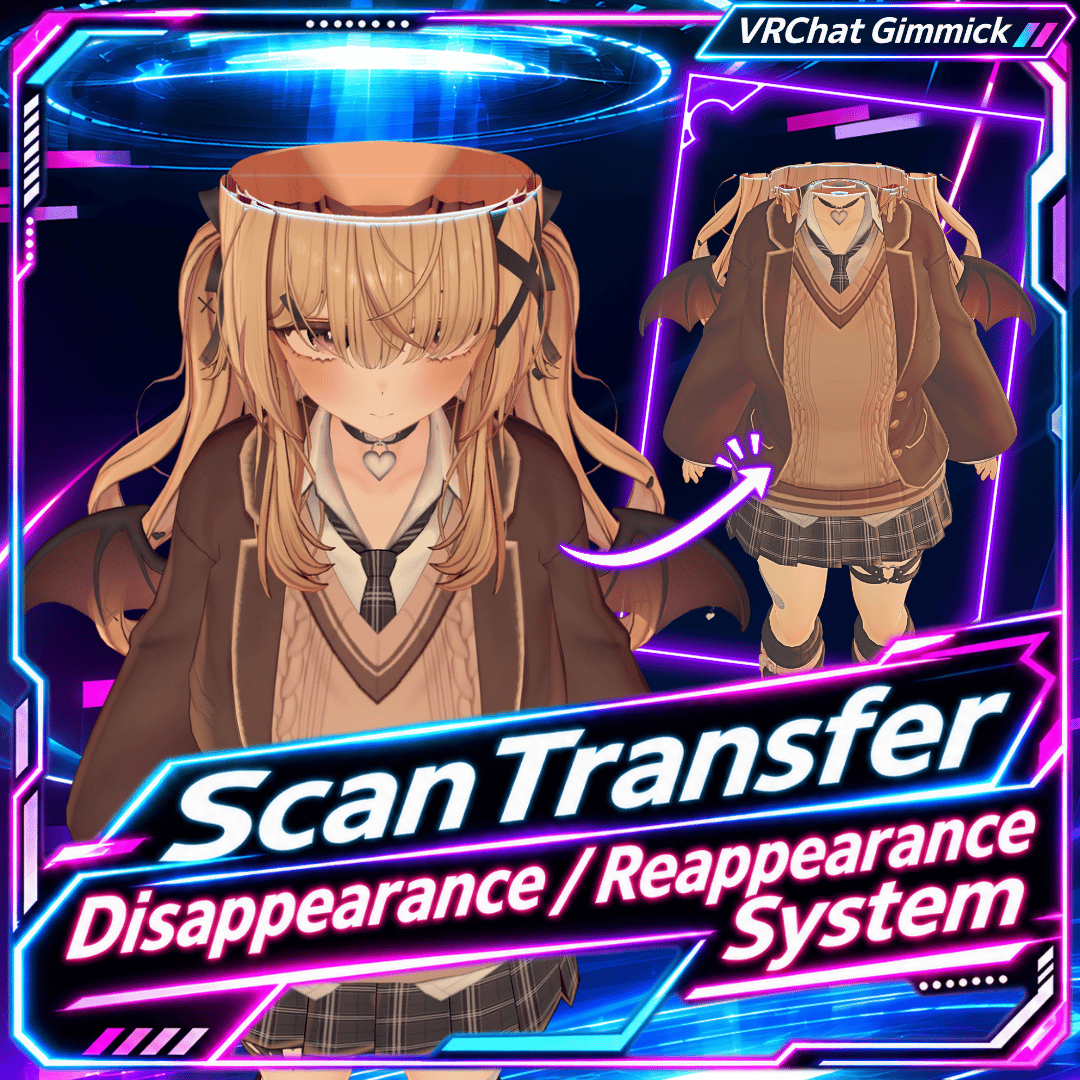
Make your VRChat avatar gradually disappear and reappear with a glowing scan effect!
ScanTransfer is a Unity Editor tool that adds a scan-style disappearance and reappearance effect to VRChat avatars.
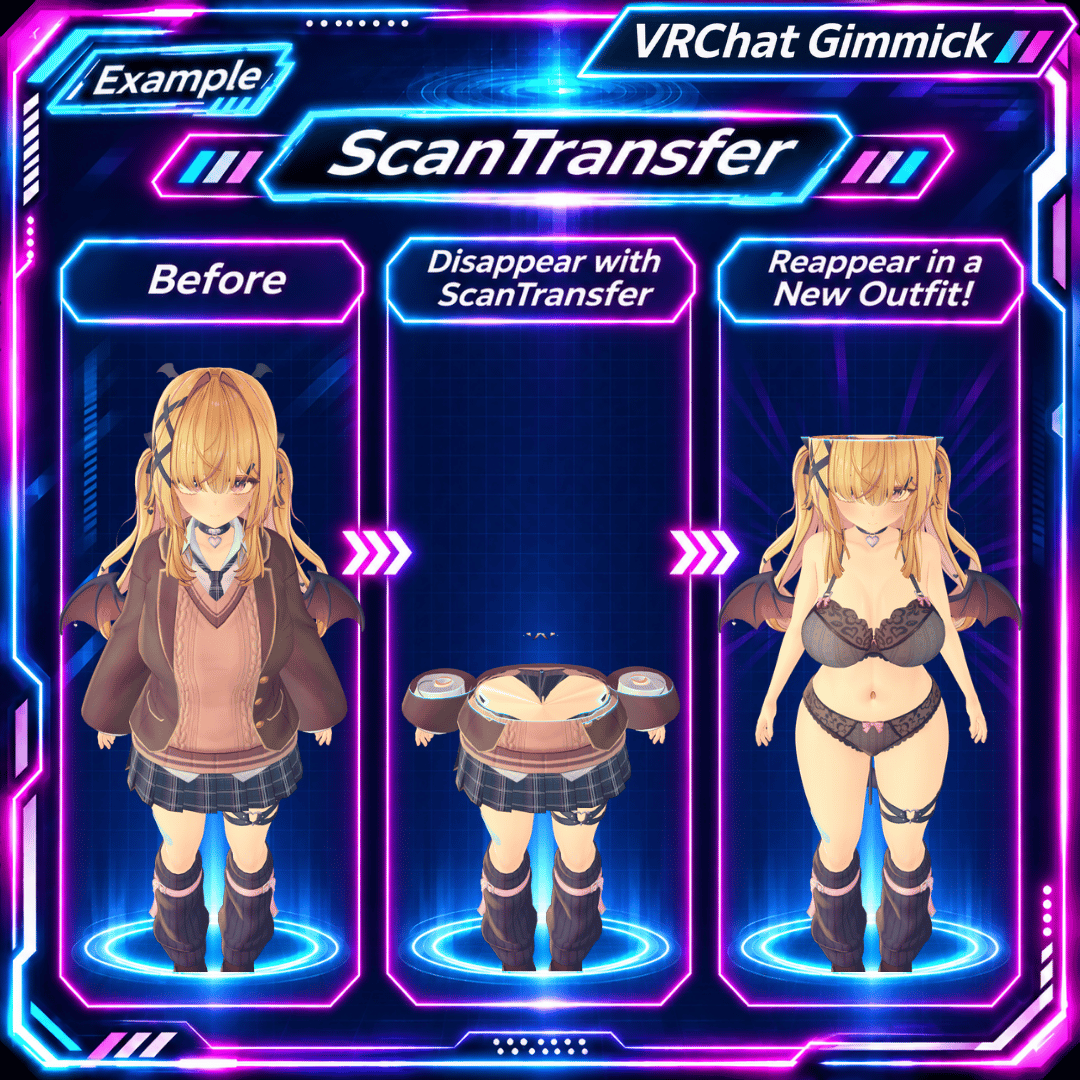
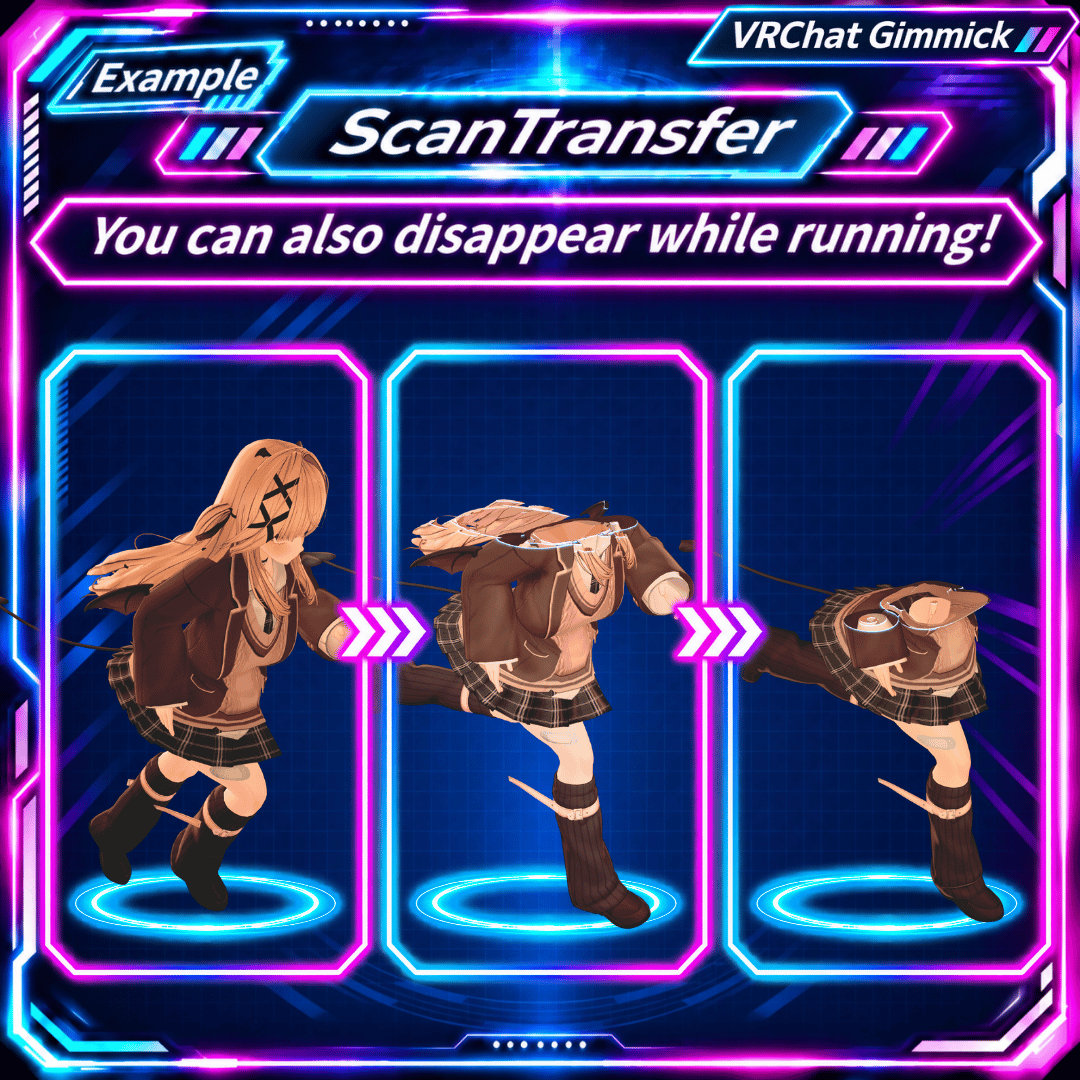
Your avatar gradually disappears from head to toe over approximately 10 seconds, with a glowing scan line moving across the body.
No complicated animation setup required! Install the effect using the dedicated Unity Setup window.
✨ Features
■ Scan-Style Disappearance & Reappearance
Your avatar gradually disappears from head to toe in approximately 10 seconds.
When reappearing, the scan moves in the opposite direction, gradually restoring the avatar.
■ Reverse the Effect at Any Time
Switch between disappearance and reappearance while the scan is running.
For example, you can reverse the effect when your avatar is halfway disappeared.
■ Easy VRChat Menu Controls
Turn ScanTransfer ON or OFF directly from your avatar's Expressions Menu.
■ Designed to Preserve Existing Avatar Settings
ScanTransfer attempts to preserve your avatar's existing configuration.
Unsupported materials or avatar configurations may be excluded from the effect, or installation may be skipped to prioritize safety.
🛠 Tested Environment
- Unity 2022.3.22f1
- VRChat SDK 3.10.5 / 3.10.6
- Modular Avatar 1.18.7
- NDMF 1.14.8
- lilToon 2.4.1
- Newtonsoft JSON 3.2.1
Platform: VRChat PC
Tested in VRChat Desktop Mode on Windows.
⚠ PCVR headset rendering (both eyes) has not been verified.
⚠ Quest standalone (Android) is not supported.
Compatibility with other versions is not guaranteed.
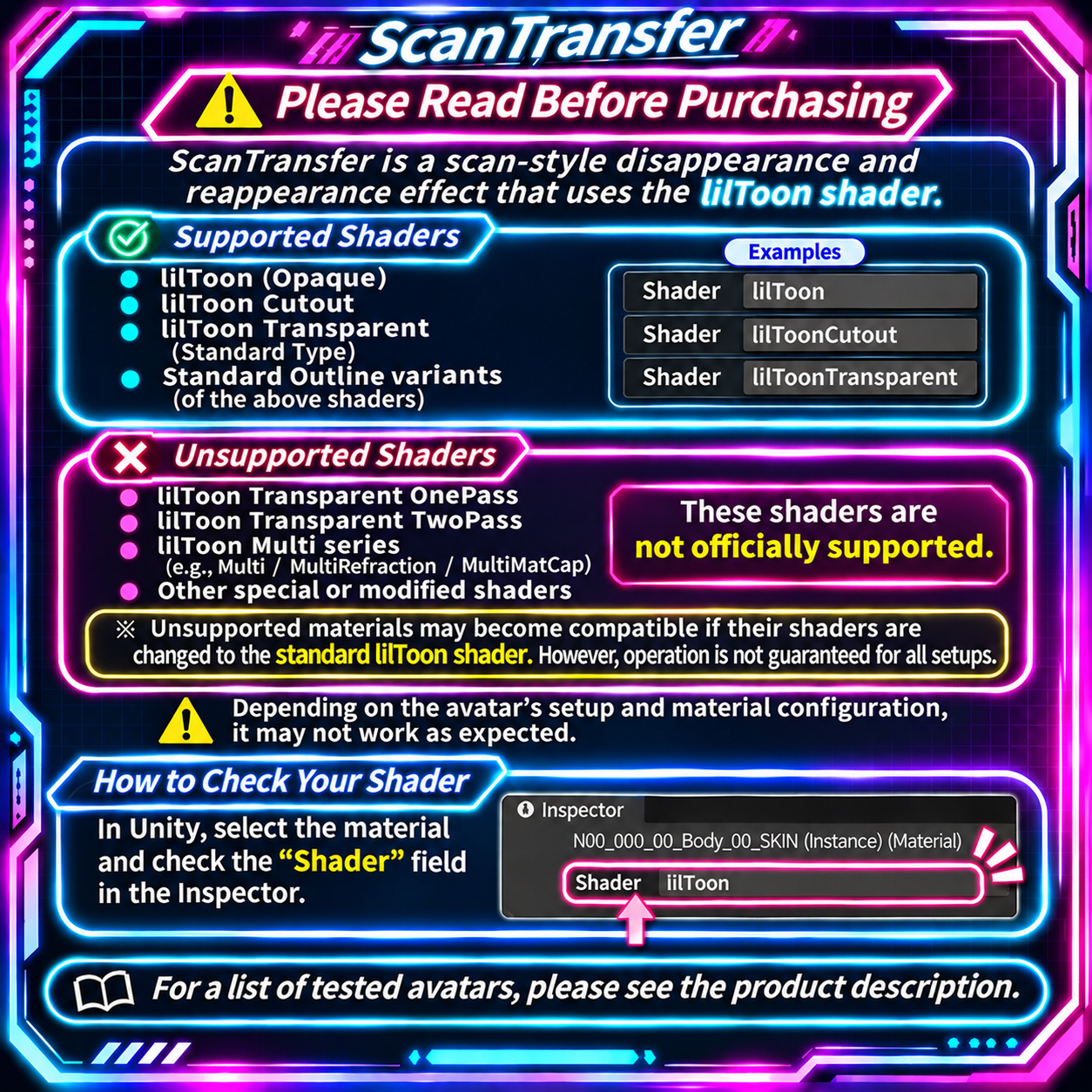
🎨 Supported Shaders
ScanTransfer is designed for standard lilToon shaders.
Supported
- Opaque
- Cutout
- Standard Transparent
- Corresponding Outline variants
Not Supported
- lilToon Multi
- OnePass / TwoPass Transparent
- Custom or modified shaders
- Certain Dissolve configurations
- Certain Alpha Mask / Vertex ID Mask configurations
Poiyomi, MToon, and other non-standard lilToon shaders are not officially supported.
Converting materials to standard lilToon may make them compatible, but compatibility is not guaranteed.
⚠ Unsupported parts may remain visible during the scan effect.
📦 Installation
- Extract the downloaded ZIP file.
- Import
ScanTransfer_v1.0.0.unitypackageinto Unity. - Open Tools → ScanTransfer → Setup.
- Select your avatar and check compatibility.
- Click the installation button.
- Run Build & Test using the VRChat SDK.
Once installed, control the effect through your avatar's Expressions Menu.
We recommend backing up your avatar or Unity Scene before installation.
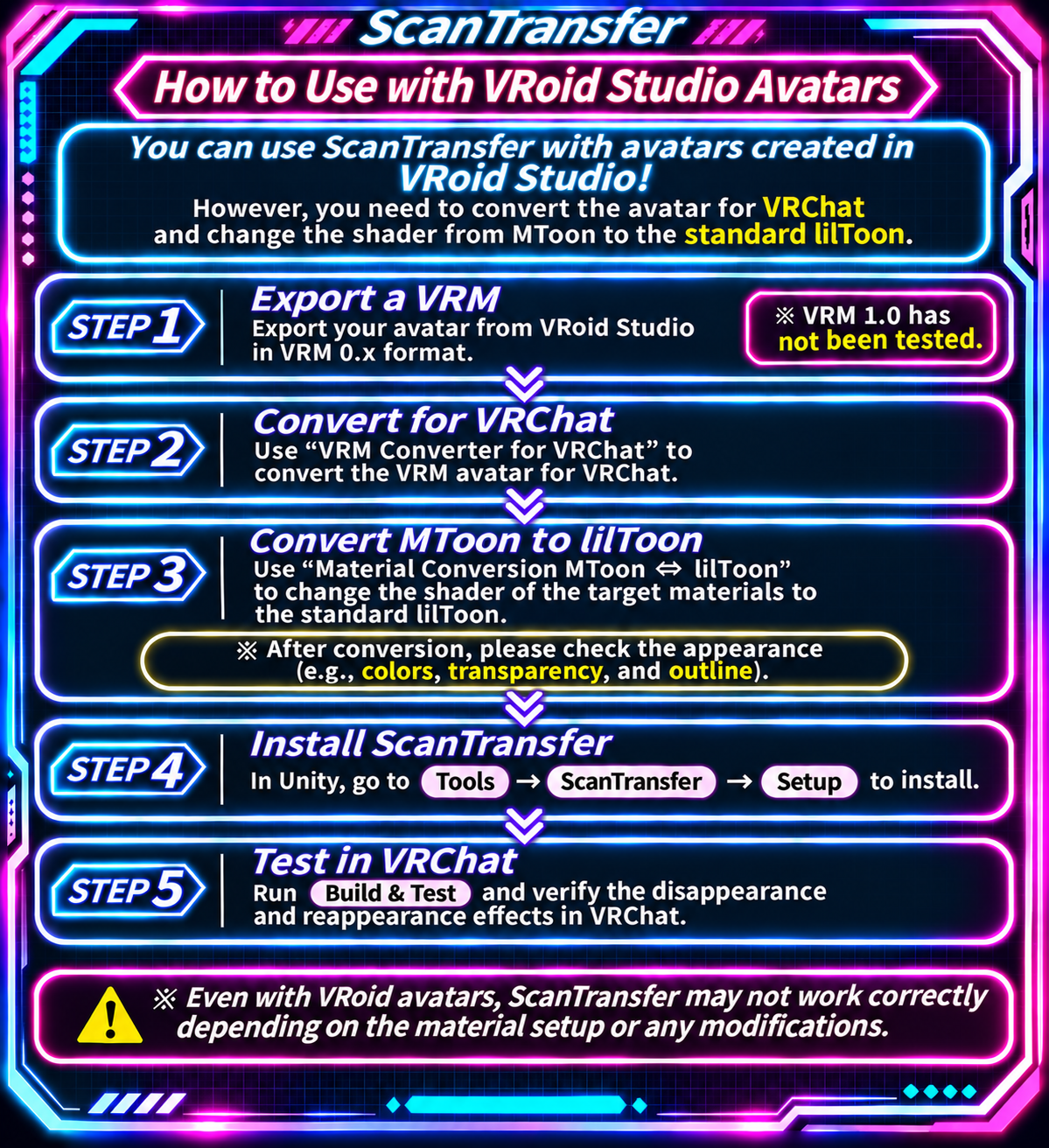
🌸 Installing on VRoid Studio Avatars
ScanTransfer can also be used with VRoid Studio avatars!
However, you must first convert your VRM avatar for VRChat and change its materials from MToon to standard lilToon.
STEP 1 — Export Your VRM
Export your avatar from VRoid Studio using VRM 0.x.
⚠ VRM 1.0 has not been tested.
STEP 2 — Convert Your Avatar for VRChat
Use VRM Converter for VRChat to convert your VRM avatar into a VRChat-compatible avatar.
https://booth.pm/ja/items/1025226
Follow the converter's instructions for installing any required dependencies.
STEP 3 — Convert MToon to lilToon
ScanTransfer does not support MToon directly.
Use the following material conversion tool to convert your avatar's materials to standard lilToon:
Material Converter "MToon ⇔ lilToon"
https://booth.pm/ja/items/6902717
After conversion, check your avatar's colors, transparency, and outlines.
STEP 4 — Install ScanTransfer
Open Tools → ScanTransfer → Setup and install ScanTransfer on your converted avatar.
STEP 5 — Test in VRChat
Run Build & Test and verify the disappearance and reappearance effect.
⚠ Compatibility depends on your avatar's materials, modifications, and configuration.
⚠ Important Notes Before Purchase
- Compatibility with every avatar is not guaranteed.
- Unsupported shaders or materials may prevent some parts from disappearing.
- Converting shaders may change your avatar's original appearance.
- Compatibility with other avatar systems, animations, and gimmicks is not guaranteed.
- If ScanTransfer is not applied during the first Build & Test, check for errors before trying Build & Test once more.
- Do not ignore compilation errors, SDK errors, or avatar safety warnings.
- If the second attempt fails, please contact us rather than repeatedly rebuilding.
- PCVR headset rendering has not been verified.
- Avatars, outfits, and accessories shown in promotional images or videos are not included.
📄 Package Contents
ScanTransfer_v1.0.0.zip
Includes:
- ScanTransfer_v1.0.0.unitypackage
- README_ScanTransfer_v1.0.0.txt
- TERMS_OF_USE.txt
- THIRD_PARTY_NOTICES.txt
Documentation is provided in English and Japanese.
📜 Terms of Use
Commercial and personal use is permitted for videos, streams, social media, events, and similar content.
Redistribution, resale, or falsely claiming authorship of original ScanTransfer components is prohibited.
Including original ScanTransfer components in avatars distributed to third parties is not permitted without separate authorization.
Third-party components derived from lilToon remain subject to the MIT License. Rights granted under that license are not restricted by the ScanTransfer terms.
Please read the included TERMS_OF_USE.txt for complete details.
💬 Support
For installation questions or bug reports, please contact us through the marketplace where you purchased the product.
When reporting an issue, please include your Unity, VRChat SDK, Modular Avatar, NDMF, and lilToon versions, your avatar name, and any relevant error messages.
✅ Tested Avatars
The following avatars have been tested with ScanTransfer.
Results may vary depending on modifications, installed systems, and material configurations.
■ VRoid Studio Avatars (VRM 0.x)
Tested after conversion for VRChat and conversion to standard lilToon materials.
■ Yumeka
https://booth.pm/ja/items/8672657
■ HAOLAN
https://booth.pm/ja/items/3818504
■ RadDollV3
https://booth.pm/ja/items/3741802
■ Felis
https://booth.pm/ja/items/5385176
Avatars are sold separately. ScanTransfer is not affiliated with the creators of these avatars.
Roo’s Workshop