
Description du produit
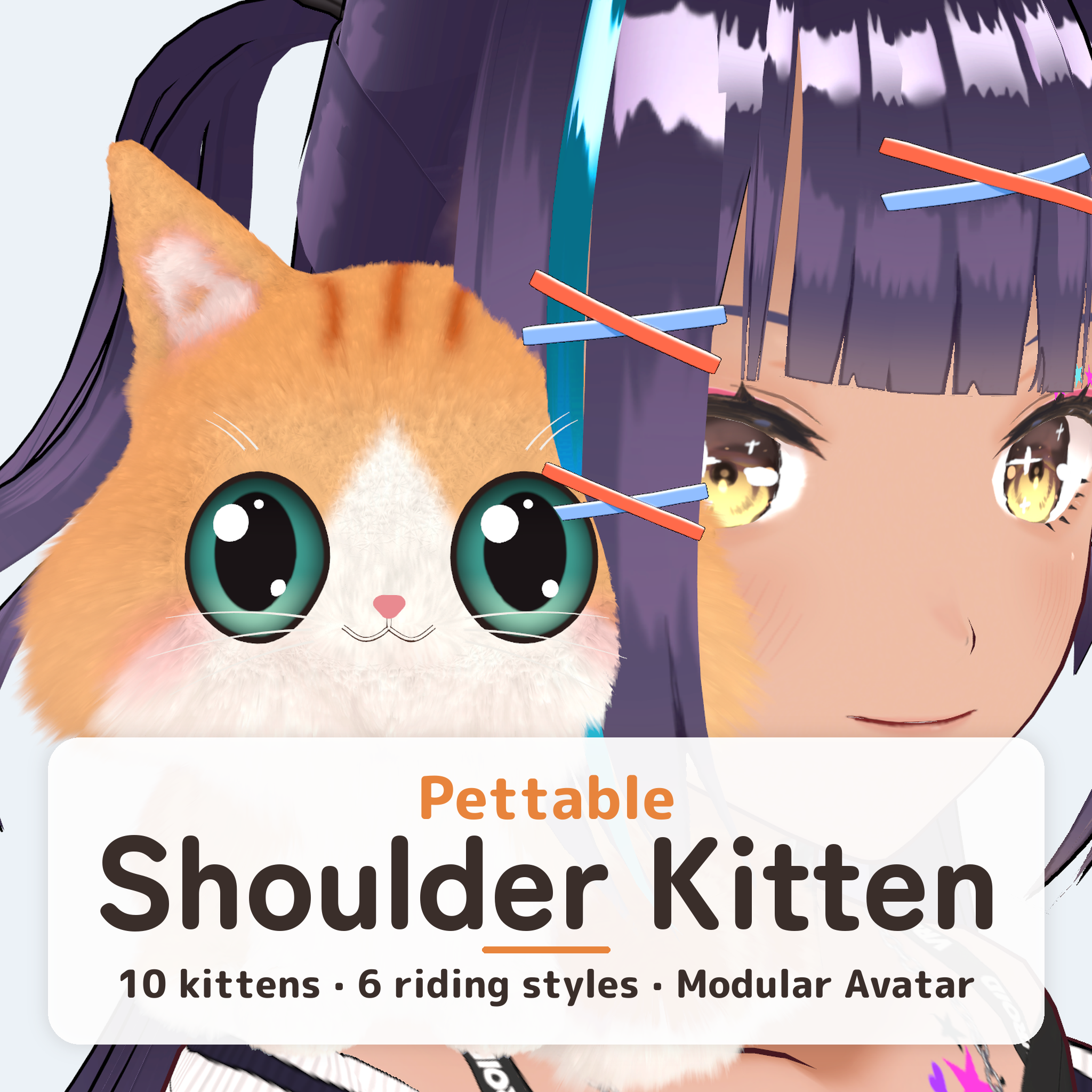
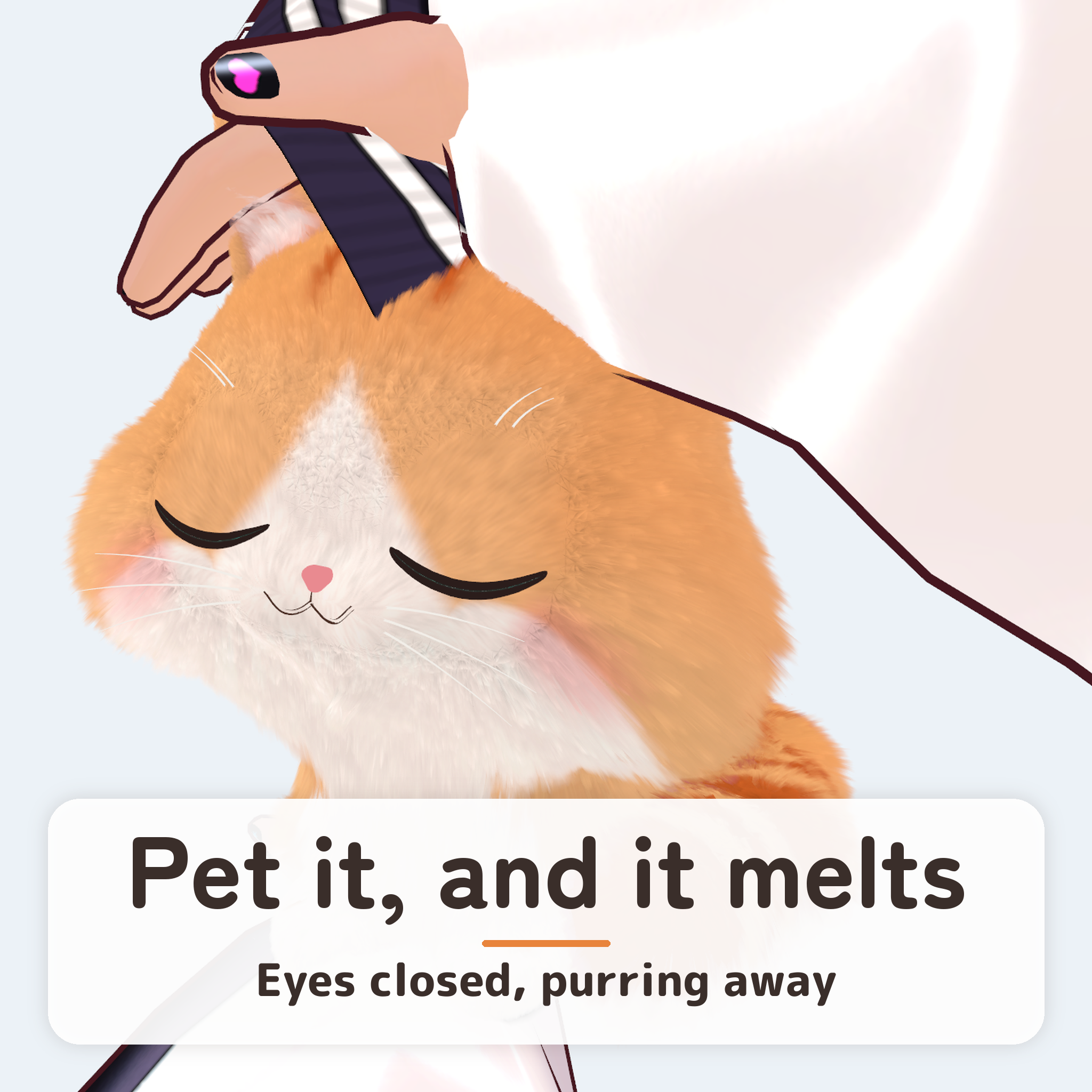
A fluffy kitten that rides on your avatar's shoulder. Pet it, and it closes its eyes and purrs.
Pettable Shoulder Kitten puts a small kitten on your VRChat avatar.
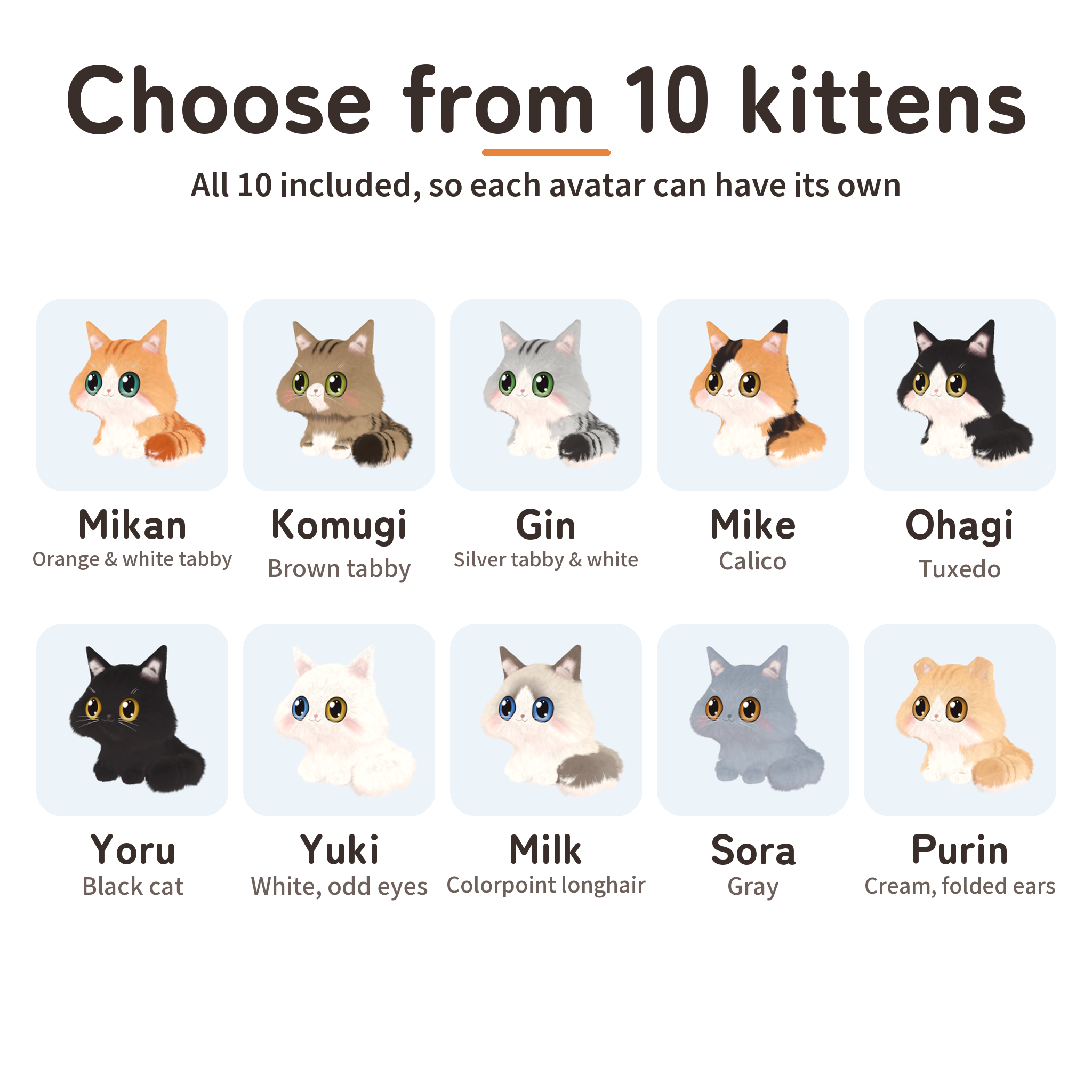
- Choose from 10 kittens (a different one for each avatar, if you like)
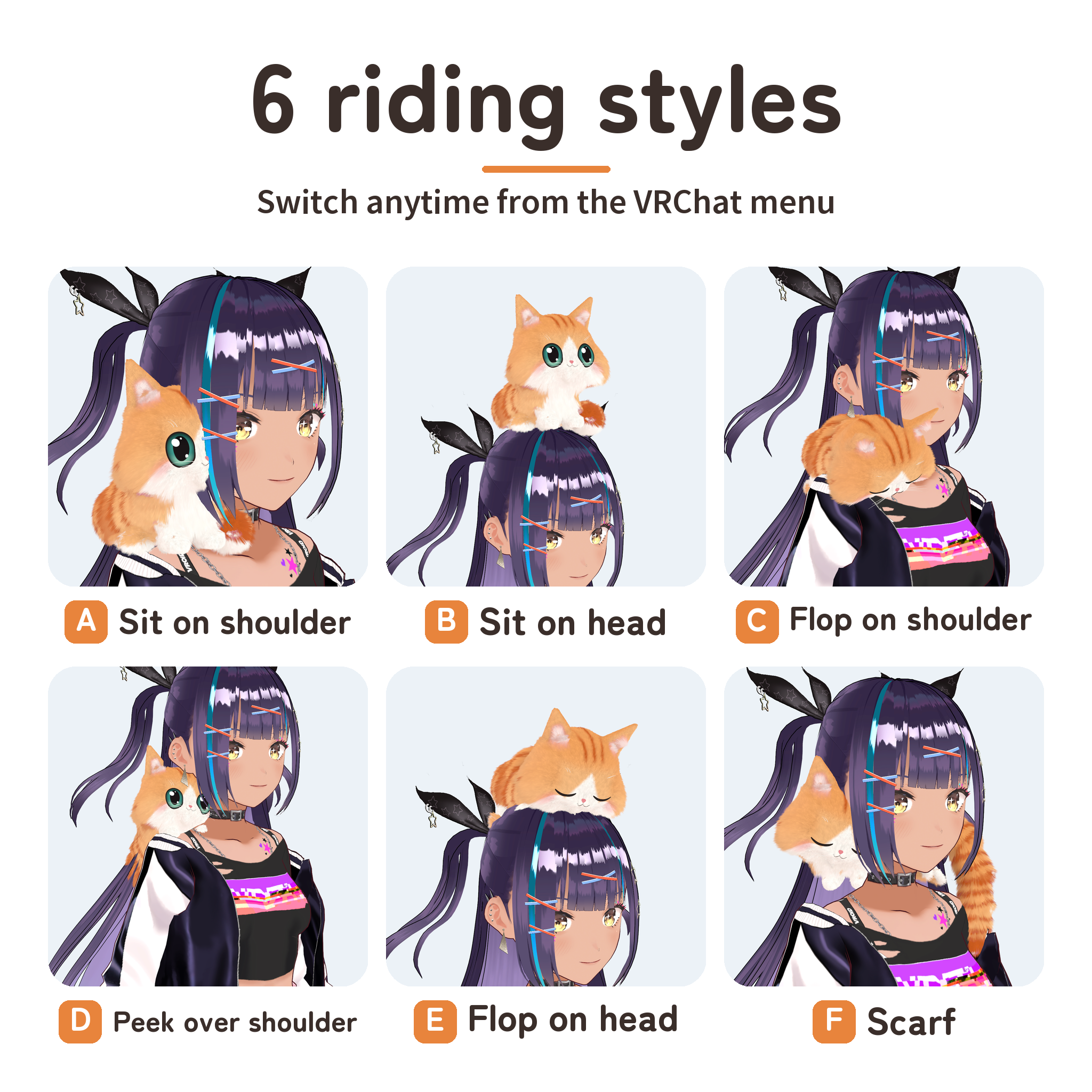
- 6 riding styles, switchable anytime from the VRChat menu
- Pet it with your own hand or let your friends pet it
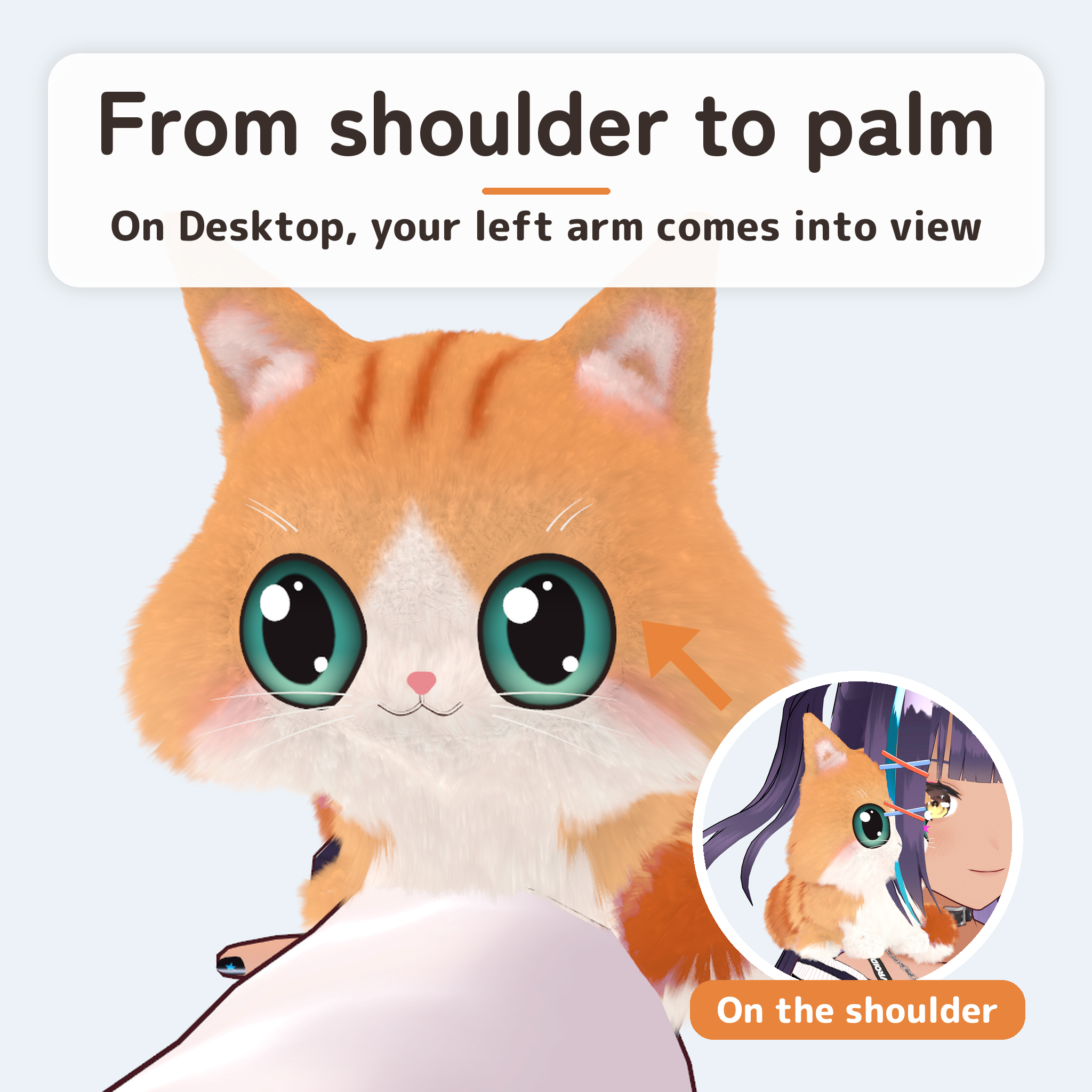
- Move it onto your left palm and pet it up close
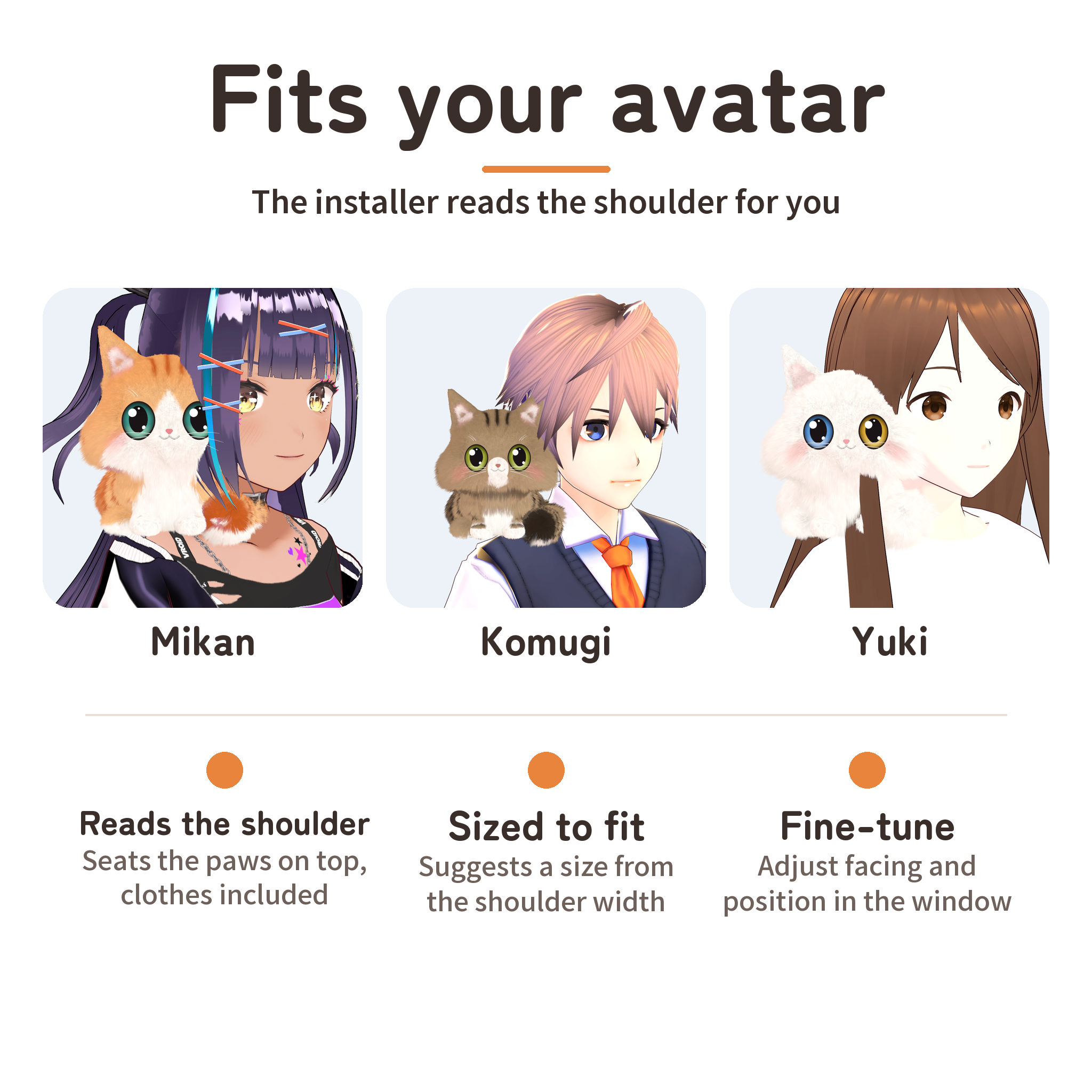
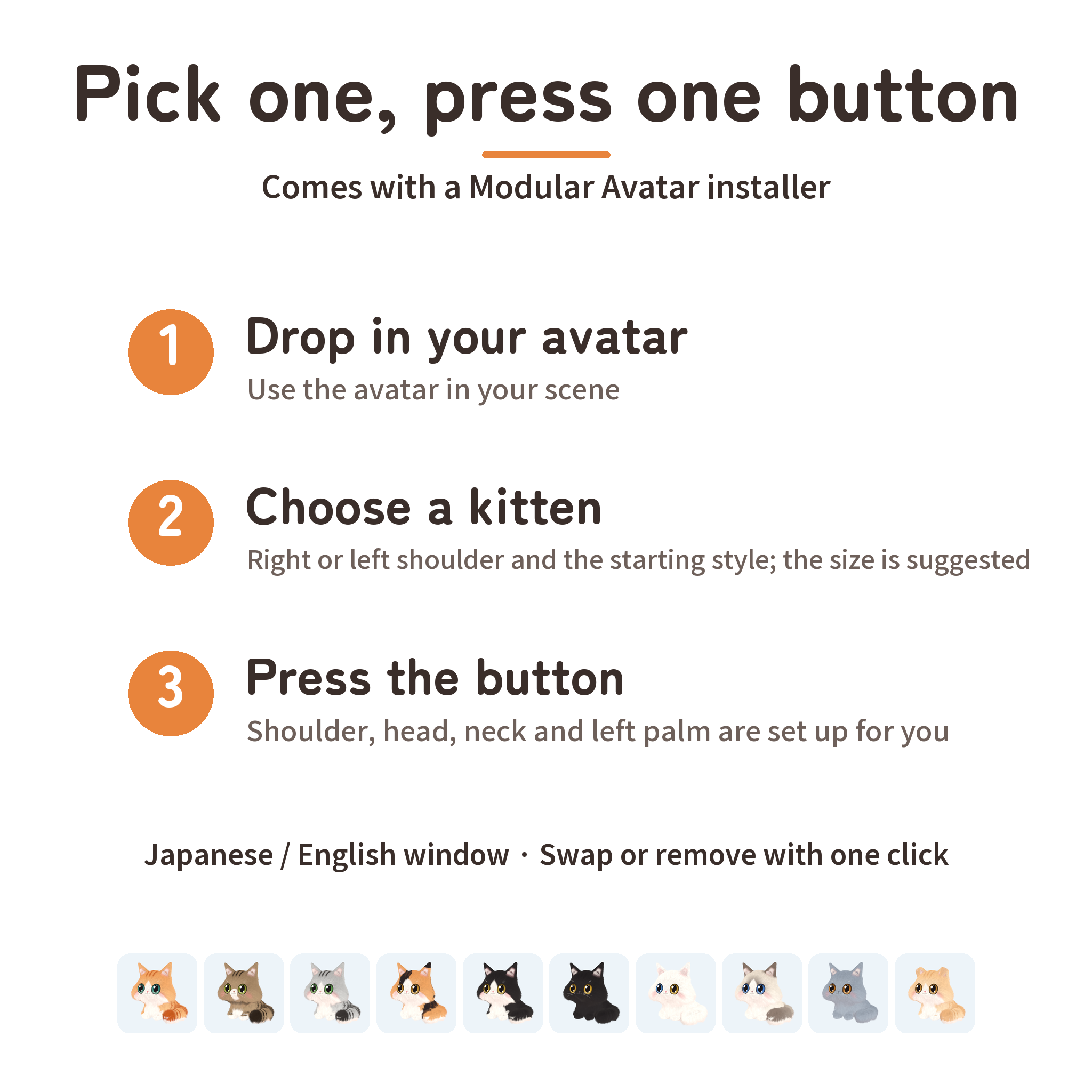
- Modular Avatar: pick a kitten in the installer window and press one button
Watch it in action
Watch the v1.0 intro video with sound to hear it purr
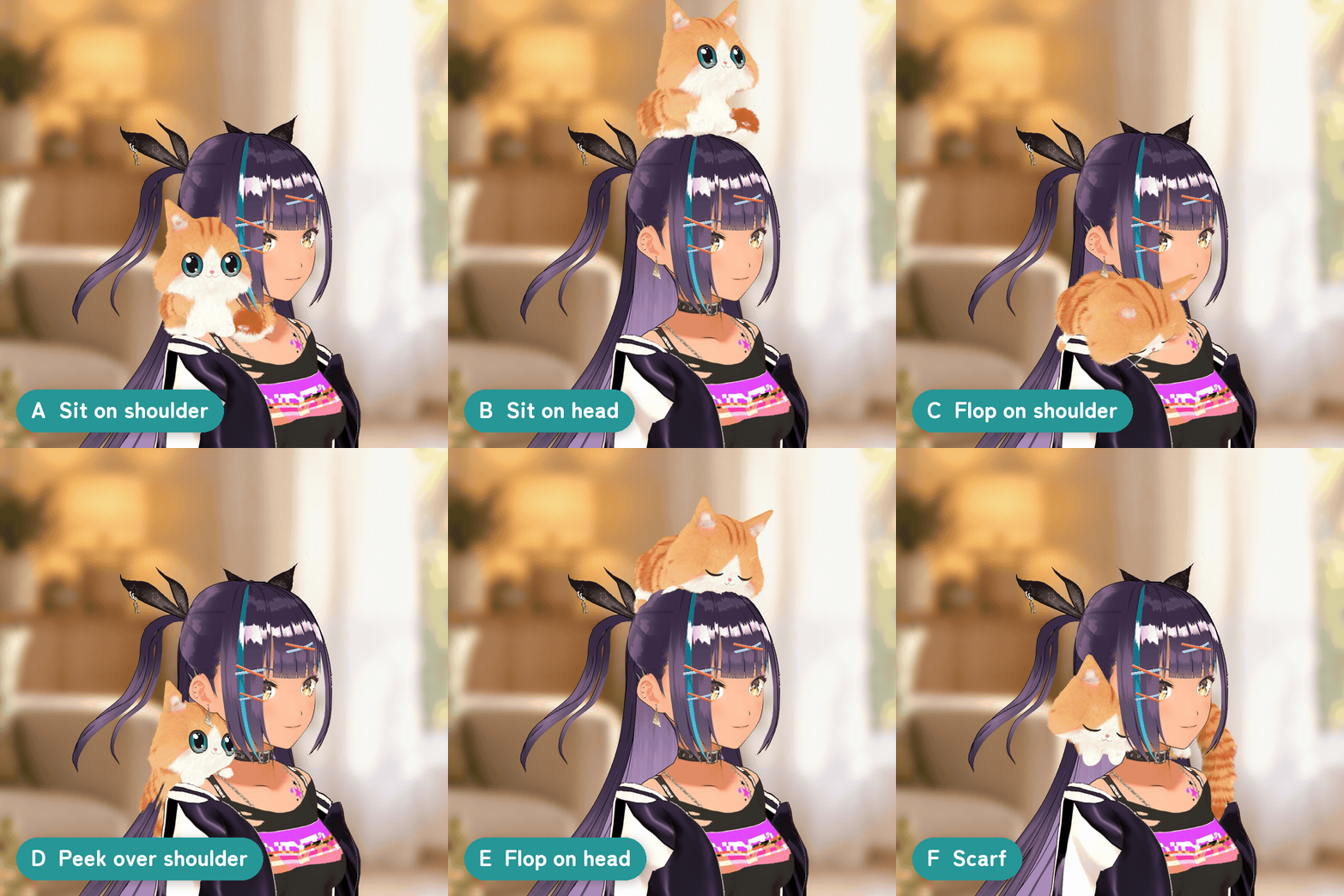
6 riding styles
- A Sit on shoulder: sits on top of your shoulder.
- B Sit on head: sits on top of your head.
- C Flop on shoulder: lies limp over your shoulder with its front paws and head hanging forward, eyes closed.
- D Peek over shoulder: clings behind your shoulder and peeks over it.
- E Flop on head: lies on your head like a hat, front paws hanging to the sides.
- F Scarf: wraps around the back of your neck, its head resting in front of the shoulder you chose.
Pick a style from Expressions → Shoulder Kitten → Riding style. The installer measures your avatar's shoulder, head and neck to place each style.
Pet it, and it melts
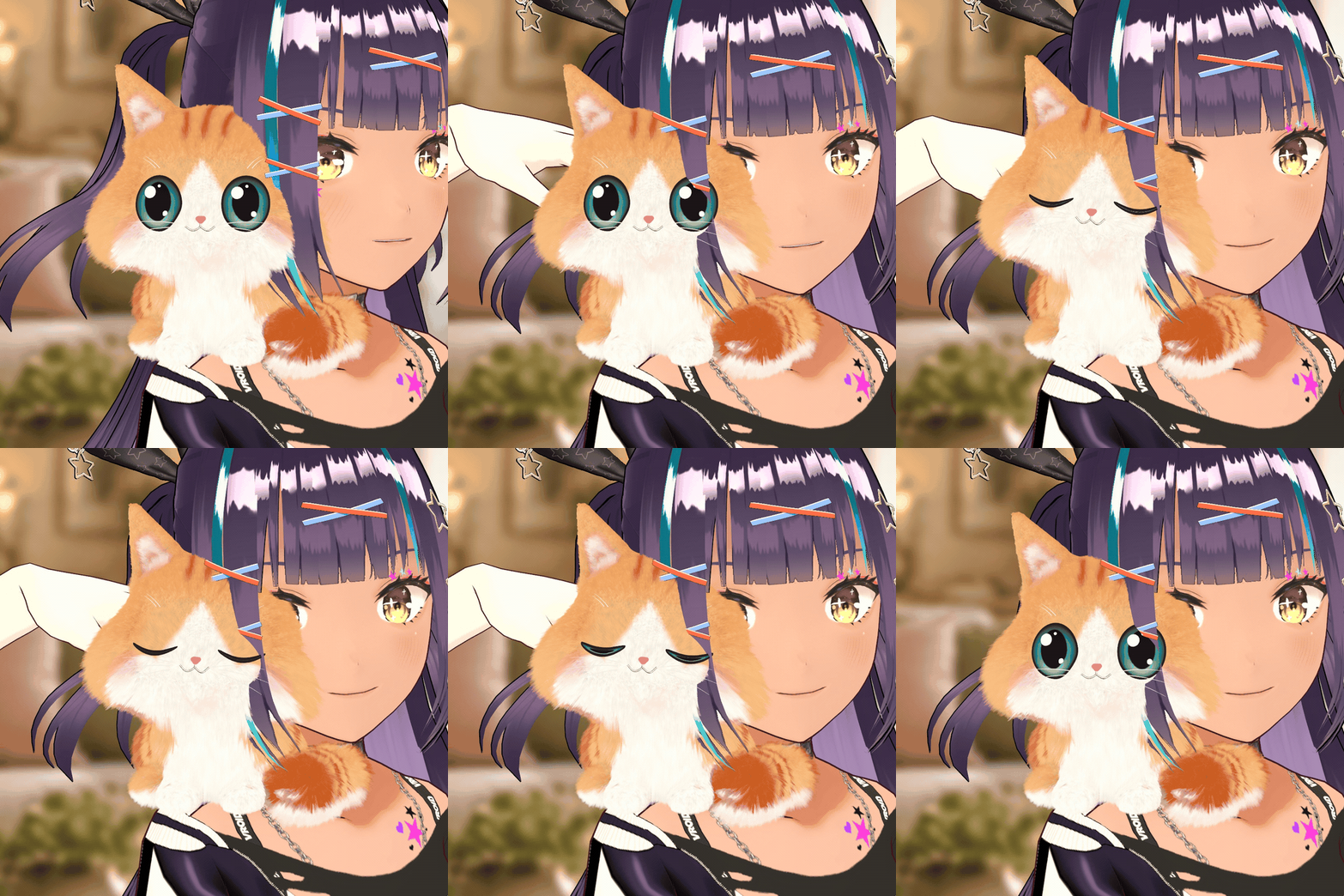
- Touch its head, chin or cheeks with your hand and it closes its eyes, nuzzles your hand and purrs. Your friends can pet it too.
- "Poke" makes its ear twitch with a little chirp. "Relax" makes it slowly close its eyes and rest.
- While idle it breathes, blinks and moves its ears and tail.
From your shoulder to your palm
- "On left palm" hops the kitten from your shoulder onto your left palm. In VR, turn your palm up and it sits there, ready to be petted with your right hand.
- On Desktop, your left arm lifts so the kitten comes into view. Putting it back on your shoulder lowers your arm again.
10 kittens
Mikan (orange & white tabby), Komugi (brown tabby), Gin (silver tabby & white), Mike (calico), Ohagi (tuxedo), Yoru (black cat), Yuki (white cat, odd eyes), Milk (colorpoint longhair), Sora (gray) and Purin (cream, folded ears). All 10 are included, so each of your avatars can have its own kitten.
Soft fur
The fur uses lilToon Fur, with the flow, length and tips tuned for each part of the body: a white bib under the chin, round cheeks and a fluffy tail.
Easy setup
- Import the Unity package into an avatar project that has lilToon and Modular Avatar.
- Open Tools → Hime → Shoulder Kitten → 肩のりこねこを導入 - Install, and switch the window to English at the top.
- Drop in your avatar, choose a kitten, a shoulder and the starting style, then press "Put on this avatar". The installer reads the shoulder, head and neck, clothes and hair included, to place each style, and suggests a size from the shoulder width. Size, facing and position can all be adjusted.
- Upload the avatar with the VRChat SDK.
Swapping to another kitten or removing it takes one click, and both can be undone.
Menu
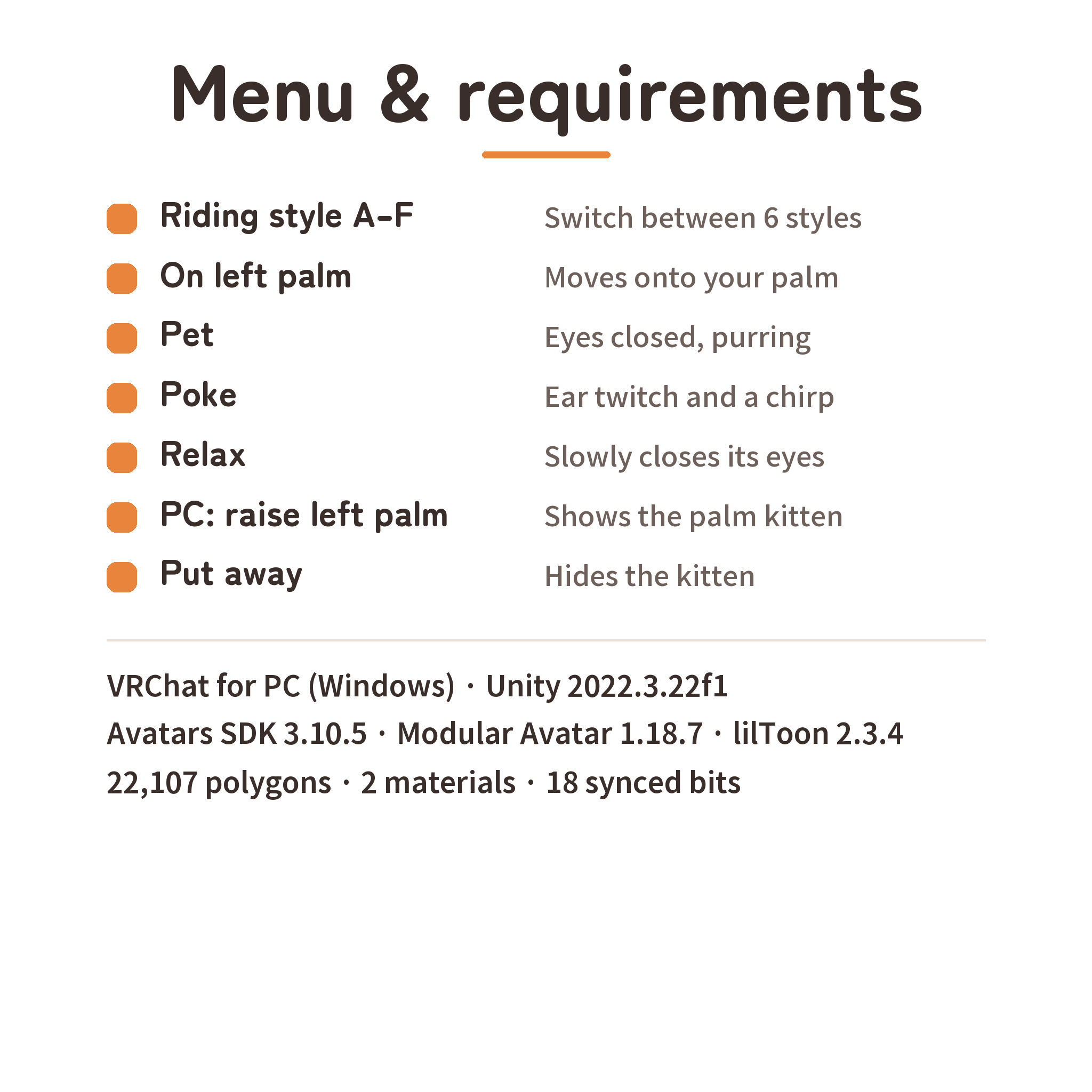
Riding style (A–F) · On left palm · Pet · Poke · Relax · PC: raise left palm · Put away. Players near the kitten can hear its purr and chirp.
Requirements
- VRChat for Windows
- Unity 2022.3.22f1 (a VRChat Creator Companion project)
- VRChat Avatars SDK 3.10.5, Modular Avatar 1.18.7 (NDMF 1.14.8), lilToon 2.3.4 or later
- A Humanoid avatar with an Avatar Descriptor
- For other players' hands to trigger reactions, Avatar Interactions must be allowed on both sides.
What it adds to your avatar
22,107 polygons · 2 materials · 2 skinned meshes · 4 contact receivers · 1 VRC Parent Constraint · 2 audio sources · 18 bits of synced parameters
Included
Unity package (10 kitten prefabs, model, textures, animations, menus, sounds and the installer), English and Japanese guides, terms of use, and the official lilToon 2.3.4 package (unmodified). The avatars shown in the images and the video are not included.
Terms of use
You may add the kitten to your own avatars and upload them to VRChat, modify it, use it commercially in videos and streams with your avatar, and use it on public avatars. Redistributing or selling the data (including modified versions), or distributing it as material for other products or avatars, is not allowed. See the included terms for details.
Credits
Avatars in the images and the video: AvatarSample B (VRoid Project / pixiv Inc.), VRM1 Constraint Twist Sample (pixiv Inc.) and Sakurada Fumiriya (VRoid Project / pixiv Inc., CC0), used under their terms.
Support
For purchases on Jinxxy, use this product's Q&A on Jinxxy. Include the product version, your Unity, VRChat SDK, Modular Avatar and lilToon versions, your avatar's name and what happened.