
ECHO BEAT | 12-Song Cooperative Rhythm Game for VRChat Worlds
Description du produit
Ce produit contient du contenu généré par IA.
Take all four drums, or share a pair and play familiar melodies together.
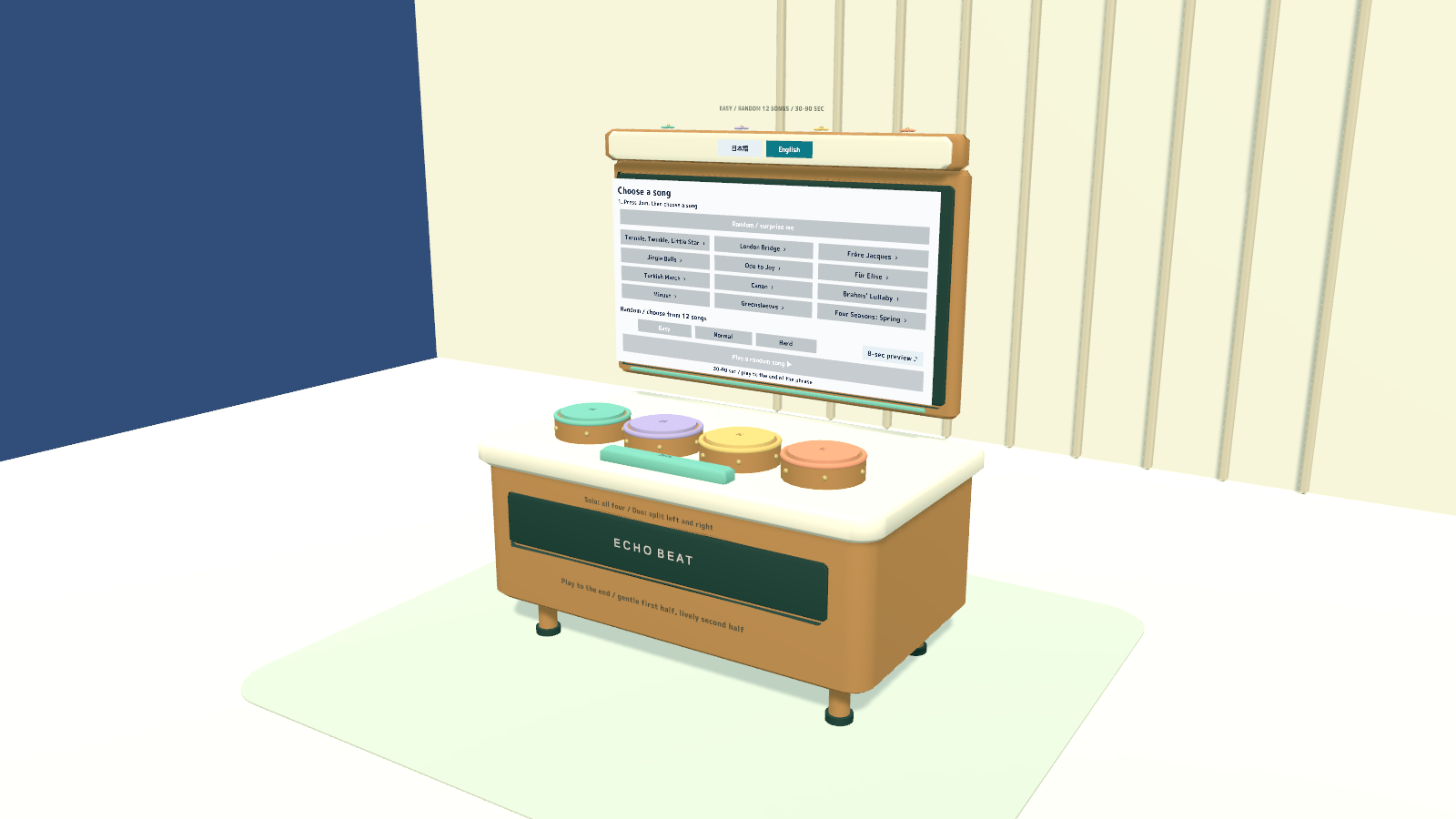
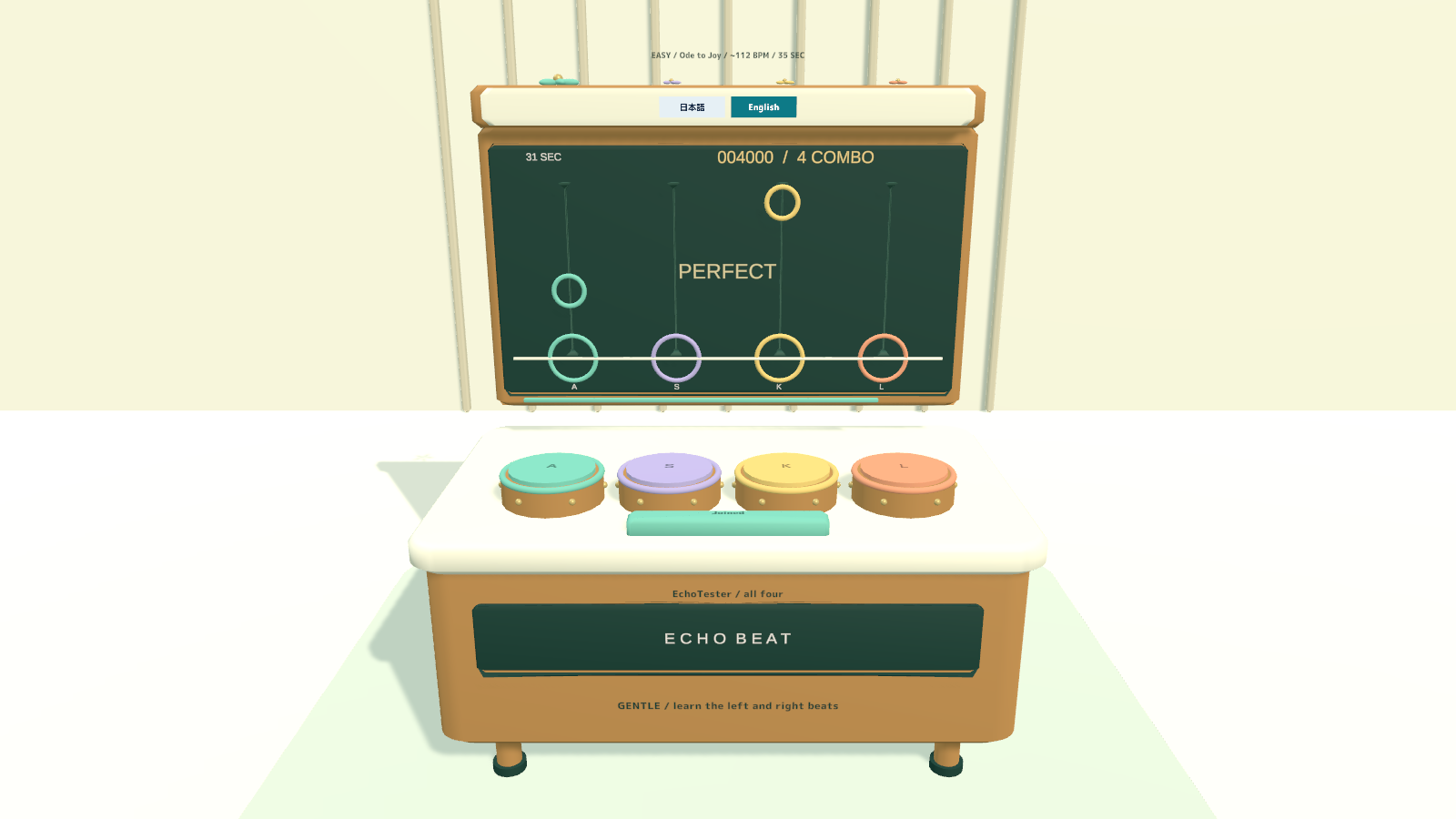
ECHO BEAT is a four-drum rhythm game for VRChat worlds. Twelve familiar songs each have three difficulty charts, giving solo players and pairs 36 ways to play. Friends can follow the same song, score, combo and results from the shared table.
12 songs · 3 difficulties · 36 charts · Solo or two-player · PC VR / Desktop / Android
Watch it in action
Watch the English introduction on YouTube
Made for shared play
- Complete musical phrases. Songs run for about 30–90 seconds, with gentler first halves and more notes later in the arrangement.
- Four drums, flexible roles. Play all four alone or divide the left and right pairs between two players. If one player leaves mid-song, the remaining player takes all four.
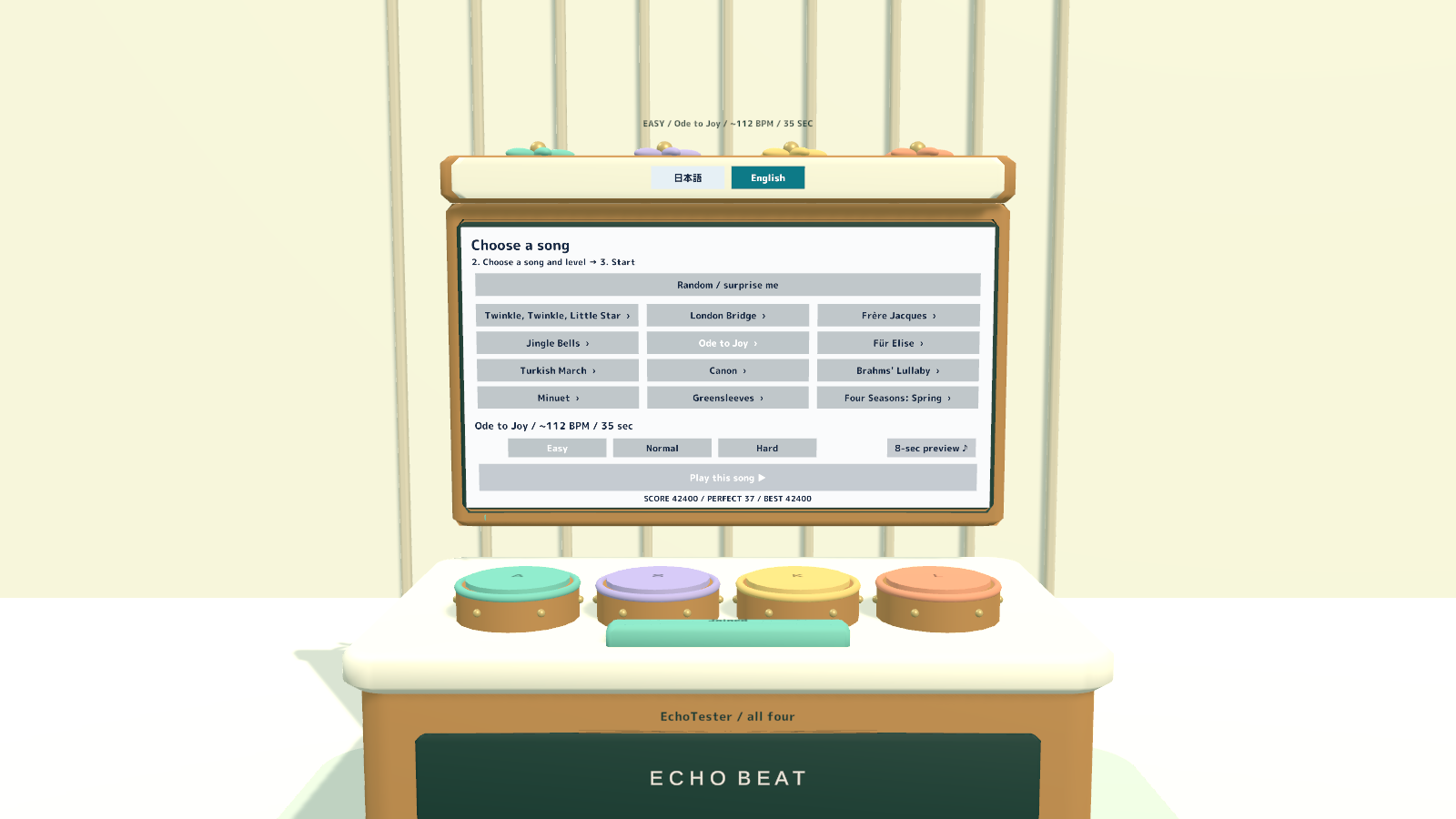
- Choose before the round. Select a song and difficulty, then start after a two-second countdown. An eight-second preview plays only for the person who requests it and stops when the game starts.
- Follow shared results. Song, difficulty, time, score, combo, participants and results are shared. Best scores are kept per song and difficulty for the current instance.
- Play with the music. Music, drum and finish sounds remain enabled during play. Note visuals and judgment follow the same timeline.
How to play
- Join a role, choose a song and one of three difficulties, then select Play this song. If no song is selected, the game picks one at random.
- On desktop, use A, S, K and L for the four drums. In VR, strike downward with your hands or Use the drums.
- Hit the notes on time and build a combo. Song selection and new joins are locked during a round.
- To leave, hold the Leave control for one second. On desktop, hold Tab to use the cursor button or hold F for one second; in VR, use the table’s Leave control.
- Check the shared result and try another chart. Desktop joining fixes the playing position until you leave.
The included song list features Twinkle, Twinkle, Little Star; London Bridge; Frère Jacques; Jingle Bells; Ode to Joy; Für Elise; Turkish March; Canon; Brahms’ Lullaby; Minuet; Greensleeves; and Four Seasons: Spring.
Your own display language
Japanese and English can be selected independently for menus, song titles, results and hints. Regular variants follow the player’s VRChat language; EN variants start in English. The choice does not change the shared song or score.
What you get
- Four game prefabs and four sample scenes for PC/Android and regular/English startup.
- An optional EchoBeat_UIEventSystem.prefab helper.
- Four-drum models, materials, UdonSharp scripts, twelve song recordings and 36 charts.
- Unity mesh/C# generation sources and audio-editing Python sources.
- Japanese/English guides, LICENSE_EN.txt, MUSIC_CREDITS.txt, music-sources.json and included music/font license notices.
Requirements & setup
Use a VCC Worlds project with Unity 2022.3.22f1, the Built-in Render Pipeline and VRChat SDK – Worlds 3.10.5 or later with UdonSharp.
- Import TMP Essential Resources from Window → TextMeshPro, then import EchoBeat_v2.0.0.unitypackage.
- For English at startup, place EchoBeat_Set_EN.prefab in a PC world or EchoBeat_Set_Android_EN.prefab in an Android world. Regular startup-language variants are included too.
- Adjust the placement using a uniform scale, then use the SDK’s Build & Test.
- If the scene has no EventSystem, add EchoBeat_UIEventSystem.prefab. Reuse an existing EventSystem when one is already present.
Commercial use & customization
Individuals and organizations may use and modify this product in VRChat worlds, including commercial worlds, and in videos and screenshots. Redistribution or resale of the original models, programs or modified versions as standalone assets is not permitted.
The restriction on the product’s original assets does not replace the separate licenses for third-party music and fonts. The included recordings have their own attribution and license requirements. See MUSIC_CREDITS.txt, music-sources.json and the included license texts before publishing.
For edited CC BY-SA recordings, retain the same license version as the source; CC BY recordings follow their respective included versions. Preserve the source, performer, modification description and license links required by those licenses. Do not add restrictions to the rights granted for those recordings.
See LICENSE_EN.txt and all included third-party notices for the full terms.
Version 2.0.0
One bilingual download contains Japanese/English display options and guides, with platform and startup-language variants.
Support
For purchases on Jinxxy, use this product's Q&A on Jinxxy. Include the product name, Unity and SDK versions, the steps you took and any error text. The included original guides may name earlier sales channels; Jinxxy purchases receive the same product support and use rights.