
Dominoes Together | VRChat World Domino Playground
Description du produit
Ce produit contient du contenu généré par IA.
Draw a domino run together. Give the first tile a push. Watch your creation reach the confetti finish.
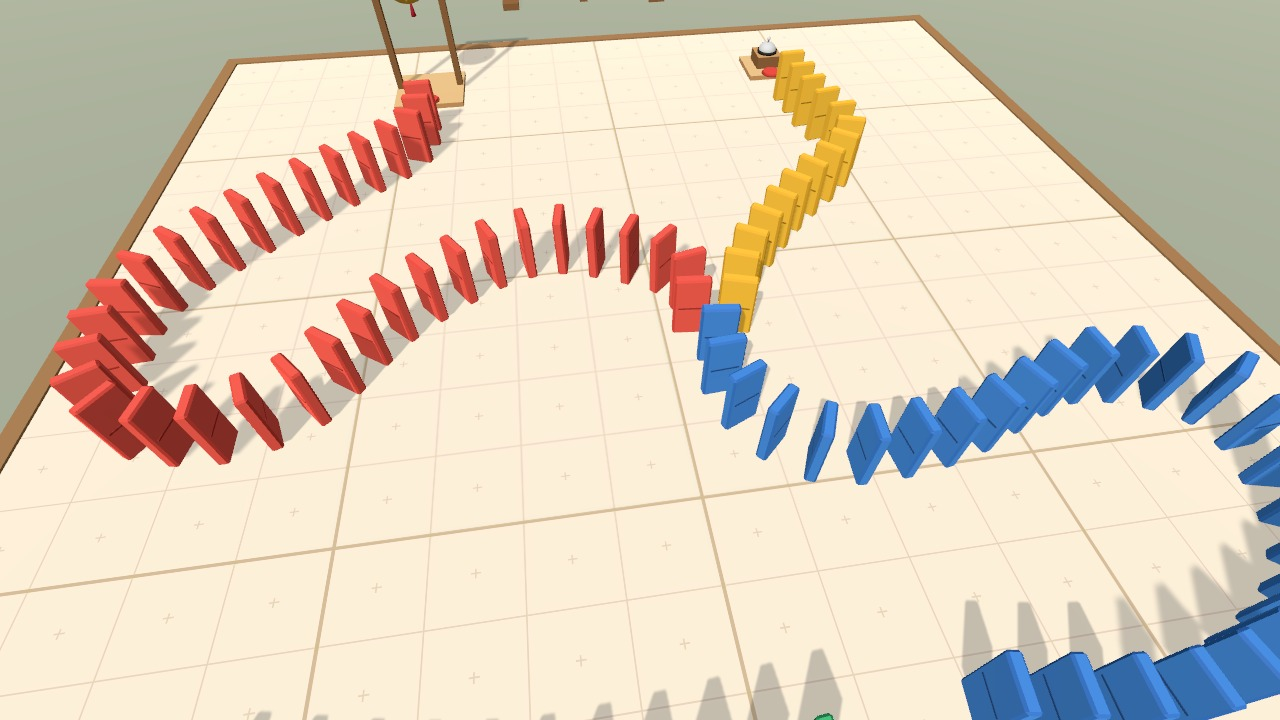
Dominoes Together turns a corner of your VRChat world into a shared domino playground. Pick up a coloured pen and hold Use as you move: a line of dominoes follows your path across the mat. Build sweeping curves, add a branch, then carry the celebration ball or bell to the finish.
Play on your own or build with up to four people at once. Japanese and English players share the same run while keeping their own display language.
Watch it in action
Watch the English gameplay preview on YouTube
Build, topple, and try another route
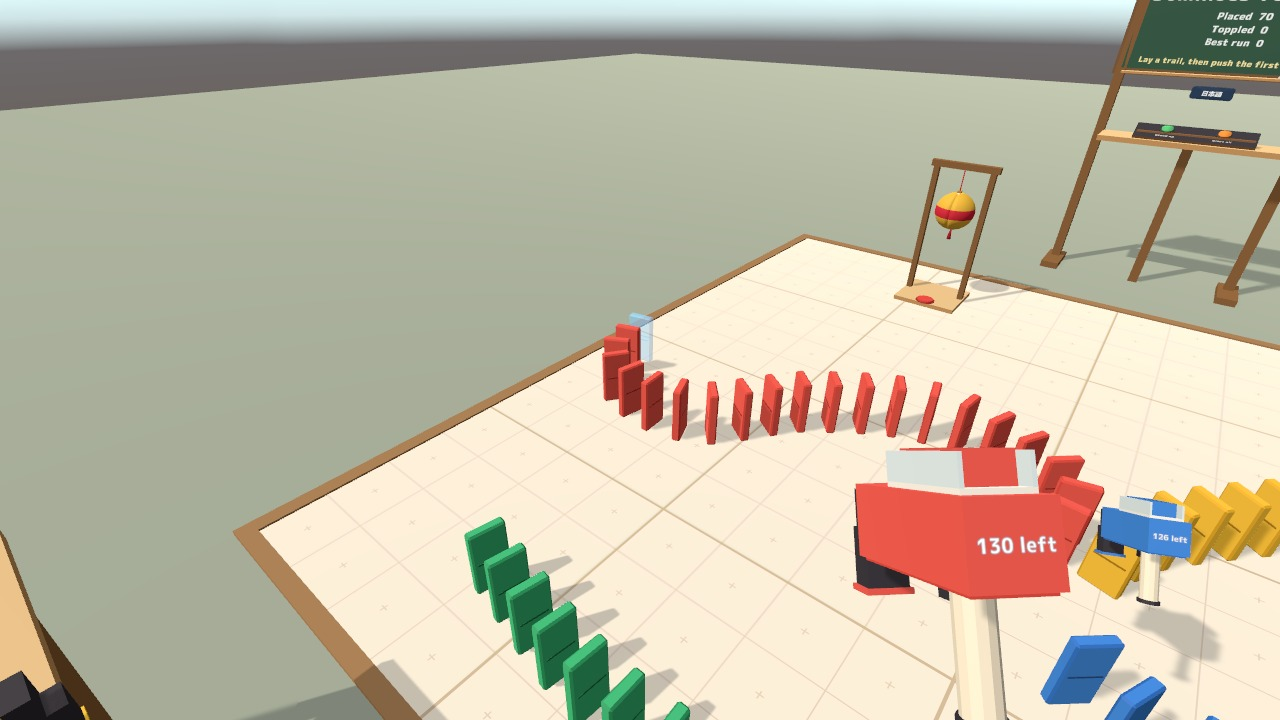
- Four colours, up to 600 dominoes. Each pen lays up to 150 dominoes. Hold Use to draw a continuous line, or tap to place a single tile. A blue preview shows the next spot; red marks a position too close to another domino or a goal.
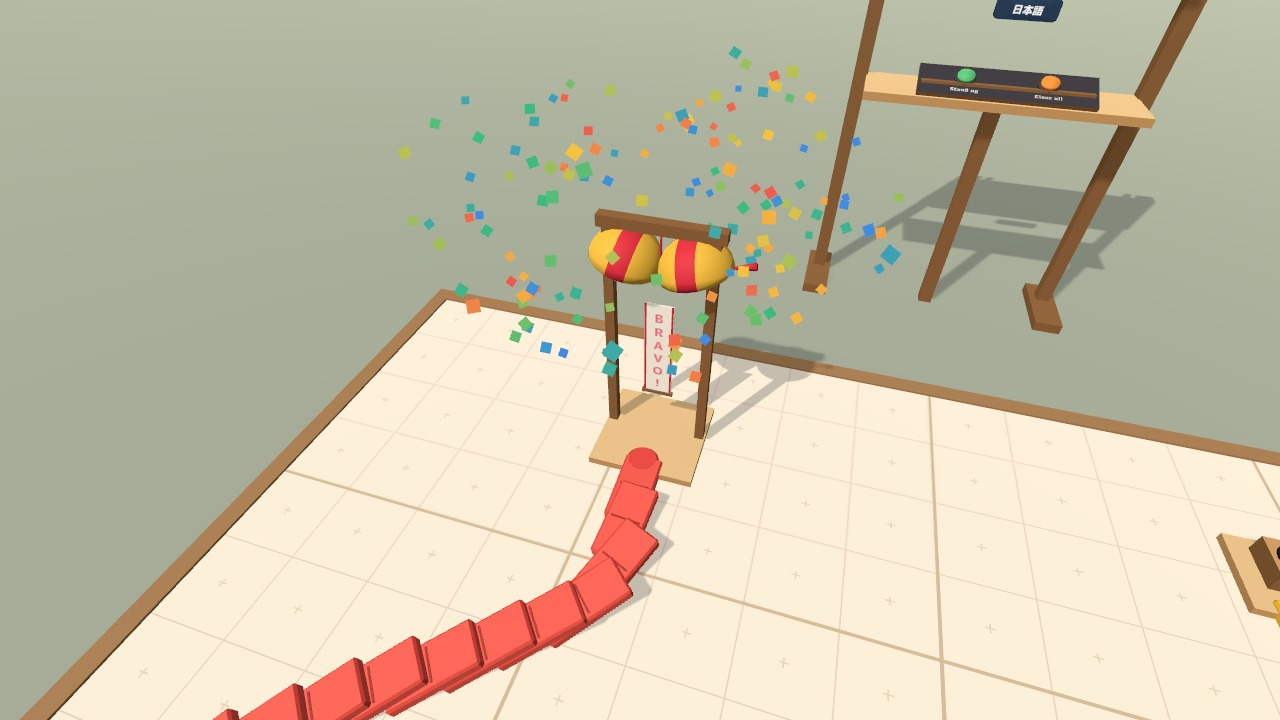
- A finish worth building towards. Place the movable party ball at the end of your run. When a falling domino reaches its pad, it opens with a BRAVO! banner and confetti. Set up the bell for a ringing finish, too.
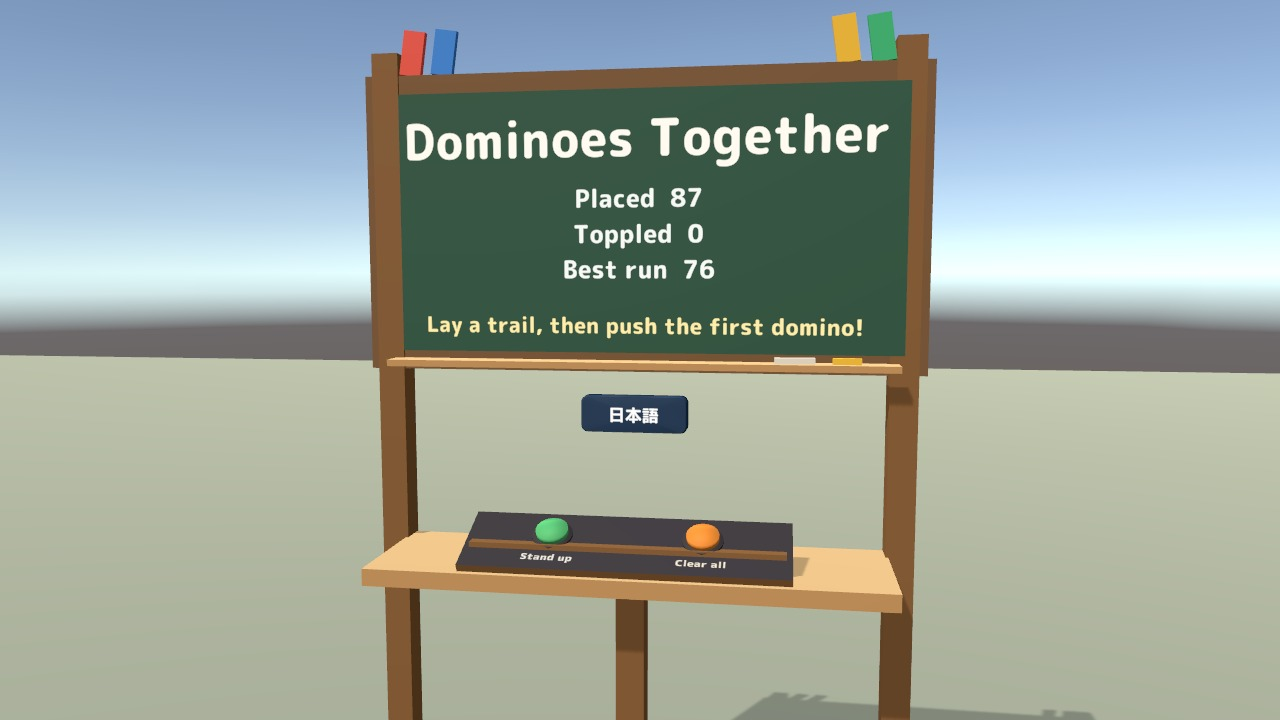
- Ready for another run. Stand up raises fallen dominoes, starting with the last one that fell. Each colour has its own Undo button for the last continuous stroke. Clear all takes two presses within three seconds.
- One shared playground. Domino positions, falling runs, the party ball, and records are shared with everyone, including people who join during a run. The board tracks the number placed, the number fallen, and the best run.
- VR and desktop controls. Use a pen with your trigger or left mouse button. Poke a domino with your finger in VR, or use the mat's Push a domino prompt on desktop. A VR laser can use the same prompt.
- Personal Japanese and English display. The board follows each player's VRChat language, with a local language button for manual selection. The title, records, instructions, pen counters, and celebration banner change together.
The included sample scene starts with two example runs: red to the party ball and blue to the bell. Try them first, then clear the mat and build your own.
Included files
- DominoTopple_v2.0.0.unitypackage: the complete prefab, sample scene, scripts, models, materials, 11 sound effects, font, and included font licence.
- README.txt and README_EN.txt: Japanese and English installation, controls, customisation, and terms of use.
- DominoTopple_Blender folder: the editable .blend source, 25 FBX model files, palette.png, and DT_MatGrid.png. These are the same 28 source files supplied in the Blender edition.
The Japanese and English versions are included together in the same product.
Requirements and setup
- Unity 2022.3.22f1.
- A VRChat SDK3 Worlds 3.10.x project created with VRChat Creator Companion. UdonSharp is included in the SDK.
- TextMesh Pro, included with Unity. Import TMP Essential Resources before importing the package if this is your project's first use of TextMesh Pro.
- VRChat/Mobile materials for Quest and Android are included.
- In Unity, choose Window > TextMeshPro > Import TMP Essential Resources if needed.
- Import DominoTopple_v2.0.0.unitypackage into your world project.
- Place Assets/DominoTopple/DominoTopple.prefab in your scene, or open Assets/DominoTopple/Sample/DominoTopple_Sample.unity to try the supplied layout.
- Move and rotate the set to suit your space, keeping its scale at 1. The mat is 4 m by 4 m; the full set is about 4.1 m wide and 5.8 m deep.
Inspector settings let you adjust domino spacing and capacity, falling speed, desktop reach, and starting layouts. Edit the Japanese and English text entries to customise the board and celebration banner. For Quest, follow the included README's material setup.
Terms of use
- You may include the asset in public VRChat worlds, including paid, commercial, corporate, and event worlds.
- Modification is allowed. Credit is appreciated but optional.
- Redistribution or resale of the asset data, including modified versions, and bundling the data for sale with another asset are prohibited.
- Please contact the creator before using it outside VRChat (for example, in another game or a video production).
- The creator is not responsible for problems arising from use of this asset.
Included font: M PLUS Rounded 1c, SIL Open Font License 1.1. The licence is included at Fonts/OFL.txt in the Unity package.
Support
For setup questions or help with this product, please use the contact option on the store where you purchased this product. Include your Unity and VRChat SDK versions and a screenshot of any error so we can understand your setup.
Jinxxy downloads
Download the three product files and the DominoTopple_Blender folder.
Jinxxy support
For setup questions or help with this product, please use this product's Q&A on Jinxxy. Include your Unity and VRChat SDK versions and a screenshot of any error so we can understand your setup.