Outfit Tool v1.00 - 25-Step Outfit Fitting Aid for Unity & VRChat
Tags
Description du produit
Ce produit contient du contenu généré par IA.
OUTFIT TOOL v1.00
Fit outfits one step at a time.
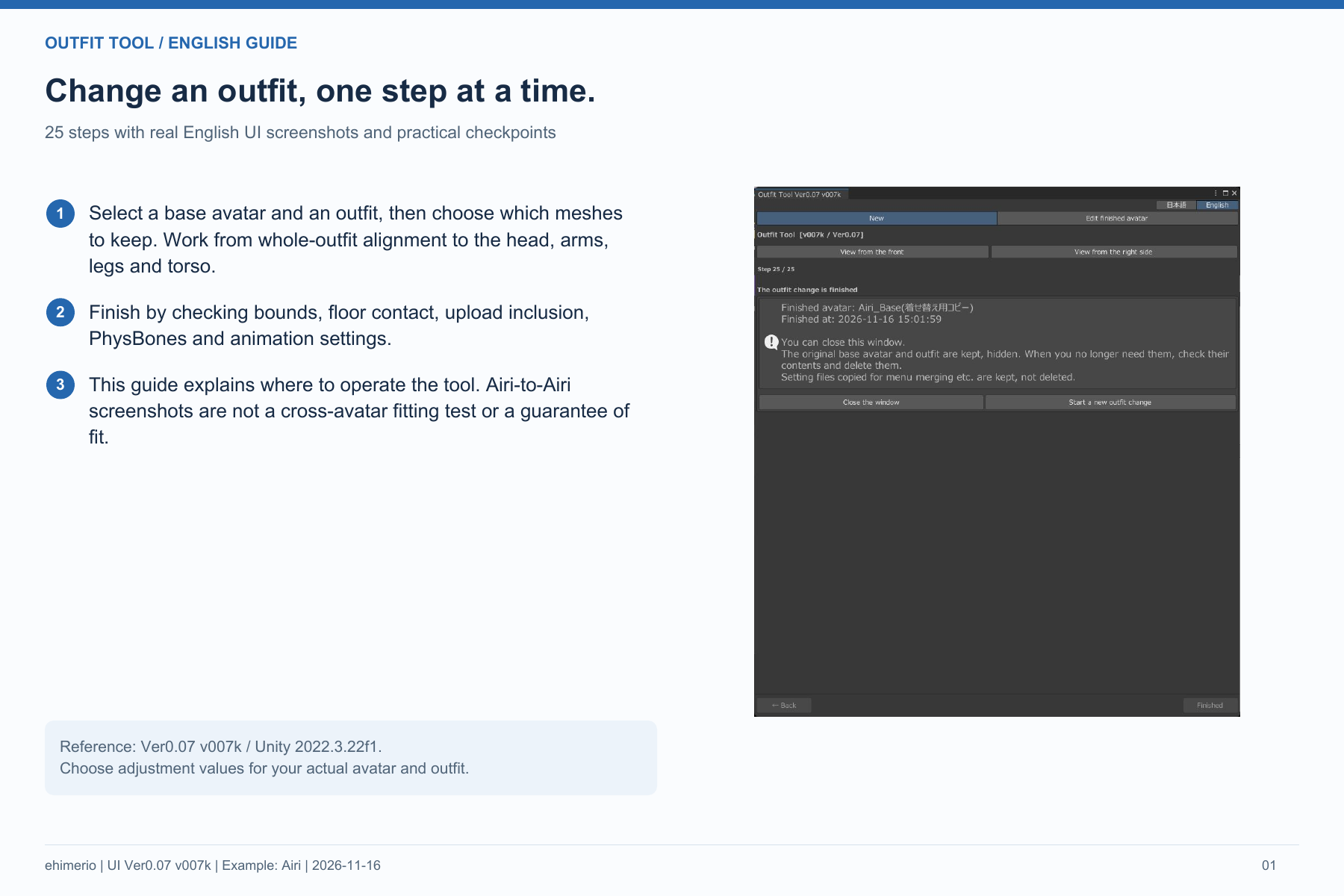
A Unity Editor fitting aid for VRChat avatars, guided through 25 steps. Includes Japanese/English UI and an English PDF guide.
FEATURES
• Select a base avatar and outfit, then adjust a working copy.
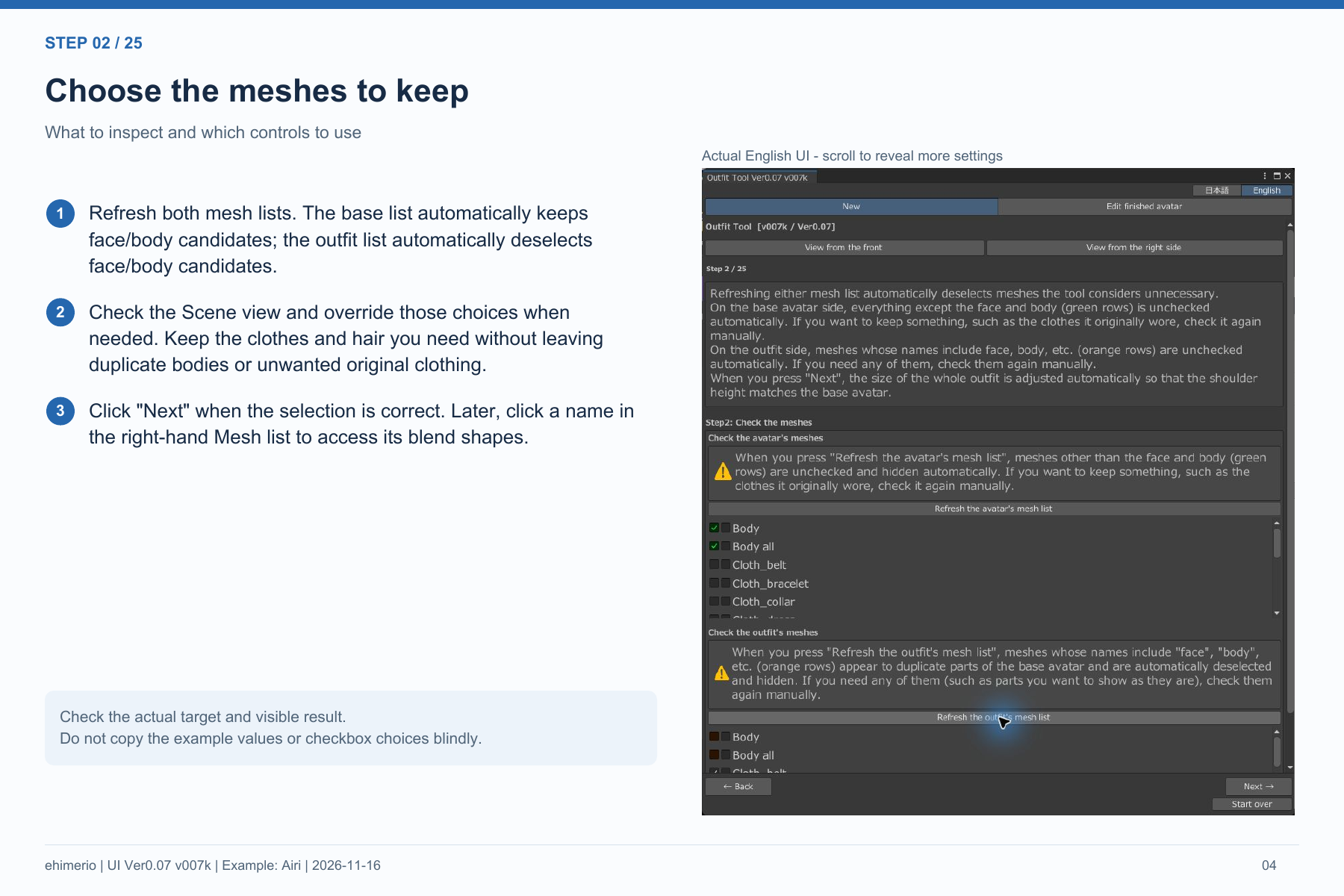
• Choose visible meshes and adjust position, size, and rotation.
• Check PhysBones, Animator, and Expressions settings.
• Re-edit finished results and use helpers for broken expression-menu references.
• Optional update notices, disabled by default. No automatic installation.
BEFORE PURCHASE
This is a fitting aid, not a fully automatic solution. Avatars and outfits are not included. Manual adjustments may be required depending on body shape and bone structure. Compatibility with every combination is not guaranteed. Check the result in Unity and VRChat SDK before uploading.
Positioning hand/finger accessories such as gloves and rings is outside the supported scope. Outfits containing Modular Avatar or VRCFury settings cannot be automatically integrated; the tool does not automatically repair those settings on the base avatar. Check PhysBone colliders and required expression menus. Generated copies of Animator Controllers or Expressions assets may remain after restarting a workflow.
REQUIREMENTS & INSTALLATION
Windows; compiled and import-tested with Unity 2022.3.22f1. Requires a project with VRChat SDK3 (Avatars). Back up your project before importing.
The package uses Japanese folder/menu names. Open Tools > えひめりお > 着せ替えツール, then select English. The Unitypackage is identical to the verified BOOTH v1.00 package.
FIVE INDIVIDUAL DOWNLOADS
1. OutfitTool_v1.00.unitypackage — Unity tool
2. README_EN.txt — English instructions
3. Terms_of_Use.txt — bilingual license, originally named 利用規約_Terms_of_Use.txt in the BOOTH release
4. English_Guide.pdf — English 25-step guide
5. Guide_Version.txt — screenshot-version note
Jinxxy supplies these files individually, not in ZIP archives.
Preview and guide screenshots show English UI in Ver0.07 v007k. Version 1.00 adds update notices and version labels. Airi-to-Airi screenshots illustrate controls; they are not a cross-avatar fitting test or guarantee of fit. Pictured avatar/outfit assets are not included.
UPDATE NOTICES
Disabled by default. If enabled after reading the explanation, update information is checked over HTTPS from GitHub raw, automatically at most once per 24 hours. No avatar, outfit, project files, or user IDs are sent. Normal connection data such as IP address and standard request headers reach the server. Fitting remains usable if the check fails.
LICENSE & SUPPORT
Read the included Terms of Use. Use and modification for your own avatar projects are allowed, including monetized videos and livestreams of those avatars. Redistribution, transfer, resale, and sharing of the tool or modified copies are prohibited. Follow all third-party asset licenses.
Support: BOOTH shop messages at https://rionyan.booth.pm/
Unity, VRChat, and pictured third-party assets belong to their respective rights holders.
AI DISCLOSURE
AI tools assisted with code development, review, documentation, and English translation. Local Unity tests and separate reviews were performed.