Description du produit
🏕️ Tent for Avatar — Place Anywhere You Want
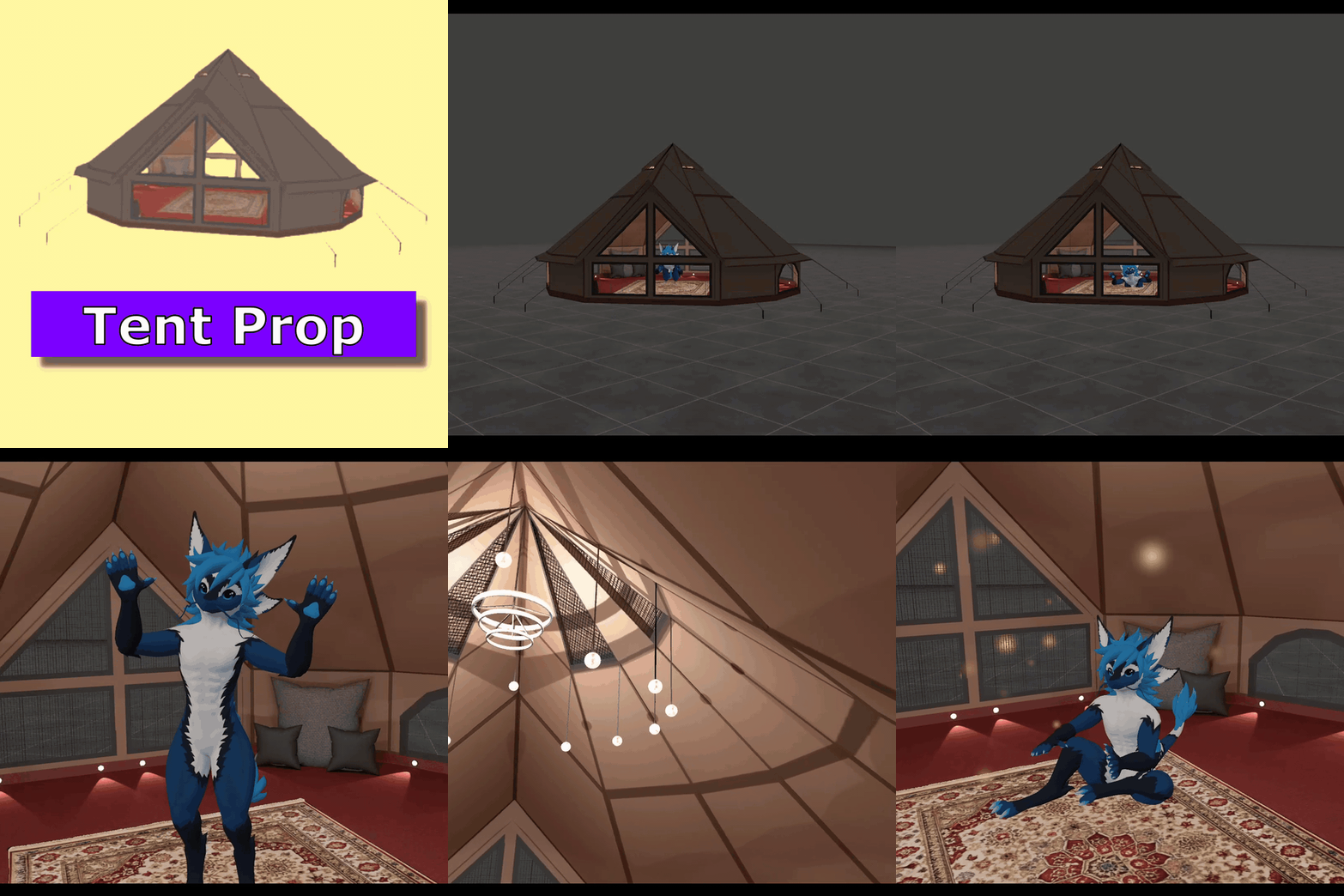
A world-placeable camping tent for VRChat avatars, built with VRCFury. Enable the toggle and the tent spawns in the world at your position — it stays in place like a camp setup, not a body-attached accessory. Optional firefly particles for a cozy night-camp vibe.
 ✨ FEATURES
• Tent/On — show the full 3D tent mesh and World Drop it into the world
• Tent/Particle — optional FireFlies particle effect (independent toggle)
• World Drop — tent and particles anchor in world space (don’t follow you like a hand/chest prop)
• Two separate toggles — tent only, particles only, or both
• Default OFF — clean avatar until you enable it in-game
• Detailed tent materials/textures included
 🎮 IN-GAME CONTROLS
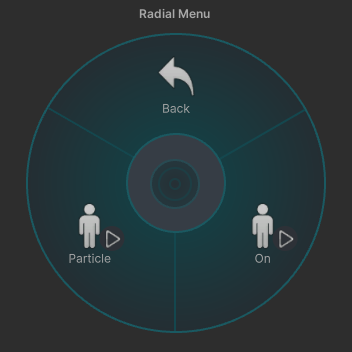
Tent/On — spawn & show the tentTent/Particle — spawn & show fireflies
🛠️ SETUP
- Import into Unity (VRChat Avatar SDK + VRCFury)
- Drag Tent.prefab onto your avatar
- Build / upload with VRCFury
- Use Tent/ menus in VRChat
If placement is slightly off for your avatar, tweak Tenda or FireFlies local position in the prefab before upload.
📦 INCLUDED
• Tent.prefab (VRCFury)
• Tent mesh, materials & textures
• ReadMe.txt + License.txt
✅ REQUIREMENTS
Unity • VRChat Avatar SDK • VRCFury • Humanoid avatar
📜 LICENSE
Personal & commercial use allowed • VRChat upload allowed • Modify & include in avatars/commissions • Credit appreciated
Perfect for camping RP, chill hangouts, outdoor photos, festival vibes, and avatars that want a tent without building World Drop toggles from scratch.