
Description du produit
Ce produit contient du contenu généré par IA.
Made with AI assistance (3D model, textures and this text were produced with AI tools).
ONI KIMONO OUTFIT SET for Manuka
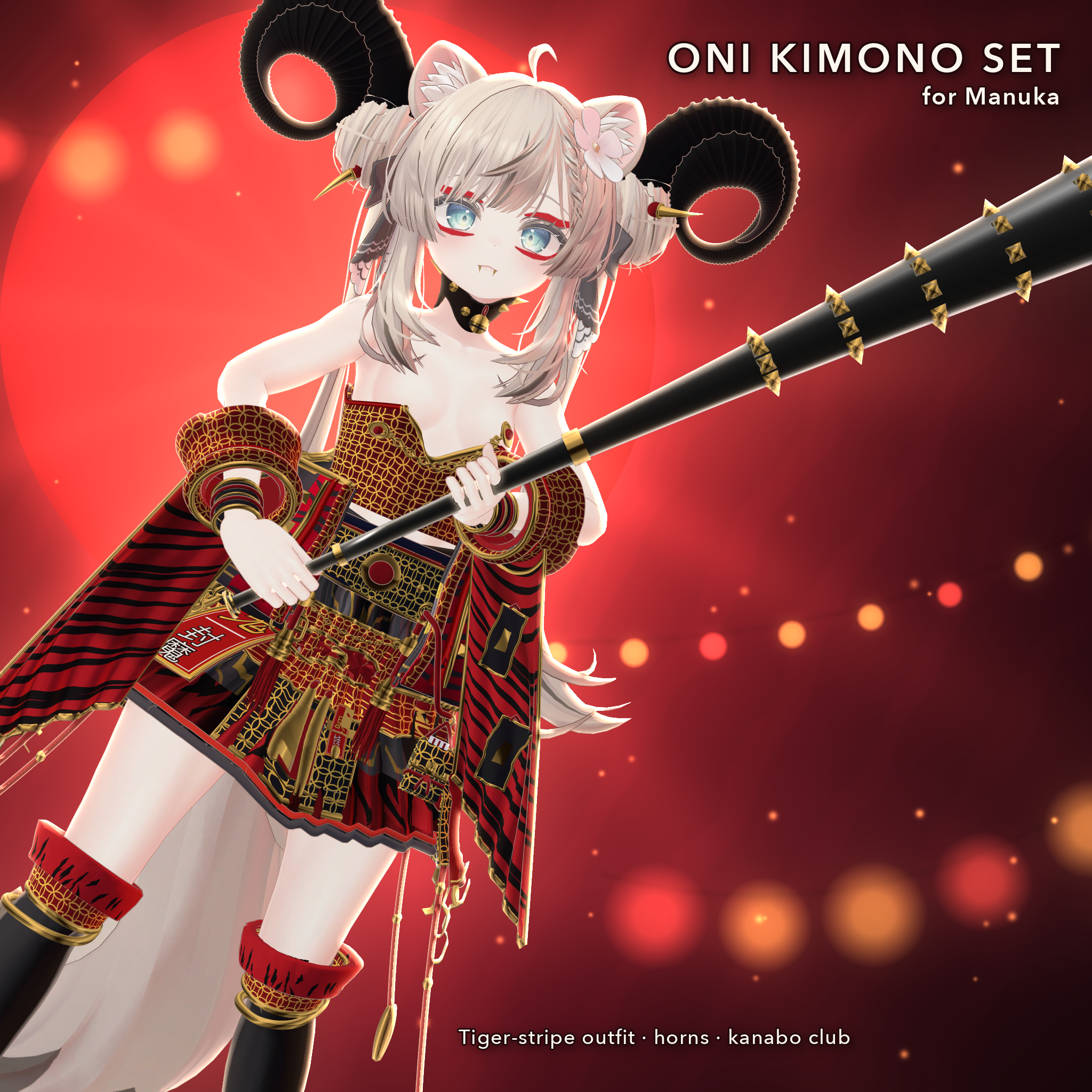
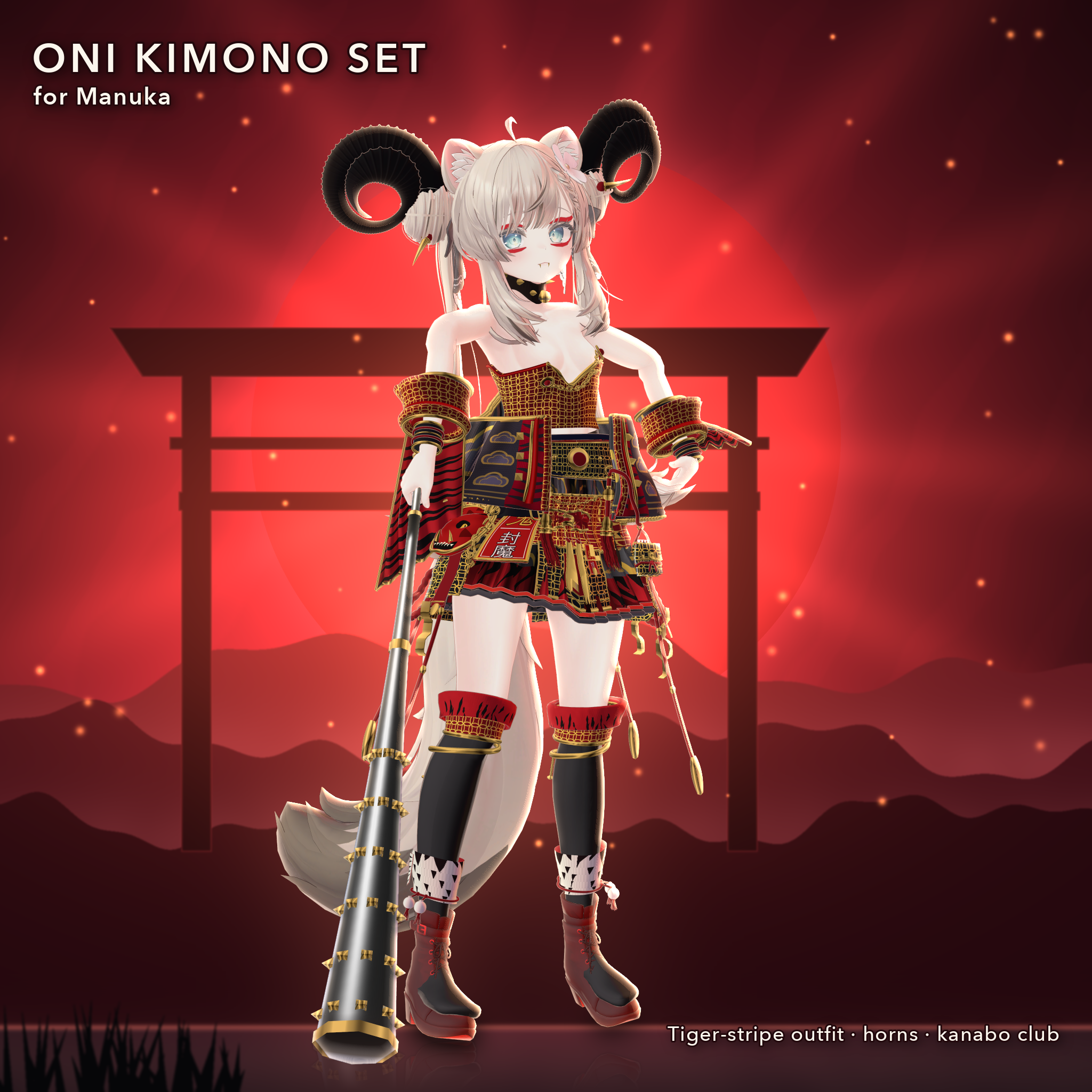
A red-and-black tiger-stripe oni (Japanese demon) outfit set for Manuka. Japanese-style costume inspired by kimono (a haori jacket with a pleated skirt, not a full kimono). Drag one prefab onto your Manuka avatar root and upload.
WHAT'S INCLUDED (one prefab)
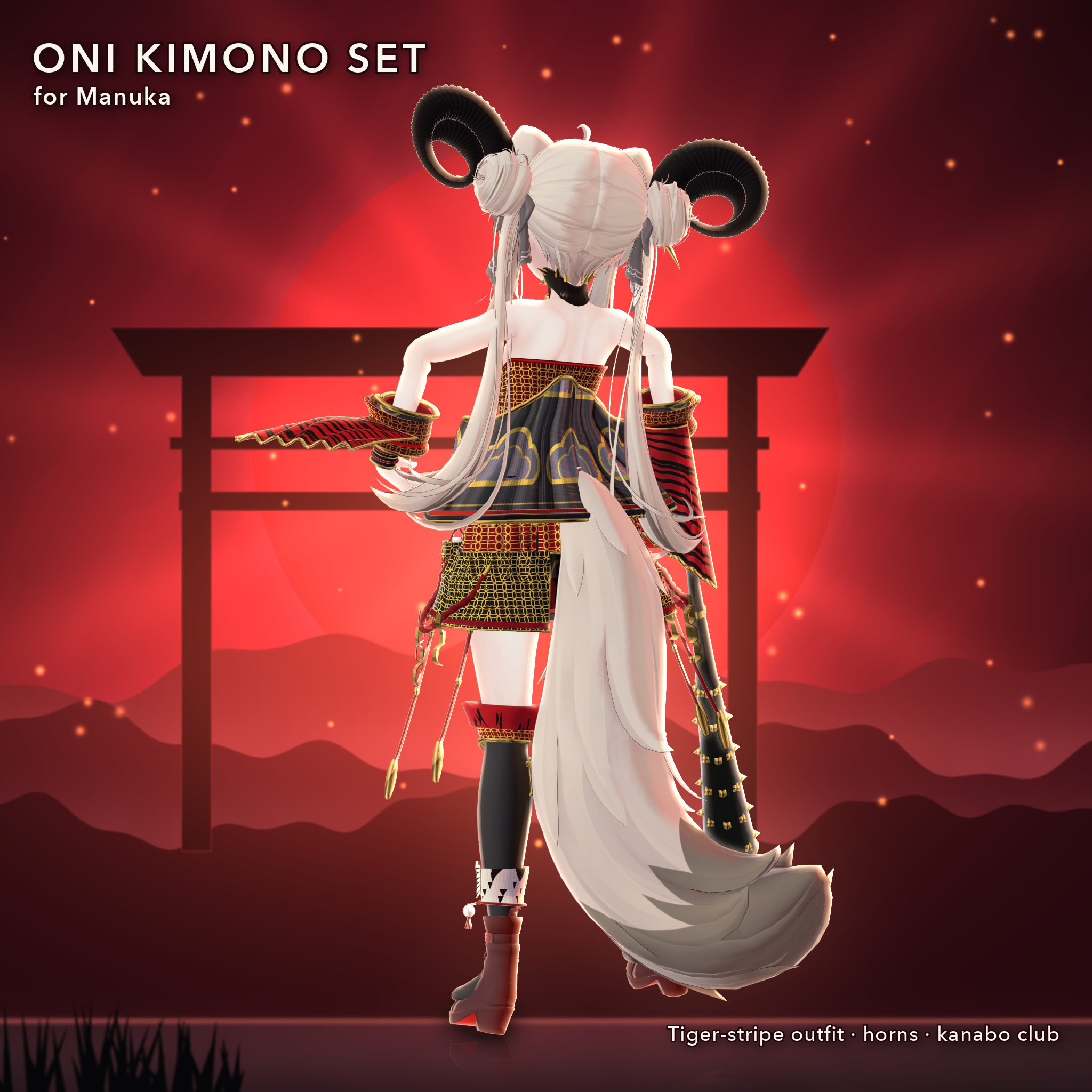
- Curled black horns (left and right) and fang pin
- Red-and-black tiger-stripe haori jacket (collar, cuffs, lining) and sleeves
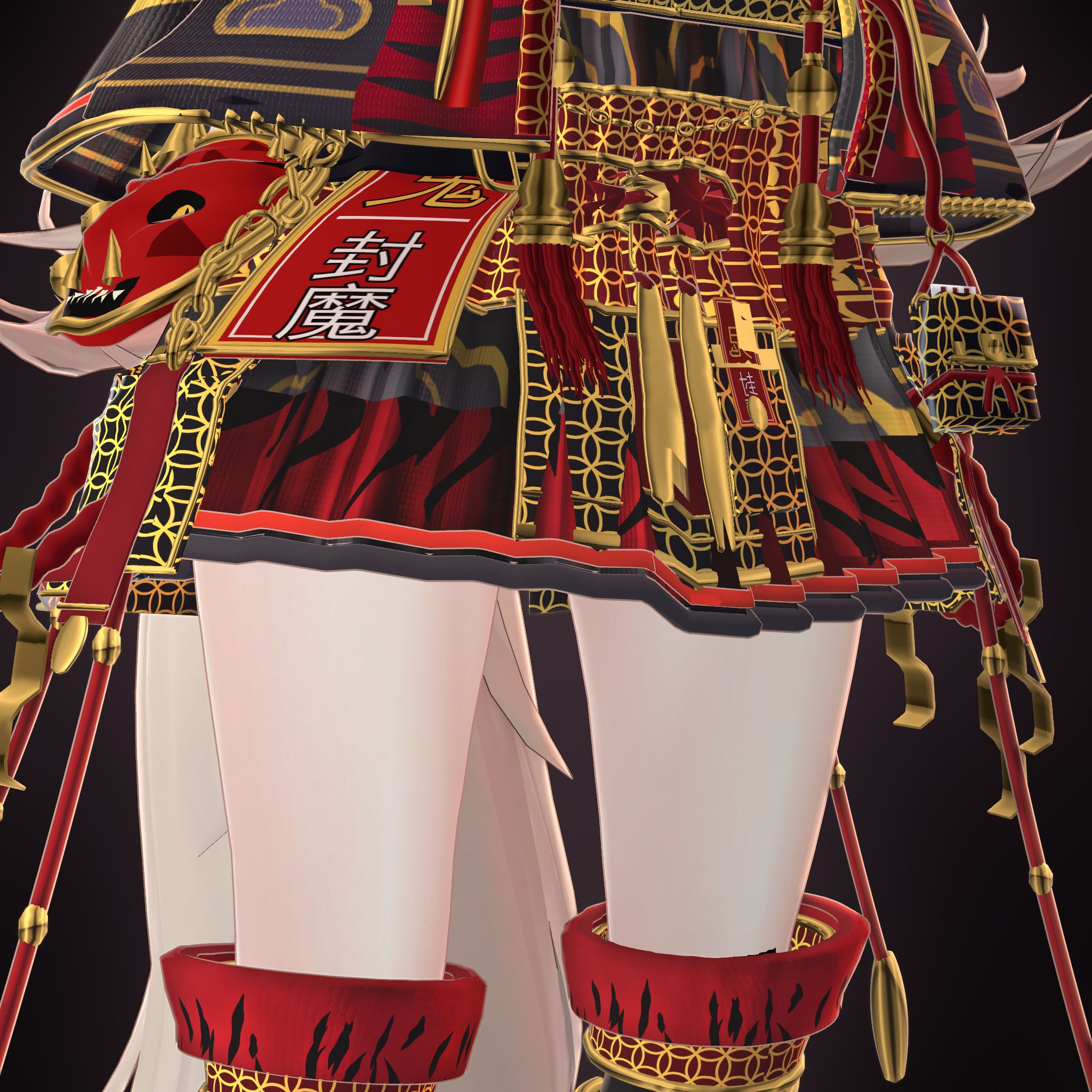
- Gold-trimmed sash with knot and hanging tails
- Tiger-stripe pleated skirt
- Studded kanabo (iron club)
- Bell collar, hand guards
- "Fuma" (demon-sealing) talisman, oni mask and pouch at the waist
- Chains, tassels and gold trims
- Boots, stockings and oni face makeup are shown by applying this product's colors and patterns to Manuka's own materials at build time
- NOT included: Manuka's cat ears, tail and flower ornament (they are part of Manuka)
REQUIREMENTS
- Manuka (JINGO CHANNEL) - NOT included, you need your own copy
- VRChat SDK3 Avatars, lilToon, Modular Avatar (NDMF comes with it) - NOT included
- Unity 2022.3 (VRChat recommended version)
FILES (6 PACKAGES - DOWNLOAD AND IMPORT ALL 6)
- OniFullset_S3_1of6 ... 6of6.unitypackage (split because of file size; the order does not matter)
- README_EN.txt (install steps, notes, terms)
If even one of the 6 packages is missing, materials or meshes will be missing.
INSTALL
1. Import the official Manuka data first (Assets/MANUKA/ must exist). 2. Make sure Modular Avatar and lilToon are installed. 3. Import all 6 .unitypackage files (any order). Assets/Idol/ appears. 4. Drag Assets/Idol/Idol_S2d.prefab onto your Manuka avatar root. 5. Upload (or run NDMF preview / build). Boots, stockings and face materials are adjusted automatically at build time. 6. The Console shows log lines starting with [IdolMatPatch] (boots / stocking / face).
BUILD-TIME MATERIAL ADJUSTMENT
At build time this product duplicates your own Manuka materials (boots, stockings, face) and changes only the duplicates. The original Manuka files are not changed, and no Manuka data is included. This is my interpretation and has not been confirmed with the Manuka rights holder; please read the Manuka terms yourself.
COMPATIBILITY - PLEASE READ
- Manuka only. Made for PC VRChat. Quest / Android: not confirmed.
- Checked in a Unity 2022.3 Manuka project: all 6 packages imported in a mixed order (5, 3, 6, 2, 4, 1), the prefab shows 0 Missing (scripts, materials, textures, meshes / bones), and the result looks the same as the product images.
- NOT tested: inside the VRChat client, poses other than standing (sitting, crouching, lying), Manuka body-shape shape keys, other avatars and other outfits.
- Shader: lilToon only.
- Skin on arms, body and legs uses Manuka's official material as is. Product images were taken in an empty project with only this product and the official Manuka data.
TERMS
Use on your own avatars in VRChat and similar: OK. Modifying (textures and shape): OK. Photos and videos, including commercial: OK. Do not redistribute or resell the files, even if edited, and do not share the data on its own. No original Manuka data is included. Credit the avatar as: "Avatar: Manuka by JINGO CHANNEL". No refunds for digital goods; please back up your project before importing.