
【VRChat想定】Podcast Studio ─ ポッドキャスト・トークショー ワールド(PC/Quest対応・OBS配信・ON AIR・日本語対応)
Tags
Description du produit
Ce produit contient du contenu généré par IA.
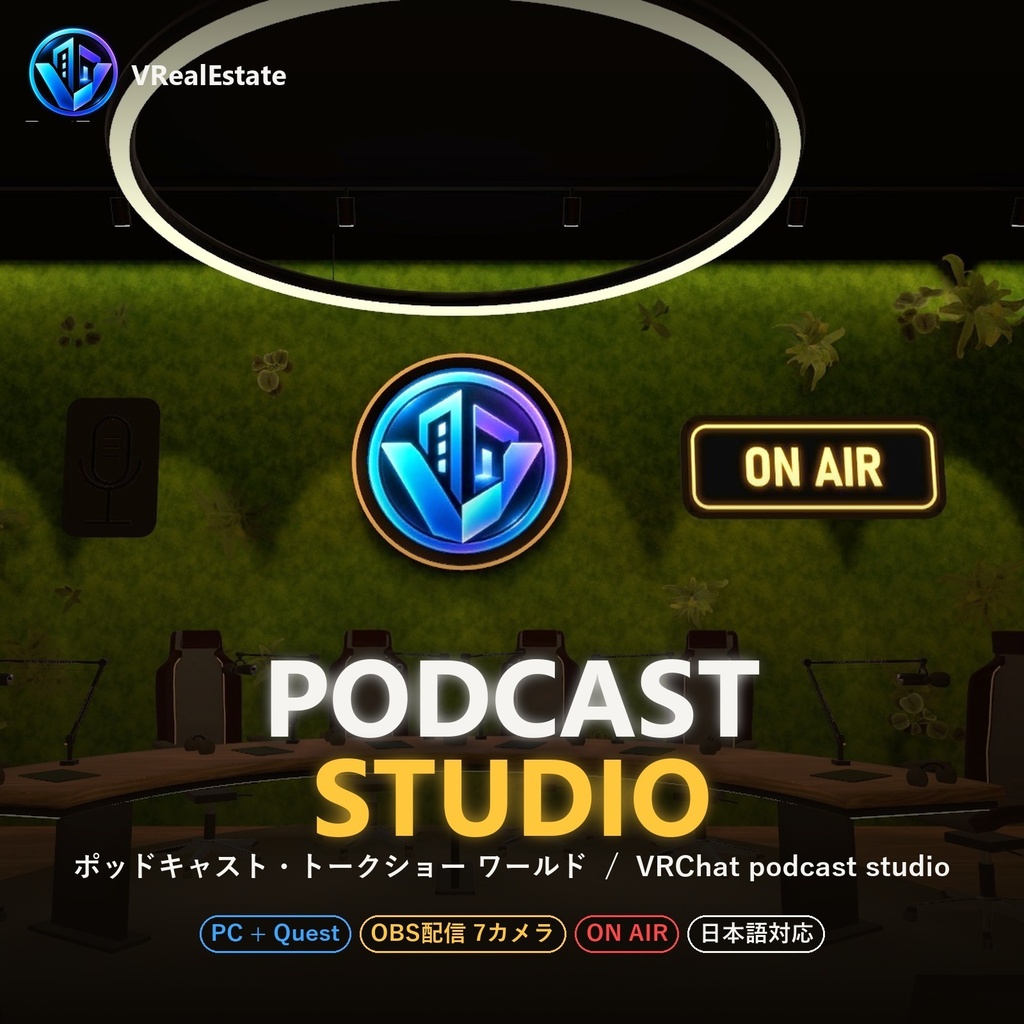
ポッドキャスト・トークショー・配信イベントのためのスタジオワールド。
ガラス張りのコントロールルームから、カメラ切り替え・OBS配信・ON AIR・サウンドボード・休憩画面・客席の音声まで、番組をまるごと操作できます。
アップロードするだけで、そのまま収録・配信に使えます。
🎬 紹介動画:https://youtu.be/2K3qP3MsFVo
🎮 VRChatで試せます(5分間の体験版):https://vrchat.com/home/world/wrld_a534b322-cce9-42ea-b43a-15fabc9332c5
🎉 発売記念価格:STANDARD ¥3,980(11月3日まで、その後 ¥4,980)
■ できること
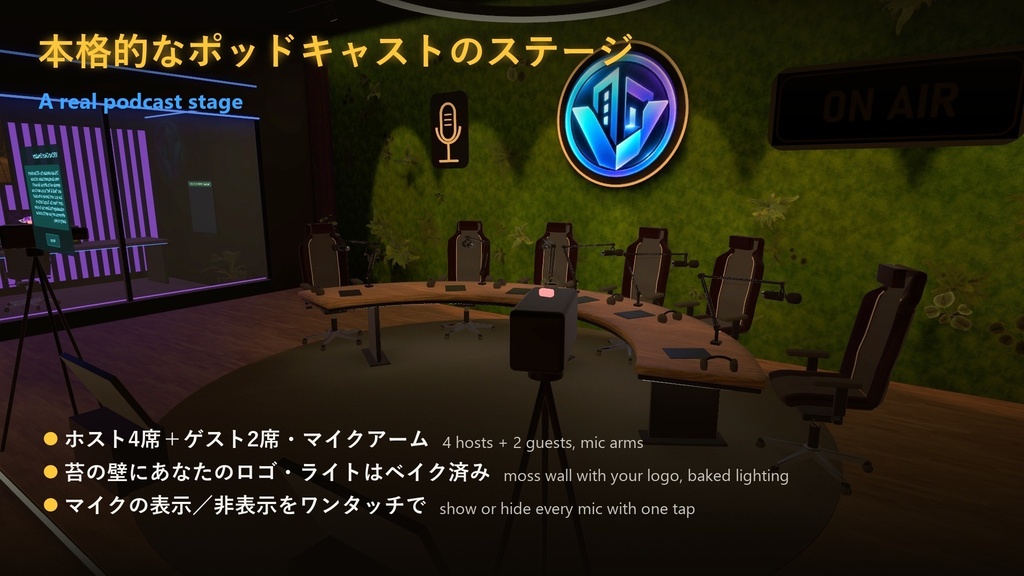
・ステージ:ホスト4席+ゲスト2席、マイクアーム(ワンタッチで表示/非表示)、苔の壁にあなたのロゴ
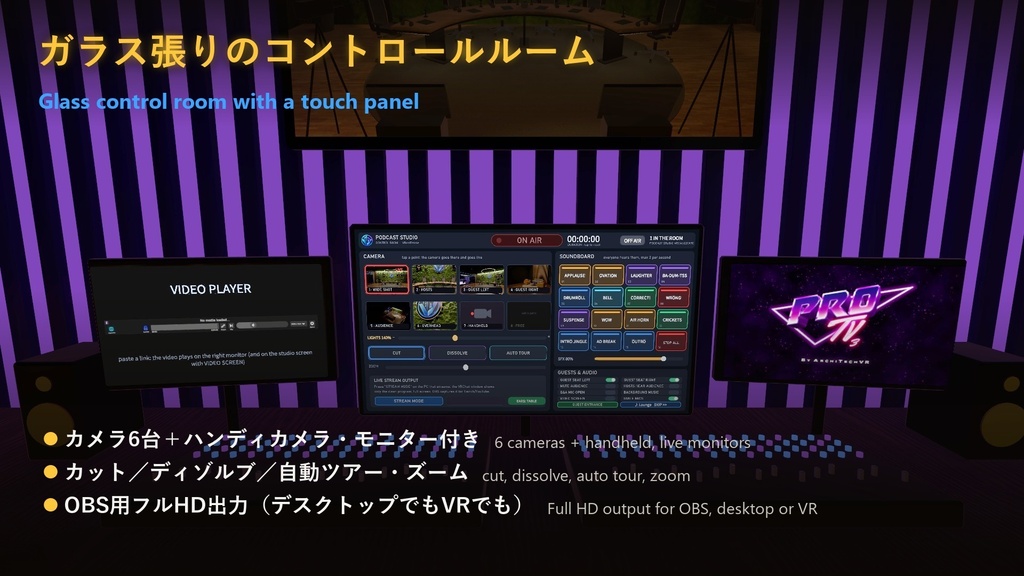
・コントロールルーム:カメラ6台+ハンディカメラ、モニター付き、カット/ディゾルブ/自動ツアー、ズーム
・OBS配信:選んだカメラの映像をPCのVRChatウィンドウにフルHDで出力 → OBSでキャプチャするだけ(デスクトップ・VRどちらでもOK)
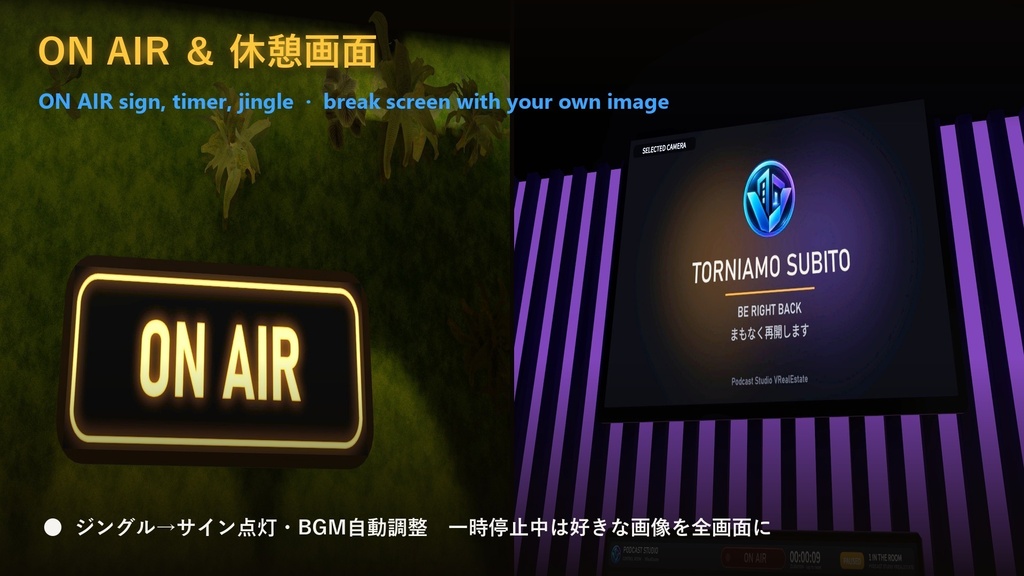
・ON AIRボタン:ジングル → ONAIRサイン点灯、タイマー、BGMを自動で下げる
・休憩画面:一時停止中は、すべての画面にお好きな画像を表示
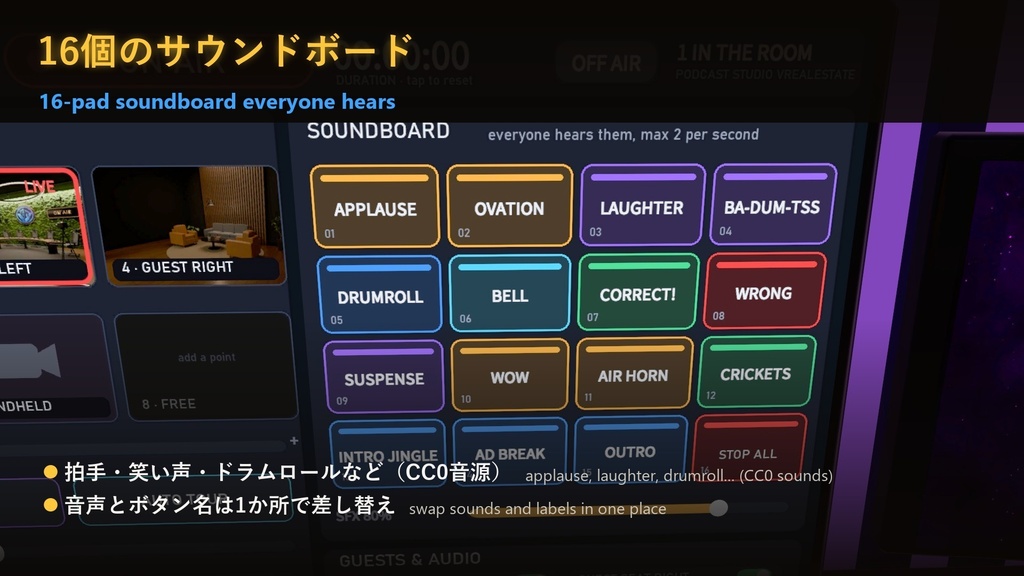
・16個のサウンドボード(拍手・笑い声・ドラムロールなど、全員に聞こえる):音声とボタン名は1か所で差し替え可能
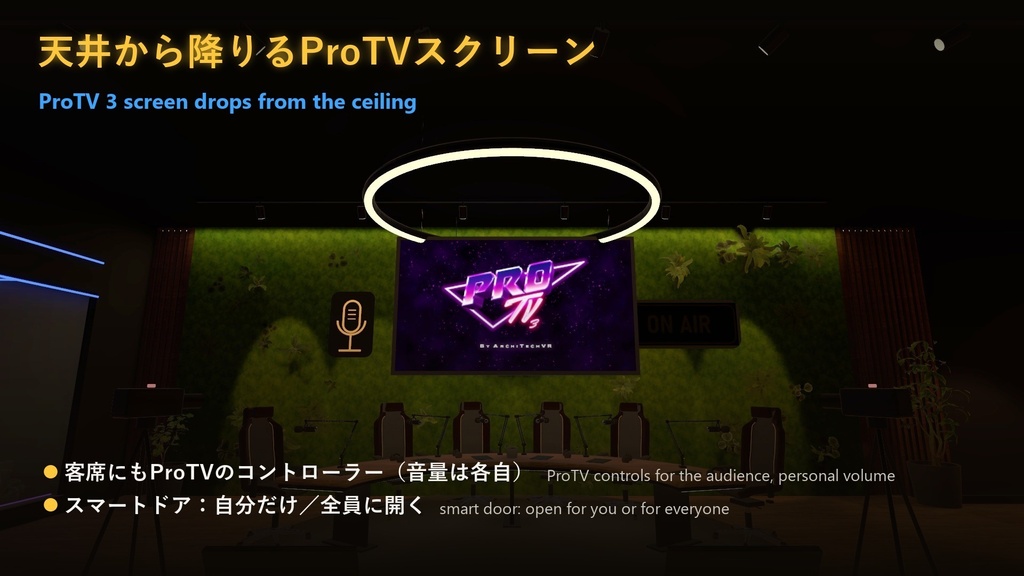
・天井から降りるProTV 3スクリーン+客席用のProTVコントローラー(音量は各自)
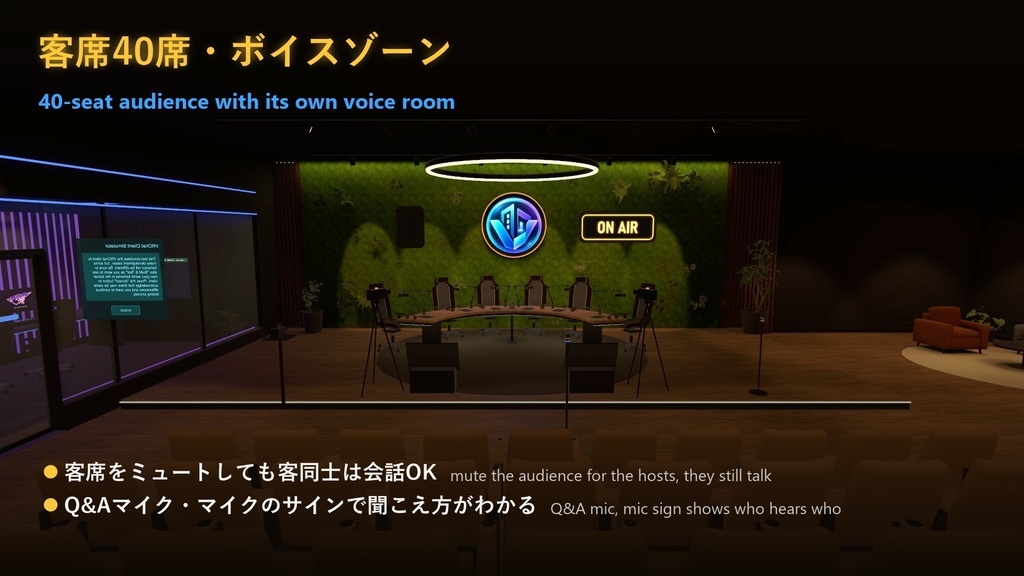
・客席40席+Q&Aマイク:客席は独立したボイスルーム(ホストからミュートしても客同士は会話OK)、マイクのサインで聞こえ方がわかる
・配信者の「耳」をテーブル中央に(OBSで収録する人の音声がホストの真ん中から聞こえる・モノラル)
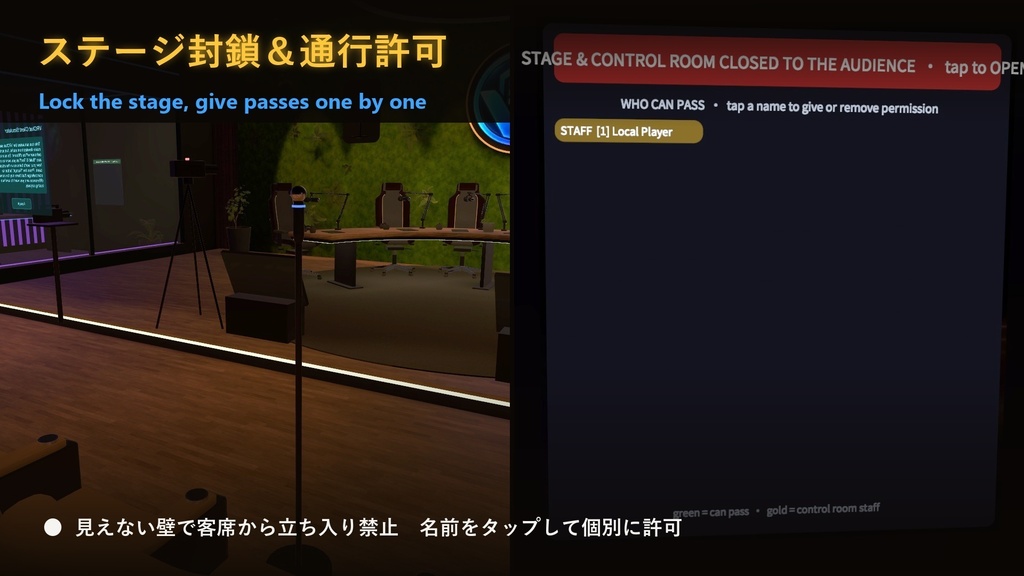
・ステージ封鎖:見えない壁で客席からの立ち入りを禁止、名前をタップして個別に通行許可
・スマートドア(自分だけ/全員に開く、内側から閉められる)、ラウンジ(ソファ+アームチェア)
・ワールド全体の表示言語:日本語/English/Italiano(VRChatの言語に自動で合わせ、入口のプレートで各自切り替え)
・座席53席、すべて同期、ライトはベイク済み、PC / Quest 対応
■ かんたん導入
① VCCでProTV 3(無料)を追加 ② パッケージをインポート ③ シーンを開いて Build & Publish
音声(ON AIRジングル・サウンドボード・BGM)はシーン一番上の「★ AUDIO」オブジェクトでまとめて差し替えできます。
画像付きガイド(日本語・English・Italiano)同梱。
■ バリエーション
・STANDARD:ワールド一式。入口付近のVRealEstate広告壁は残してください。
・NO AD WALL:STANDARDの内容すべて+広告壁の削除・差し替えOK。改造・カスタマイズのご相談も承ります(購入後にメッセージでご連絡ください)。
■ 動作環境
・Unity 2022.3.22f1 / VRChat SDK Worlds 3.10.5 / ProTV 3.0.0-beta.29
・新規VCCプロジェクトでインポート → 初回Playでエラー0を確認済み
・アップロード容量:PC 約97MB、Quest 約50MB
・必要:ProTV 3(無料・同梱なし。VCCで追加、手順はガイドに記載)
■ 内容物
PodcastStudio_VRealEstate_v1.1.1.unitypackage/ガイドPDF(日本語・English・Italiano)/TERMS_OF_USE(利用規約)/THIRD_PARTY_CREDITS/LEGGIMI_README.txt
■ 利用規約(要約)
自分のワールドで使用OK(公開・商用イベントも可)。改変OK。ファイルの再配布・再販売は禁止。STANDARDは広告壁を残してください。詳しくは同梱のTERMS_OF_USEをご覧ください。
■ サポート
BOOTHのメッセージ、または [email protected](日本語・English・Italiano)
────────────────────────────
A studio world for podcasts, talk shows and live events in VRChat.
Run the whole show from a glass control room: cameras, OBS output, ON AIR, soundboard, break screen and audience audio. Upload it and go live.
🎬 Video: https://youtu.be/2K3qP3MsFVo
🎮 Try it in VRChat (5-minute trial): https://vrchat.com/home/world/wrld_a534b322-cce9-42ea-b43a-15fabc9332c5
🎉 Launch price: STANDARD ¥3,980 until 3 November, then ¥4,980
■ Features
- Stage: 4 hosts + 2 guests, mic arms (show/hide with one tap), moss wall with your logo
- Control room: 6 cameras + handheld, live monitors, cut / dissolve / auto tour, zoom
- OBS output: the selected camera fills your VRChat window on PC in Full HD → just capture it in OBS (desktop and VR)
- ON AIR button: jingle → ON AIR sign, timer, background music ducking
- Break screen: your own image on every screen while you pause
- 16-pad soundboard everyone hears (applause, laughter, drumroll...): swap sounds and labels in one place
- ProTV 3 screen that drops from the ceiling + ProTV controls for the audience (personal volume)
- 40-seat audience + Q&A mic, with its own voice room (mute it for the hosts, they still talk to each other); a mic sign shows when the hosts hear the room
- Streamer "ears" at the table: whoever records in OBS hears the hosts from the centre of the table (mono)
- Stage lock: invisible walls keep the audience off the stage, tap a name to give a pass
- Smart door (open for you or for everyone, close it from inside), lounge with sofa and armchairs
- The whole world in 日本語 / English / Italiano (follows the VRChat language, everyone can switch at the entrance)
- 53 seats, fully synced, baked lighting, PC and Quest
■ Easy setup
1) Add ProTV 3 (free) in the VCC 2) Import the package 3) Open the scene, Build & Publish
All the audio (ON AIR jingle, soundboard, music) is swapped from one object at the top of the scene ("★ AUDIO"). Illustrated guides included.
■ Editions
- STANDARD: the full world. The VRealEstate ad wall near the entrance must stay.
- NO AD WALL: everything in STANDARD + you may remove or replace the ad wall. Custom modifications and personalization are available on request (message us after purchase).
■ Requirements
Unity 2022.3.22f1, VRChat SDK Worlds 3.10.5, ProTV 3.0.0-beta.29. ProTV is free and not included.
Tested in a new VCC project: 0 errors on first Play. Upload size: PC about 97 MB, Quest about 50 MB.
■ Terms (short)
Use it in your own worlds (public and commercial events OK), modify it freely. No redistribution or resale of the files. STANDARD keeps the ad wall. See TERMS_OF_USE.
■ Support
BOOTH messages or [email protected] (English / 日本語 / Italiano) test