
Description du produit
Ce produit contient du contenu généré par IA.
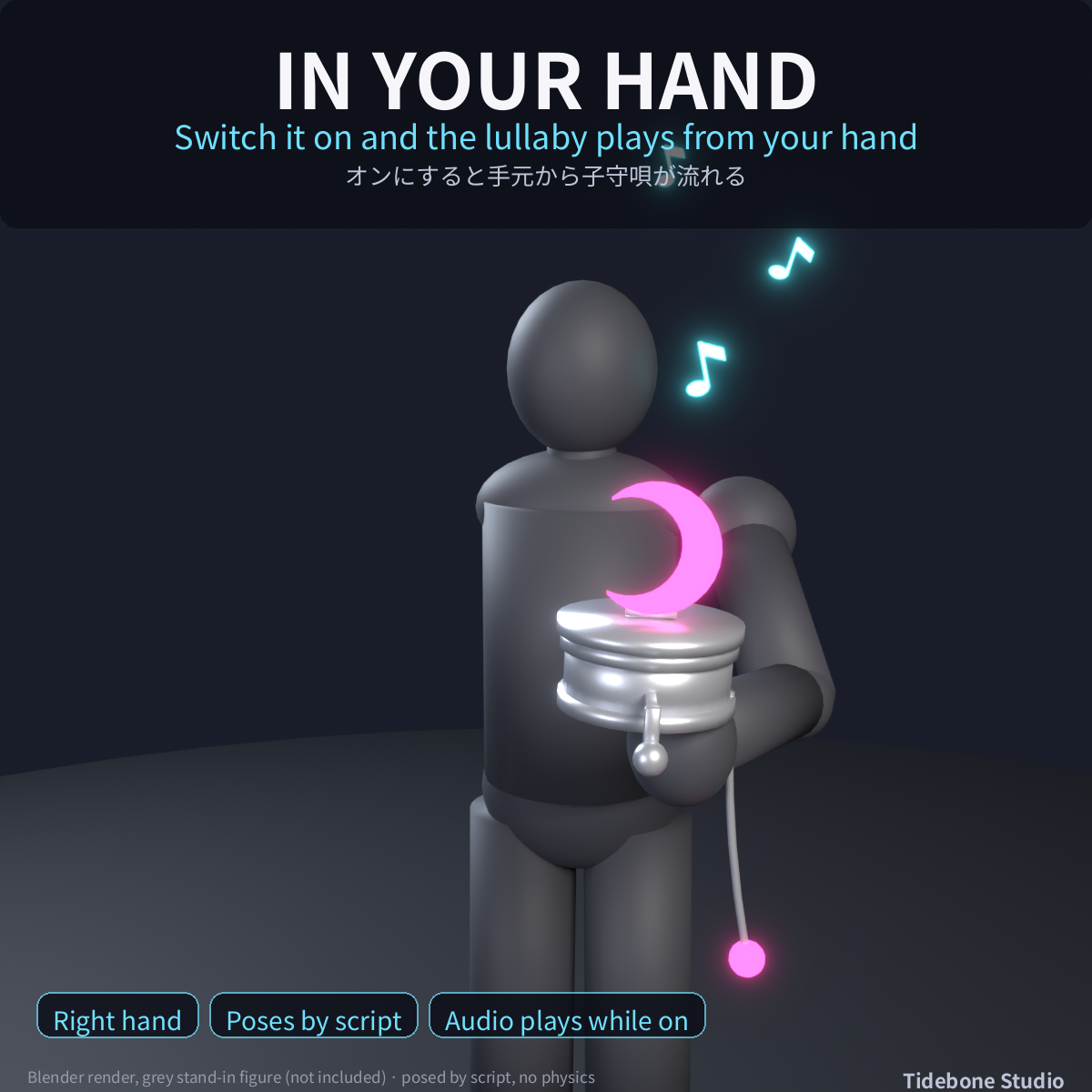
Small glowing music boxes for your hand. Switch one on and it plays its own melody (a looping, synthesised tune); floating notes rise on PC. The box is linked to your hand bone, the wrist cord swings with your arm (PhysBone).
■ What's inside
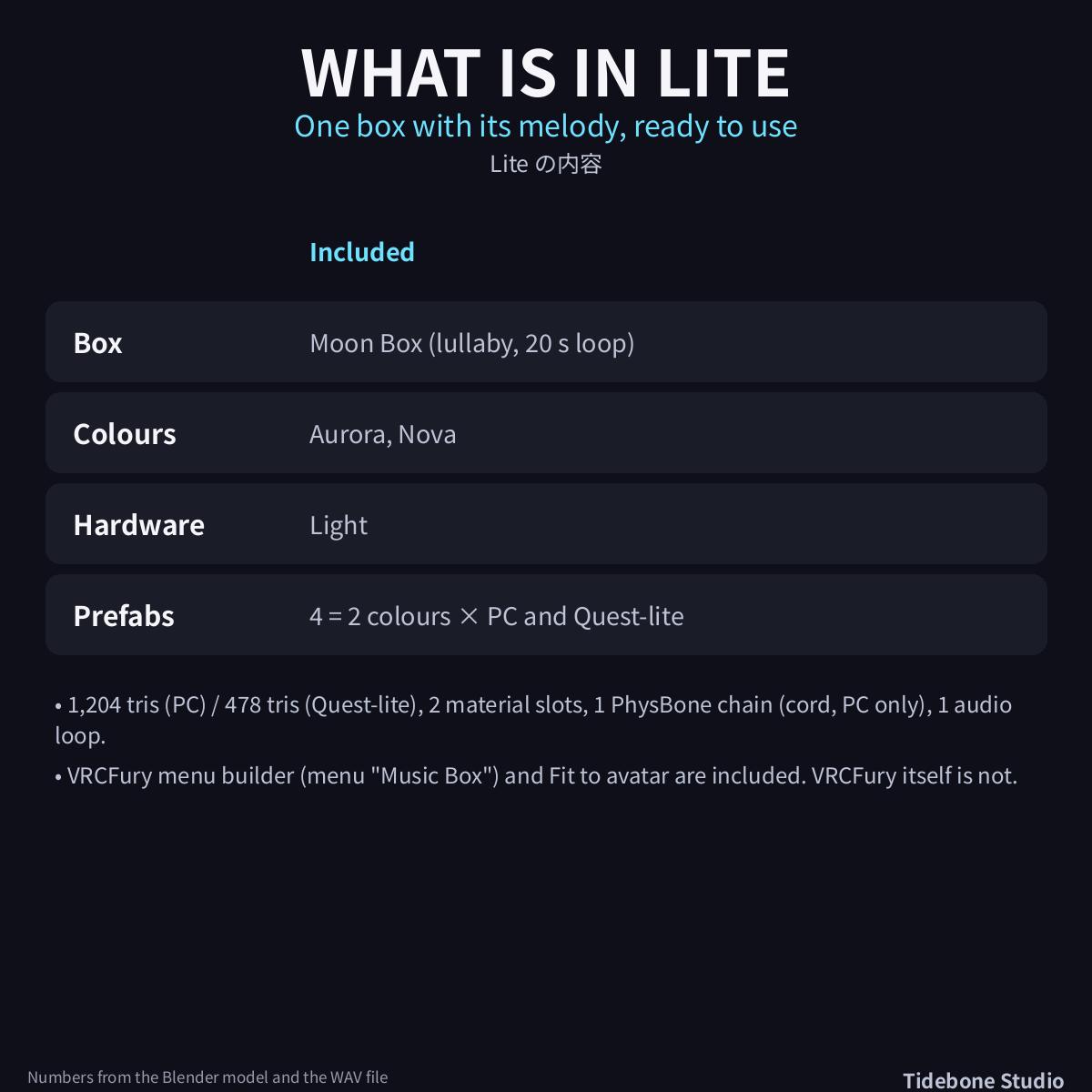
• Moon Box: glowing crescent music box that plays its lullaby (20 s loop); hand crank, wrist cord (PhysBone, PC), floating notes (PC)
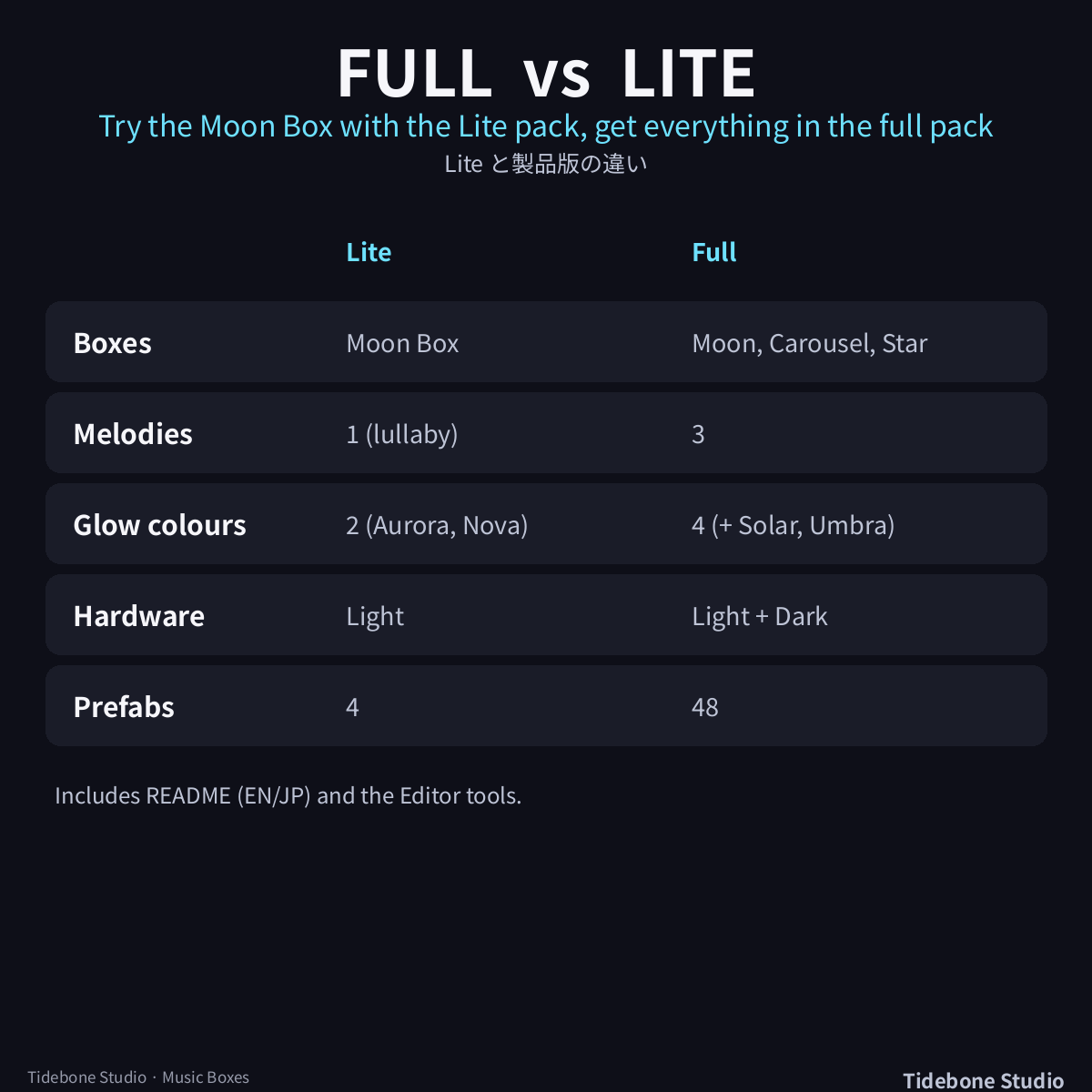
• 2 glow colours (Aurora, Nova), Light hardware, 4 prefabs: Aurora/Nova x PC/Quest-lite
• One-click VRCFury menu builder and "Fit to selected avatar"
Full version (10 USD): adds Carousel Box, Star Box (2 more melodies), 4 glow colours and Dark hardware (48 prefabs).
■ Setup (Unity 2022.3)
1. Drag Unity/MusicBox_Lite.unitypackage into your Unity 2022.3 project (VRChat SDK for Avatars installed).
2. Menu Tidebone > Music Box > 1 - Build materials and prefabs: builds the materials and 4 prefabs in Assets/TideboneStudio/MusicBox/Prefabs.
3. With VRCFury installed: menu Tidebone > Music Box > 2 - Build VRCFury menu prefabs, then drag Prefabs/VRCFury/MusicBox_<Light|Dark>_<Colour>_VRCFury (Quest: MusicBox_Quest_...) onto your avatar root. A "Music Box" menu appears in VRChat (Moon Box) - one at a time, your choice is saved.
4. Select your avatar and click Tidebone > Music Box > 3 - Fit to selected avatar: the toys are placed in the fists of your avatar's hands (it uses your own bones, T- or A-pose). Fine-tune by moving the toy object under ToyMount_RightHand / ToyMount_LeftHand.
5. Without VRCFury: drag the prefabs from Prefabs/ onto your hand bones (origin = grip, +Z along the forearm) and switch them with your own toggle.
The box sits in the right hand. Switching it on starts the lullaby. The wrist cord is a PhysBone chain (PC).
■ Specs
Model triangles per box (PC / Quest-lite): Moon Box 1,204 / 478, Carousel Box 2,388 / 648, Star Box 752 / 150 (Blender counts; the Unity count is measured in the test run). 2 material slots per box (hardware + glow); no skinned meshes, no lights. PC: 1 PhysBone chain (5-link cord) and 1 small particle system (floating notes: one every 1.6 s, at most 4 alive, additive, no trails). Quest-lite: no cord, no particles. Audio: 1 looping AudioSource per box (mono 32 kHz WAV, 3D, max distance 7 m, volume 0.55): Moon 20.0 s, Carousel 12.4 s, Star 20.9 s. Package size: Full 3.4 MB, Lite 1.3 MB.
■ Not included: avatar, VRCFury itself (free from vcc.vrcfury.com), other sound effects, a rotating crank (the crank is static). Tested in Unity 2022.3 with VRChat SDK 3.10.5 and VRCFury (package import, prefab build, VRCFury menu build on a test avatar). Not tested in VRChat itself (PhysBone feel, other players' view, audio level and range in a populated world).
■ How it was made: models, textures and sounds are generated procedurally with the author's own scripts and Blender / Python; an AI assistant was used to write the scripts. No image- or video-generation AI was used and no recorded or sampled audio: every sound is synthesised from sine waves by the included method. Images are Blender renders of the shipped models on a grey stand-in figure (not included), posed by script; they are not in-game captures.
■ Terms of use: the VN3 license PDFs (ja/en/ko/zh) are in the License folder (TideboneStudio_MusicBox_VN3_<lang>.pdf); Japanese is the official text. Summary: use and edit in your own work (commercial OK) / redistribution or resale of the data NOT allowed / use as machine-learning training data NOT allowed.
by Tidebone Studio