Strobe Reduction System
Description du produit
This asset prevents video screens & video lighting systems from strobing rapidly.
It works with any system that uses a video texture (LTCGI, AreaLit, Light Volume screens, projectors, FogLight Screen, etc.)
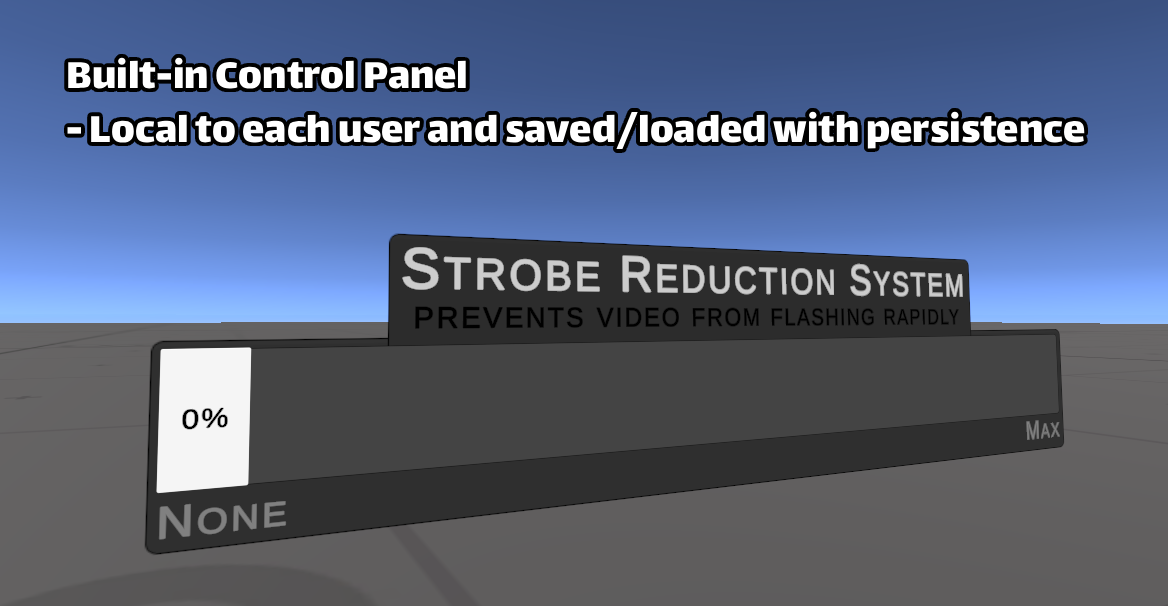
Users can control the strength of the effect, locally, with the provided UI slider.
Their choice is saved and restored when revisiting the world.
Instructions:
1. Import the StrobeReductionSystem package to your world project.
2. Drag the StrobeReductionSystem prefab from Assets/Lesse/StrobeReductionSystem into your scene.
3. Use the Inspector window to assign the RenderTexture from your video player as the INPUT texture.
4. Use the system's OUTPUT texture on your screen materials and lighting systems.
How to get a RenderTexture out of your Video Player:
ProTV:
1. Place any ProTV player in your scene (such as "Simple (ProTV).prefab") and select it .
2. In the Inspector window, find the "Custom Texture Settings" in the "TV Manager" component.
3. Click the "Create" button to make the TV output to a RenderTexture asset.
TXL:
1. Place any TXL player in your scene (such as "Sync Video Player").
2. Select the child object named "Screen Manager".
3. In the Inspector window, find the "Render Textures" section and click "Convert to CRT Setup".
WARNING:
This system is FPS dependent. The higher your frame rate, the less effective it will be.
At typical club FPS (<30) it is highly effective even at a low settings on the slider.
As your FPS increases (>60), it's recommended to max out the slider and cap your framerate if possible.
Since this is an accessibility asset, you can get it for free at:
https://drive.google.com/drive/folders/1kd2JPjE_jrPwz13gpcJJ2JCl0FDtgJI5
I greatly appreciate your support if you donate for it here, but don't feel obligated.