
Birthday Cake - Blow Out the Candles with Your Voice, Age 0-99 | VRChat
Description du produit
Ce produit contient du contenu généré par IA.
AI-Assisted: the 3D shapes, materials, shaders and listing texts were made with scripts written with AI assistance. A person checked how it looks and moves in Unity before release.
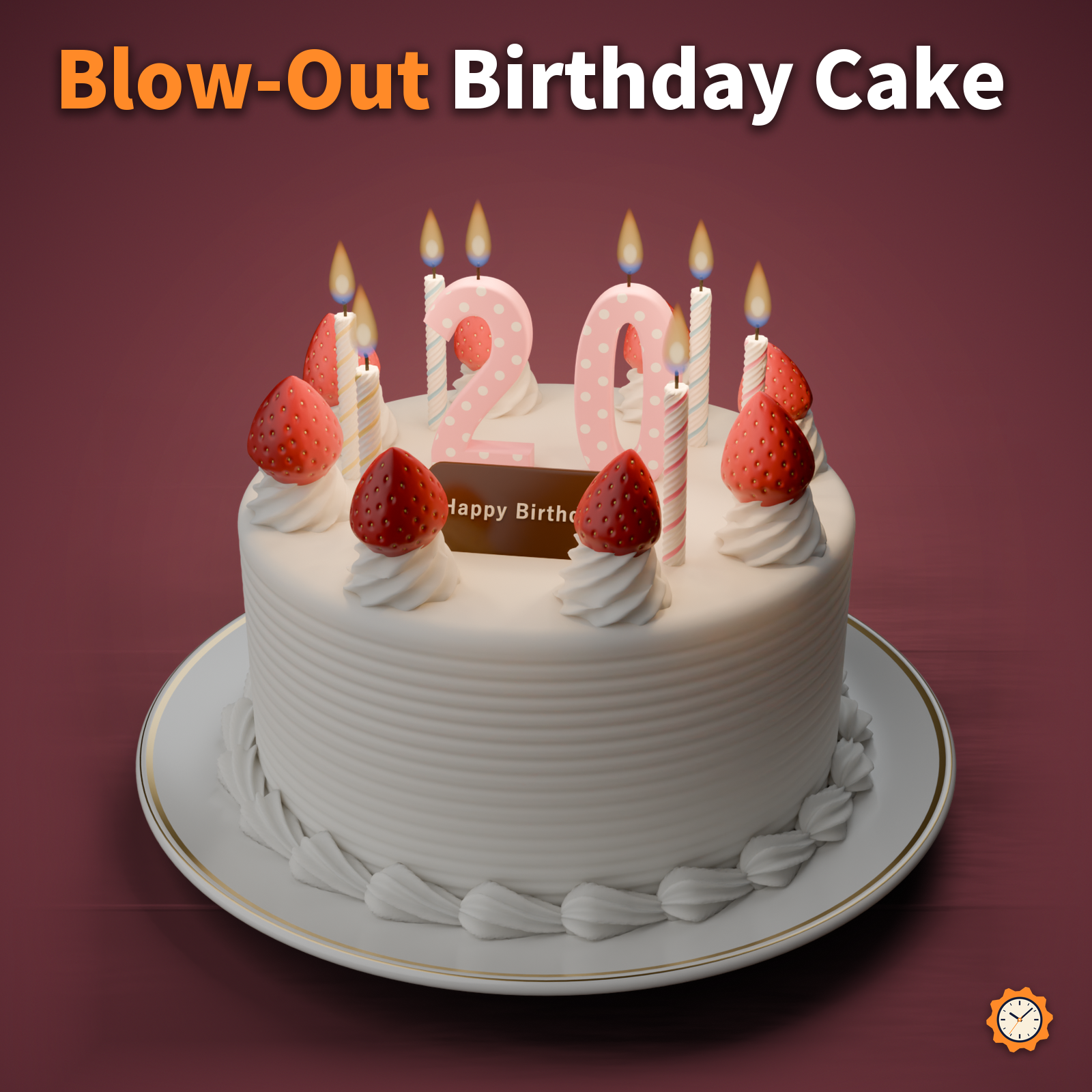
A strawberry shortcake (or a chocolate cake) with 6 thin spiral candles and 2 number candles.
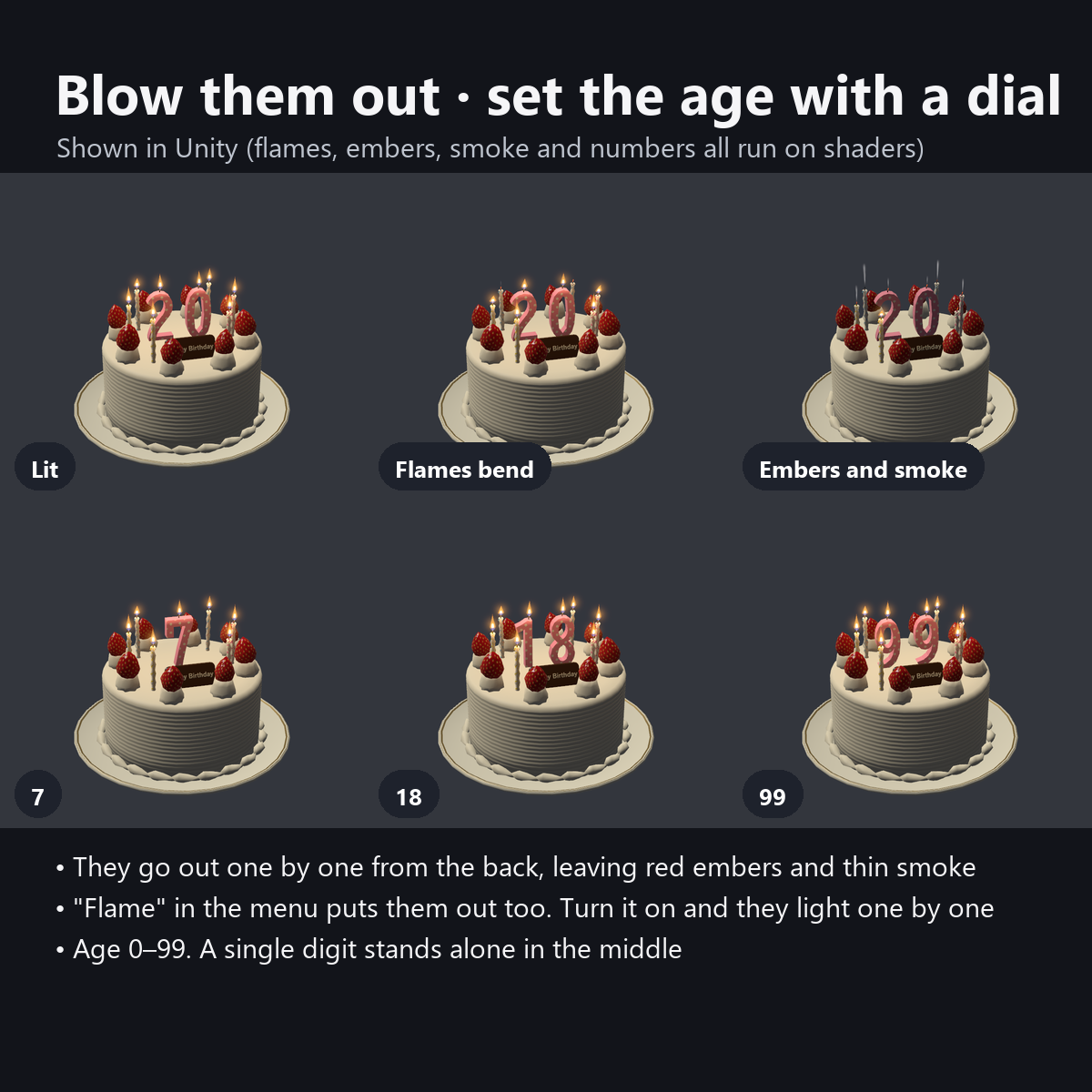
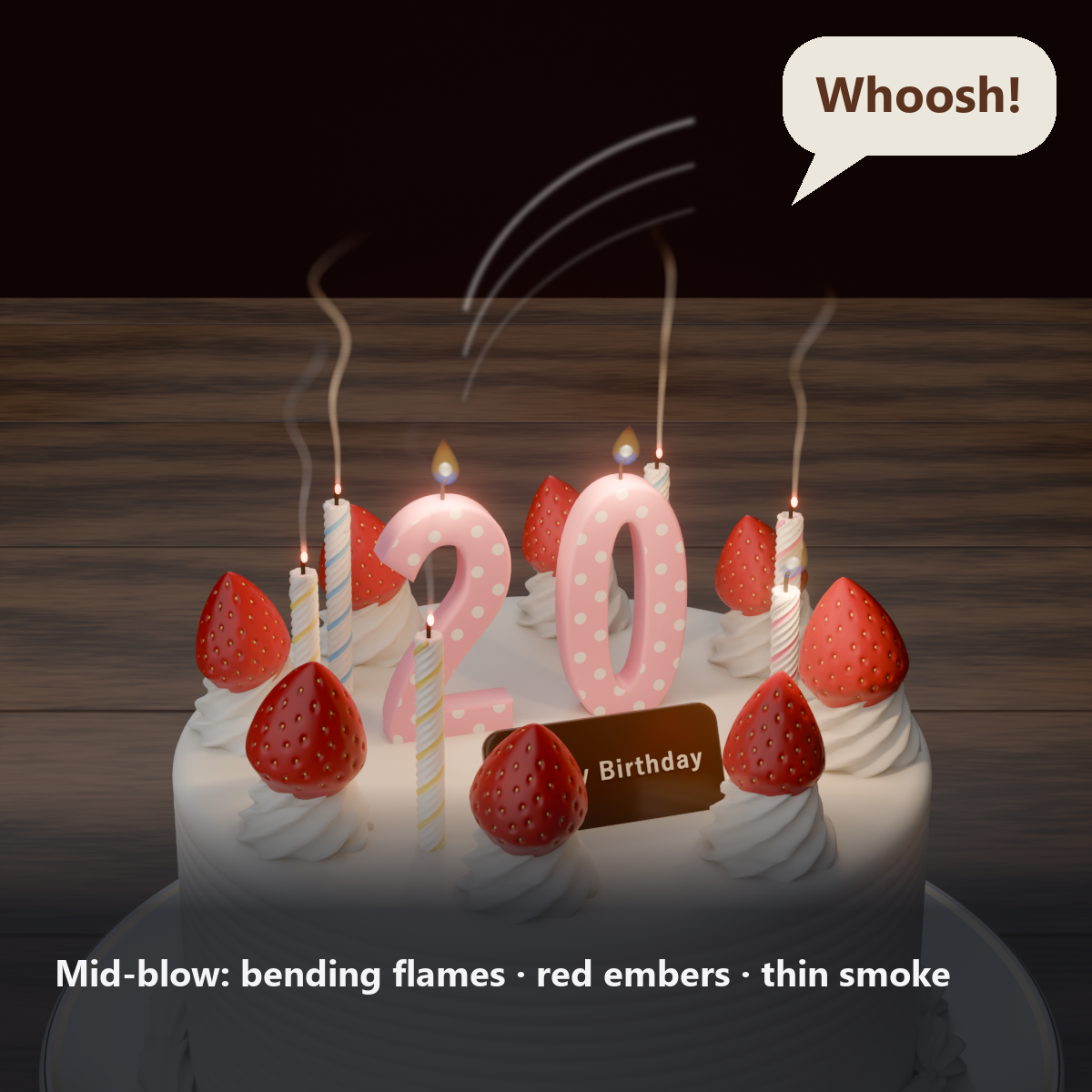
Blow into your mic and the flames lean in the wind and go out one by one, starting from the back. Each snuffed wick keeps a red ember for a second, and a thin trail of smoke rises for about 3 seconds. The big moment of a birthday party, right in VRChat.
The number candles go from 0 to 99 with a single dial, for a birthday age or an anniversary of your activities. Turn "Flame" back on in the menu to light and blow them out as many times as you like.
Features
- Blow them out with your voice: breathe into your mic and the flames lean and go out one by one from the back, leaving red embers on the wicks and thin rising smoke
- Or with a button: turn "Flame" OFF in the menu for the same motion (for desktop users, or when you cannot make noise)
- Light them again: turn "Flame" ON and each candle lights from a small blue flame, one by one (as often as you like)
- Number candles 0-99: turn the dial to change the age. For a single digit, one candle stands in the middle
- Lively flames: blue at the base, yellow outside, orange at the tip. Each candle flickers out of step, and the candlelight shows softly on the cream and strawberries
- In hand / set down: hold it out on your right hand, or choose "Set Down" to leave it in place (for group photos around it)
- 3 breath strength levels (weak, medium, strong). To avoid going out during normal talk, it only reacts to a strong breath that lasts 0.35 seconds
- Chocolate name plate: the "Happy Birthday" text can be changed to anything with the included tool
- Details: star-piped whipped cream, strawberries with seed dimples, spiral stripes and wax drips on the candles, combed lines on the sides, shell piping around the base, and a porcelain plate with a gold line
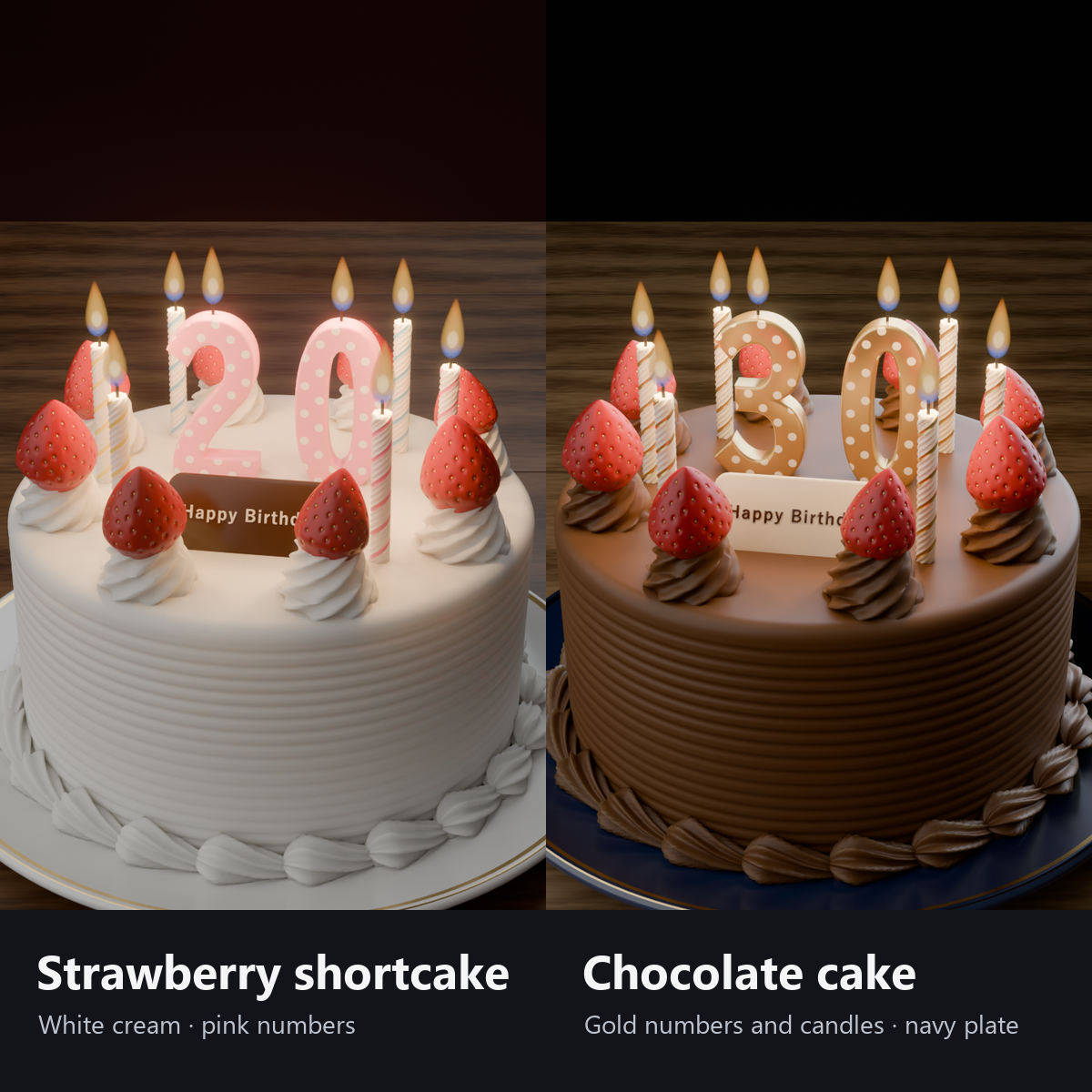
- 2 colors: strawberry shortcake (white cream, white porcelain plate) / chocolate cake (brown cream, navy plate, gold candles)
- Modular Avatar ready: put it under your avatar and fit it to your right hand (switch to "Set Down" in the menu)
How it works
- Your own device smooths your voice level (VRChat's standard Voice value) and turns "Flame" OFF when a strong breath lasts 0.35 seconds. "Flame" is synced, so the candles go out in the same order on other people's screens.
- The flames, embers, smoke and number changes are all done by shaders (no Particle Systems, Lights or bones).
- Each candle goes out at a slightly different time, from the back (nearest the holder) toward the front (about 1.6 seconds in all).
Menu (English menu prefab)
- Birthday Cake > Show: cake on/off
- Birthday Cake > Name Plate: chocolate plate on/off
- Birthday Cake > Age: dial; the number candles change from 0 to 99
- Birthday Cake > Candles: Both / Numbers Only / Thin Candles Only
- Birthday Cake > Placement: In Hand / Set Down (stays where you set it)
- Birthday Cake > Flame: ON lights them one by one; OFF blows them out (also turns OFF when blown out by voice)
- Birthday Cake > Blow Out by Voice: whether your breath into the mic blows them out (only for you)
- Birthday Cake > Breath Strength: Weak (Soft Breath) / Medium / Strong (Hard Breath) (only for you)
What's included
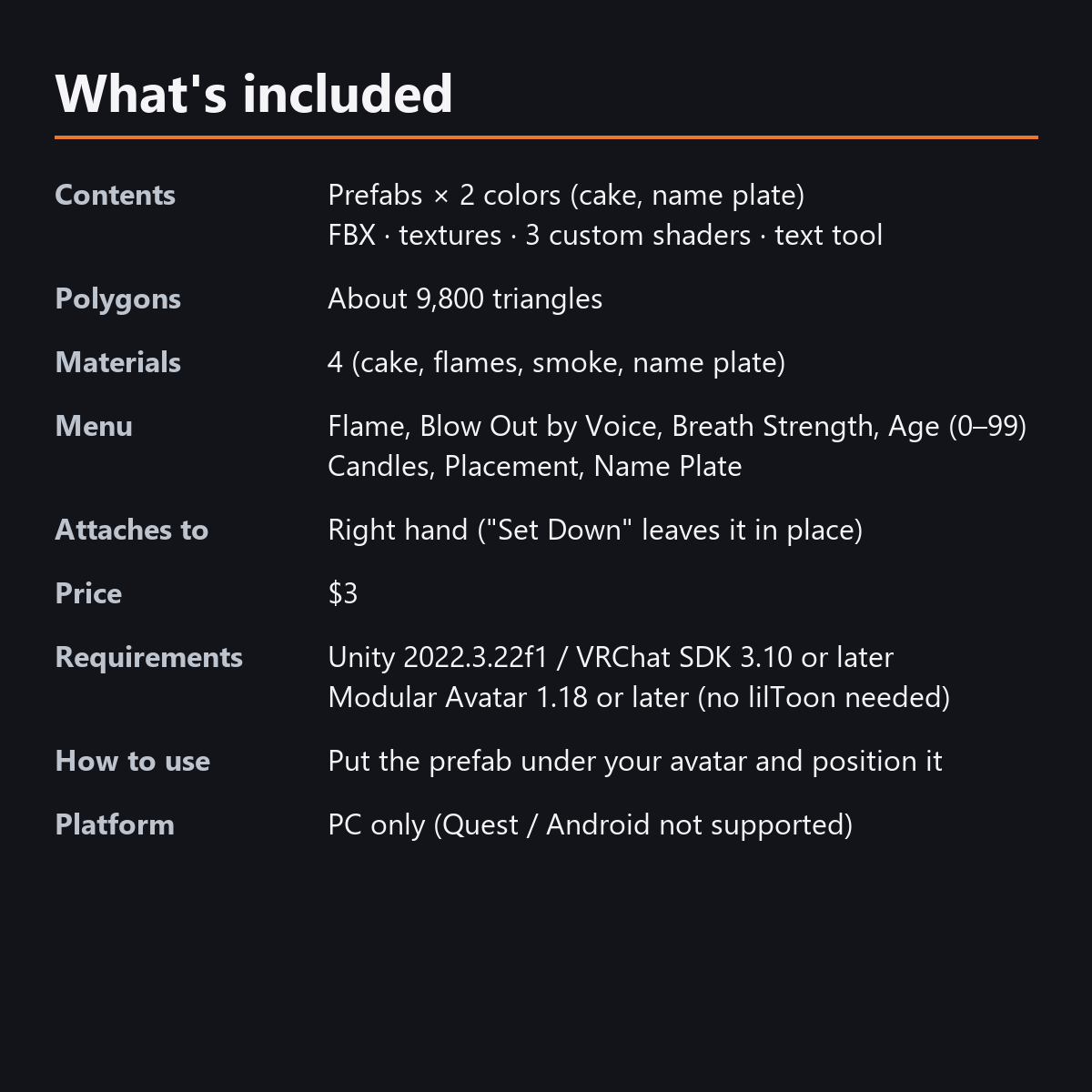
- Prefabs x 2 colors (cake, name plate)
- FBX, textures, 3 custom shaders (cake, flames, smoke), animations, text tool
- English-menu prefabs (_EN) next to the Japanese-menu prefabs. Use one or the other on an avatar, not both.
- Instruction manual and Terms of Use in English and Japanese
Specs
- Added to your avatar (counted in Unity): 9,792 triangles, 2 meshes, 4 material slots (cake, flames, smoke, name plate), 0 PhysBones
- Synced parameters: 27 bits (Show, Name Plate, Age, Candles, Placement, Flame)
- All counts follow VRChat's rules (hidden parts are counted too) and show how much one prefab adds to your avatar.
- The VRChat performance rank depends on the total with your avatar, so this item alone does not decide it.
- "Blow Out by Voice" and "Breath Strength" are used only on your own device (not synced)
- No Particle Systems, PhysBones, Lights or AudioSources
- No extra skinned mesh
Requirements
- Unity 2022.3.22f1 (an avatar project made with VRChat Creator Companion)
- VRChat SDK (Avatars) 3.10 or later
- Modular Avatar 1.18 or later
- lilToon is not needed (custom shaders included)
Please note
- PC only. Not supported on Quest / Android.
- Blowing out by voice works only inside VRChat (not in the Unity editor). Voice levels differ by mic and person: if they are hard to blow out, set "Breath Strength" to "Weak"; if they go out just from talking, set it to "Strong".
- While your mic is muted, your voice does not blow them out. Use "Flame" in the menu.
- "Set Down" leaves the cake where it was when you chose it (in front of your hips, about 80 cm high). To move it, switch back to "In Hand" and choose "Set Down" again.
- The hand position is made for holding it with the palm facing up. No hand pose is included.
- No song or music is included.
- If a viewer's Safety settings hide shaders, the cake is shown in a single color and the flames and smoke are hidden.
- The menu controls (Show, Name Plate, Age, Candles, Placement, Flame) and blowing out by voice: they move only inside VRChat (including Build & Test) or with Gesture Manager. If they look still in the Unity Editor, nothing is broken.
Terms of use
- You may upload it to VRChat and similar services on your own avatars, edit it, and use it in streams, videos and photos (commercial or not).
- You may not redistribute, resell or share the data (edited or not), or use it to train AI.
- Full text: TermsOfUse_EN.txt in the download (Japanese original: TermsOfUse_JA.txt).
How this was made (AI-Assisted)
The 3D shapes, materials, shaders and texts of this item were made with scripts written with AI assistance. A person checked how it looks and moves in Unity before release.