
Brass Megaphone - Sound Rings Spread When You Talk, 8 Sound Effects | VRChat
Description du produit
Ce produit contient du contenu généré par IA.
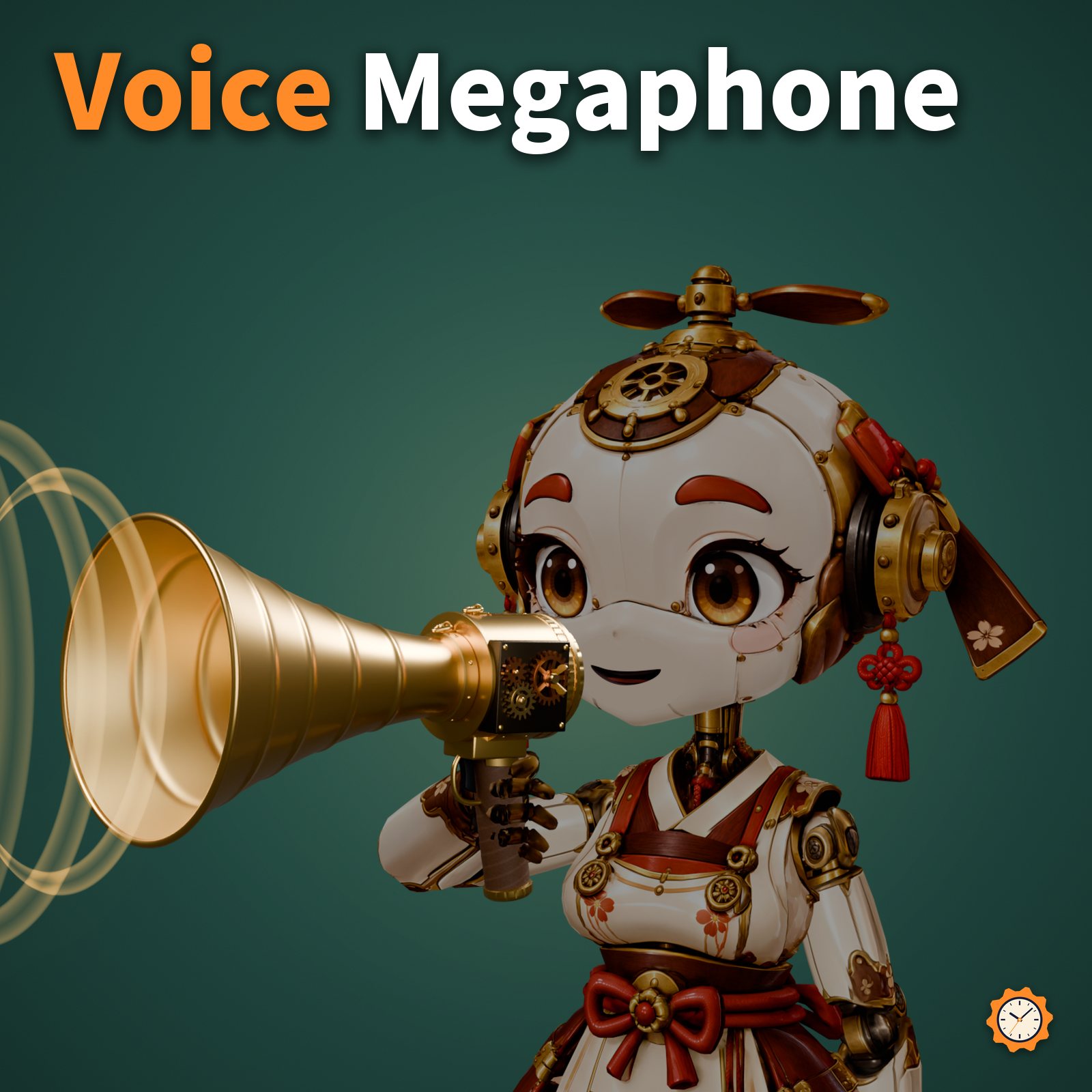
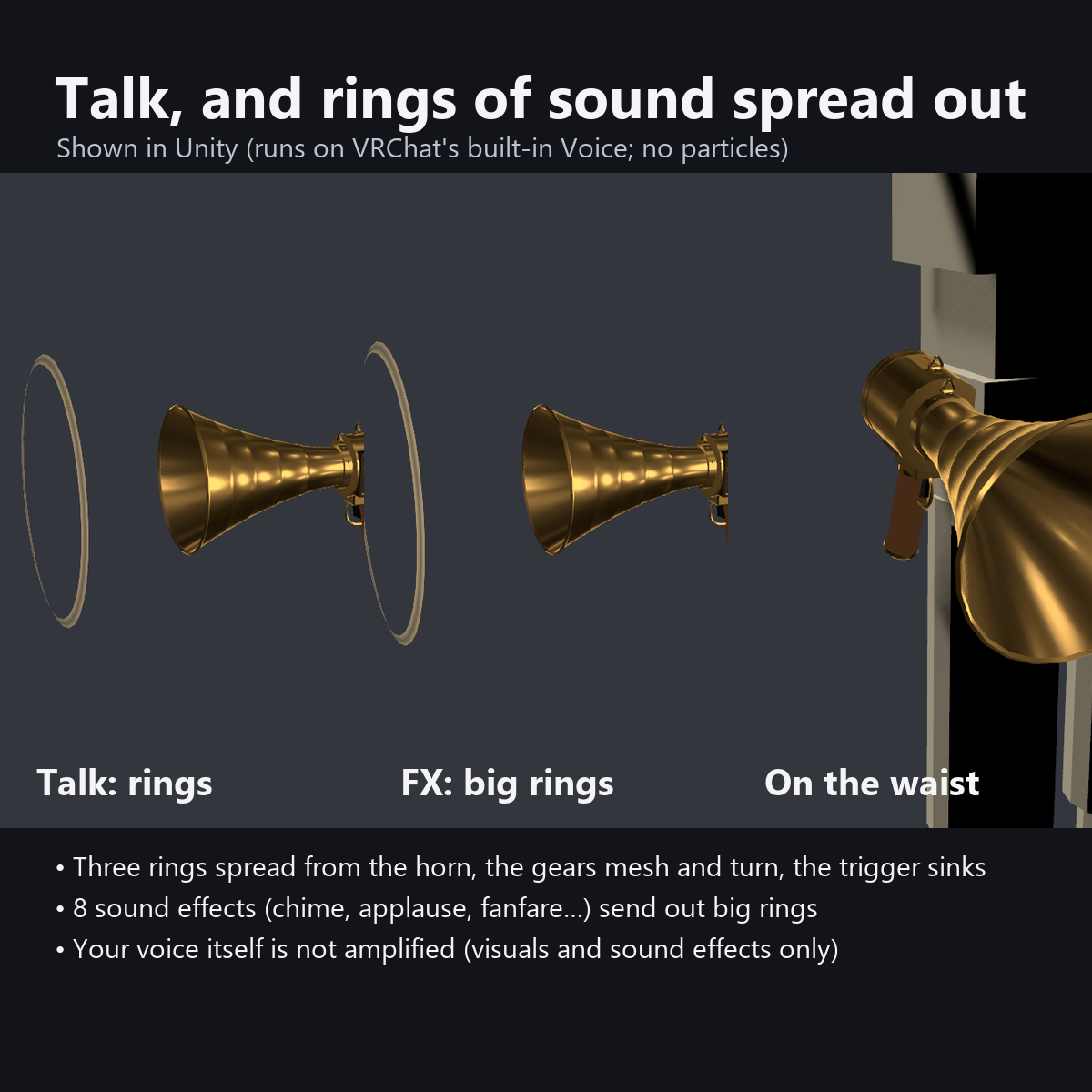
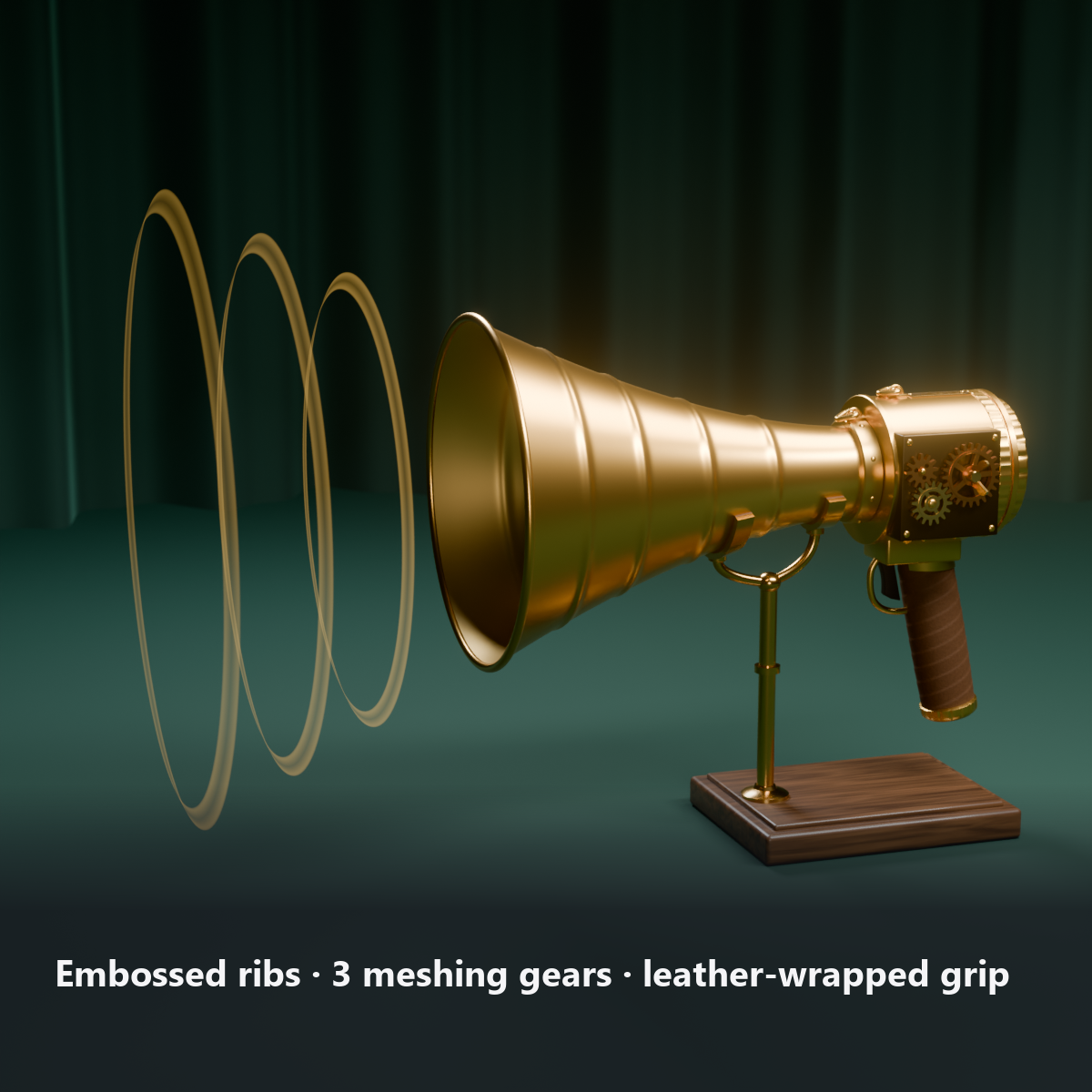
A retro hand-held megaphone with a brass horn and gears. When you talk, three see-through rings spread from the mouth of the horn like spherical waves and fade away. People can tell from a distance that you are "announcing".
While you talk, the 3 gears on the side mesh and turn at their tooth ratio, and the trigger presses in. The menu plays 8 sound effects (start and end chimes, applause, drumroll, fanfare, correct, buzzer, whistle). For hosting events, giving calls, and signals in games.
Note: it does not make your actual voice louder (VRChat avatars cannot change how far or how loud your voice carries). It is a prop that shows "amplifying" with visuals and sound effects.
Features
- Sound rings from your voice: three rings spread forward from the horn, glow only at their edges and fade (moved only by shaders, without particles)
- 8 sound effects: start chime, end chime, applause, drumroll, fanfare, correct, buzzer, whistle (all our own synthesized sounds). Each one sends out one big ring and presses the trigger
- Only 1 AudioSource (one source switches between the 8 sounds)
- 3 meshing gears turn only while you talk and during sound effects, and slow down when they stop
- Pulses with music (AudioLink): turn up the dial and the rings pulse with the bass in supported worlds
- 4 ring colors: gold / white / light blue / pink
- Attach To: right hand (default) / waist (hangs from your hip on a strap and snap hook)
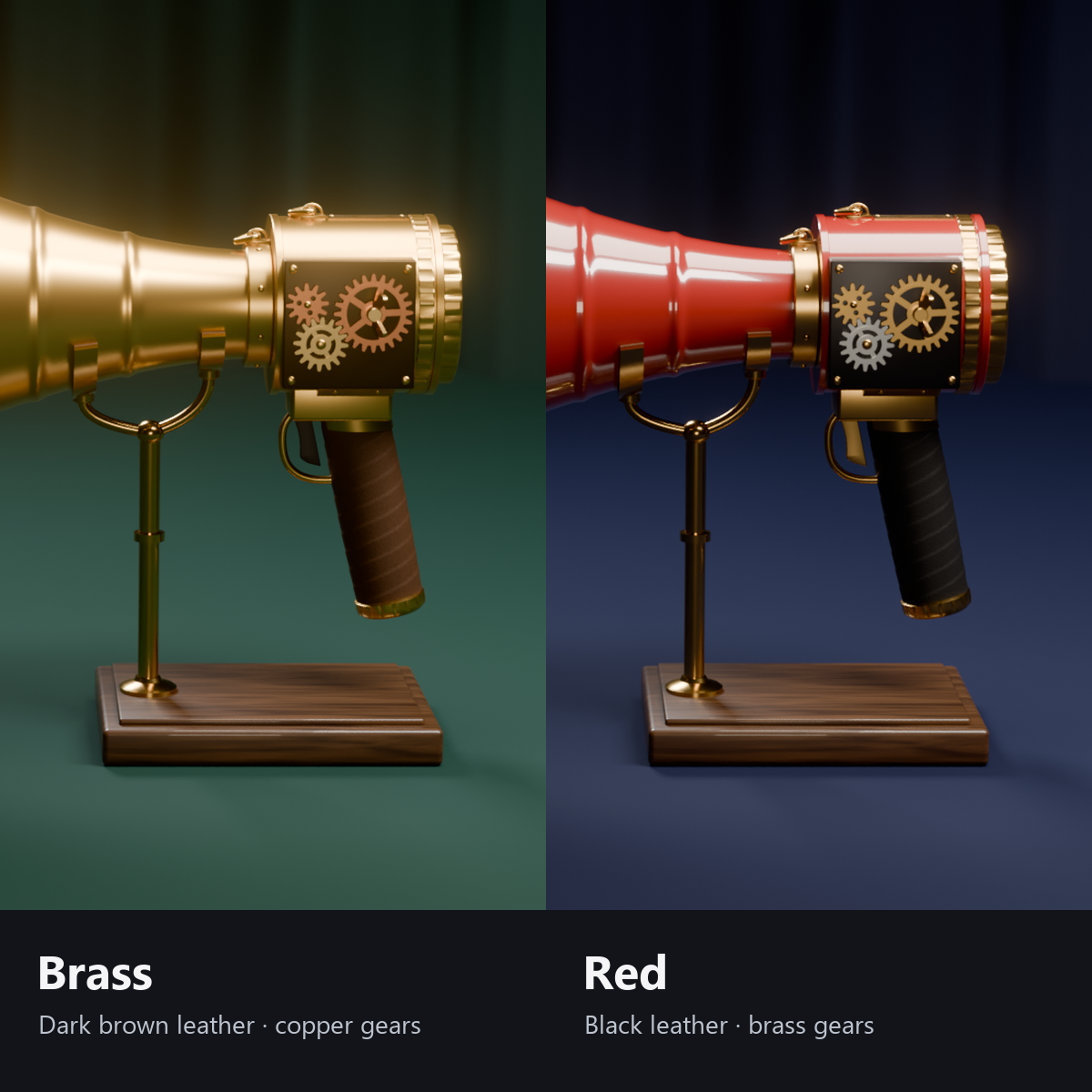
- 2 colors: brass with dark brown leather (gold rings) / red paint with black leather (white rings)
- Details: 4 rows of embossed ribs, a rolled rim, an inner mesh and a bullet-shaped plug, 8 rivets on the neck ring, a knurled ring, a back cap with finger grooves, a nameplate, stitching on the back of the leather-wrapped grip, a trigger guard and a triangle ring. All designs are original
- Modular Avatar ready: put it under your avatar and fit it to your right hand (switch to the waist in the menu)
How it works
- Your voice level (VRChat's standard Voice value) is smoothed and sets the strength of the rings. When you start talking the trigger presses in and the gears start turning; when you stop they slowly come to rest.
- Each ring is a "spherical band" centered on the apex of the horn's cone that grows as it moves forward (an exaggerated, visible version of how real sound waves spread).
- The sound effects play from one AudioSource switching between 8 sounds. Only the sound number is synced, so others hear the same sound.
Sound effects (all our own synthesis; short signals, not music)
- Start chime (4 rising notes) / End chime (4 falling notes)
- Applause (about 30 people) / Drumroll (building up to a cymbal)
- Fanfare (a short signal) / Correct (a two-tone ding) / Buzzer / Whistle (short and long)
Menu (English menu prefab)
- Megaphone > Show: megaphone on/off
- Megaphone > Sound Effects: Start Chime / End Chime / Applause / Drumroll / Fanfare / Correct / Buzzer / Whistle (plays once when pressed)
- Megaphone > Ring Color: Gold / White / Light Blue / Pink
- Megaphone > Music Pulse: dial. 0% is off; higher makes the rings pulse more with world music (AudioLink). 50% is normal
- Megaphone > Attach To: Right Hand / Waist (a strap appears on the waist)
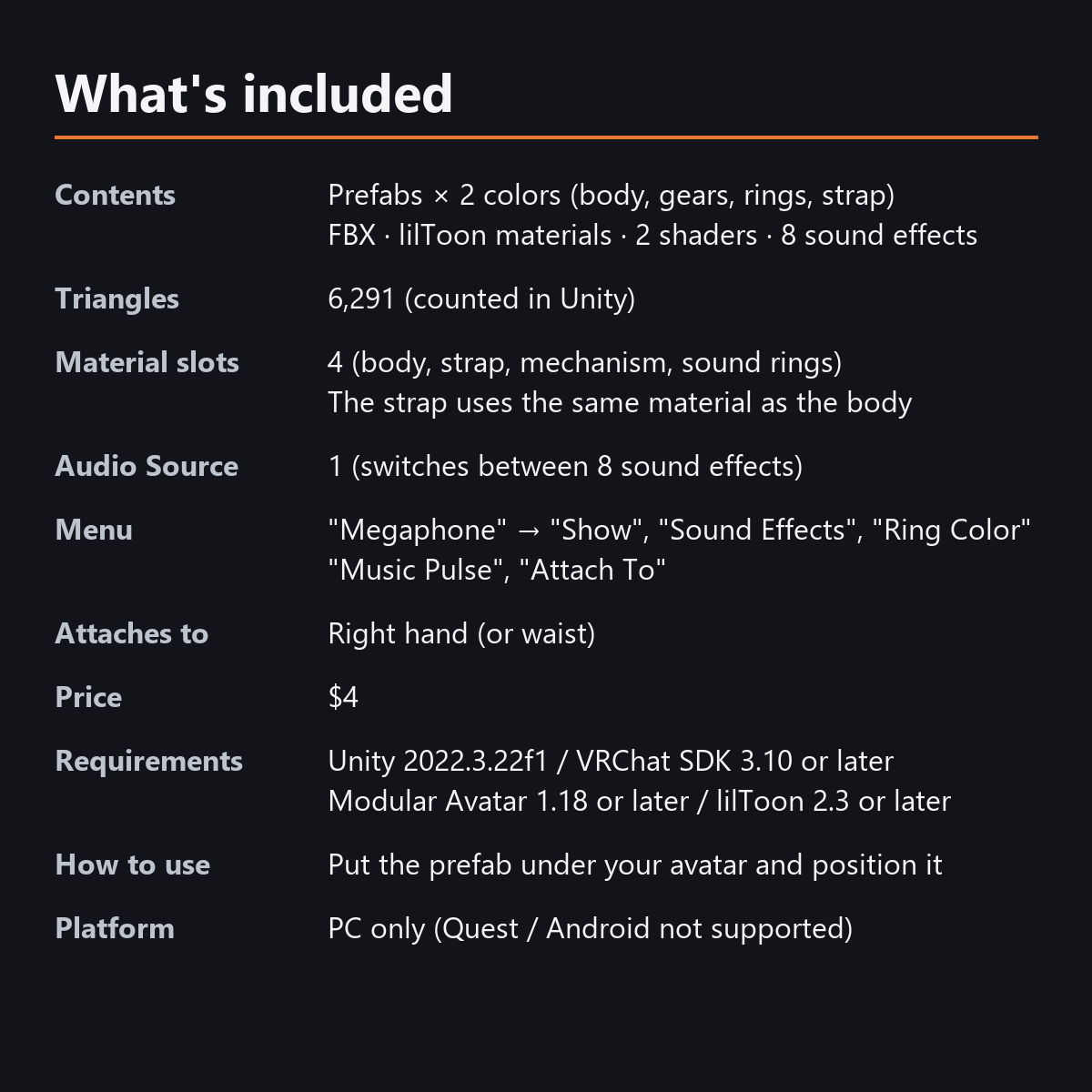
What's included
- Prefabs x 2 colors (body, mechanism, sound rings, strap)
- FBX, textures, lilToon materials, 2 custom shaders (mechanism, sound rings), 8 sound effects (OGG), animations
- English-menu prefabs (_EN) next to the Japanese-menu prefabs. Use one or the other on an avatar, not both.
- Instruction manual and Terms of Use in English and Japanese
Specs
- Added to your avatar (counted in Unity): 6,291 triangles, 4 meshes, 4 material slots (body, strap (same material as the body), mechanism, sound rings), 0 PhysBones, 1 Audio Source
- Synced parameters: 34 bits (Show, Ring Color, Music Pulse, Attach To, Sound Effects, talking)
- All counts follow VRChat's rules (hidden parts are counted too) and show how much one prefab adds to your avatar.
- The VRChat performance rank depends on the total with your avatar, so this item alone does not decide it.
- AudioSources: 1 (switches between the 8 sound effects)
- The voice uses VRChat's standard value (Voice), so the rings also appear on other people's screens
- No Particle Systems, PhysBones or Contacts. No OSC or external apps needed
- No extra skinned mesh
Requirements
- Unity 2022.3.22f1 (an avatar project made with VRChat Creator Companion)
- VRChat SDK (Avatars) 3.10 or later
- Modular Avatar 1.18 or later
- lilToon 2.3 or later
Please note
- PC only. Not supported on Quest / Android.
- It does not make your actual voice louder. VRChat avatars cannot change how far or how loud your voice carries.
- Sound effects can be heard by people around you (up to about 12 m). Please be careful with the volume.
- A sound effect cannot be played again until it finishes (holding the button plays it only once).
- The rings and gears move with your voice inside VRChat. They do not move in the Unity editor.
- No hand pose is included.
- In worlds that do not support AudioLink, "Music Pulse" does nothing (it still moves with your voice).
- If a viewer's Safety settings hide shaders, the sound rings are hidden and the gears are shown standing still.
- The sound rings and gears that move with your voice, the sound effects and the menu controls: they move only inside VRChat (including Build & Test) or with Gesture Manager. If they look still in the Unity Editor, nothing is broken.
Terms of use
- You may upload it to VRChat and similar services on your own avatars, edit it, and use it in streams, videos and photos (commercial or not).
- You may not redistribute, resell or share the data (edited or not), or use it to train AI.
- Full text: TermsOfUse_EN.txt in the download (Japanese original: TermsOfUse_JA.txt).
Update history
- v1.2.1 (2026-10-13): Fixed the starting position. The right-hand anchor (Anchor_Right Hand) was created on the left side, near the left hand, so the megaphone did not sit in the right hand unless you moved the anchor (its rotation now matches the right hand too: the horn points toward the fingertips and the top of the grip is on the thumb side). The waist position hangs on the left hip; the manual now says so. The GUIDs are the same as before, so importing it over the old version replaces it (anchors you have already moved in your scene keep their positions).
- v1.2 (2026-10-13): Uploads without pressing Auto Fix in VRChat SDK 3.10 (fixed texture Streaming Mip Maps, mesh Read/Write, Legacy Blendshape Normals). Turned on Load In Background for the sound effects. The shaders support Single Pass Instanced rendering in VR (the look outside VR is unchanged). Manual and description updated (counts are now what the item adds to your avatar, measured in Unity; how it looks in the Editor). The included documents now have English-only file names. The GUIDs are the same as before, so importing it over the old version replaces it.
- v1.1: English-menu prefabs (_EN) and English documents
- v1.0: First release
Also on BOOTH
This item is also sold on BOOTH, the Japanese marketplace.
How this was made (AI-Assisted)
The 3D shapes, materials, shaders and texts of this item were made with scripts written with AI assistance. The 8 sound effects were also generated by these scripts (no recorded or third-party sounds). A person checked how it looks and moves in Unity before release.