Description du produit
 ShapeKey Tool — Technical Overview
V4.0.8 · Blender 4.2 → 5.3 · by Hyroe
A Blender addon that links a source mesh to its outfits and parts, keeps their shape keys in sync, filters huge key lists, and finds and removes useless keys safely.
Folders & Linker
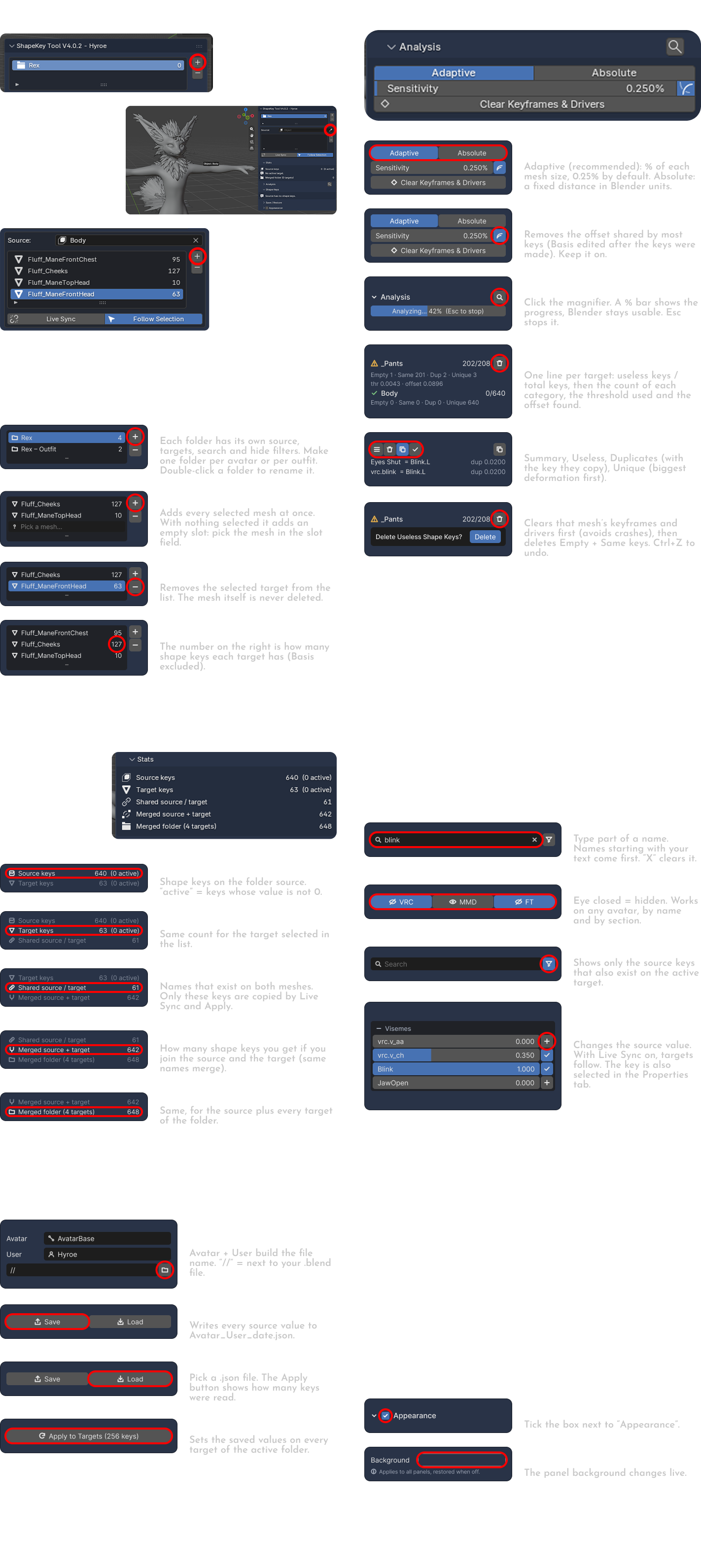
- How it works: all data is saved in the scene. Each folder stores one source mesh, its list of target meshes, and its own search, hide filters, sync switch and analysis results.
- Why it helps: one click switches between avatars or outfits without picking the meshes again, and every setup is saved inside the .blend file.
Live Sync
- How it works: a function runs after every scene update and copies each source shape key value to the target keys that share the same name.
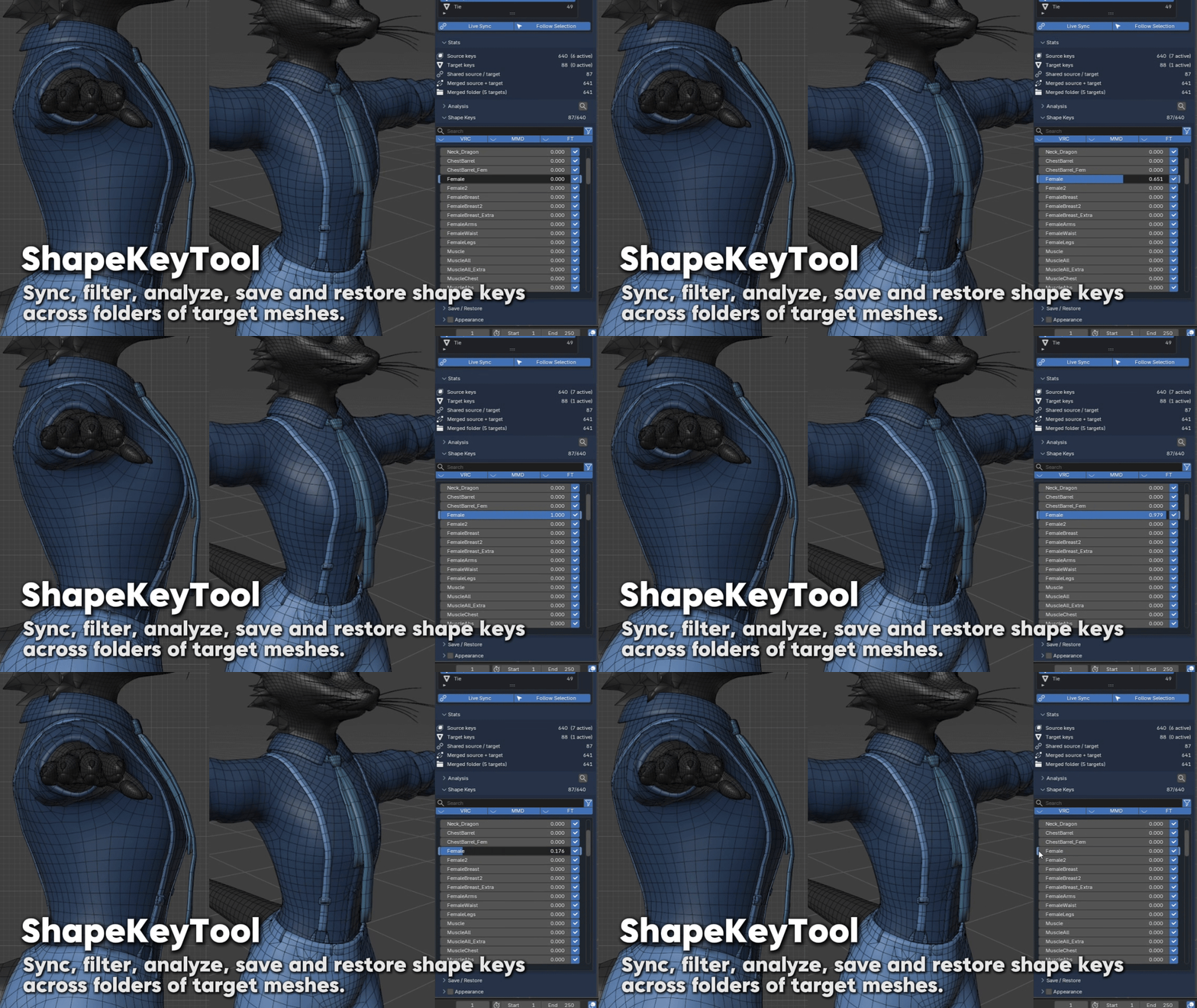
- Why it helps: move one slider on the body and every outfit, fluff and accessory follows instantly. You no longer fix clipping mesh by mesh.
Follow Selection
- How it works: Blender notifies the addon whenever the active object changes. The addon finds the clicked mesh in the folders and selects it in the target list.
- Why it helps: click a mesh in the viewport or the outliner, and the panel already shows the right folder and target.
Auto-select moved key
- How it works: the addon remembers the source values. When exactly one value changes, that key becomes the active key on the source and on the active mesh. This is skipped during playback and file loads.
- Why it helps: the Properties tab jumps to the key you are tweaking, so you never scroll through 400 keys to find it.
Smart hide filters
- How it works: each key is classified by its name:
vrc.*and viseme codes, Japanese names and MMD symbols, Unified Expressions and ARKit names. If the name says nothing, the key takes the category of the separator section it sits in. - Why it helps: you can hide hundreds of viseme, MMD and face-tracking keys on any avatar, whatever naming its author used, and keep only the body keys you edit.
Search & Target only
- How it works: a live text filter shows the names that start with your text first. An option keeps only the source keys whose name also exists on the active target.
- Why it helps: you see at a glance which keys an outfit supports and which ones are still missing.
Add key to target
- How it works: the “+” button creates an empty shape key with the same name on the active target and copies the source value into it.
- Why it helps: an outfit is ready for sync in seconds. The names match, so Live Sync drives the new key right away.
Stats
- How it works: the panel counts the keys on the source and on the target, the keys whose value is not 0, the names both meshes share, and the unique names you would get after joining the meshes.
- Why it helps: before merging, you know how heavy the final mesh will be and whether an outfit is missing keys.
Analysis engine
- How it works:
- NumPy reads every vertex of every key.
- It subtracts the Basis and the offset shared by most keys (the per-vertex median).
- It compares the remaining movement to a threshold scaled to the mesh size.
- It sorts each key into Empty, Same, Duplicate or Unique.
- The scan runs in small steps and shows a % progress bar.
- Why it helps: it finds useless keys even when the Basis was edited after the keys were made. It works on any model size, and Blender stays usable during the scan.
Safe cleanup
- How it works: before deleting anything, the tool clears the mesh's shape key keyframes and drivers. It then removes the flagged keys in one undoable step. Duplicates are only removed if you ask for it.
- Why it helps: you get lighter meshes and smaller uploads, without the crashes caused by deleting animated or driven keys. Ctrl+Z restores everything.
Clear Keyframes & Drivers
- How it works: after a confirmation, it removes the animation data (actions and driver channels) from the shape keys of every target in the folder.
- Why it helps: leftover animations and broken drivers from imported models are reset in one click.
Save / Restore
- How it works: Save exports every source value to a dated JSON file (
Avatar_User_date.json). Load and Apply set those values on all targets, matching keys by name. - Why it helps: you can keep presets of a character's look, share them with other users, and get your setup back after experimenting.
Appearance
- How it works: the addon writes a custom color into the panel theme and remembers the original colors so it can restore them. On Blender 5.x this colors all panels; on 4.x, only the 3D View panels.
- Why it helps: you spot the tool instantly in a busy sidebar, and your theme is not changed for good.
Compatibility & safety
- How it works: the addon is a single file, tested on Blender 4.2, 4.5, 5.0, 5.2 and 5.3. Destructive actions can be undone and ask for confirmation, and separators are never flagged as useless.
- Why it helps: it works on the Blender version you already use, and you can experiment without fear of losing work.