
Description du produit
Ce produit contient du contenu généré par IA.
AI-Assisted: the scripts that build the items and this English text were written with an AI coding assistant. No generative-AI image, 3D-model or audio tool was used. See Good to know below.
Description
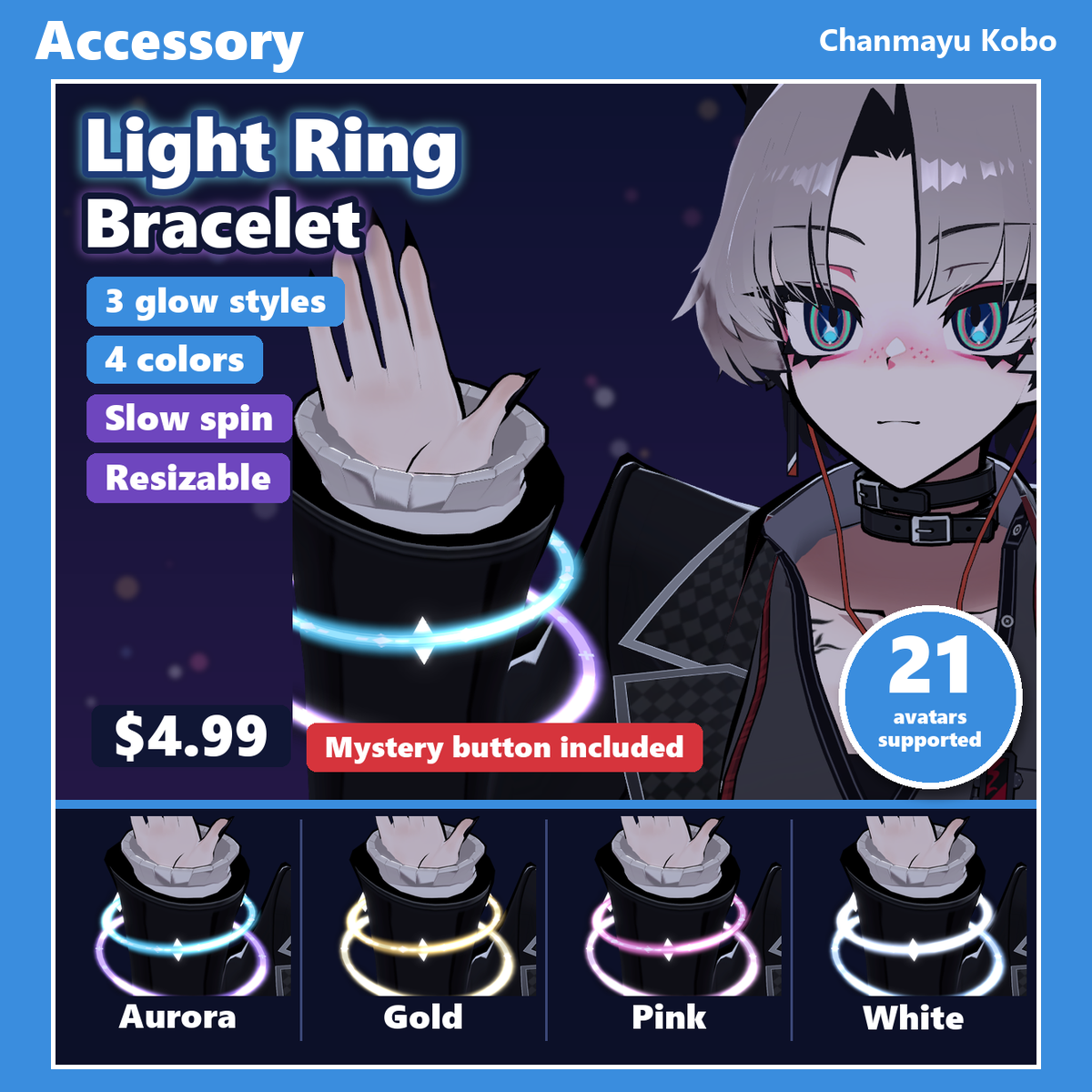
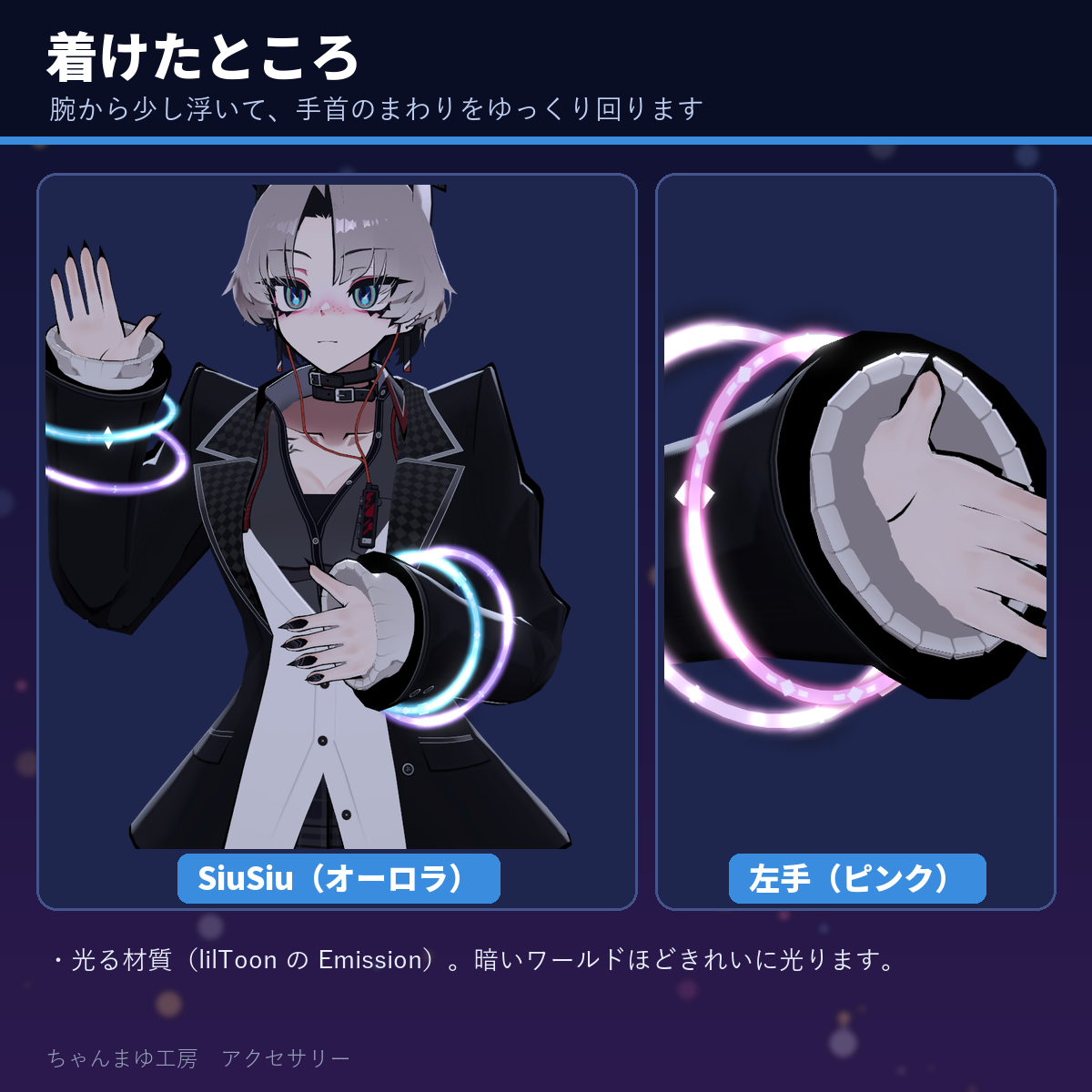
Two rings of light float around each wrist and slowly turn in opposite directions, with three small gems on the inner ring. Choose 3 glow styles and 4 colors in the Expression menu, show either hand, and resize the rings with a radial. The size is tuned one by one for each of the 21 supported avatars, sleeves included.
Highlights
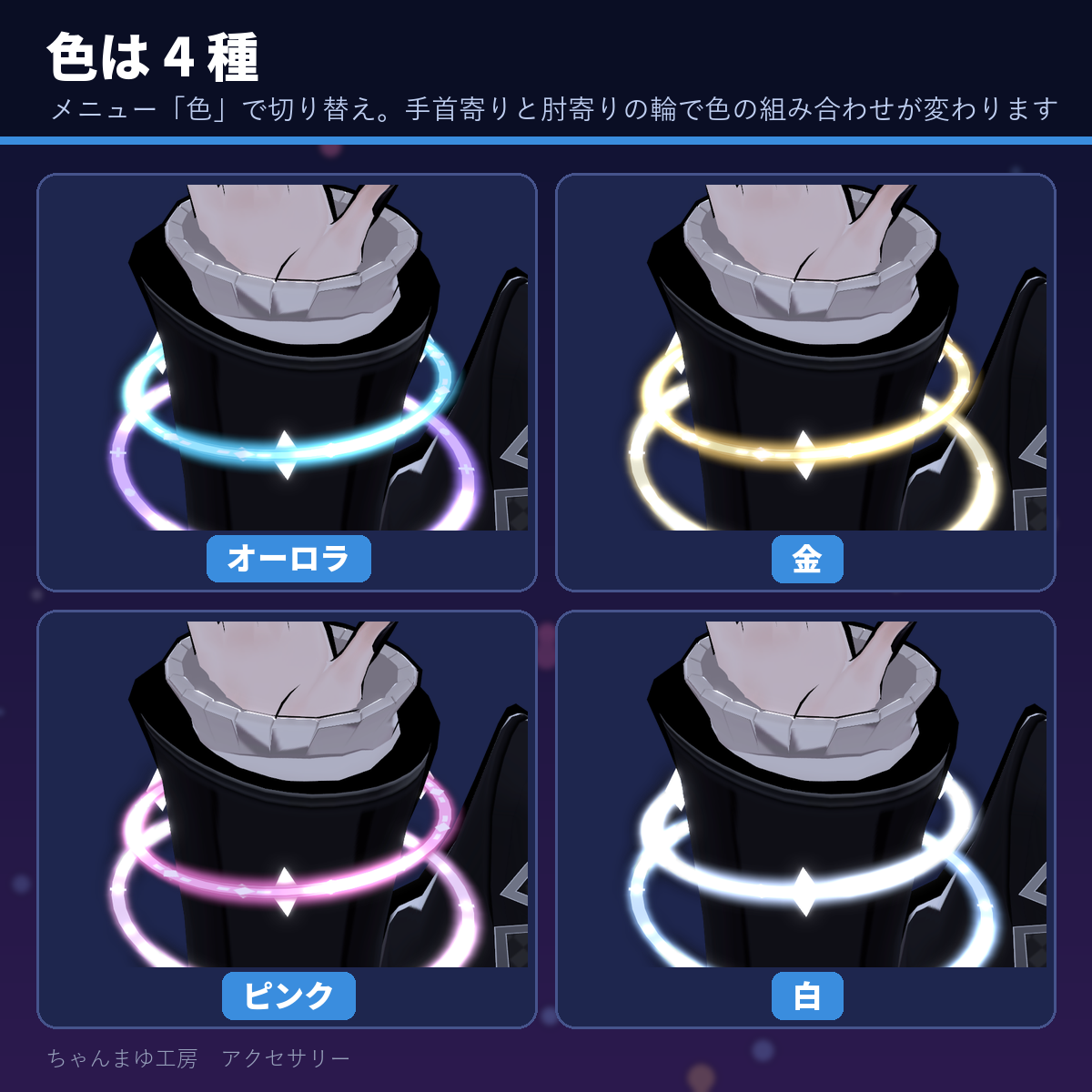
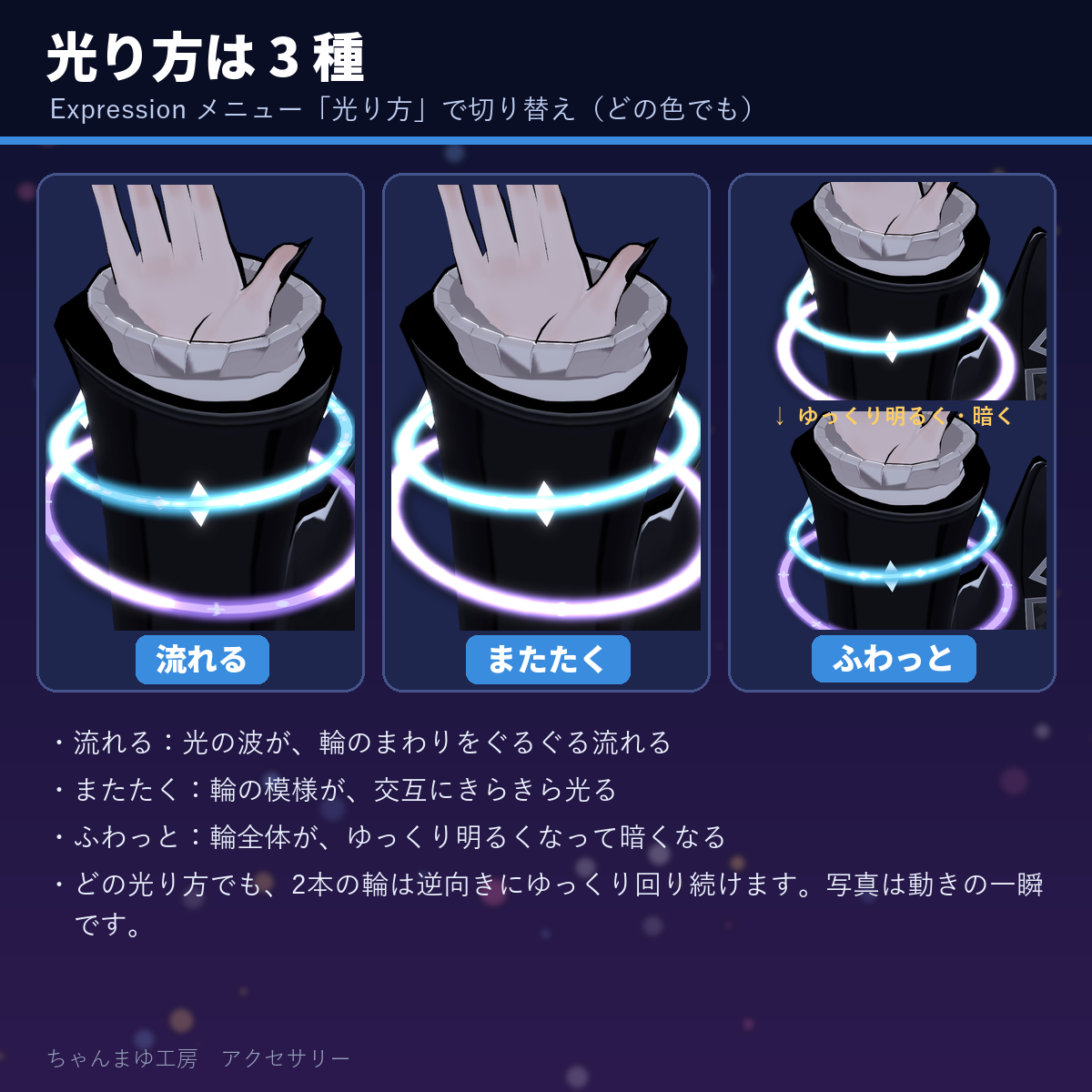
- 3 glow styles (flowing, twinkling, soft pulse) × 4 colors (aurora, gold, pink, white) = 12 looks
- Two rings float just off the wrist and keep turning slowly in opposite directions
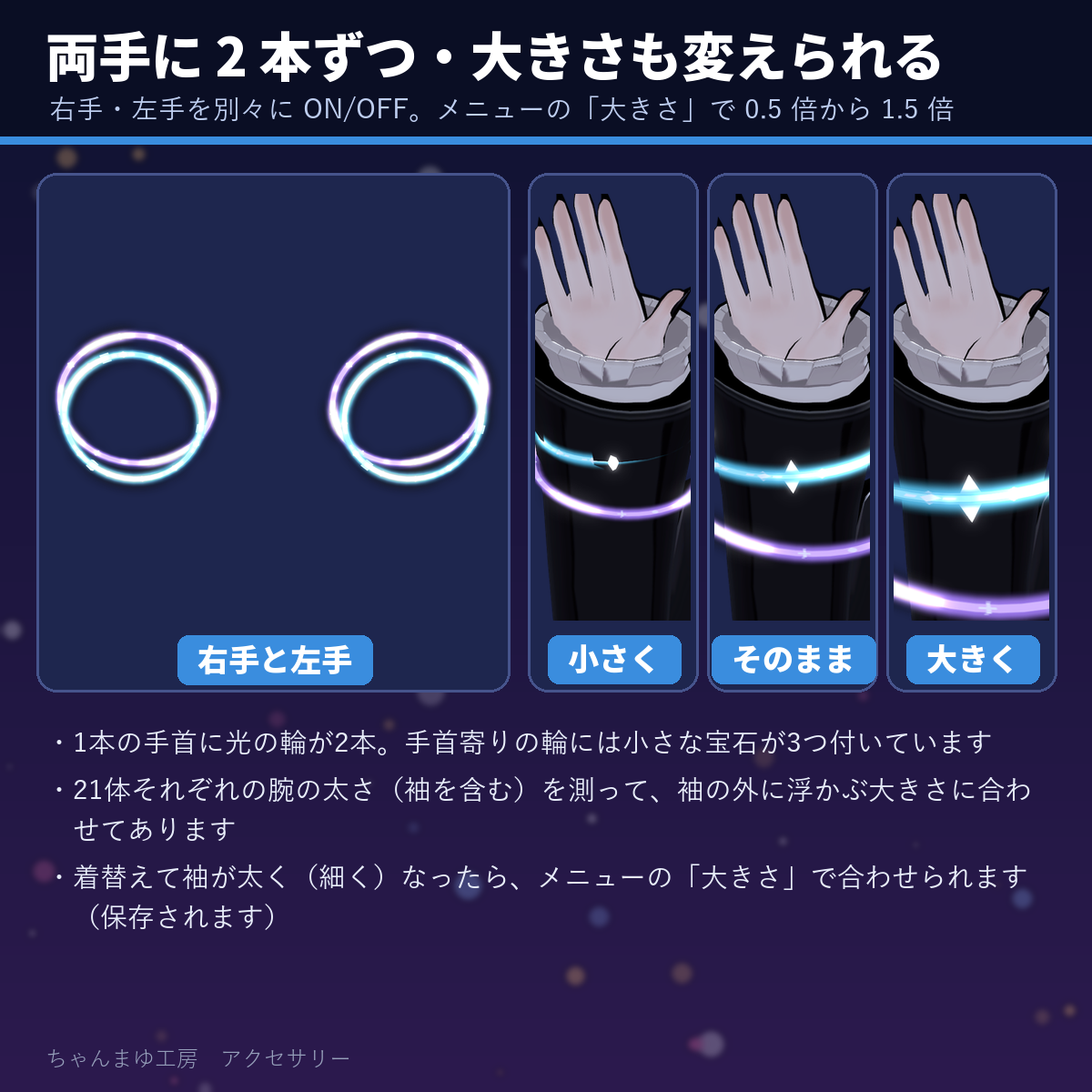
- Right hand / left hand on and off separately, plus a Size radial (0.5× to 1.5×) for when you change outfits
- Just drop it in with Modular Avatar: one menu click recognizes your avatar and attaches it (tuned for 21 avatars, auto-fit for other Humanoid avatars)
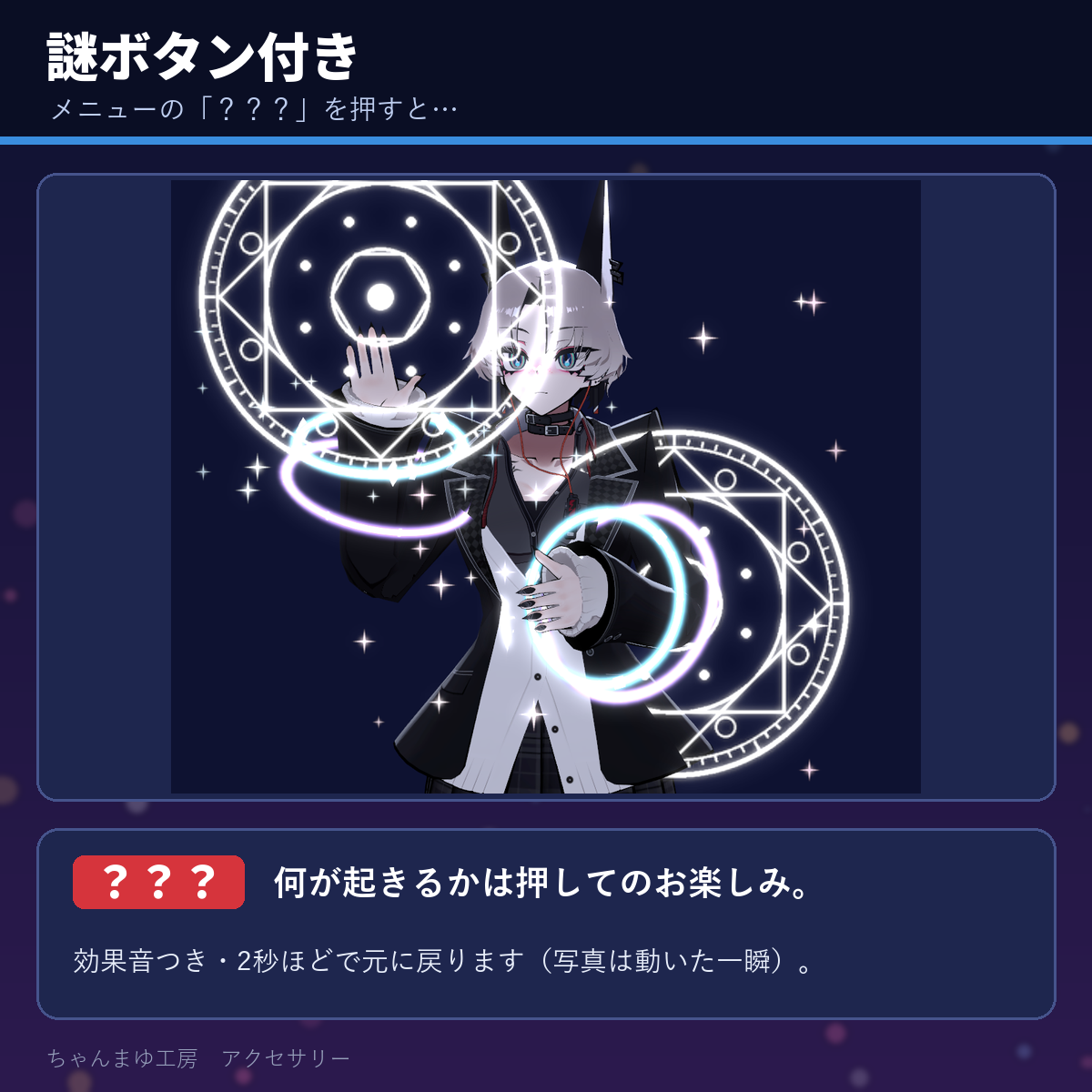
- Mystery button: press "???" and something happens (with a sound effect)
What's included
ChanmayuKobo_Acc_LightRing_v1.0.0.unitypackage(Unity package)- Light ring bracelets for the right and left hand (2 rings per wrist, 3 small gems on the inner ring)
- 12 materials: 3 glow styles (flowing, twinkling, soft pulse) × 4 colors (aurora, gold, pink, white)
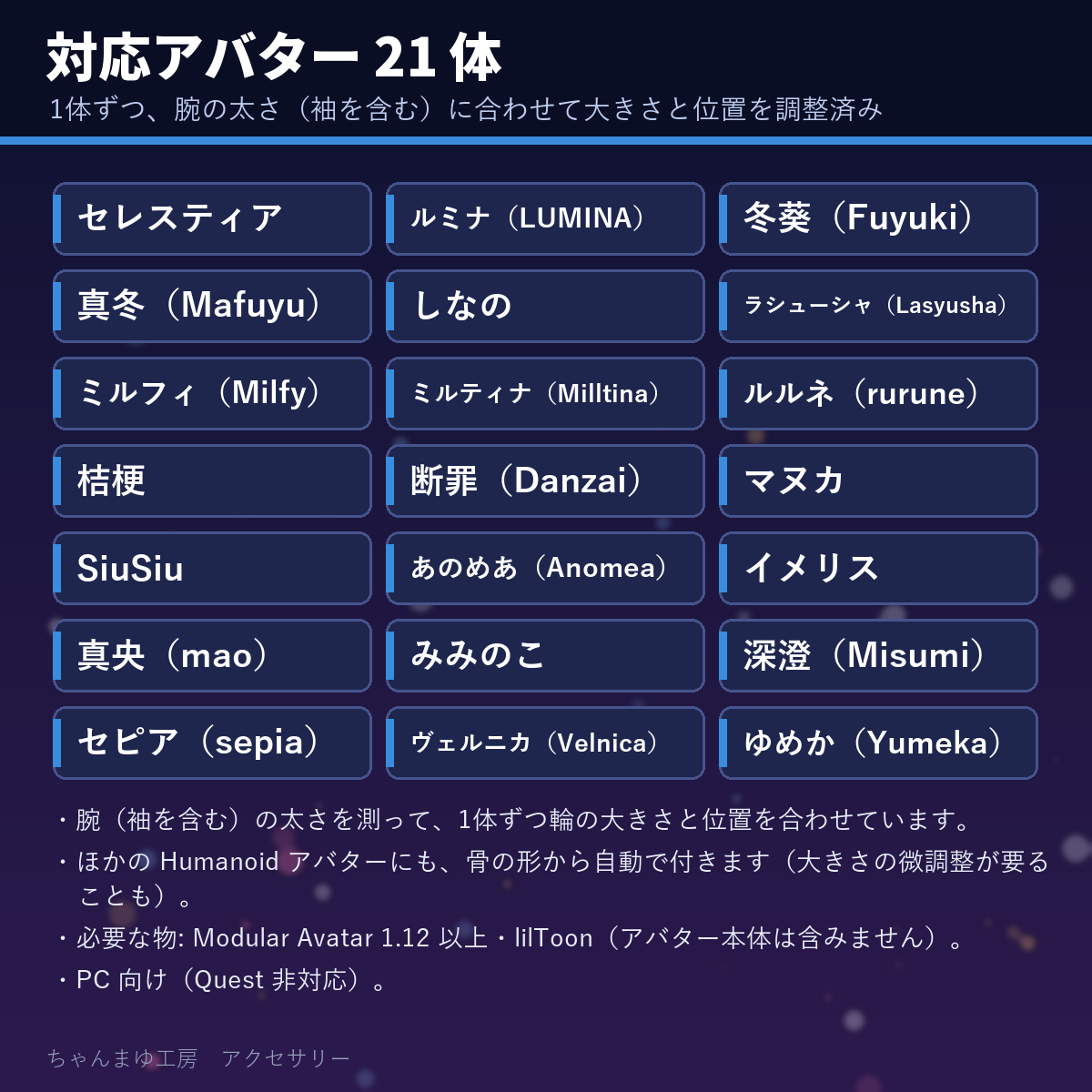
- Fitting data for each of the 21 avatars, matched to arm thickness including sleeves (used automatically by the attach menu)
- "???" button effect and sound effect (original)
README_EN.txt(English install guide and terms) and the Japanese README, guide and terms (README_JA.txt,Guide_JA.md,Terms_JA.txt)- Only the accessory. No avatar is included.
Expression menu
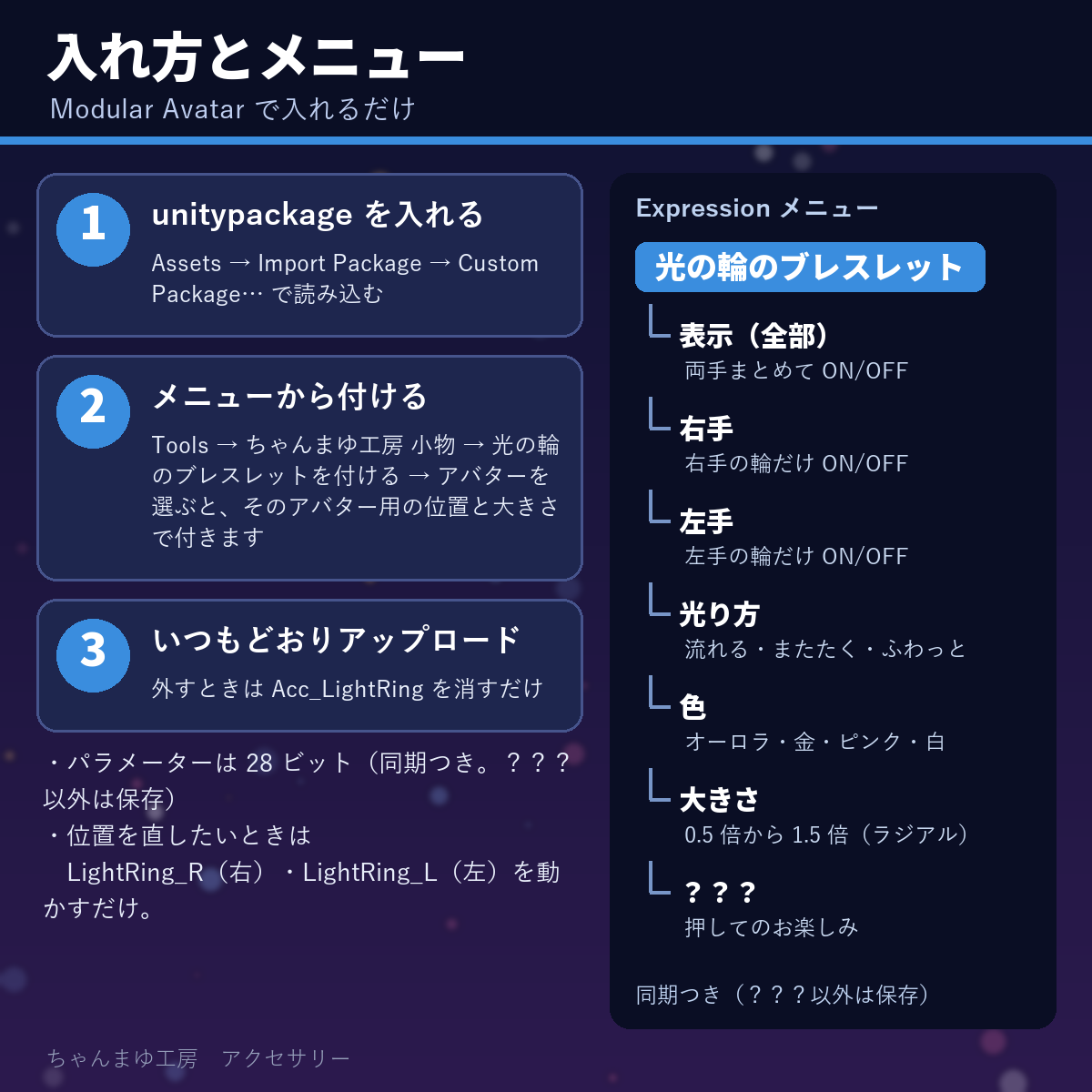
- Glow style: flowing, twinkling, soft pulse
- Color: aurora, gold, pink, white
- Right hand / Left hand: show / hide each side
- Show (all): show / hide both
- Size (radial): 0.5× to 1.5× (the middle is the tuned size)
- ???: press and see (sound effect)
- 28 bits of Expression parameters (synced; everything except ??? is saved)
Compatibility
- Requirements: Unity 2022.3, Modular Avatar 1.12+ (tested with 1.18.7), lilToon
- Tuned position and size for these 21 avatars (avatars are sold separately on BOOTH):
- Anomea (あのめあ) — https://booth.pm/en/items/5020157
- Danzai (断罪) — https://booth.pm/en/items/3894620
- Fuyuki (冬葵) — https://booth.pm/en/items/4540757
- Imeris (イメリス) — https://booth.pm/en/items/3040745
- Kikyo (桔梗) — https://booth.pm/en/items/3681787
- Lasyusha (ラシューシャ) — https://booth.pm/en/items/4825073
- LUMINA (ルミナ) — https://booth.pm/en/items/7502898
- Mafuyu (真冬) — https://booth.pm/en/items/5007531
- Manuka (マヌカ) — https://booth.pm/en/items/5058077
- mao (真央) — https://booth.pm/en/items/6846646
- Milfy (ミルフィ) — https://booth.pm/en/items/6571299
- Milltina (ミルティナ) — https://booth.pm/en/items/6538026
- Miminoko (みみのこ) — https://booth.pm/en/items/6199796
- Misumi (深澄) — https://booth.pm/en/items/7763002
- rurune (ルルネ) — https://booth.pm/en/items/5957830
- Selestia (セレスティア) — https://booth.pm/en/items/4035411
- sepia (セピア) — https://booth.pm/en/items/3179938
- Shinano (しなの) — https://booth.pm/en/items/6106863
- SiuSiu — https://booth.pm/en/items/8426340
- Velnica (ヴェルニカ) — https://booth.pm/en/items/6302886
- Yumeka (ゆめか) — https://booth.pm/en/items/8672657
- Other Humanoid avatars: attached automatically from the bone positions (you may need to nudge the position).
How to install
1. Import the unitypackage.
2. Unity menu Tools → ちゃんまゆ工房 小物 → 光の輪のブレスレットを付ける (the menu text is Japanese: "Chanmayu Kobo accessories → Attach …").
3. Pick your avatar and press the button ("Attach to this avatar"). Then upload as usual.
To remove it, delete Acc_LightRing from your avatar.
Good to know
- The rings float outside the sleeves, so outfits with big sleeves (Mafuyu, Milfy, rurune, Danzai, Miminoko and others) get bigger rings. Use the Size radial to make them smaller.
- When you change clothes and the sleeves get thicker or thinner, adjust with Size.
- The glow looks different depending on the world's lighting and bloom. Ring rotation and glow timing differ slightly for each viewer.
- The "???" sound is fairly loud. Be careful in quiet places.
- The ring pattern and the "???" effect are original designs by Chanmayu Kobo.
- Depending on body shape the rings may float a bit far or touch the sleeve. Move LightRing_R / LightRing_L inside Acc_LightRing a little, or use Size.
- PC only (not for Quest).
- The product images are in Japanese; this page and
README_EN.txtcover installation, the menu and the terms in English. - AI-Assisted: the Blender/Python scripts that build the 3D models, textures and sound effects, and this English text, were written with an AI coding assistant under Chanmayu Kobo's direction. No generative-AI image, 3D-model or audio tool was used. The designs are original (no existing characters or logos).
License
- You may use these accessories on your own avatars in VRChat and similar platforms, including public avatars. Editing is OK. Streams, videos and photos are OK.
- You may not redistribute, share, resell or sell the data, original or edited, in any form. This includes bundling it with an avatar or outfit for sale or for free distribution.
- Do not use it for political or religious campaigns, harassment, or anything offensive to public order.
- Chanmayu Kobo is not liable for any damage caused by using this data.
- Full terms:
README_EN.txt(English) andTerms_JA.txt(Japanese). The Japanese terms prevail.
Japanese store: BOOTH
https://mayuyu.booth.pm/items/9171116
Follow Chanmayu Kobo on Jinxxy for new accessories and tattoos.