
Description du produit
Ce produit contient du contenu généré par IA.
AI-Assisted (script-drawn artwork; no generative-AI image tool was used). See Good to know below.
Each person needs their own copy. The tattoos glow only when the other person is also wearing a tattoo from this series (any pair works). They do not glow if only one of you has it.
Description
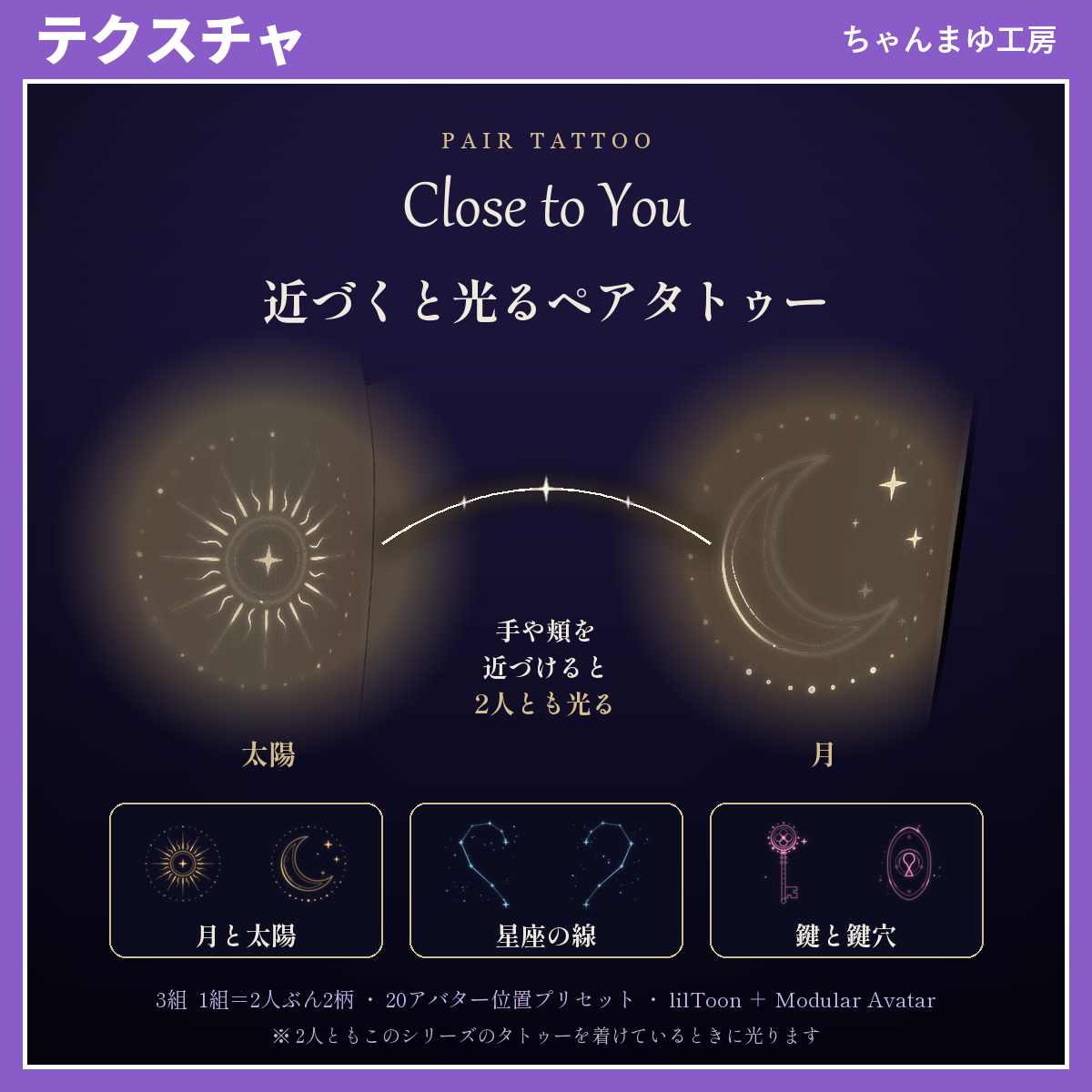
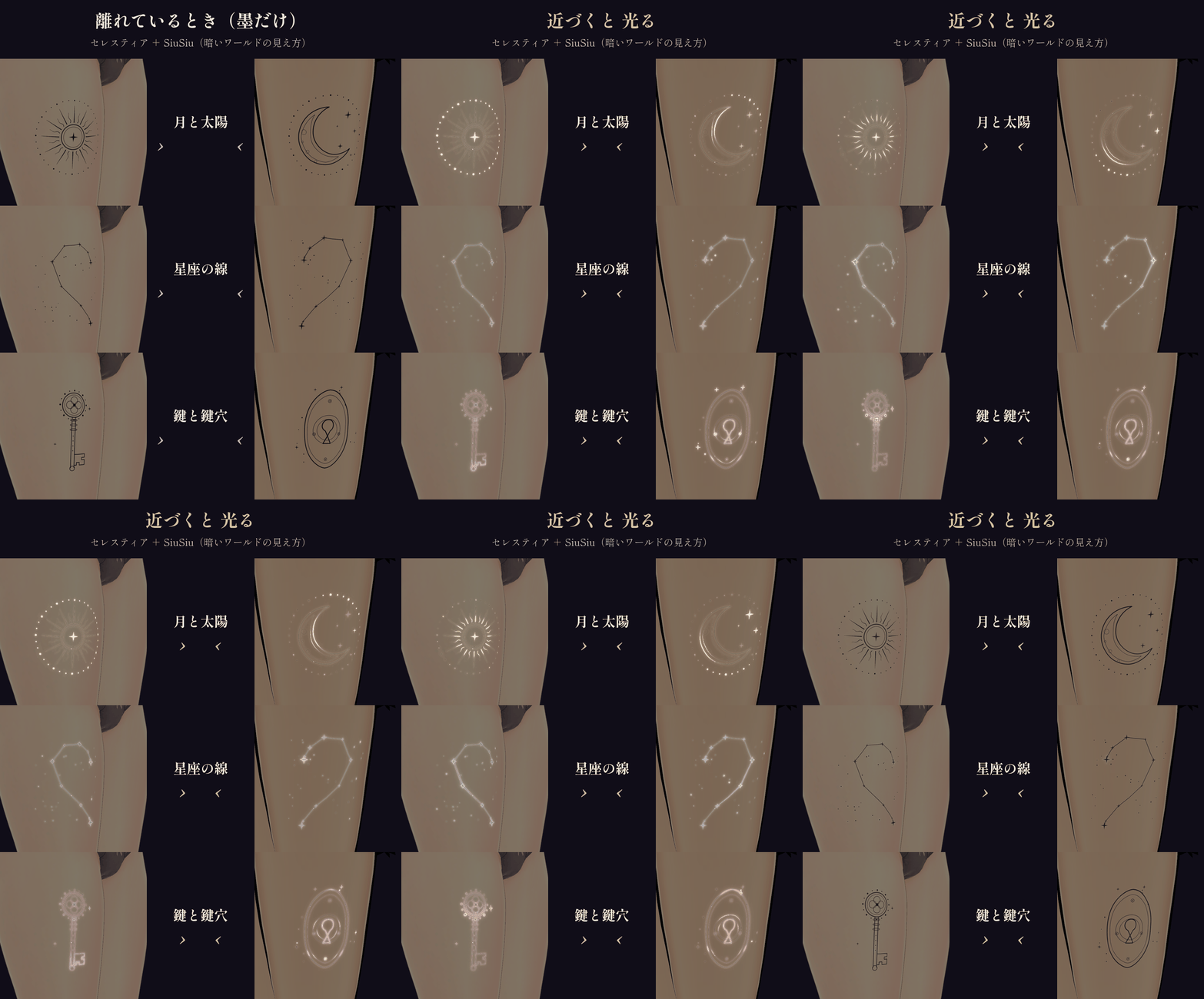
A pair tattoo for two people: bring your hands or cheeks close and the lines of both tattoos light up. Normally it is an ink tattoo in the skin; when the other person's hand or face comes close, light switches on and flows along the lines, then fades slowly when you move apart. The glow shows best in dark worlds. Each pair has two designs, one for each person: Moon & Sun, Constellation Heart (put your two constellations side by side and they form a heart) and Key & Keyhole.
It uses VRChat Contacts: copy the design onto your body material with lilToon, add the Modular Avatar prefab directly under your avatar, and your head (cheeks) and both hands react to the other person. No synced parameters are used (your Expression Parameters budget is not touched), and no menu is added.
When it glows
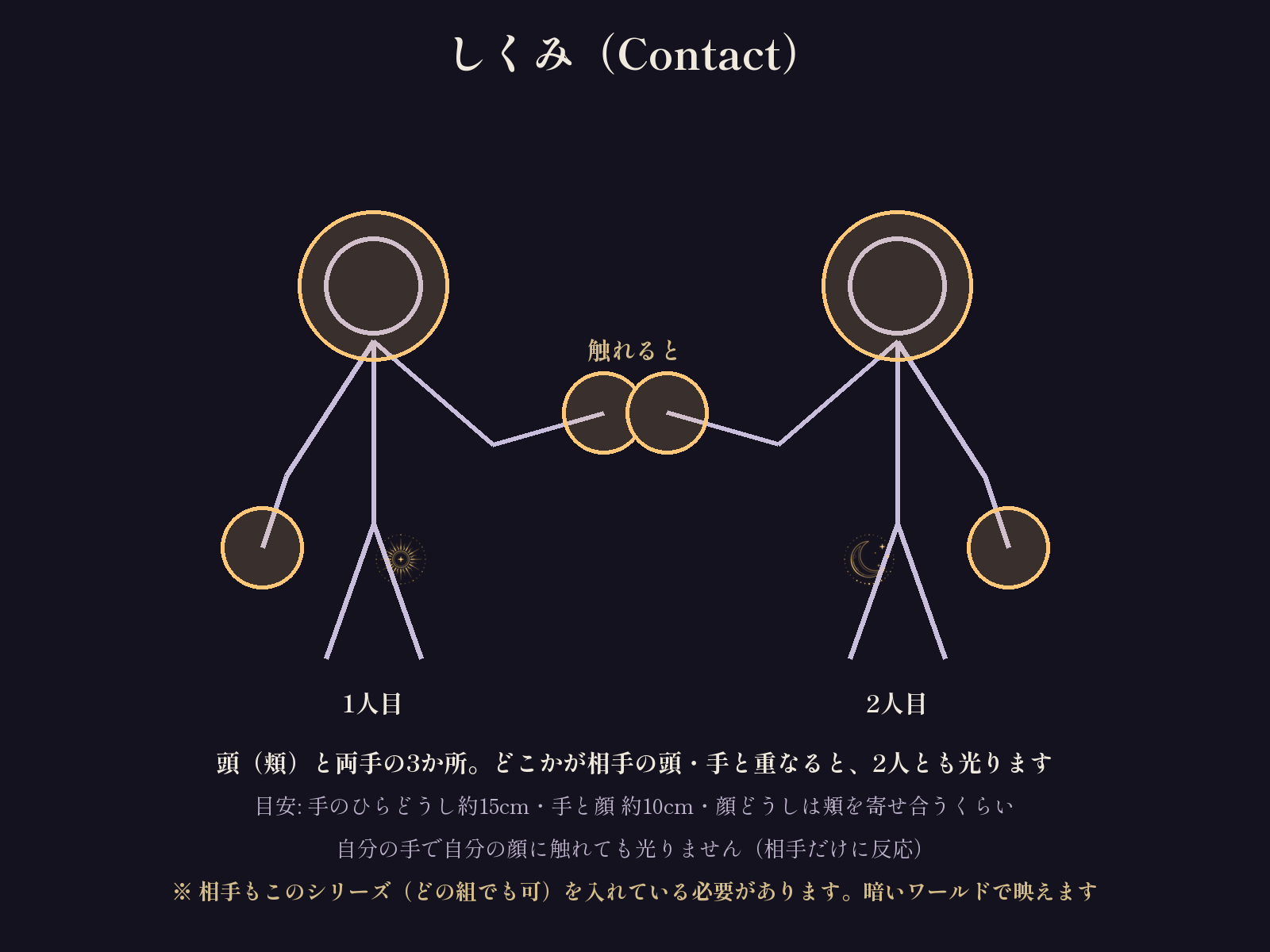
- When your head (cheek) or a hand comes close to the other person's head or hand, both of you glow
- Roughly: palms about 15 cm apart, a hand about 10 cm from a face, or faces cheek to cheek
- It reacts to anyone wearing a prefab from this series (it cannot be limited to one partner)
- Touching your own face with your own hand does not make it glow
- It may not glow if the other person's VRChat settings do not allow Avatar Interactions from you
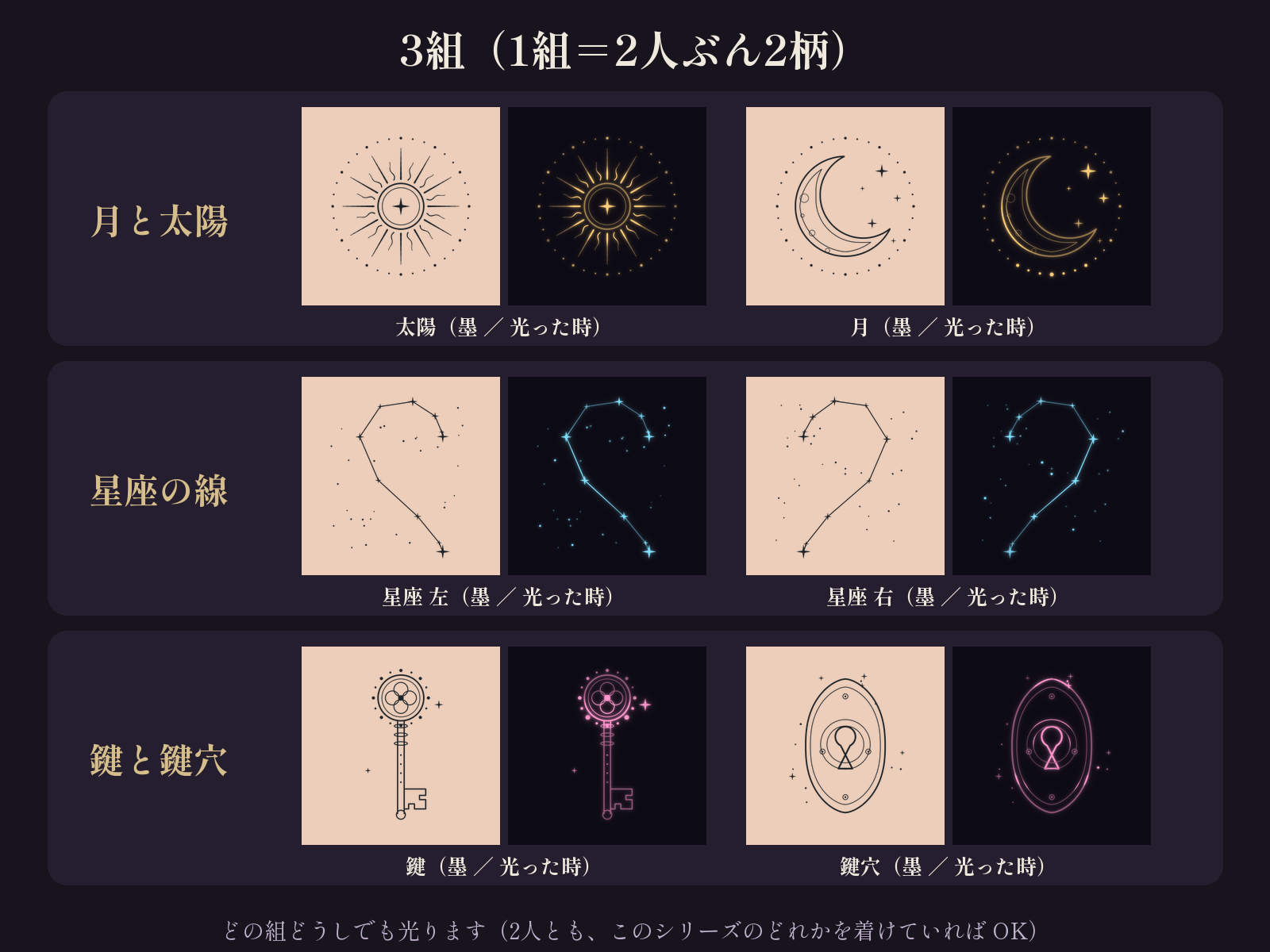
Pairs (3; each pair has 2 designs, one for each person)
- Moon & Sun — on the sun the light spreads outward from the center; on the crescent moon it runs around the rim and the stars twinkle
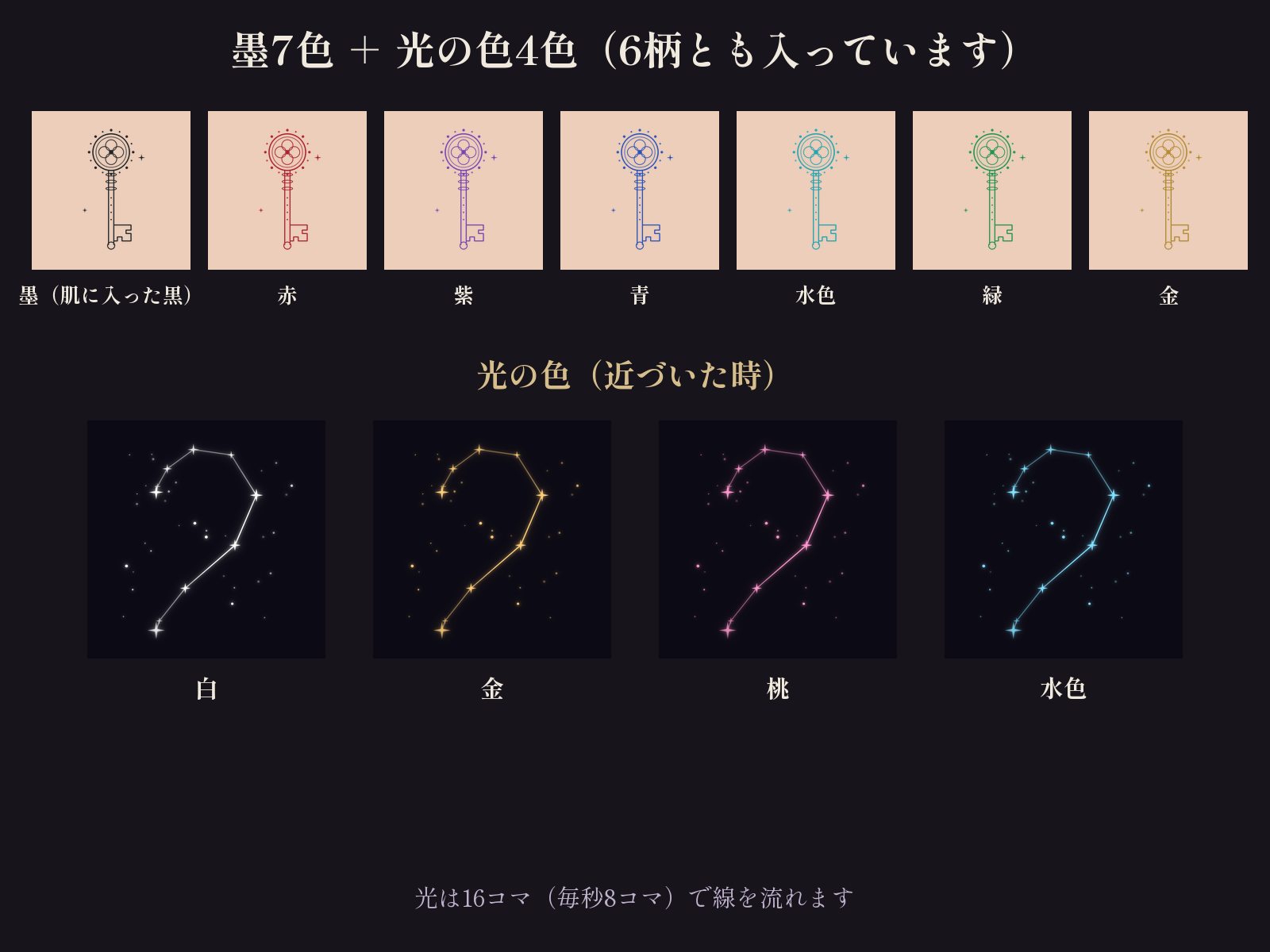
- Constellation Heart — light climbs the lines between the stars from the bottom tip upward; side by side, the left and right halves form a heart
- Key & Keyhole — on the key the light runs from the handle to the tip; on the keyhole a ring of light spreads outward from the hole
Versions (every design includes all of these)
- Ink: black ink in the skin, plus colored ink in 6 colors (red, purple, blue, aqua, green, gold)
- Glow: 4 light colors (white, gold, pink, aqua). The light runs along the lines in 16 frames (8 frames per second)
Options
- Single pair: Moon & Sun (2 designs)
- Single pair: Constellation Heart (2 designs)
- Single pair: Key & Keyhole (2 designs)
- 3-pair set: all 3 pairs (6 designs) in one package
- Prices are for one person. If two people use it, each person buys their own copy (any pair glows with any other pair).
What's included
- Single pair: ChanmayuKobo_PairTattoo_<Pair>_v1.0.unitypackage
- SunMoon = Moon & Sun / StarHeart = Constellation Heart / KeyLock = Key & Keyhole
- 3-pair set: ChanmayuKobo_PairTattoo_Set_v1.0.unitypackage (all 3 pairs in one unitypackage)
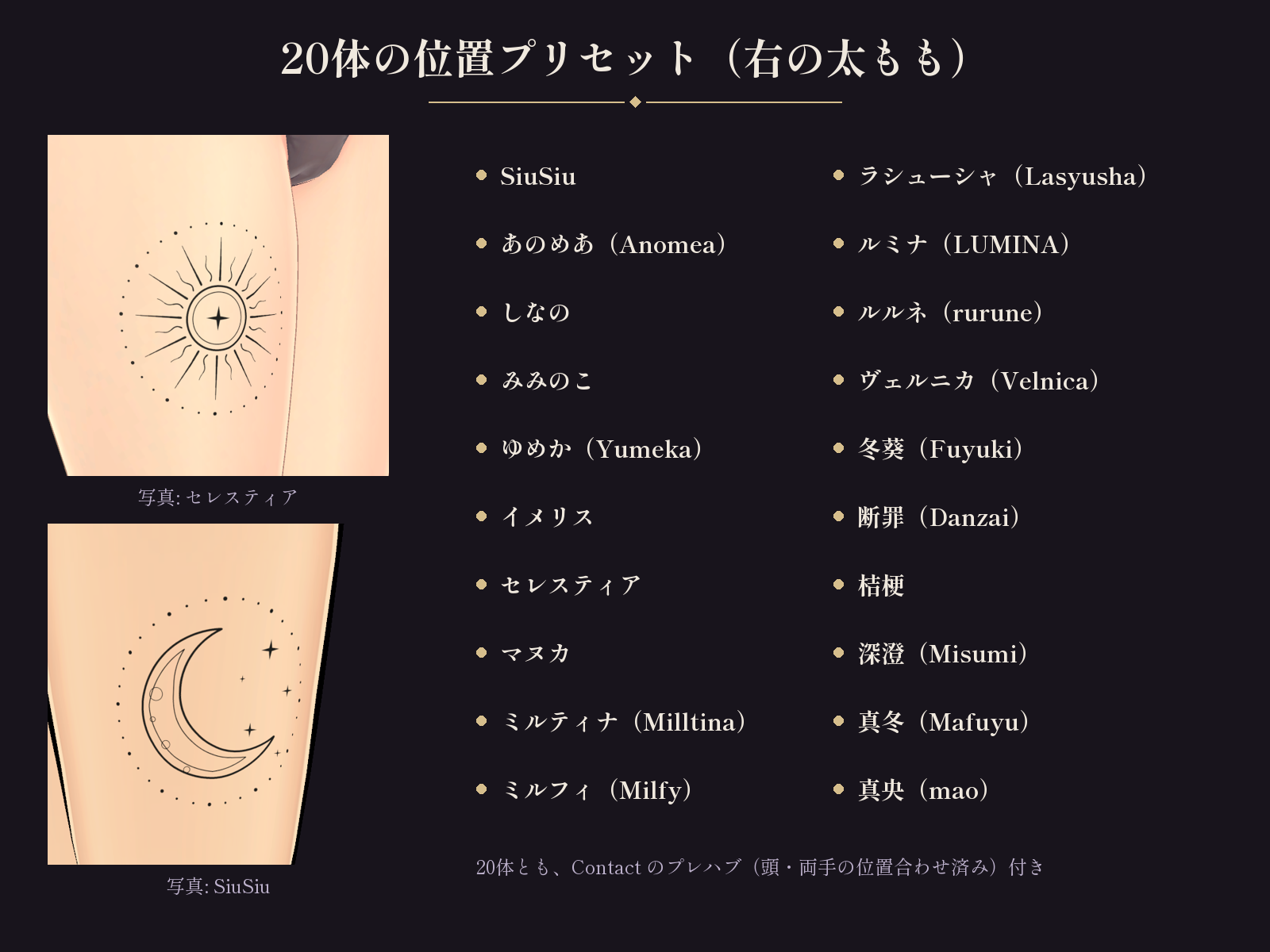
- Inside the unitypackage: ink textures (1024×1024, 7 colors), glow textures (4096×4096, 16 frames, 4 colors), sample lilToon materials, position presets for 20 avatars (right thigh), the Contact prefabs (positioned for the 20 avatars, plus a generic one) and an FX animator
- README_EN.txt (English install guide and terms) and はじめにお読みください.txt (Japanese install guide and terms)
- Only tattoo textures, lilToon materials and Modular Avatar prefabs. No avatar or avatar textures are included.
- Buying or importing several pairs is fine; nothing is overwritten.
Compatibility
- PC VRChat only (Quest and mobile cannot use lilToon)
- Requires lilToon (your avatar's body material must use lilToon), Modular Avatar and the VRChat SDK (Avatars). Tested with lilToon 2.3.4, Modular Avatar 1.18.7 and VRChat SDK 3.10.5 (all 20 avatars built, and the glow animation checked).
- Position presets (right thigh) and Contact prefabs for these 20 avatars (avatars are sold separately on BOOTH):
- Anomea (あのめあ) — https://booth.pm/en/items/5020157
- Danzai (断罪) — https://booth.pm/en/items/3894620
- Fuyuki (冬葵) — https://booth.pm/en/items/4540757
- Imeris (イメリス) — https://booth.pm/en/items/3040745
- Kikyo (桔梗) — https://booth.pm/en/items/3681787
- Lasyusha (ラシューシャ) — https://booth.pm/en/items/4825073
- LUMINA (ルミナ) — https://booth.pm/en/items/7502898
- Mafuyu (真冬) — https://booth.pm/en/items/5007531
- Manuka (マヌカ) — https://booth.pm/en/items/5058077
- mao (真央) — https://booth.pm/en/items/6846646
- Milfy (ミルフィ) — https://booth.pm/en/items/6571299
- Milltina (ミルティナ) — https://booth.pm/en/items/6538026
- Miminoko (みみのこ) — https://booth.pm/en/items/6199796
- Misumi (深澄) — https://booth.pm/en/items/7763002
- rurune (ルルネ) — https://booth.pm/en/items/5957830
- Selestia (セレスティア) — https://booth.pm/en/items/4035411
- Shinano (しなの) — https://booth.pm/en/items/6106863
- SiuSiu — https://booth.pm/en/items/8426340
- Velnica (ヴェルニカ) — https://booth.pm/en/items/6302886
- Yumeka (ゆめか) — https://booth.pm/en/items/8672657
- Other lilToon avatars: copy the settings from the sample material, adjust the position yourself and use the generic prefab (see README_EN.txt).
How to install
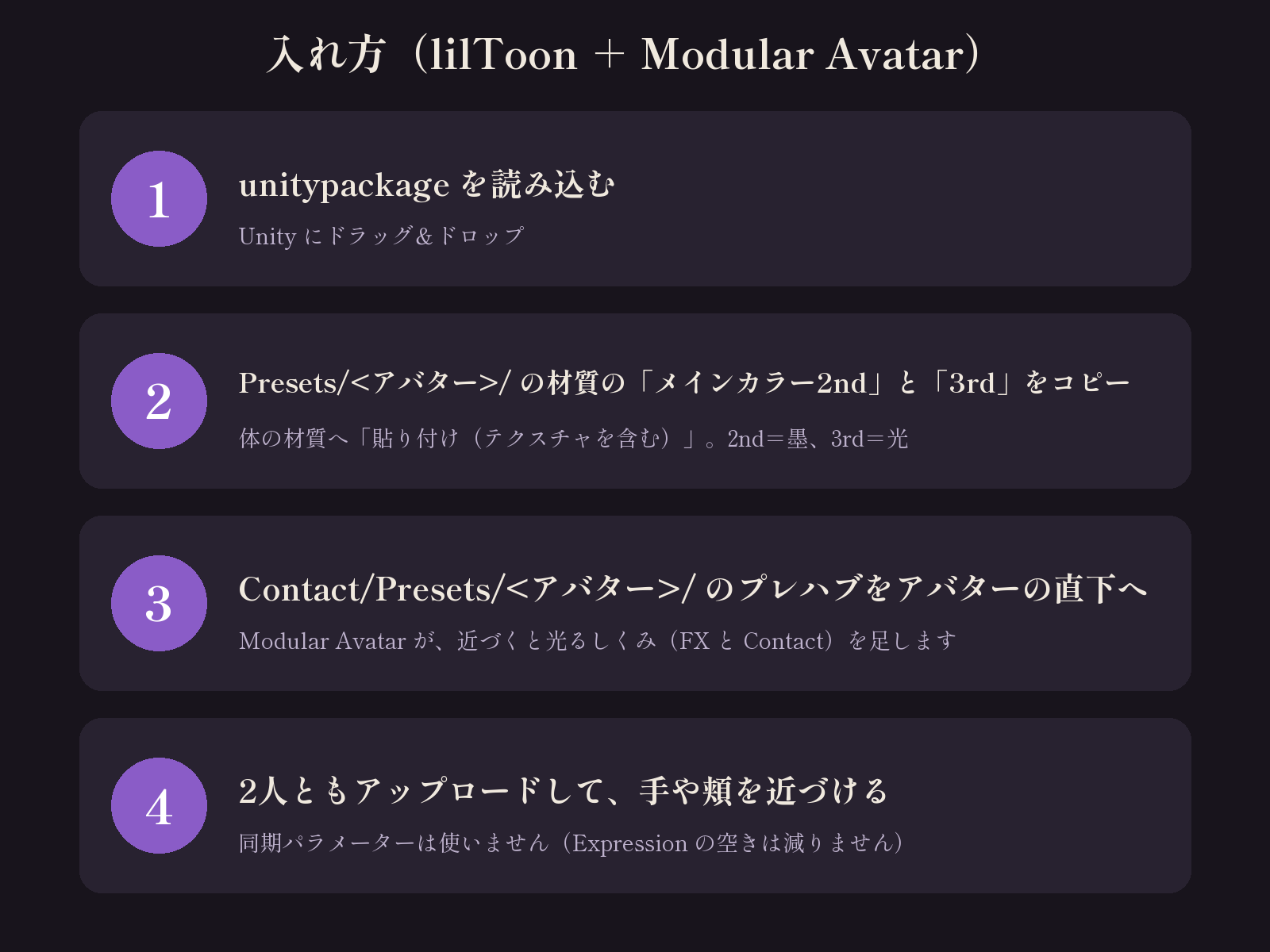
- 1. Import the unitypackage.
- 2. Open <design>/Presets/<your avatar>/, select the material, and in the Main Color 2nd section click the gear icon at the top right (▼ in older lilToon) → Copy; then on your avatar's body material, Main Color 2nd gear icon → Paste (with texture). Do the same for Main Color 3rd. (2nd = ink, 3rd = glow.) Plain Paste does not bring in the picture or its position.
- 3. Drag the prefab in Contact/Presets/<your avatar>/ directly under your avatar in the Hierarchy.
- 4. Both of you upload, then bring your hands or cheeks close together.
Colors: just swap the textures (ink color in 2nd, glow color in 3rd). Your avatar's original textures are not changed. If you already use Main Color 2nd or 3rd, they are overwritten, so duplicate the material first to be safe.
Good to know
- No avatar is included. Each avatar must be purchased separately from its creator.
- The glow shows best in dark worlds (it is subtle in bright places).
- If your body material is also used on meshes other than the body, the glow stays on there. Duplicate the material for the body in that case.
- The glow texture (4096×4096) adds about 21 MB of texture memory per texture, which may lower your Performance Rank.
- In the Unity editor the glow (3rd) always looks on. In VRChat it lights up only when someone comes close.
- The product images show Selestia and SiuSiu.
- AI-Assisted: the designs were drawn by scripts (procedural line art) that were written, like this English text, with an AI coding assistant under Chanmayu Kobo's direction, and then fitted to each avatar. No generative-AI image tool was used. The designs are original (no existing characters or logos).
License
- You may use and edit these textures and prefabs on your avatars in VRChat and similar platforms. Streams and videos are OK.
- You may not redistribute, share, resell or sell the textures or prefabs, original or edited, in any form. This is a one-person product: if two people use it, each person buys their own copy.
- Do not register the textures with YouTube Content ID or any similar rights-management system.
- Full terms: the Terms of Use attached to this listing (also included in README_EN.txt). The Japanese terms on BOOTH prevail.