
Description du produit
Ce produit contient du contenu généré par IA.
AI-Assisted: the scripts that build the items and this English text were written with an AI coding assistant. No generative-AI image, 3D-model or audio tool was used. See Good to know below.
Description
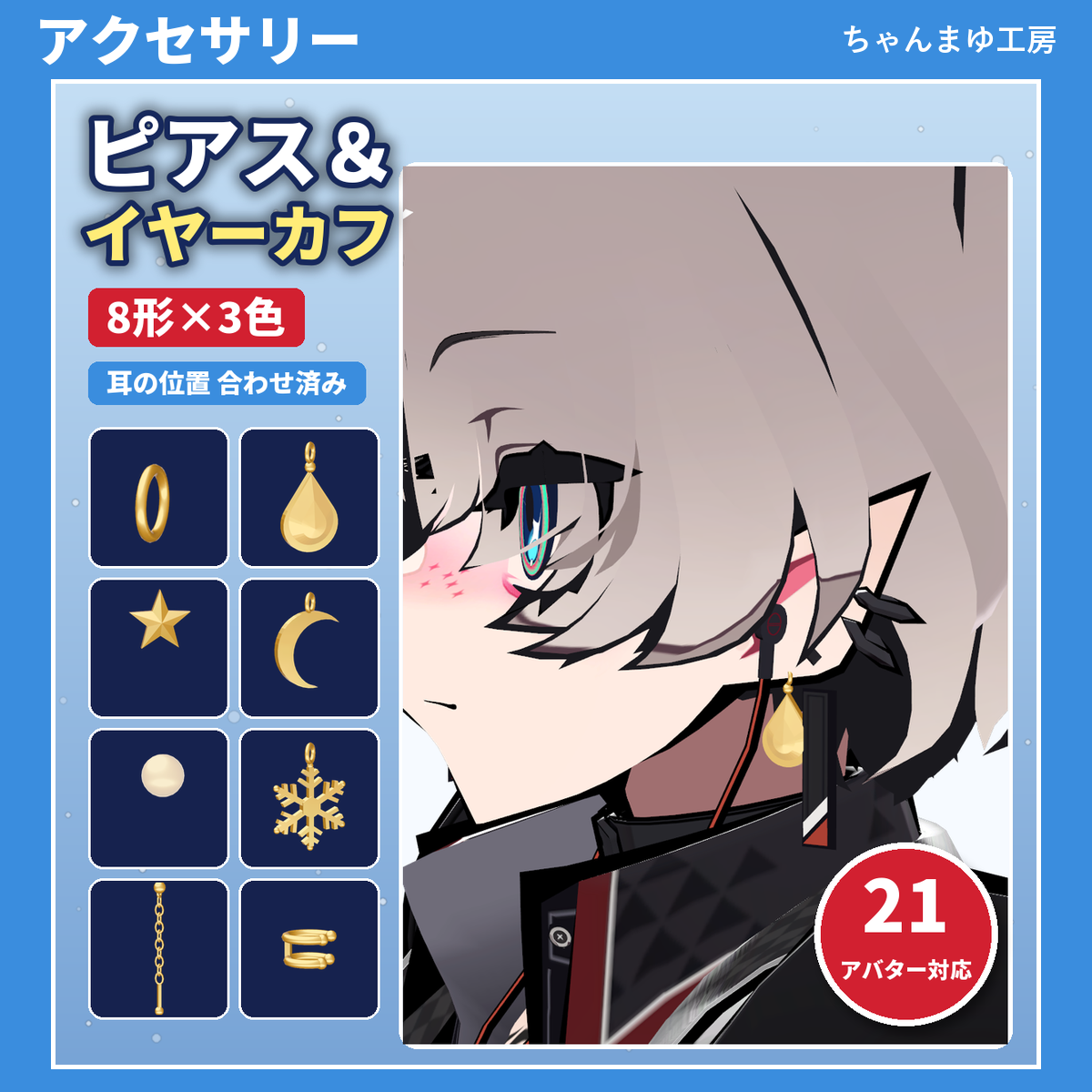
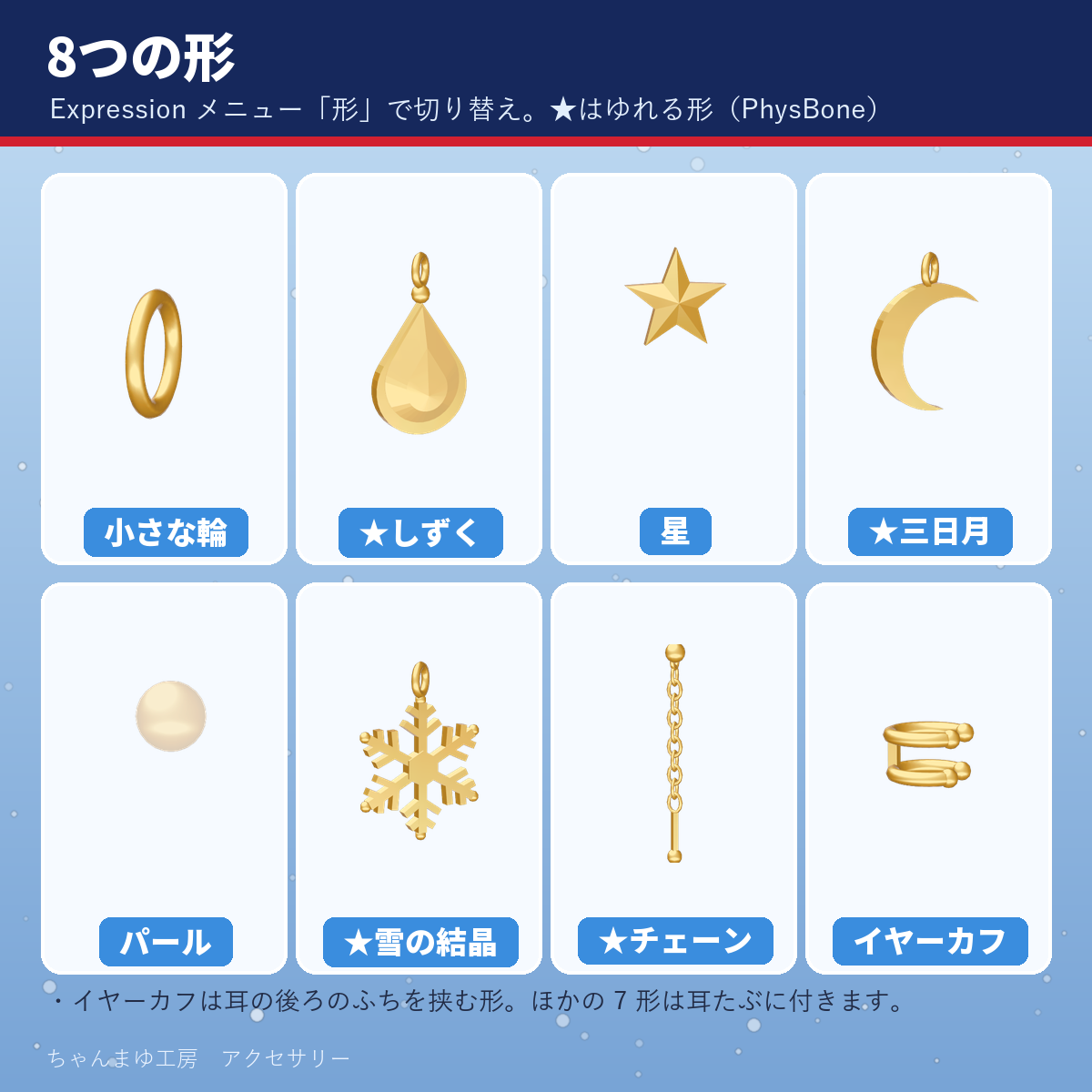
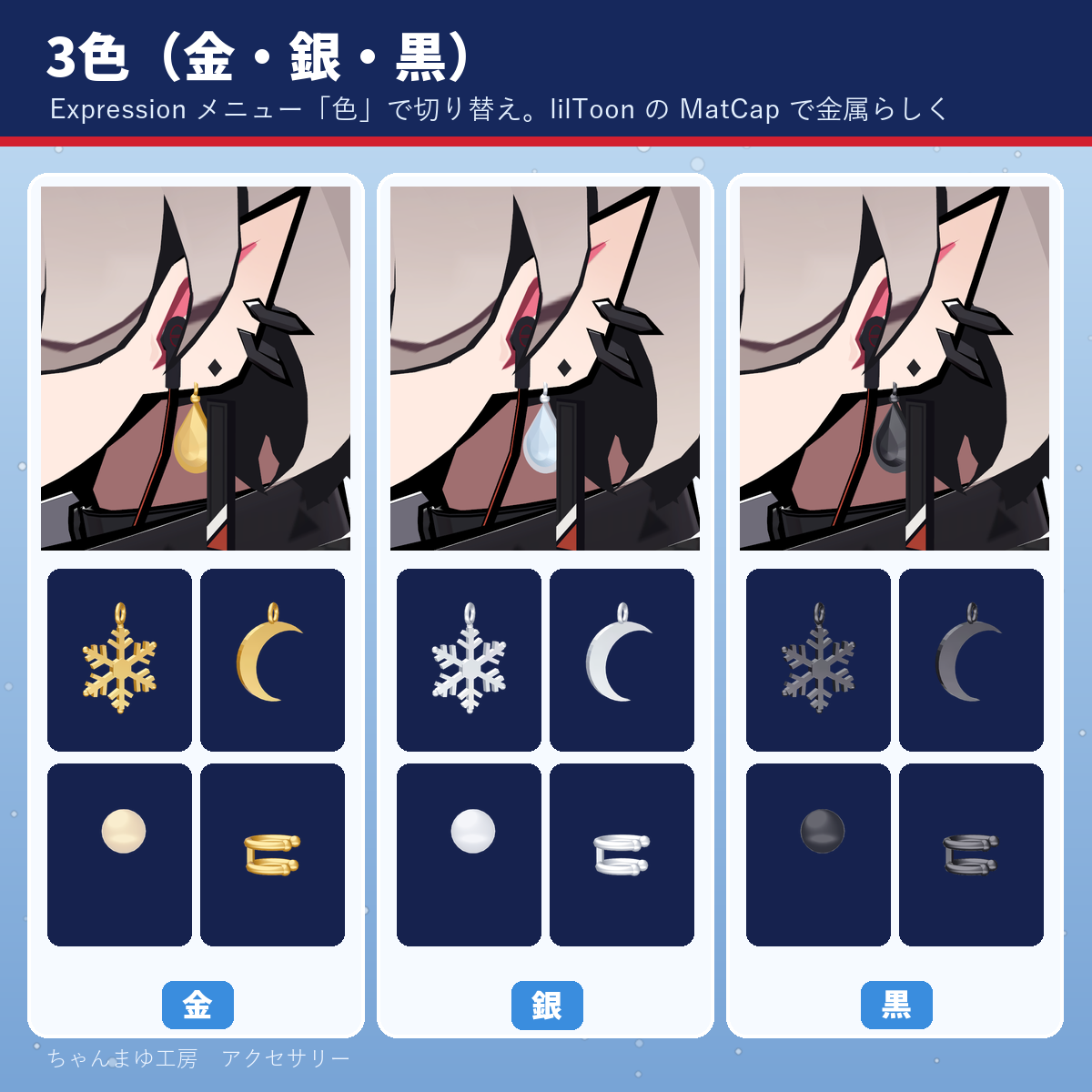
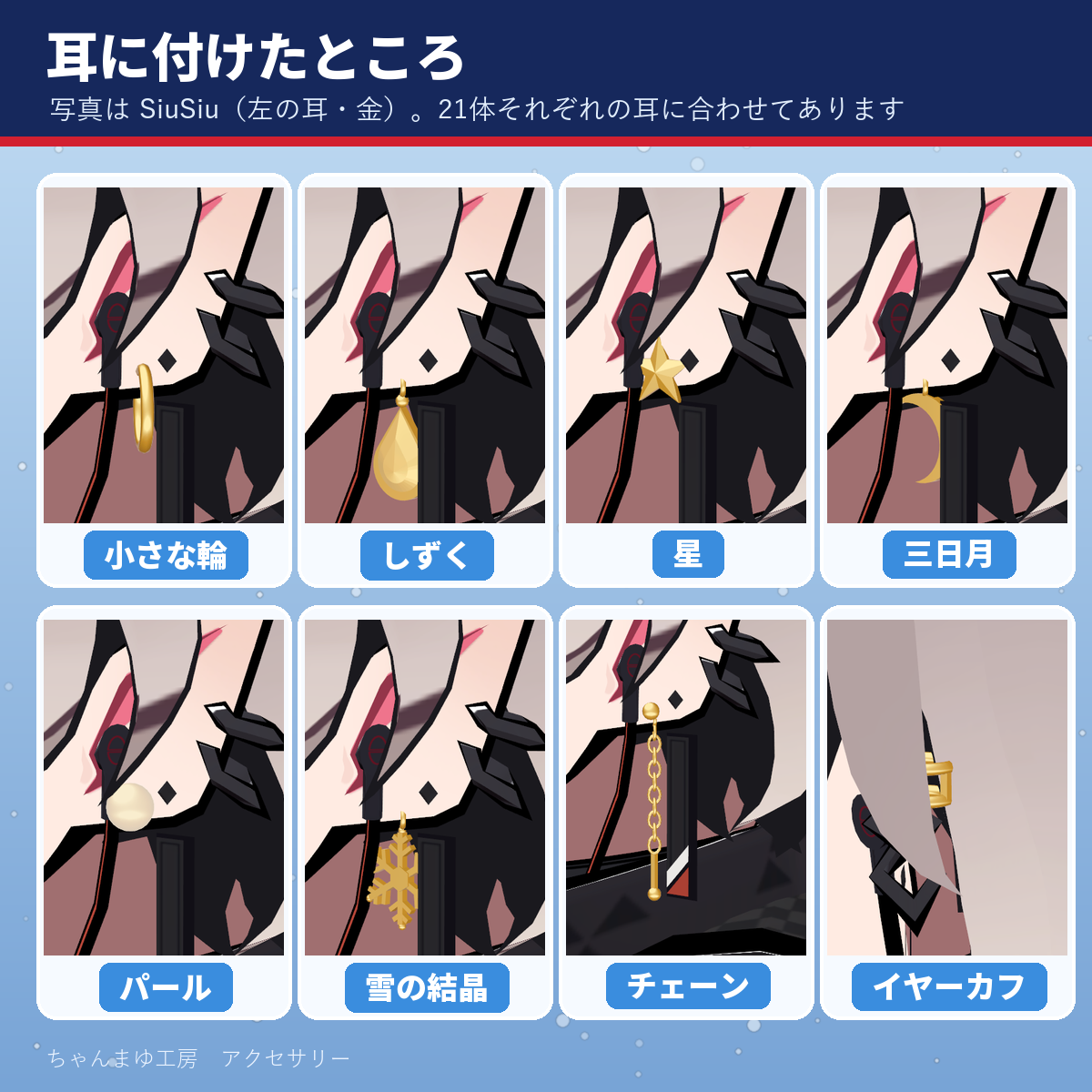
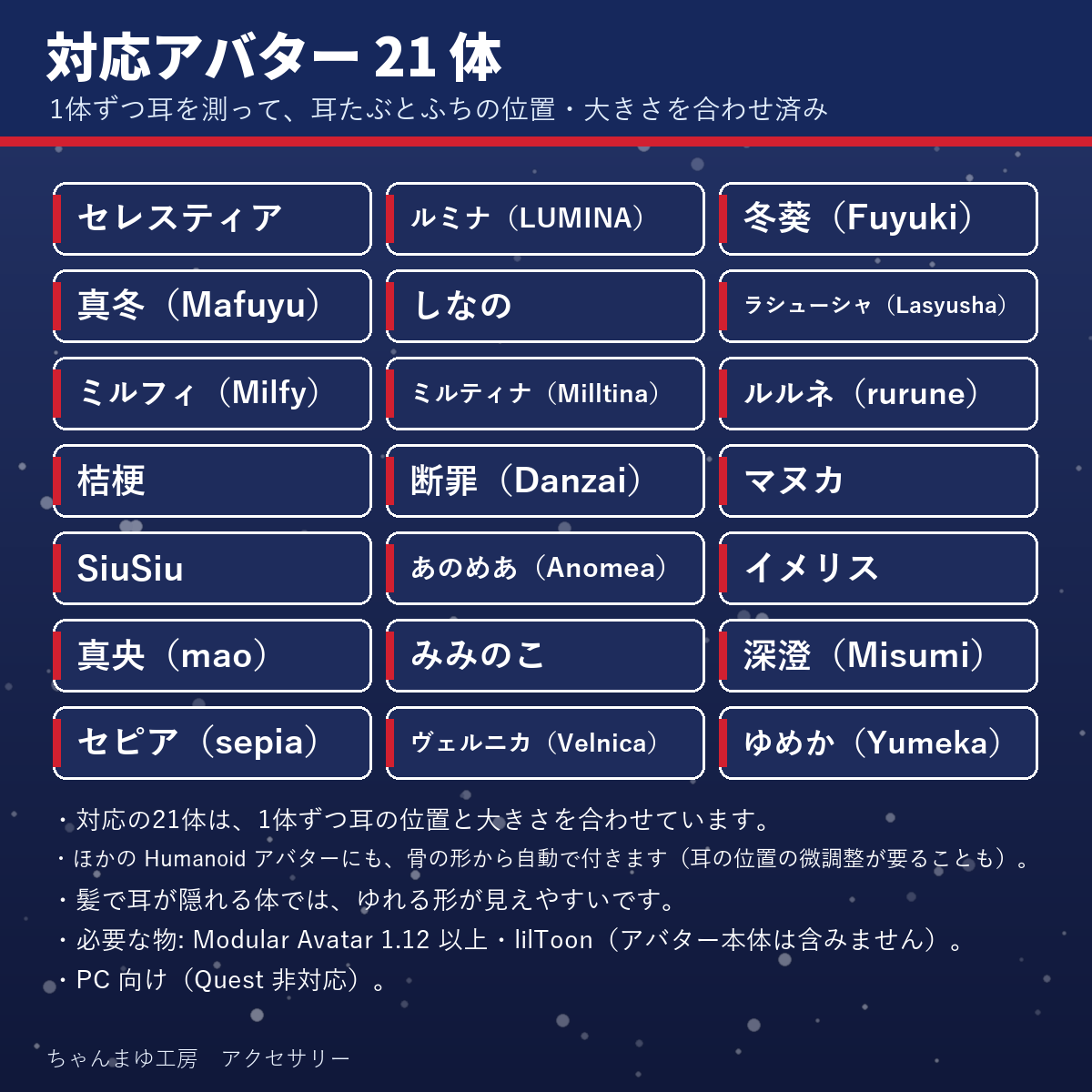
Small metal earrings for both ears in 8 shapes (small hoop, drop, star, crescent moon, pearl, snowflake, chain and an ear cuff) and 3 colors (gold, silver, black). Switch the shape and color in the Expression menu, and turn the right and left ear on or off separately. The position and size are fitted to the ears of each of the 21 supported avatars.
Highlights
- 8 shapes × 3 colors (gold, silver, black), switched in the Expression menu (saved and synced)
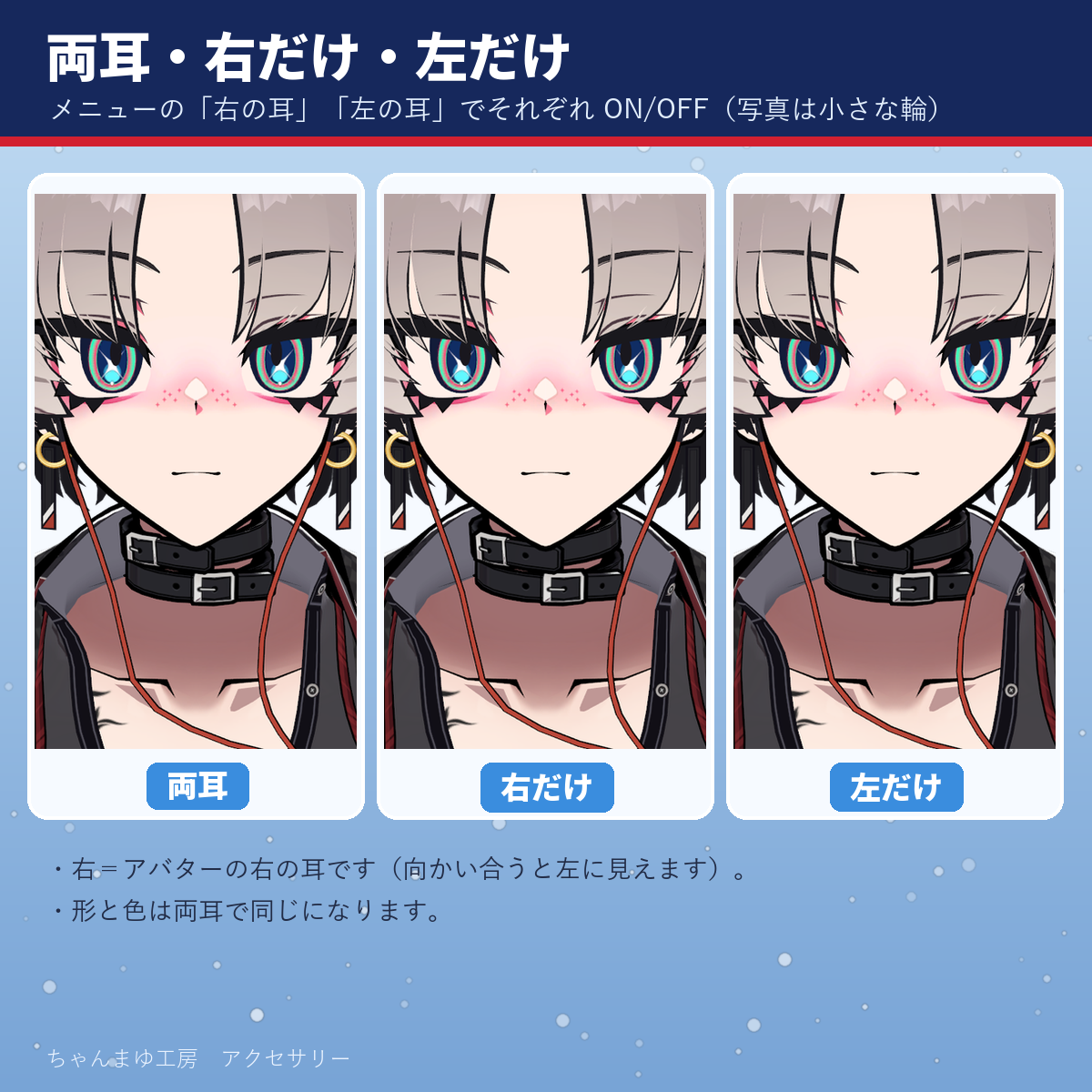
- Both ears, right only or left only: each ear has its own on/off switch
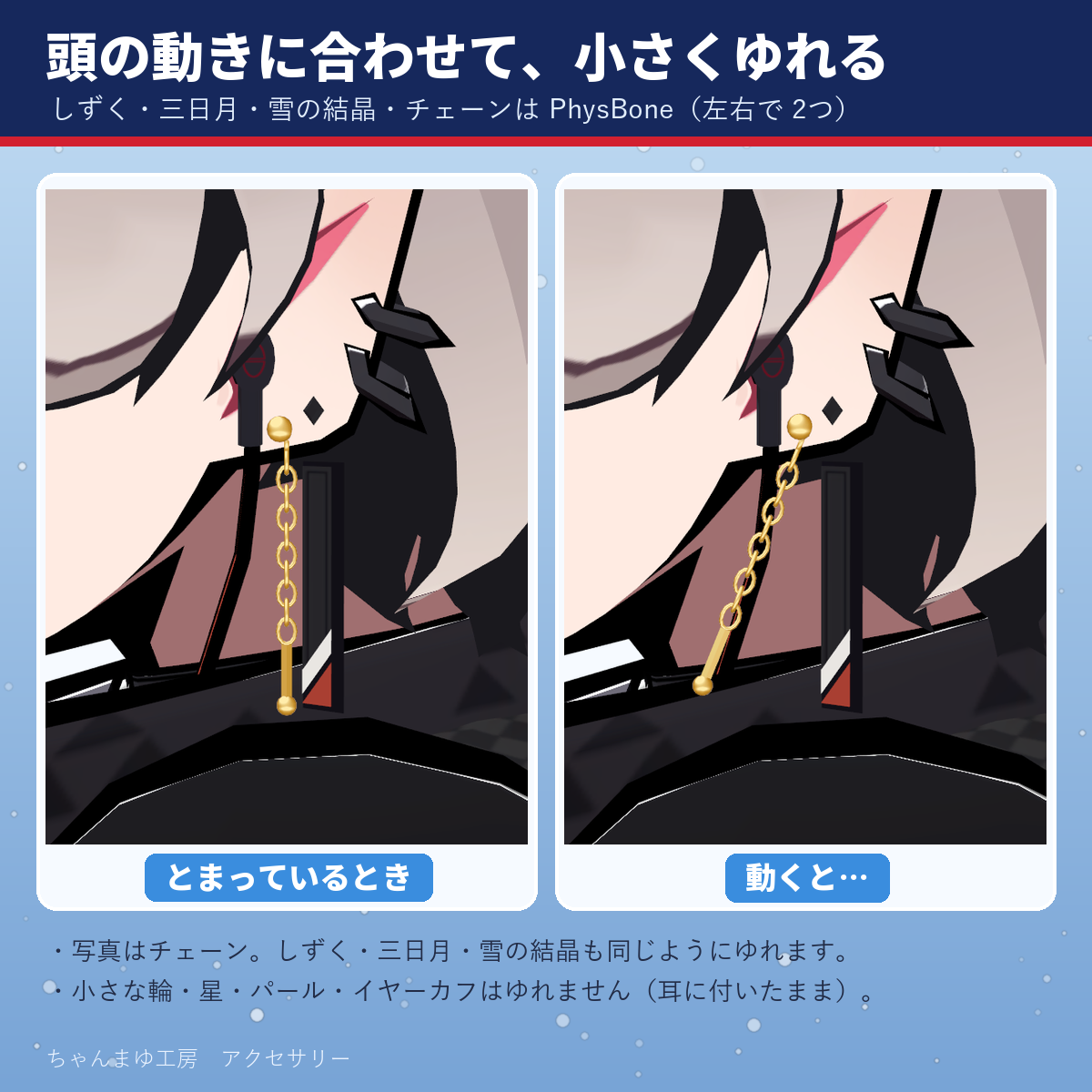
- The drop, crescent moon, snowflake and chain sway gently with your head movement (PhysBone)
- Metallic shine with lilToon MatCap
- Tuned for 21 avatars. Just drop it in with Modular Avatar: one menu click recognizes your avatar and attaches it at the ear
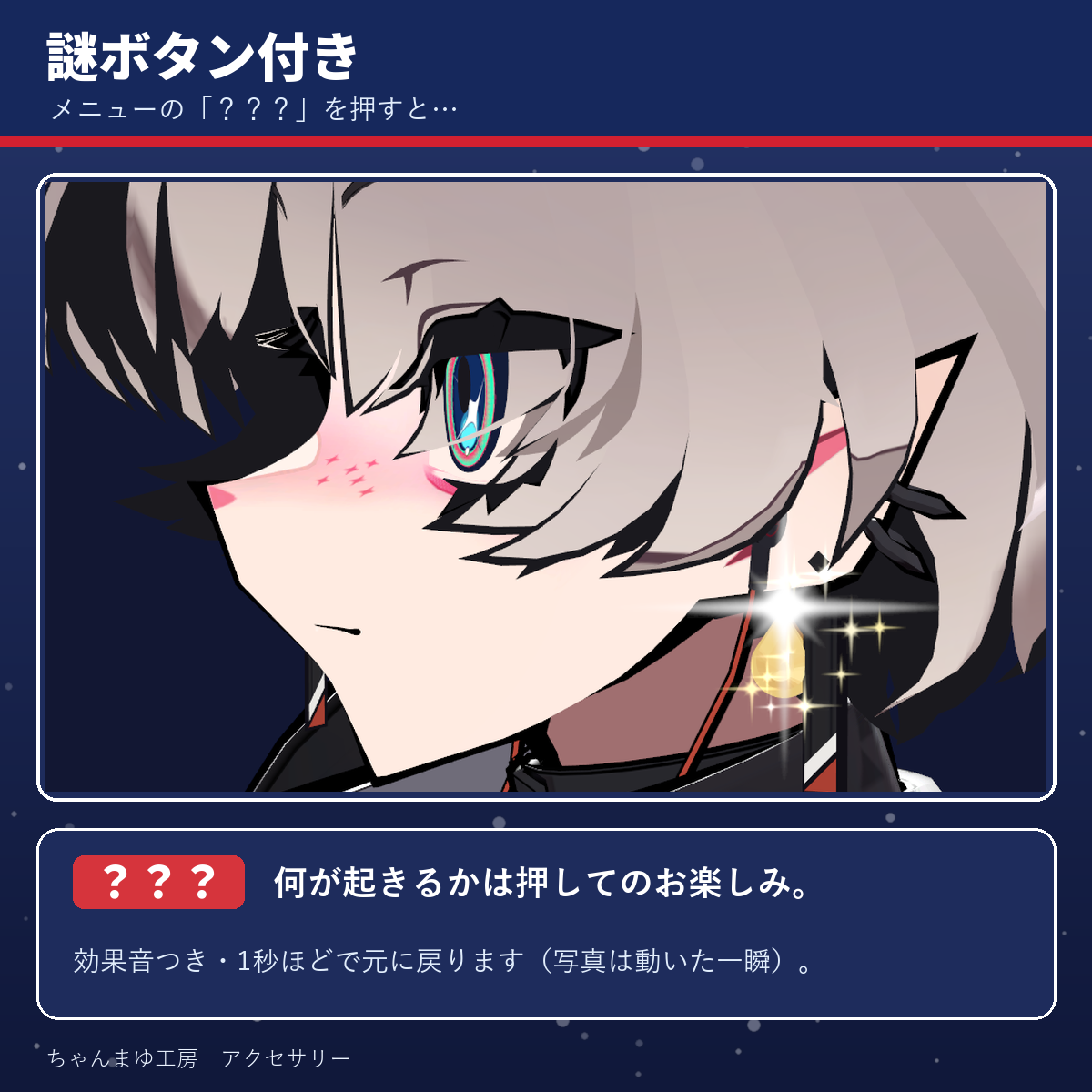
- Mystery button: press "???" and something happens (with a sound effect, about 1 second)
What's included
ChanmayuKobo_Acc_Pierce_v1.0.0.unitypackage(Unity package)- Earrings and ear cuff in 8 shapes (small hoop, drop, star, crescent moon, pearl, snowflake, chain, ear cuff) for both ears
- 3 colors (gold, silver, black): textures and materials with a metallic lilToon MatCap
- PhysBone for the swaying shapes (drop, crescent moon, snowflake, chain), 2 in total (left and right)
- Fitting data for the ears of each of the 21 avatars (used automatically by the attach menu)
- "???" button effect and sound effect (original)
README_EN.txt(English install guide and terms) and the Japanese README, guide and terms (README_JA.txt,Guide_JA.md,Terms_JA.txt)- Only the accessory. No avatar is included.
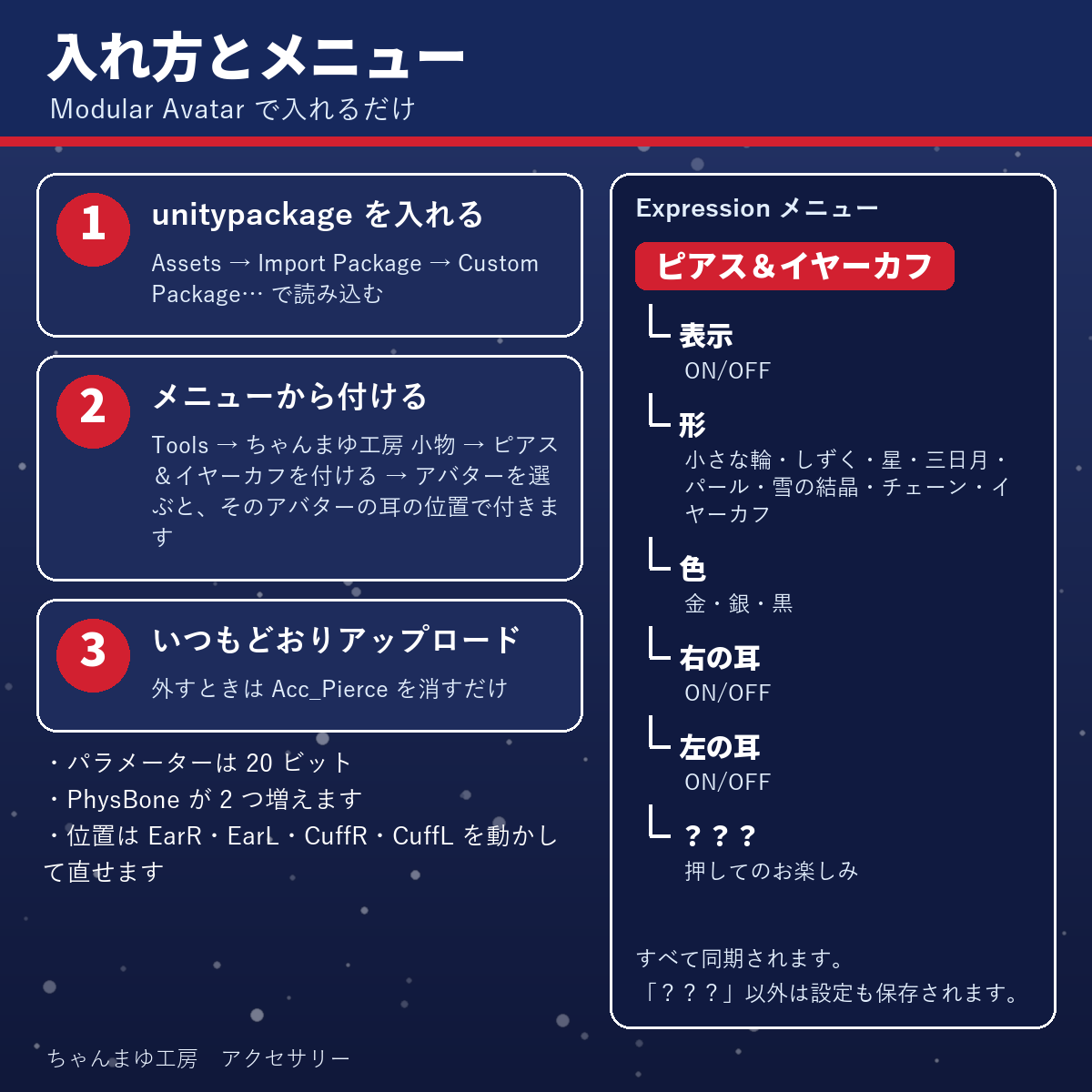
Expression menu
- Show: on / off (all)
- Shape: small hoop, drop, star, crescent moon, pearl, snowflake, chain, ear cuff
- Color: gold, silver, black
- Right ear: on / off
- Left ear: on / off
- ???: press and see (sound effect, about 1 second)
- 20 bits of Expression parameters (saved and synced)
Compatibility
- Requirements: Unity 2022.3, Modular Avatar 1.12+ (tested with 1.18.7), lilToon
- Tuned position and size for these 21 avatars (avatars are sold separately on BOOTH):
- Anomea (あのめあ) — https://booth.pm/en/items/5020157
- Danzai (断罪) — https://booth.pm/en/items/3894620
- Fuyuki (冬葵) — https://booth.pm/en/items/4540757
- Imeris (イメリス) — https://booth.pm/en/items/3040745
- Kikyo (桔梗) — https://booth.pm/en/items/3681787
- Lasyusha (ラシューシャ) — https://booth.pm/en/items/4825073
- LUMINA (ルミナ) — https://booth.pm/en/items/7502898
- Mafuyu (真冬) — https://booth.pm/en/items/5007531
- Manuka (マヌカ) — https://booth.pm/en/items/5058077
- mao (真央) — https://booth.pm/en/items/6846646
- Milfy (ミルフィ) — https://booth.pm/en/items/6571299
- Milltina (ミルティナ) — https://booth.pm/en/items/6538026
- Miminoko (みみのこ) — https://booth.pm/en/items/6199796
- Misumi (深澄) — https://booth.pm/en/items/7763002
- rurune (ルルネ) — https://booth.pm/en/items/5957830
- Selestia (セレスティア) — https://booth.pm/en/items/4035411
- sepia (セピア) — https://booth.pm/en/items/3179938
- Shinano (しなの) — https://booth.pm/en/items/6106863
- SiuSiu — https://booth.pm/en/items/8426340
- Velnica (ヴェルニカ) — https://booth.pm/en/items/6302886
- Yumeka (ゆめか) — https://booth.pm/en/items/8672657
- Other Humanoid avatars: attached automatically from the bone positions (you may need to nudge the position).
How to install
1. Import the unitypackage.
2. Unity menu Tools → ちゃんまゆ工房 小物 → ピアス&イヤーカフを付ける (the menu text is Japanese: "Chanmayu Kobo accessories → Attach …").
3. Pick your avatar and press the button ("Attach to this avatar"). Then upload as usual.
To remove it, delete Acc_Pierce from your avatar.
Good to know
- On avatars with long hair or hair over the ears, the ears are hidden and the earrings are hard to see. The swaying shapes (drop, crescent moon, snowflake, chain) hang below the hair and are easier to see (depending on the hairstyle, they may still be hidden).
- On Danzai, the ears are inside the head ornament, so only the lower part of the swaying shapes is visible.
- Avatars that already have earrings (LUMINA, Lasyusha, Fuyuki, SiuSiu, etc.) may overlap with their own accessories. Turn the avatar's own accessories off if it lets you.
- On sepia it is attached at the lower tip of the fin-like ear, and on Miminoko below the round ear.
- The ear cuff clips onto the back rim of the ear. Depending on the ear shape it may float a little or sink in. Move CuffR / CuffL (the right and left cuff points) to adjust.
- The swaying shapes have no colliders, so they may overlap the neck, chin or hair.
- Adds 2 PhysBones to your avatar (affects Performance Rank).
- The "???" sound is fairly loud. Be careful in quiet places.
- All 8 shapes are original shapes modeled by Chanmayu Kobo.
- Settings except "???" are saved; everything is synced.
- PC only (not for Quest).
- The product images are in Japanese; this page and
README_EN.txtcover installation, the menu and the terms in English. - AI-Assisted: the Blender/Python scripts that build the 3D models, textures and sound effects, and this English text, were written with an AI coding assistant under Chanmayu Kobo's direction. No generative-AI image, 3D-model or audio tool was used. The designs are original (no existing characters or logos).
License
- You may use these accessories on your own avatars in VRChat and similar platforms, including public avatars. Editing is OK. Streams, videos and photos are OK.
- You may not redistribute, share, resell or sell the data, original or edited, in any form. This includes bundling it with an avatar or outfit for sale or for free distribution.
- Do not use it for political or religious campaigns, harassment, or anything offensive to public order.
- Chanmayu Kobo is not liable for any damage caused by using this data.
- Full terms:
README_EN.txt(English) andTerms_JA.txt(Japanese). The Japanese terms prevail.
Japanese store: BOOTH
https://mayuyu.booth.pm/items/9207629
Follow Chanmayu Kobo on Jinxxy for new accessories and tattoos.