Description du produit
Ce produit contient du contenu généré par IA.
▶ VRChat avatar effect · PC only · needs Modular Avatar (free, from VCC) · drag-and-drop prefab
Not made for one avatar: Modular Avatar hooks the palm crystals to your avatar's own hand bones at upload, so it works on humanoid avatars in general. Checked in Unity on the VRChat SDK sample avatar.
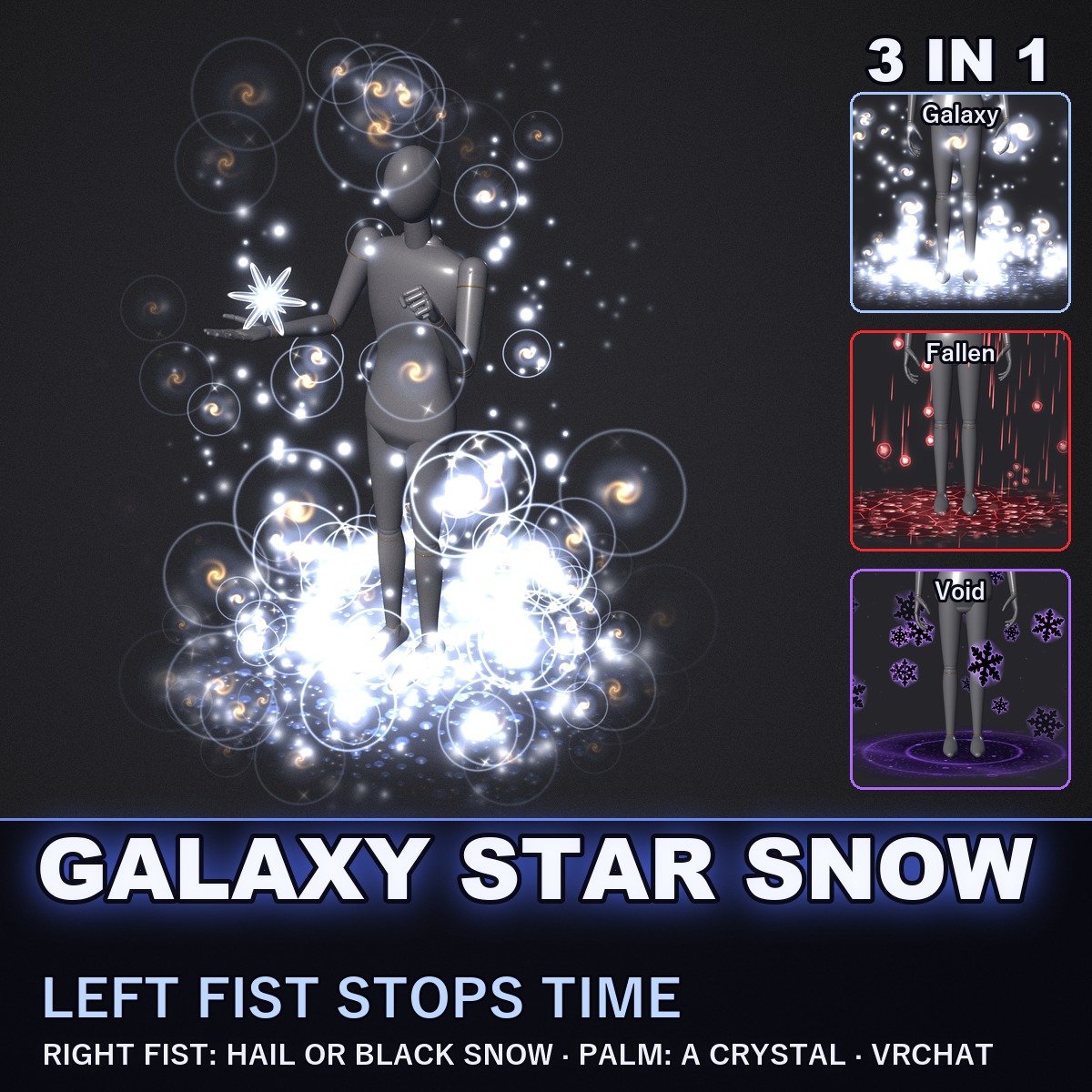
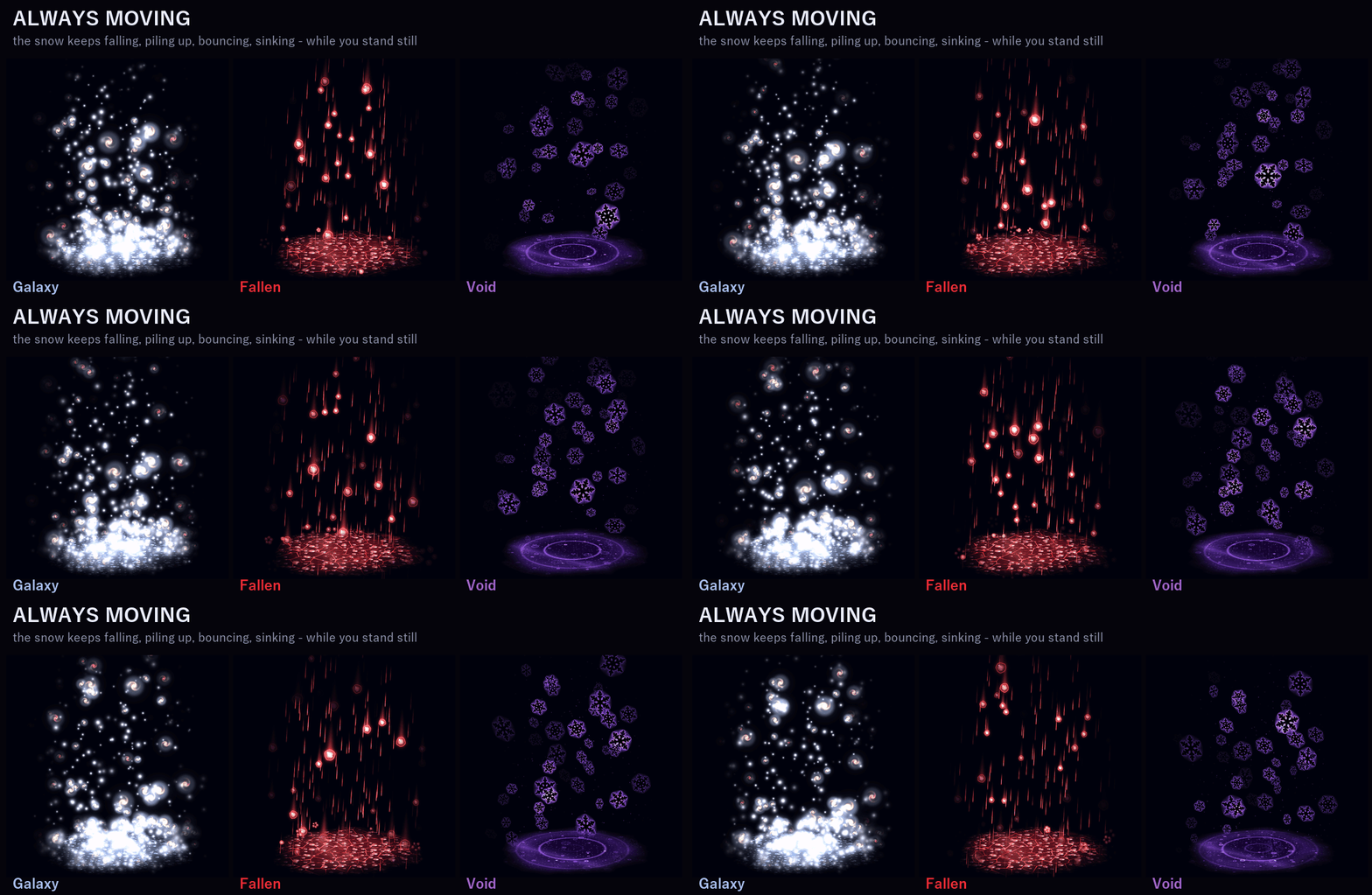
Snow that falls only around you, and you choose what kind: soft glowing star snow that piles up at your feet, dark red hail that bounces and shatters, or black flakes that sink into a rippling violet pool. Make a left fist and time stops: every flake hangs in the air and you can walk between them; make a right fist and the snow turns into the next kind. The flakes stay where they are in the world: walk and you pass between them instead of carrying them along. As you walk, the snow round you trails behind and thins out softly; stand in one place for a while and the snow piles up at your feet.
THREE HAND SIGNS (they work while you walk, too)
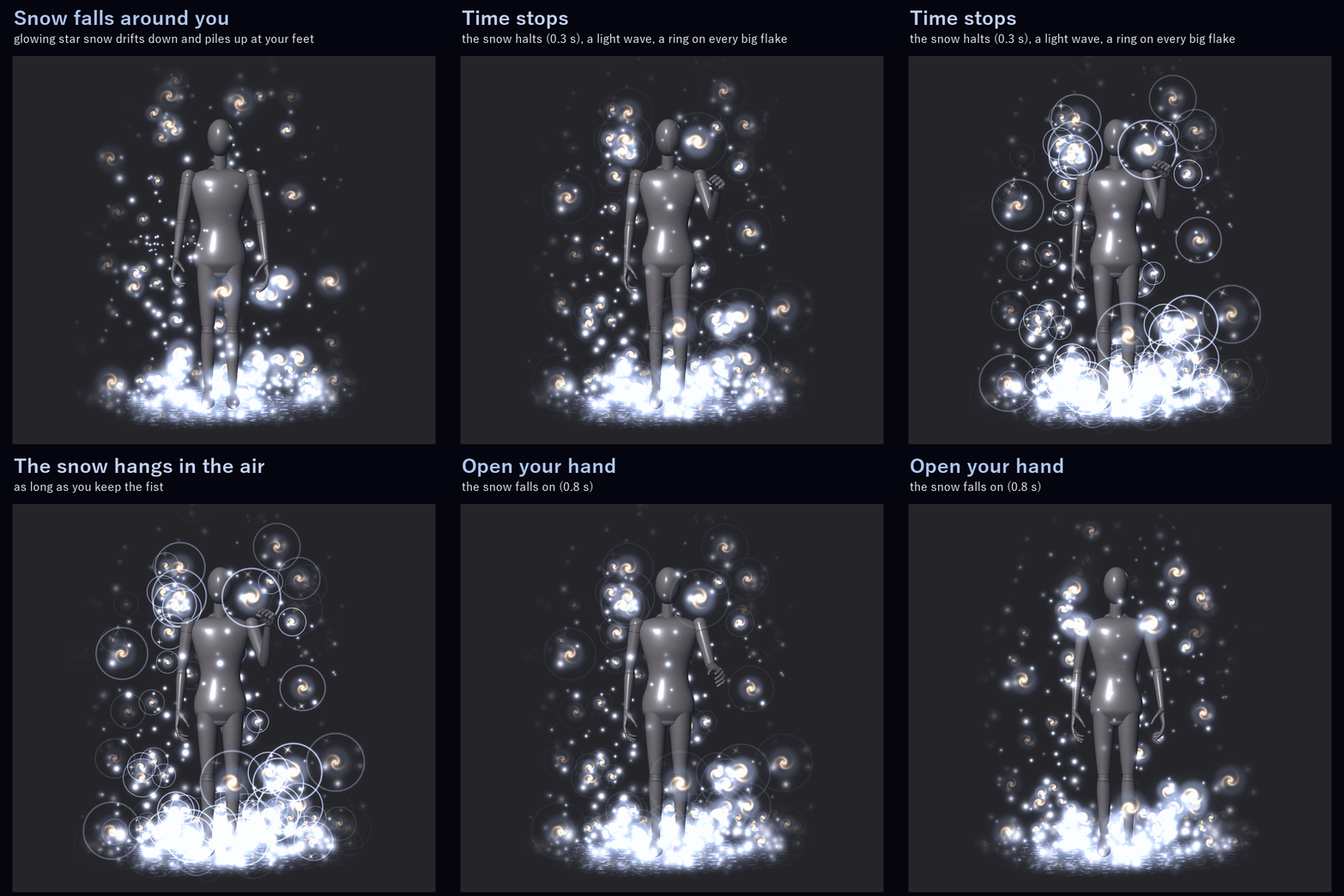
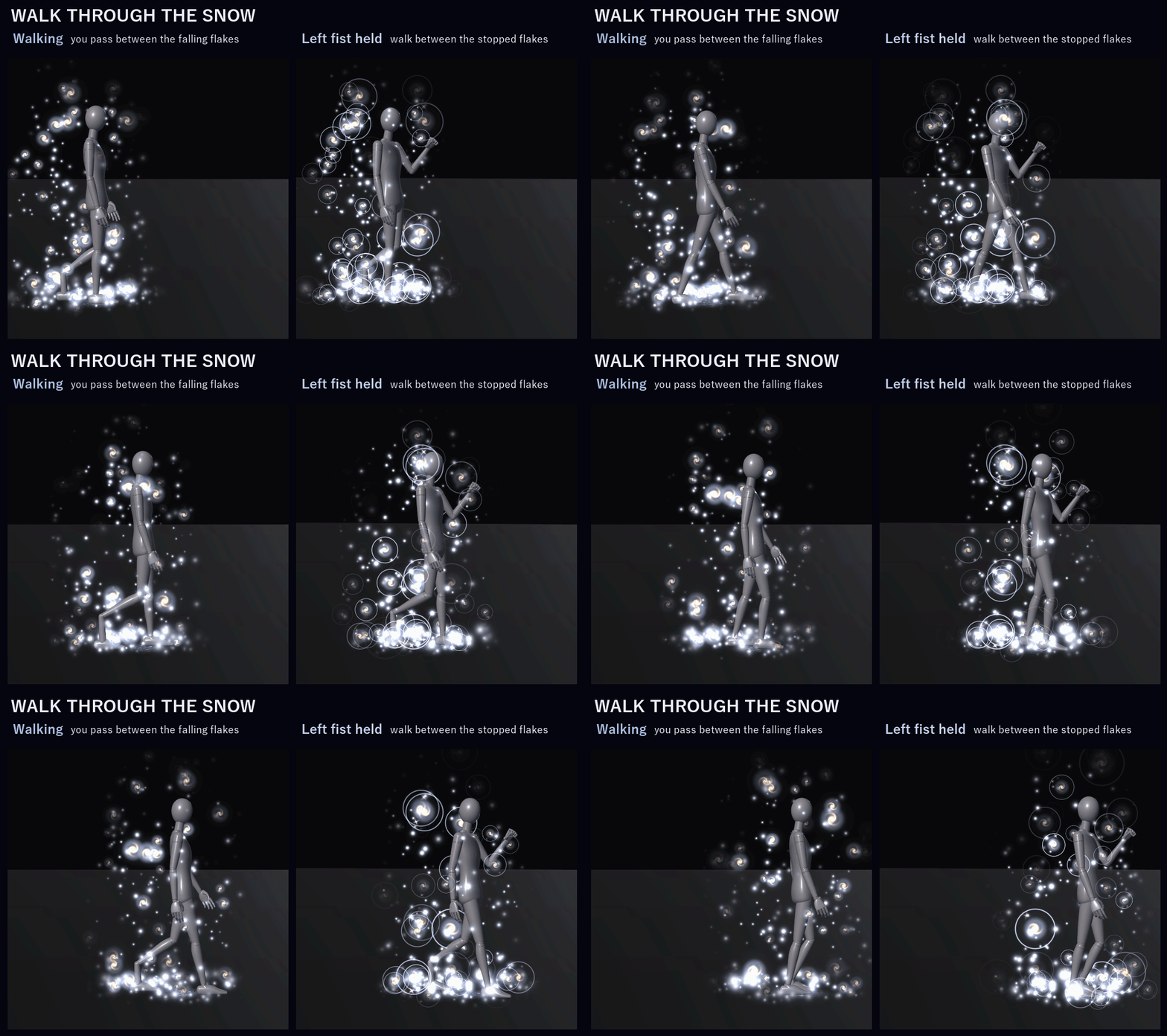
• Left fist, held 0.3 s: time stops. The falling snow slows to a halt (0.3 s), a wave of light spreads out from your chest and every big flake gets a faint ring and a glint. The snow hangs in the air while you keep the fist, so you can walk between the frozen flakes. Open the hand and it falls on again (0.8 s).
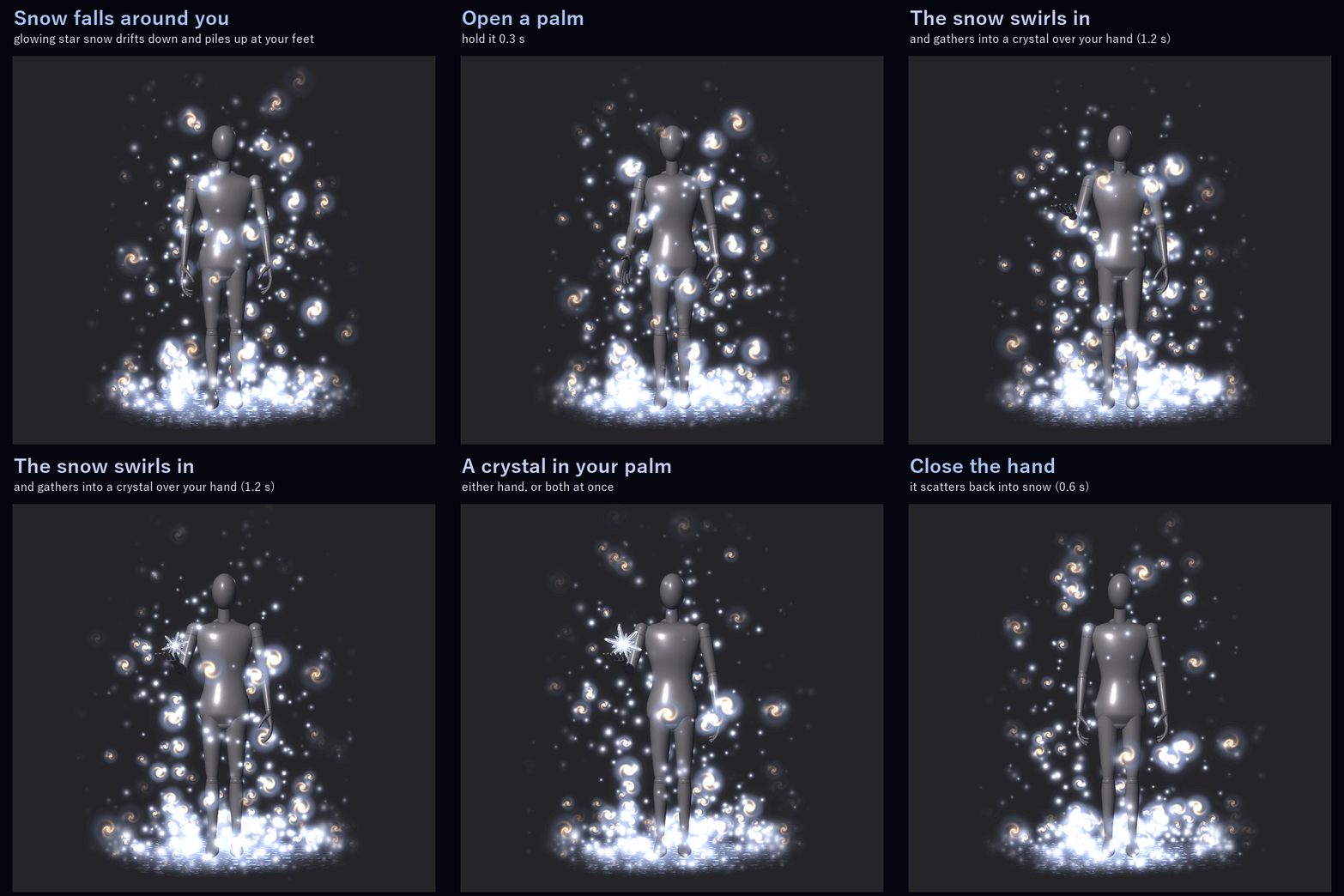
• Open a palm and hold it for 0.3 s: the snow round that hand spirals in and becomes a crystal floating over your palm (1.2 s). Close the hand and it scatters back into snowflakes (0.6 s). Either hand, or both.
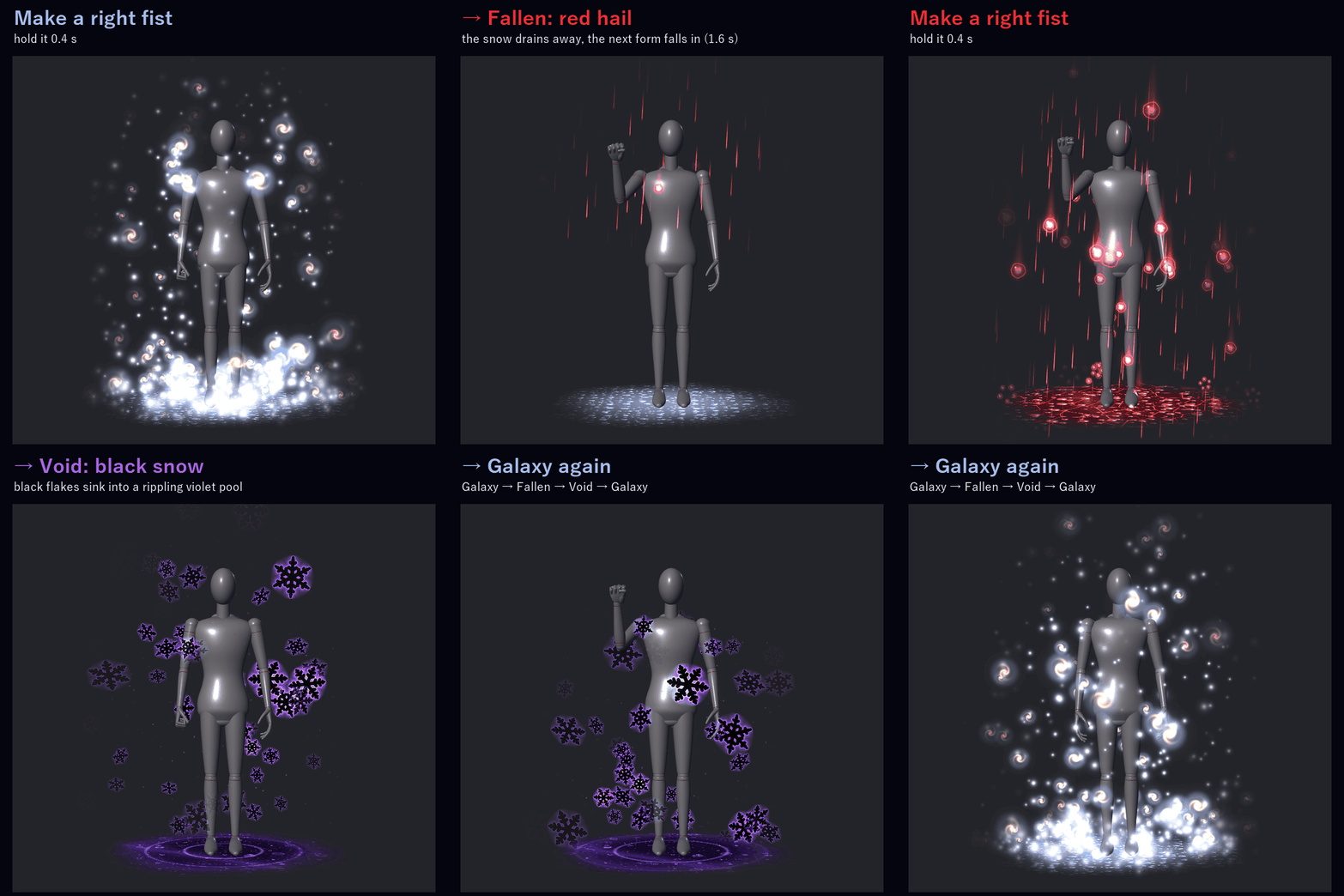
• Right fist, held 0.4 s: the next form. The snow you have drains down and vanishes from the top down while the next form falls in from the top (1.6 s). Galaxy → Fallen → Void → Galaxy. Open the hand and make the fist again for the next change (it waits 1.6 s after each one).
IT FOLLOWS HOW YOU MOVE
• Walking: the snow round you trails behind you and thins out softly, with no hard edge.
• Standing still: the snow piles up at your feet over about 20 s, and melts down in 1.5 s once you walk on.
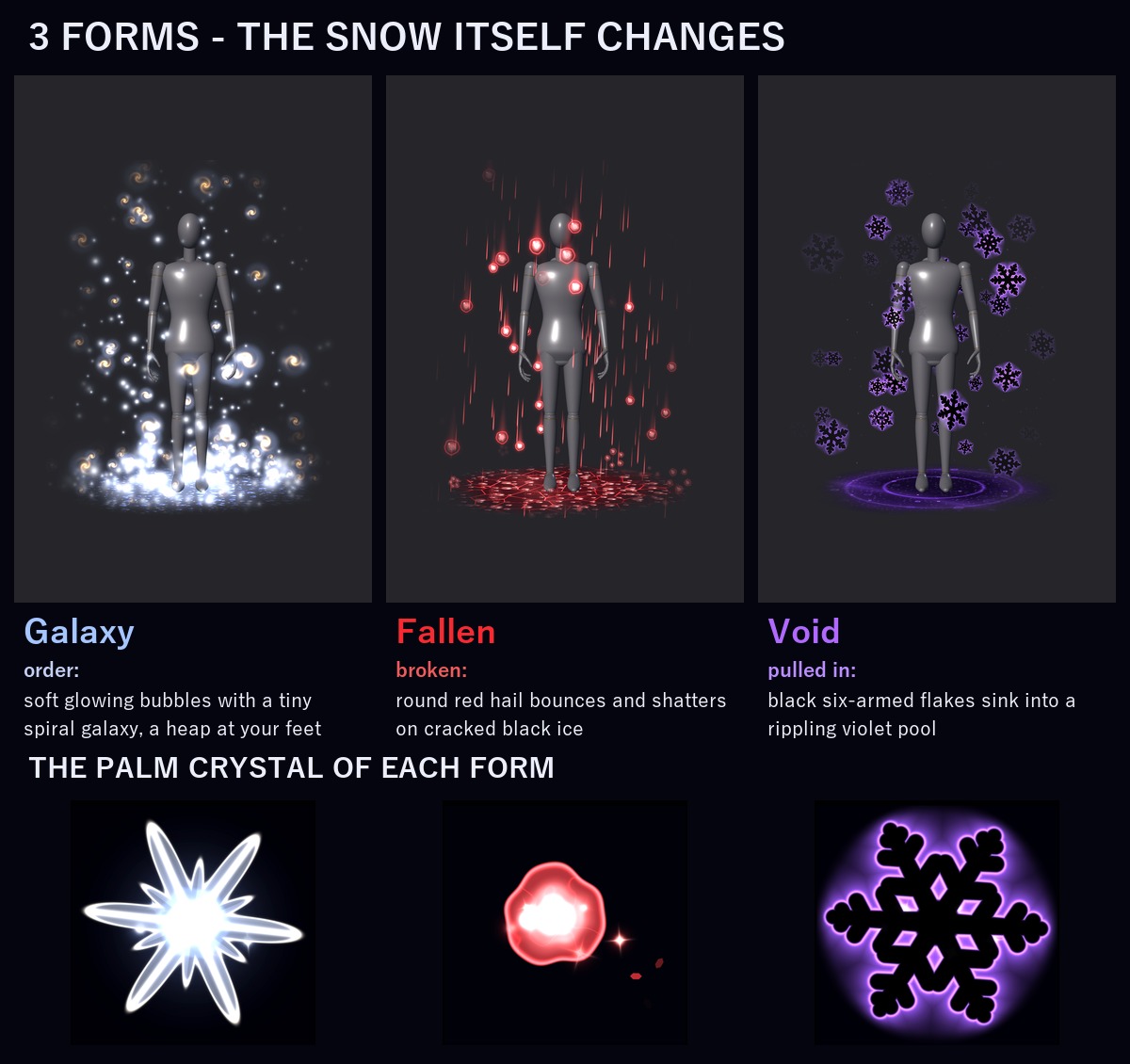
3 FORMS (each one a different snow, not only a colour)
• Galaxy (order): soft round flakes of light, each with a tiny spiral galaxy inside, sway down slowly and settle into a soft glowing pile of star beads at your feet; the palm crystal is a six-pointed glass star
• Fallen (broken): hail. Round dark red hailstones with a frosted core streak down through red sleet with short red tails, bounce where they land and shatter into chips, and lie scattered over dark ice split by glowing red cracks; the palm crystal is a big round red hailstone that drops chips
• Void (sinking): black six-armed flakes with a thin violet outline drift down and sink into a dark violet pool that ripples where they fall; the palm crystal is a black flake outlined in violet
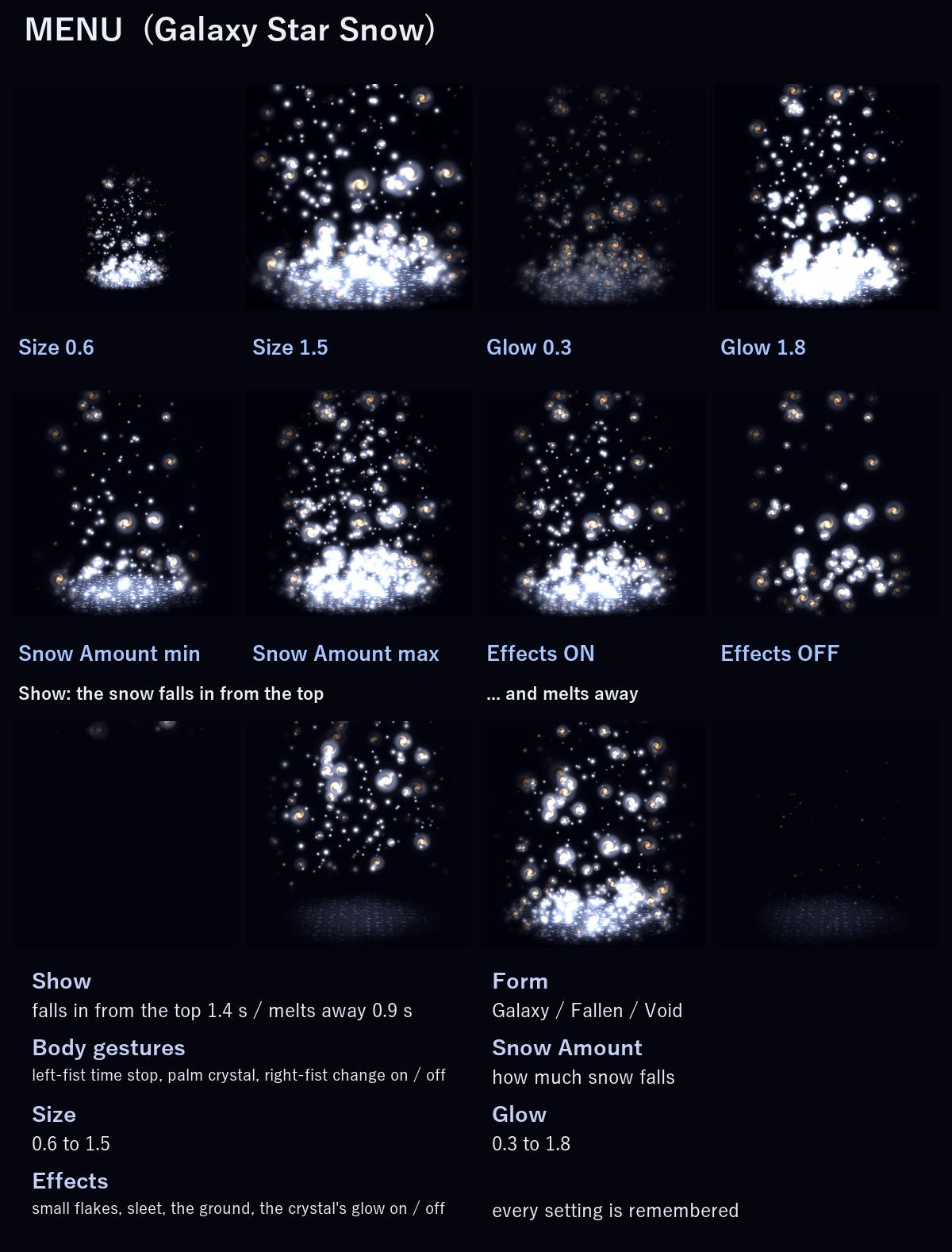
MENU ("Galaxy Star Snow")
• Show: the snow falls in from the top (1.4 s) / melts away (0.9 s) (on to start, remembered)
• Form: Galaxy / Fallen / Void (remembered)
• Body gestures: the left-fist time stop, the palm crystal and the right-fist change on / off (on to start, remembered). Turn it off if you use those hand signs a lot.
• Snow Amount: how much snow falls (remembered)
• Size: 0.6 – 1.5 (remembered)
• Glow: 0.3 – 1.8 (remembered)
• Effects: the small flakes and sleet, the ground (the bead pile, the cracked ice, the violet pool) and the crystal's glow on / off (on to start, remembered). The big flakes and the gestures keep working.
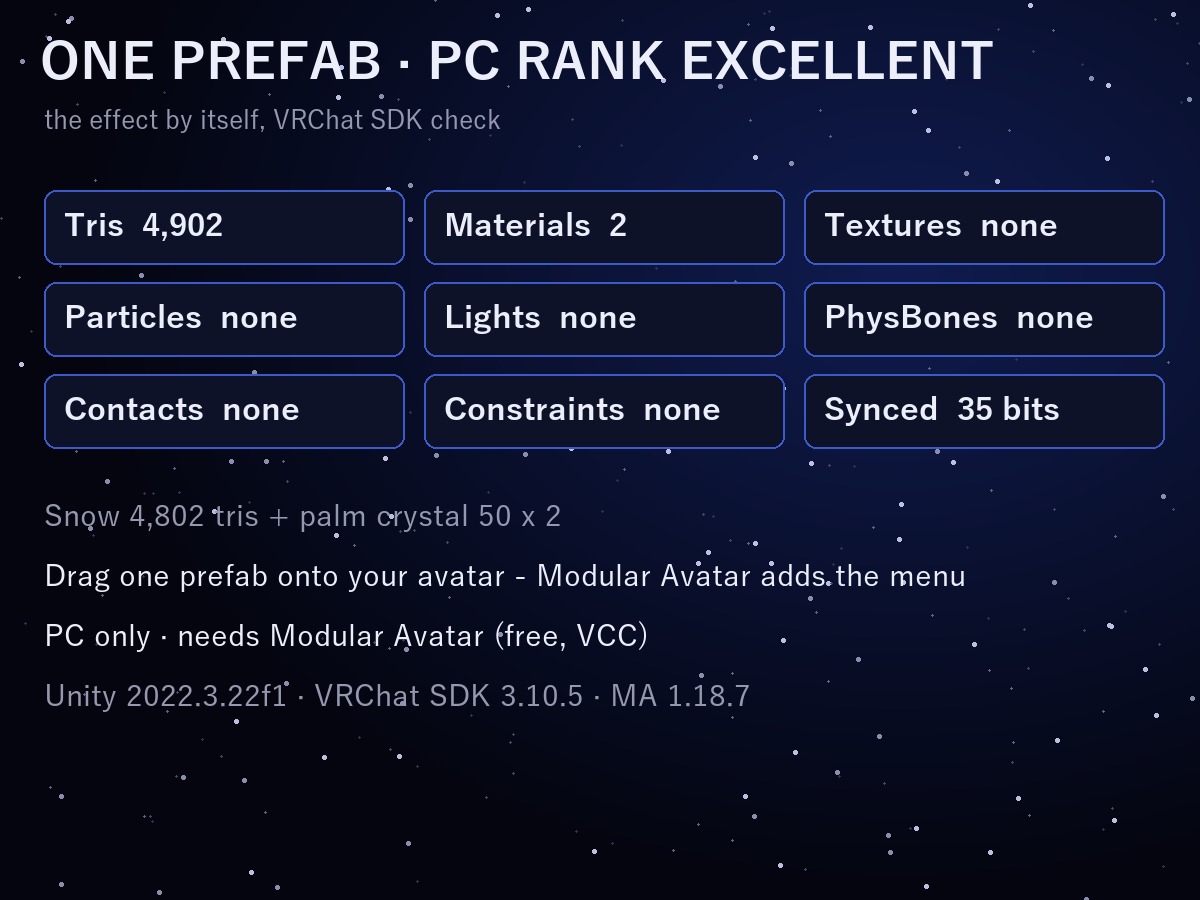
ONE PREFAB, EXCELLENT RANK
VRChat PC performance rank of the effect by itself (VRChat SDK check): Excellent. No particle systems, no lights, no PhysBones: every flake is drawn by the effect's own shader.
In VRChat you see the rank of your avatar and the effect together (on the SDK sample avatar, which is Medium by itself, it stays Medium).
EASY TO PUT ON
Drag one prefab onto your avatar and upload. Modular Avatar adds the "Galaxy Star Snow" menu, the parameters and the animator layers for you, and hooks the two palm crystals to your hands.
It is placed for the VRChat SDK sample avatar. For a much smaller or bigger avatar, scale one object: the README shows how.
WHAT'S INCLUDED
• SS_1.0.0.unitypackage: 1 prefab, 2 shaders, 2 materials, 2 meshes, menu and animator
Folder: Assets/Caligo/Galaxy Star Snow/
• README (English and Japanese)
SPECS
• Tris: 4,902 (snow 4,802 + two palm crystals of 50)
• Meshes: 3 / Skinned meshes: none / Materials: 2 / Textures: none / Lights: none / Particle systems: none / Trail renderers: none
• PhysBones: none / Contacts: none / Constraints: none
• Synced parameters: 35 bits
REQUIREMENTS
• Modular Avatar (available through VCC)
TESTED WITH
Unity 2022.3.22f1 / VRChat SDK 3.10.5 / Modular Avatar 1.18.7. The parts, the parameters, the menu and the animator steps are checked in Unity. The prefab imports into a clean project with no problems.
PC only (see-through glow shaders, no Quest version).
GOOD TO KNOW
• The gestures only listen to your own hands; they never react to other players.
• Flakes fade out close to your eyes, so they never block your view.
• People who block custom shaders in their Safety settings won't see it.
SUPPORT
If the time stop, the palm crystal, the form change or anything else doesn't work as described in VRChat, message me on Jinxxy. I'll fix it and send you the update for free.
AI DISCLOSURE (AI-Assisted)
The shaders, the code that builds this effect and the text on this page were written with help from an AI assistant. An AI image generator made rough concept sketches I looked at while designing (the look follows one of them); nothing it made is in the files or in the preview images, which are rendered in Unity from the actual effect.
TERMS
• OK to use on your avatar in VRChat and other platforms
• OK to stream, record, and post on social media
• Editing is fine
• Please don't redistribute or resell the files, edited or not
UPDATES
• v1.0.0 (2026-11-18): first release