Nebula Ribbon Wings — Nebula-Cloth Ribbon Wings for VRChat (3 Forms, Spread Your Arms to Change)
Description du produit
Ce produit contient du contenu généré par IA.
▶ VRChat avatar accessory · PC only · needs Modular Avatar (free, from VCC) · drag-and-drop prefab
Not made for one avatar: Modular Avatar hooks it to your avatar's own chest and hand bones at upload, so it works on humanoid avatars in general. Checked in Unity on the VRChat SDK sample avatar.
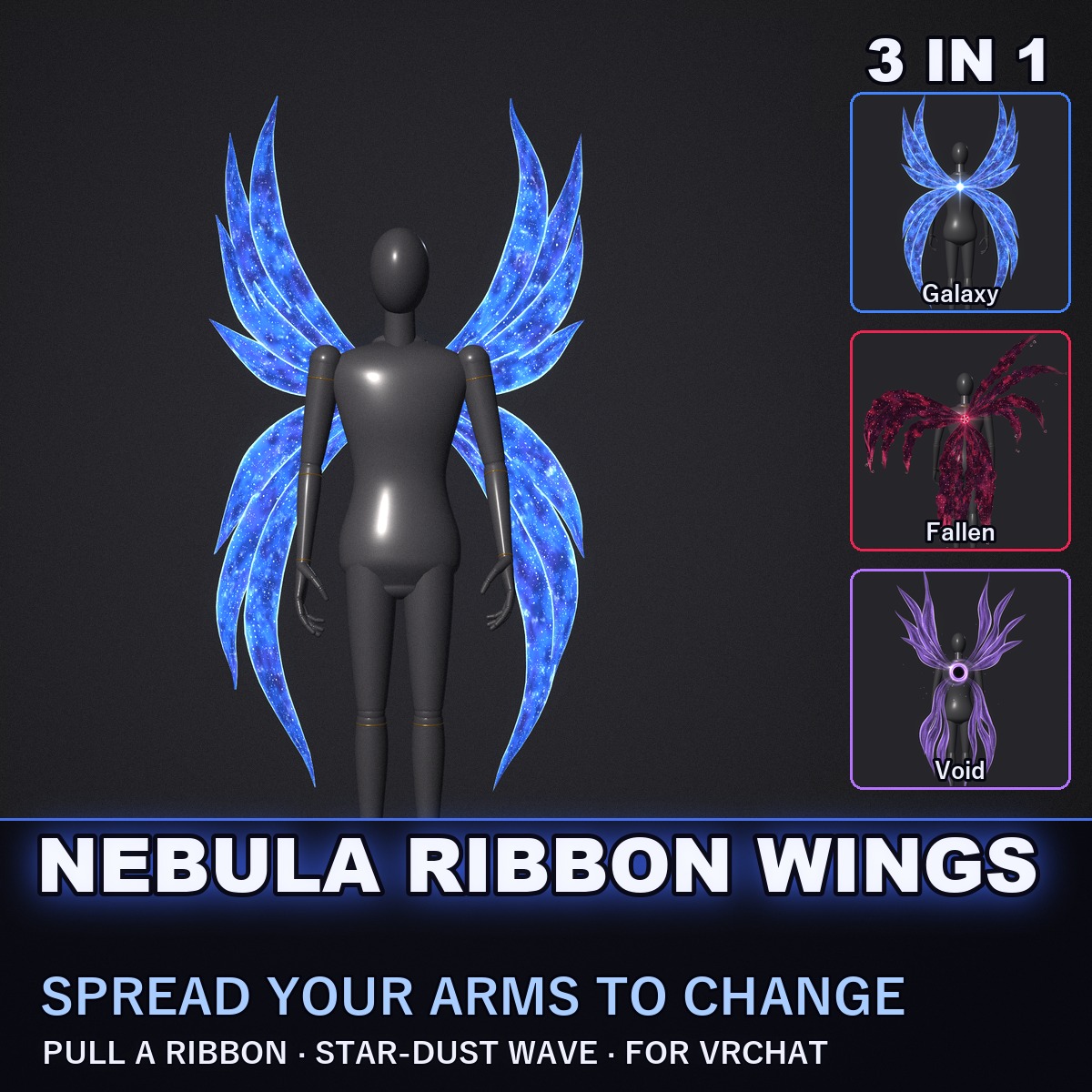
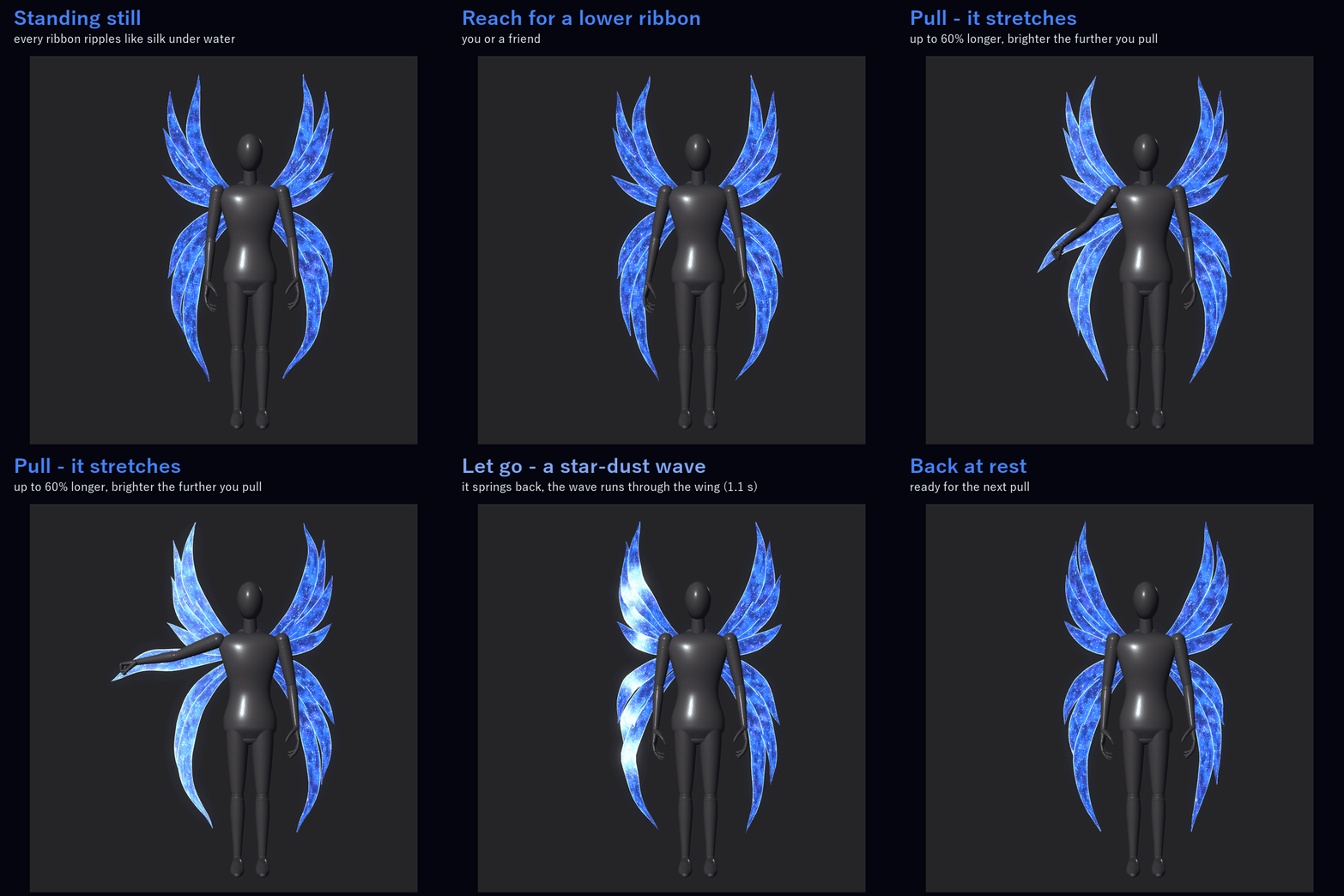
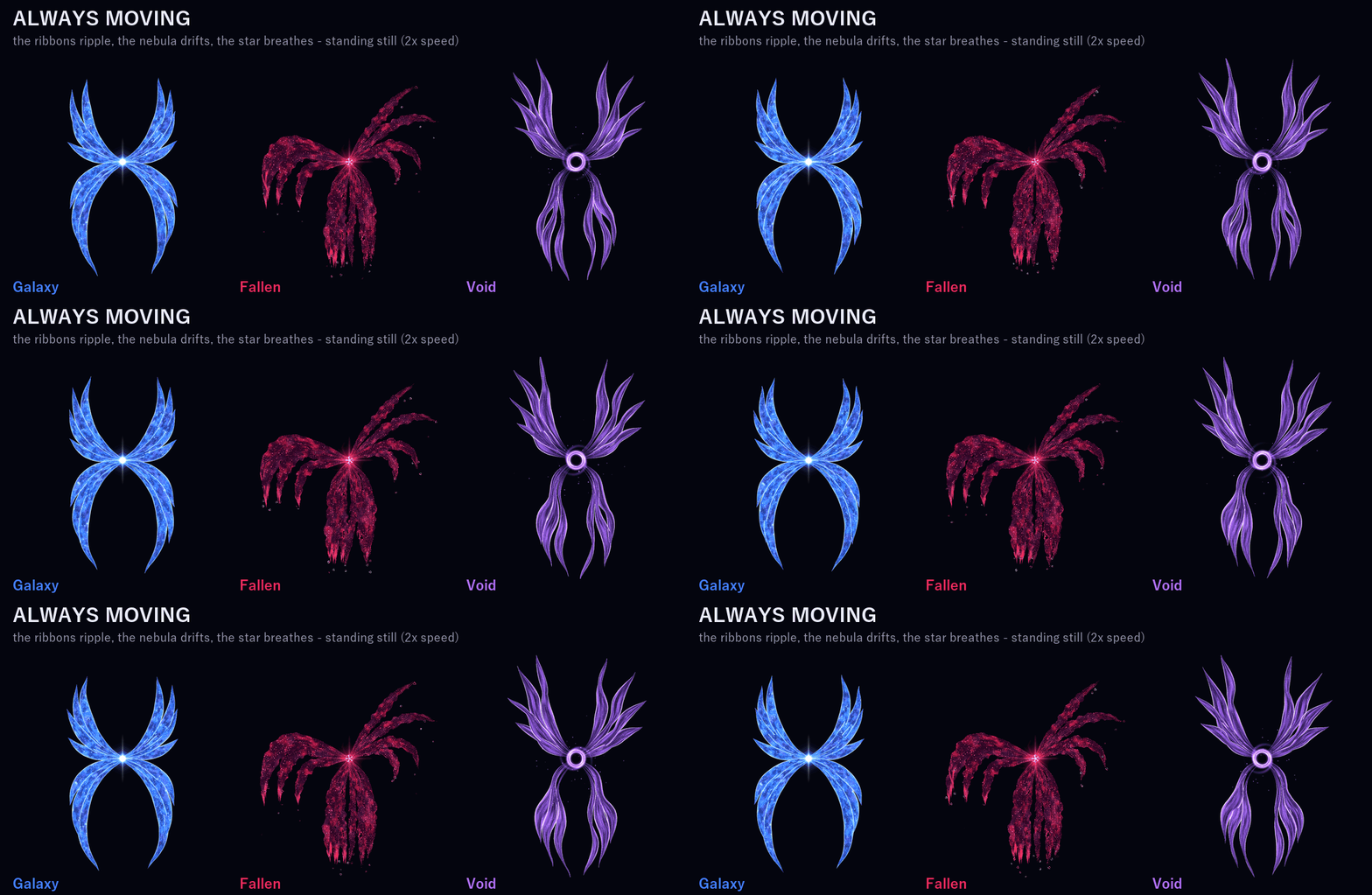
Wings with no feathers and no frame. A small star floats at the middle of your back, and see-through ribbons of nebula cloth flow out of it into a big pair of wings. Even while you stand still, every ribbon ripples like silk under water, a wave running out to the tip, each ribbon on its own beat, while the nebula clouds drift through the cloth.
ONE THING YOU DO WITH YOUR BODY
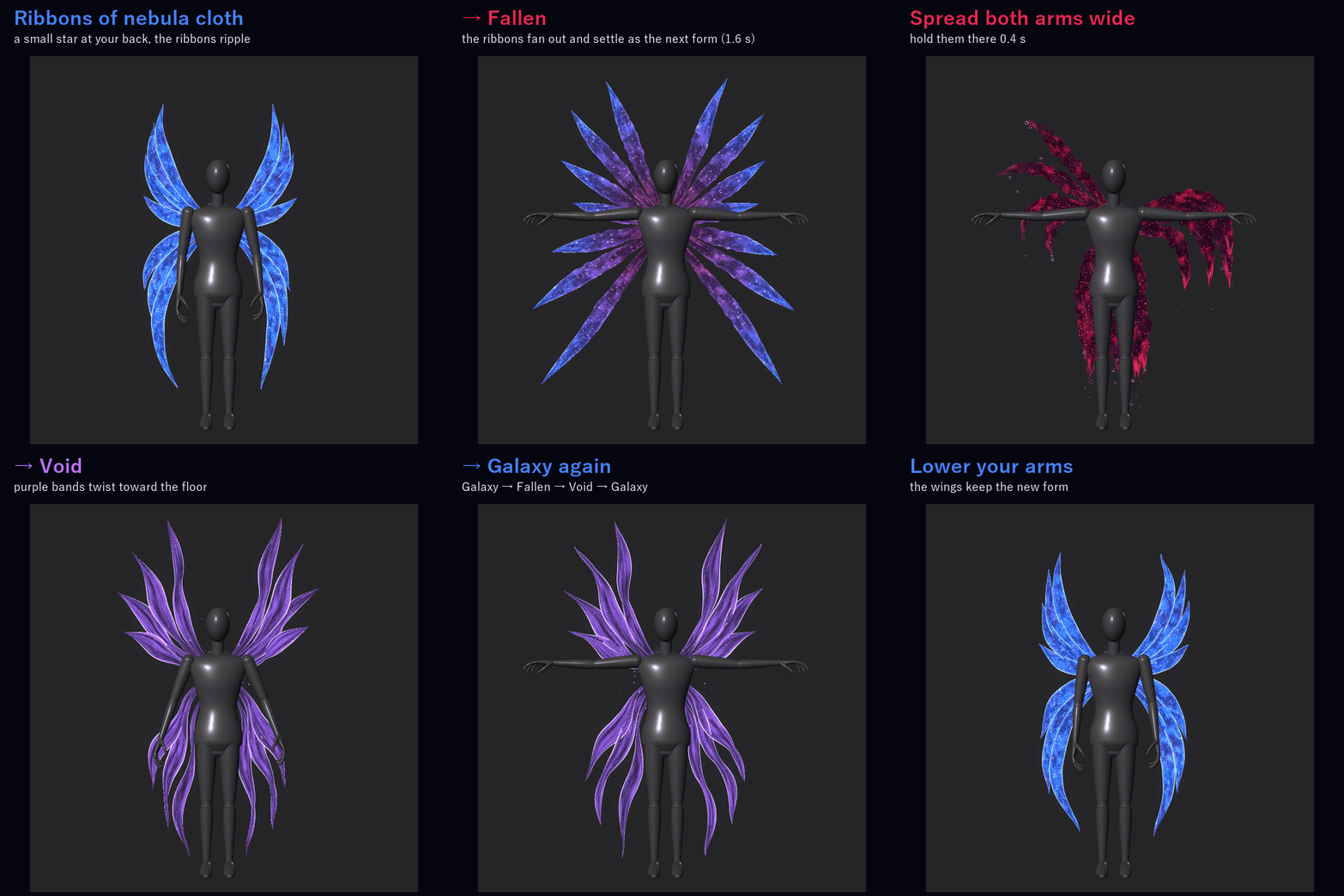
Spread both arms wide and hold them there for 0.4 s: the ribbons fan out straight and long, a band of light sweeps from the star to the tips and the wings settle into the next form (1.6 s). Galaxy → Fallen → Void → Galaxy. It needs both arms: one arm alone does nothing.
ONE THING YOU DO WITH YOUR HAND
Catch the end of a lower ribbon and pull: it stretches toward your hand (up to 60 % longer) and glows brighter the further you pull. Let go and it springs back while a wave of star dust runs through that whole wing (1.1 s). You or a friend can pull it.
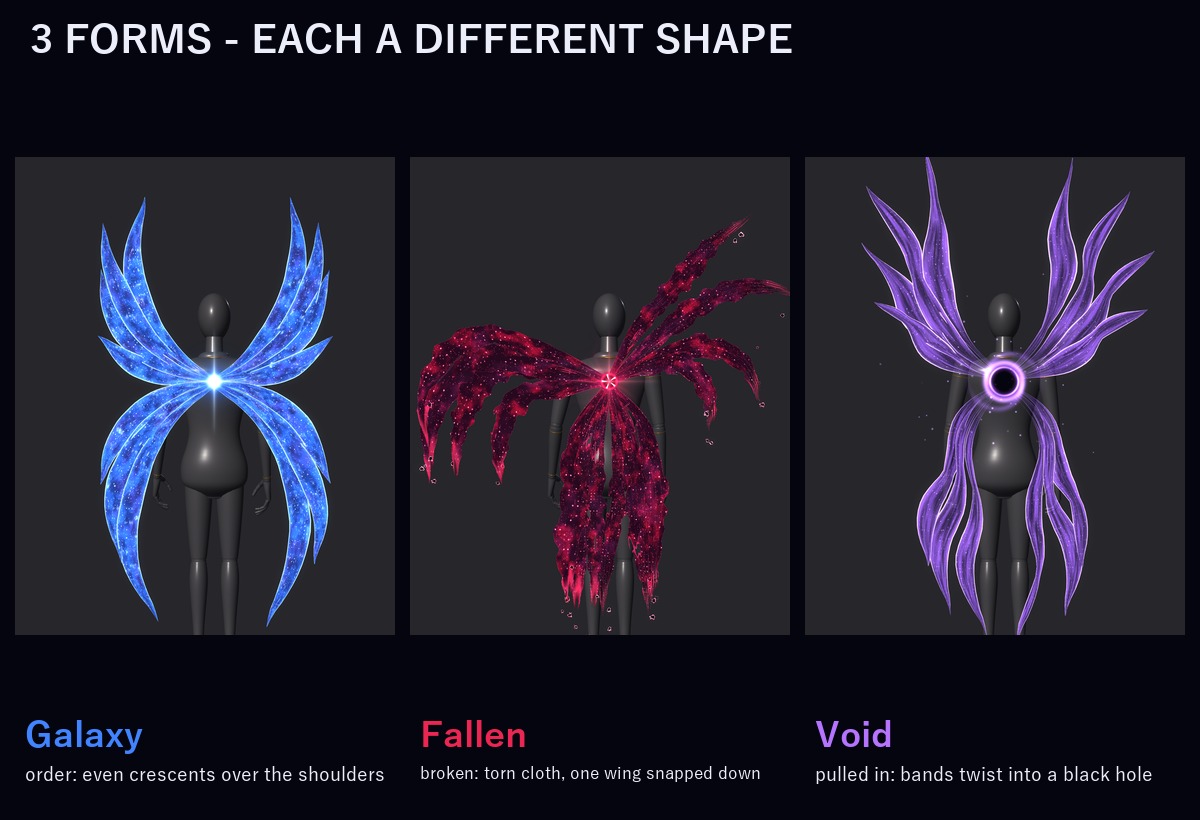
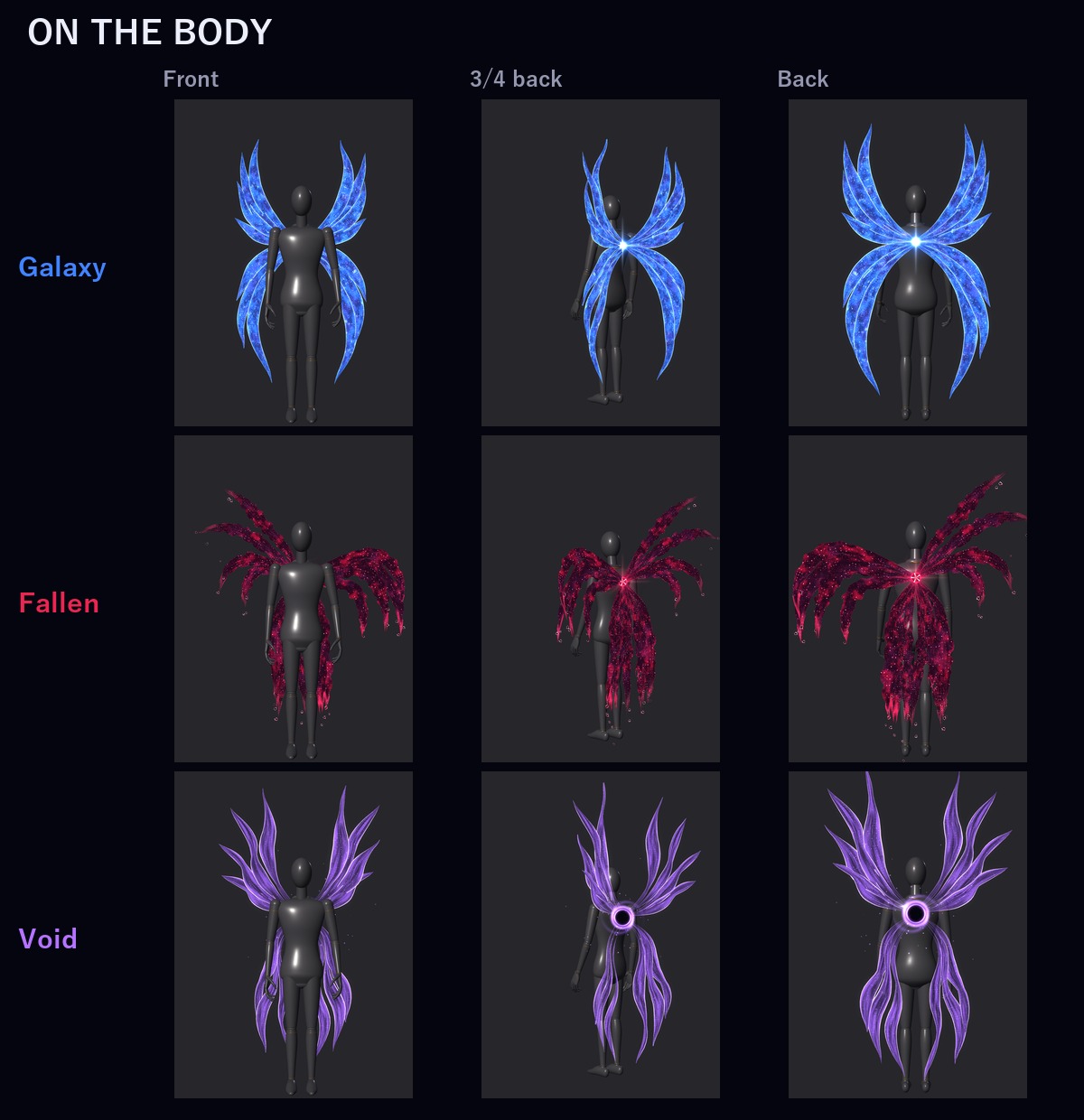
3 FORMS (each one a different shape, not only a colour)
• Galaxy (order): even crescents of deep-blue nebula curling in over your shoulders, small twinkling stars, a bright four-pointed star at the core
• Fallen (broken): dark crimson cloth with thin glowing red cracks, torn holes and ragged edges; one wing spreads out level from the shoulder, then snaps down into long torn shreds, the other is still raised, and dark shards fall from the torn ends; the core is a cracked black star rimmed in red
• Void (pulled in): purple bands twist and ripple down toward the floor, their roots dissolving into a small black hole with a turning purple ring; purple dust spirals into it
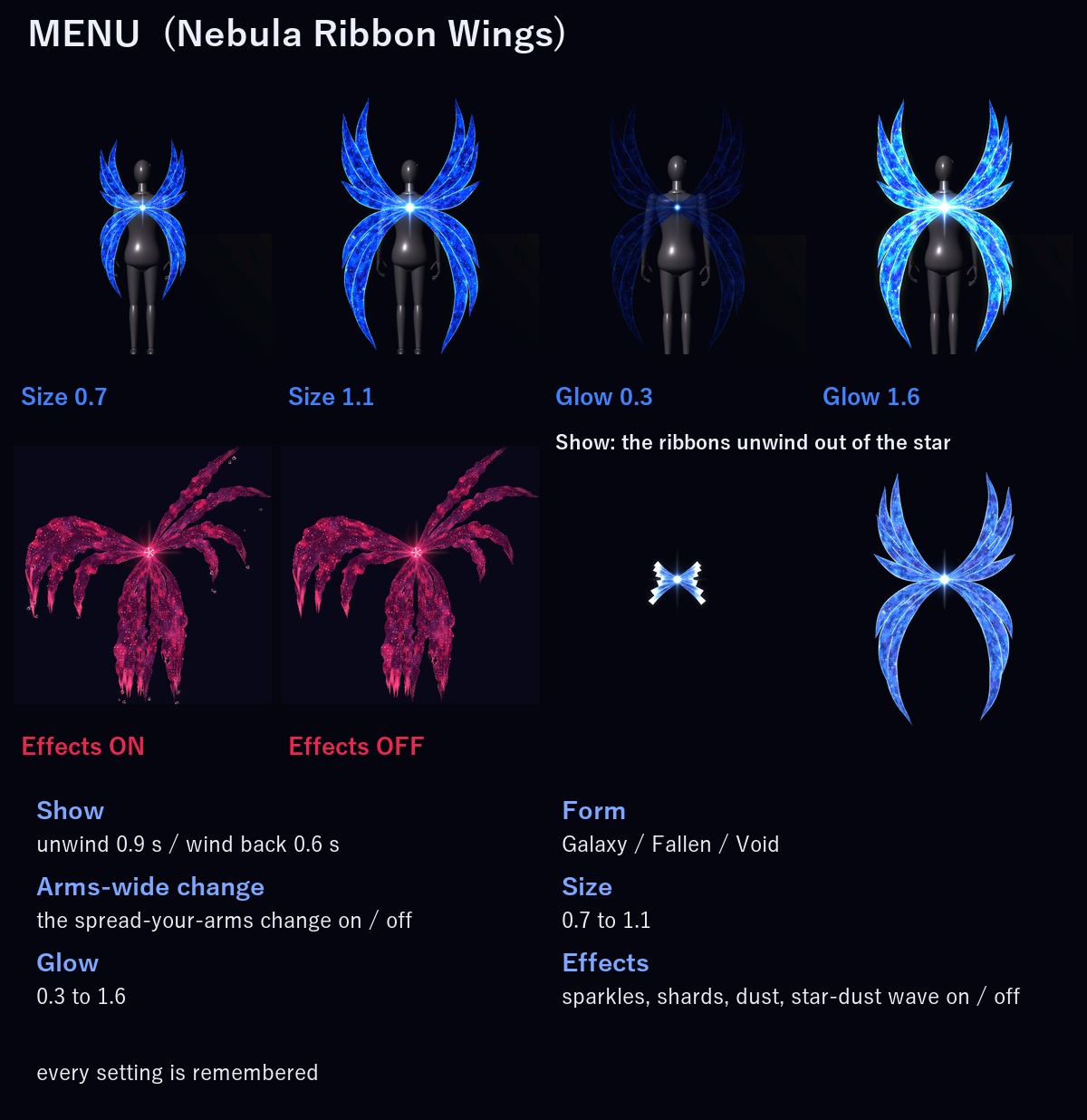
MENU ("Nebula Ribbon Wings")
• Show: the ribbons unwind out of the star (0.9 s) / wind back into it (0.6 s) (on to start, remembered)
• Form: Galaxy / Fallen / Void (remembered)
• Arms-wide change: the spread-your-arms change on / off (on to start, remembered). Turn it off if you spread your arms a lot.
• Size: 0.7 – 1.1 (remembered)
• Glow: 0.3 – 1.6 (remembered)
• Effects: the sparkles, the shards, the dust and the let-go star dust on / off (on to start, remembered). The ribbons and the gestures keep working.
ONE PREFAB, GOOD RANK
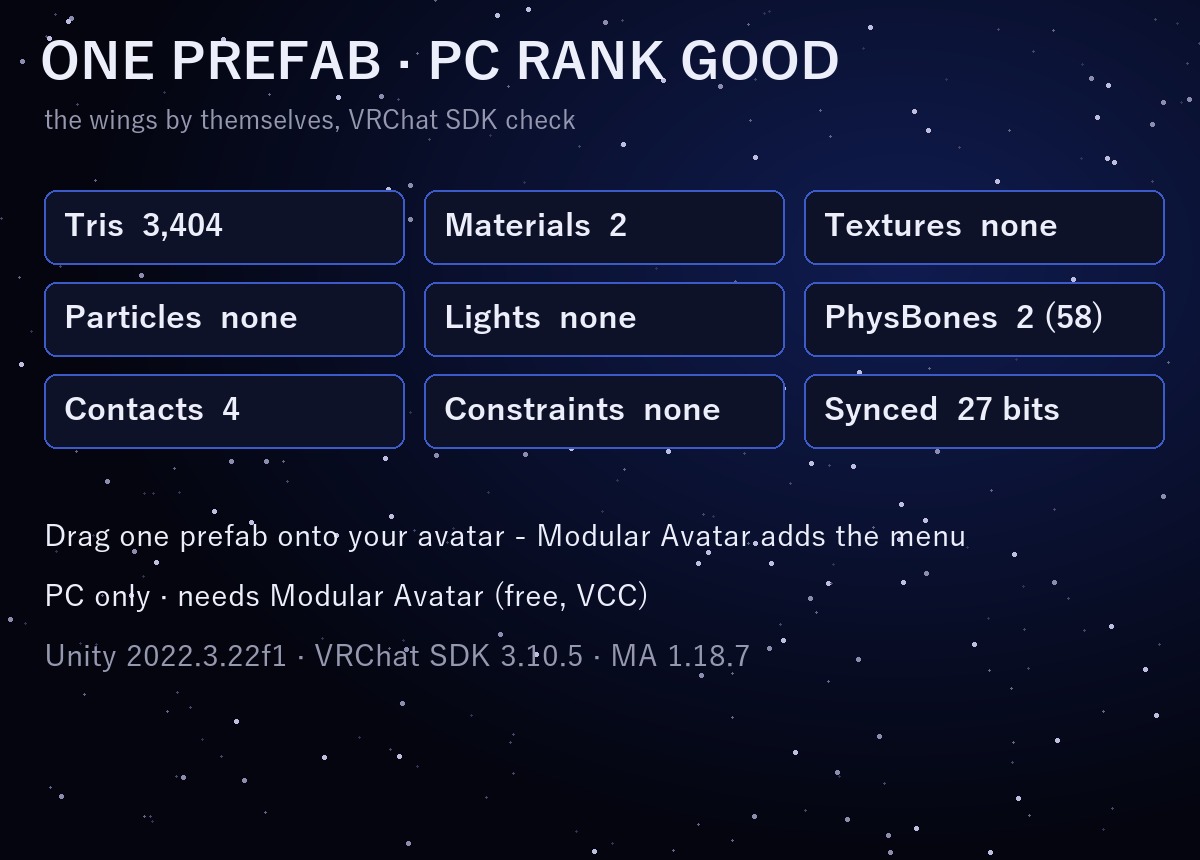
VRChat PC performance rank of the wings by themselves (VRChat SDK check): Good. No particle systems and no lights: the sparkles, the shards and the dust are drawn by the wings' own shaders.
In VRChat you see the rank of your avatar and the wings together (on the SDK sample avatar, which is Medium by itself, it stays Medium).
EASY TO PUT ON
Drag one prefab onto your avatar and upload. Modular Avatar adds the "Nebula Ribbon Wings" menu, the parameters and the animator layers for you, and keeps the wings on your chest bone, so they lean and turn with you.
It is placed for the VRChat SDK sample avatar. For a much smaller or bigger avatar, move or scale one object: the README shows how.
WHAT'S INCLUDED
• RW_1.0.0.unitypackage: 1 prefab, 2 shaders, 2 materials, menu and animator
Folder: Assets/Caligo/Nebula Ribbon Wings/
• README (English and Japanese)
SPECS
• Tris: 3,404
• Skinned meshes: 1 / Materials: 2 / Textures: none / Lights: none / Particle systems: none / Trail renderers: none
• PhysBones: 2 (58 transforms) / Contacts: 4 / Constraints: none
• Synced parameters: 27 bits
REQUIREMENTS
• Modular Avatar (available through VCC)
TESTED WITH
Unity 2022.3.22f1 / VRChat SDK 3.10.5 / Modular Avatar 1.18.7. The parts, the parameters, the menu and the animator steps are checked in Unity. The prefab imports into a clean project with no problems.
PC only (see-through nebula shader, no Quest version).
GOOD TO KNOW
• The arms-wide change only listens to your own hands; it never reacts to other players.
• People who block custom shaders in their Safety settings won't see it.
SUPPORT
If the arms-wide change, the ribbon pull or anything else doesn't work as described in VRChat, message me on Jinxxy. I'll fix it and send you the update for free.
AI DISCLOSURE (AI-Assisted)
The shaders, the code that builds these wings and the text on this page were written with help from an AI assistant. An AI image generator made rough concept sketches I looked at while designing (the shape follows one of them); nothing it made is in the files or in the preview images, which are rendered in Unity from the actual wings.
TERMS
• OK to use on your avatar in VRChat and other platforms
• OK to stream, record, and post on social media
• Editing is fine
• Please don't redistribute or resell the files, edited or not
UPDATES
• v1.0.0 (2026-11-17): first release