
Rear Rune Halo — Light-Rune Halo Behind Your Back for VRChat (Runelight No.5)
Description du produit
Ce produit contient du contenu généré par IA.
▶ VRChat avatar accessory · PC only · needs Modular Avatar (free, from VCC) · drag-and-drop prefab
Not made for one avatar: Modular Avatar hooks it to your avatar's own chest, hand and head bones at upload, so it works on humanoid avatars in general. Checked in Unity on the VRChat SDK sample avatar.
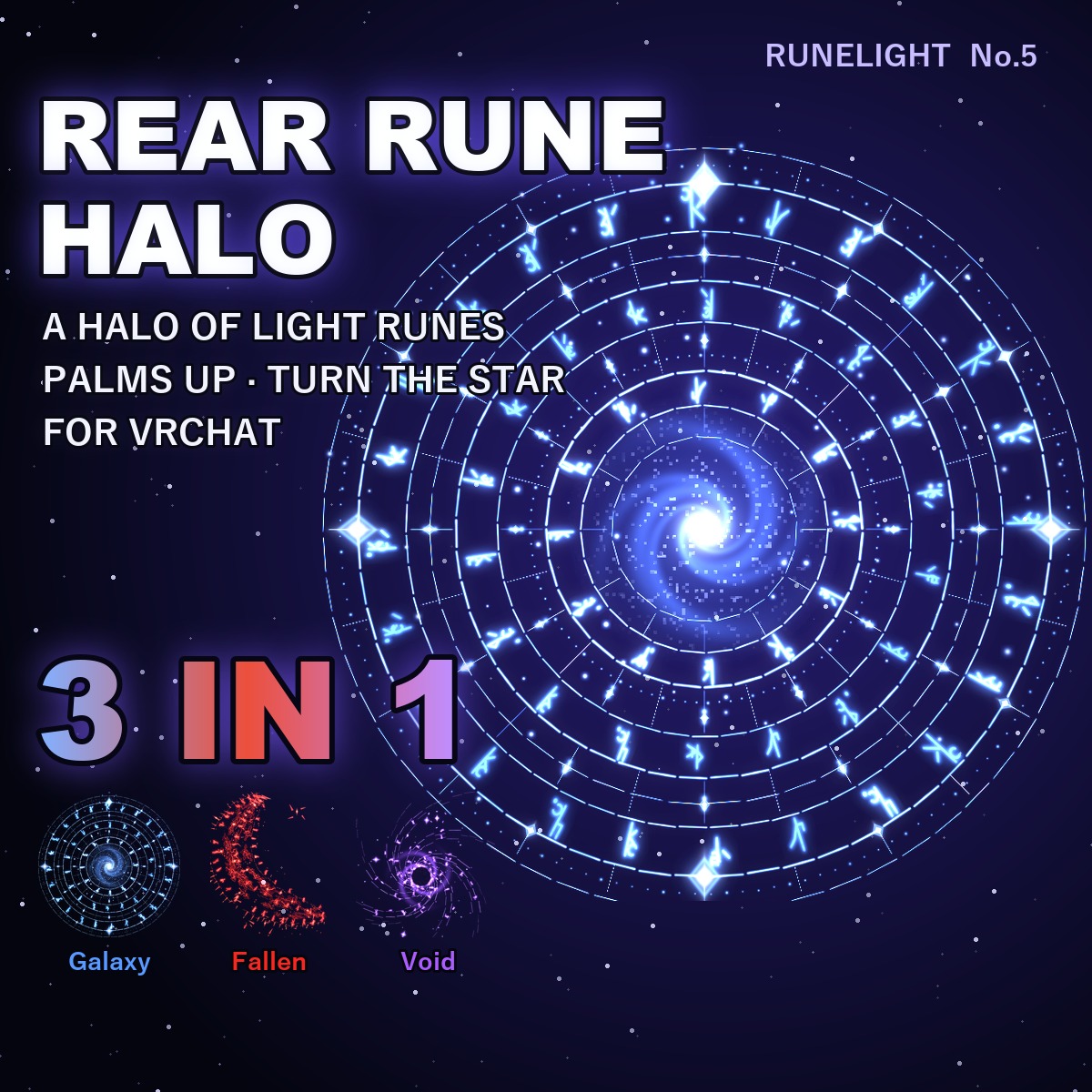
A big halo of light runes behind your back. Three rings of runes turn against each other like a celestial clock round a small spiral galaxy. Put both palms over your head and the rings close in one by one, fold into a seed and bloom open as the next form.
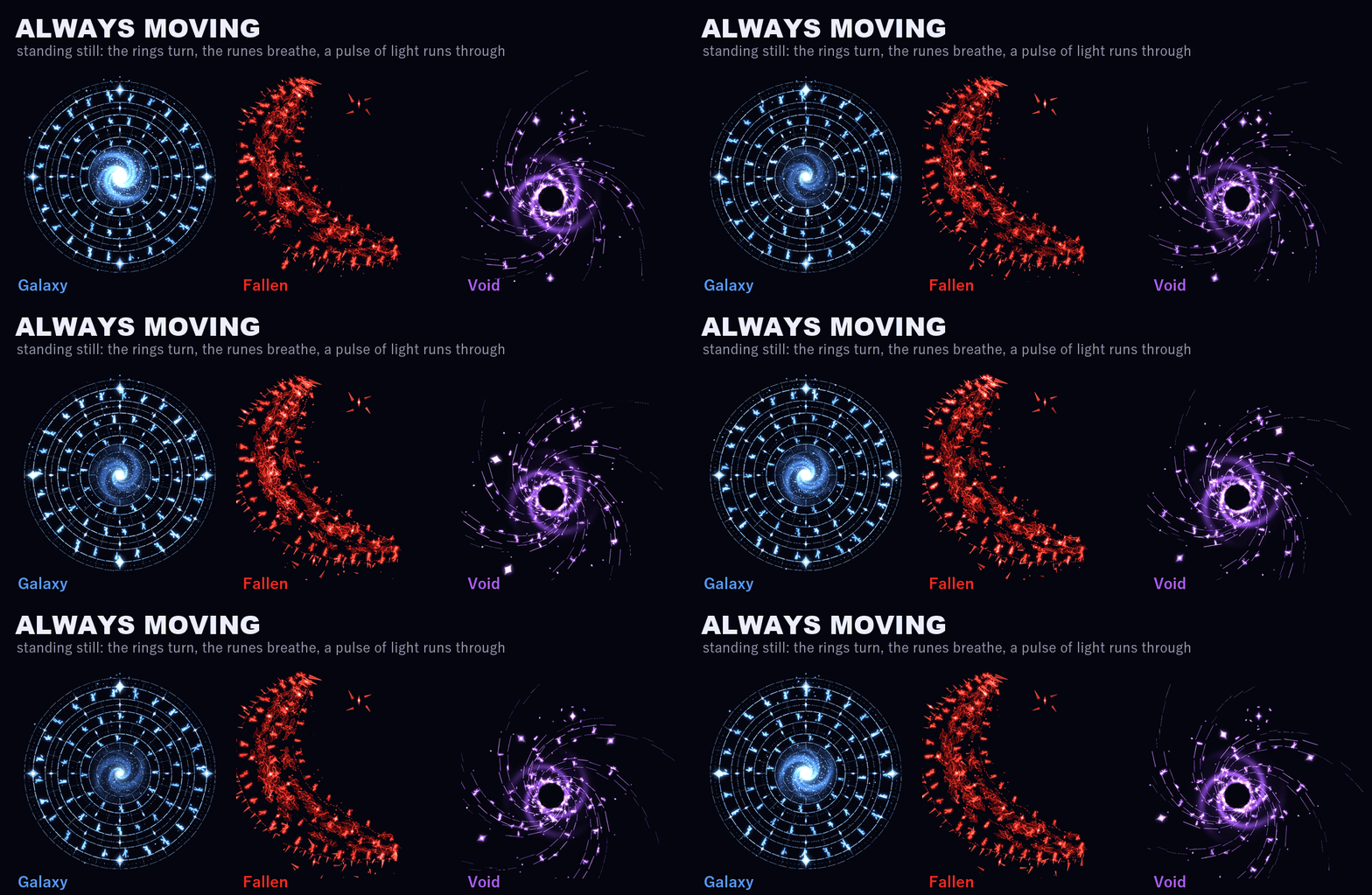
No frame, no metal: every part is a glyph or a spark of light. Even while you stand still, the rings turn, the runes breathe and a pulse of light runs through the rings: out in an even circle in Galaxy, broken and jagged in Fallen, spiralling in to the black hole in Void.
ONE THING YOU DO WITH YOUR BODY
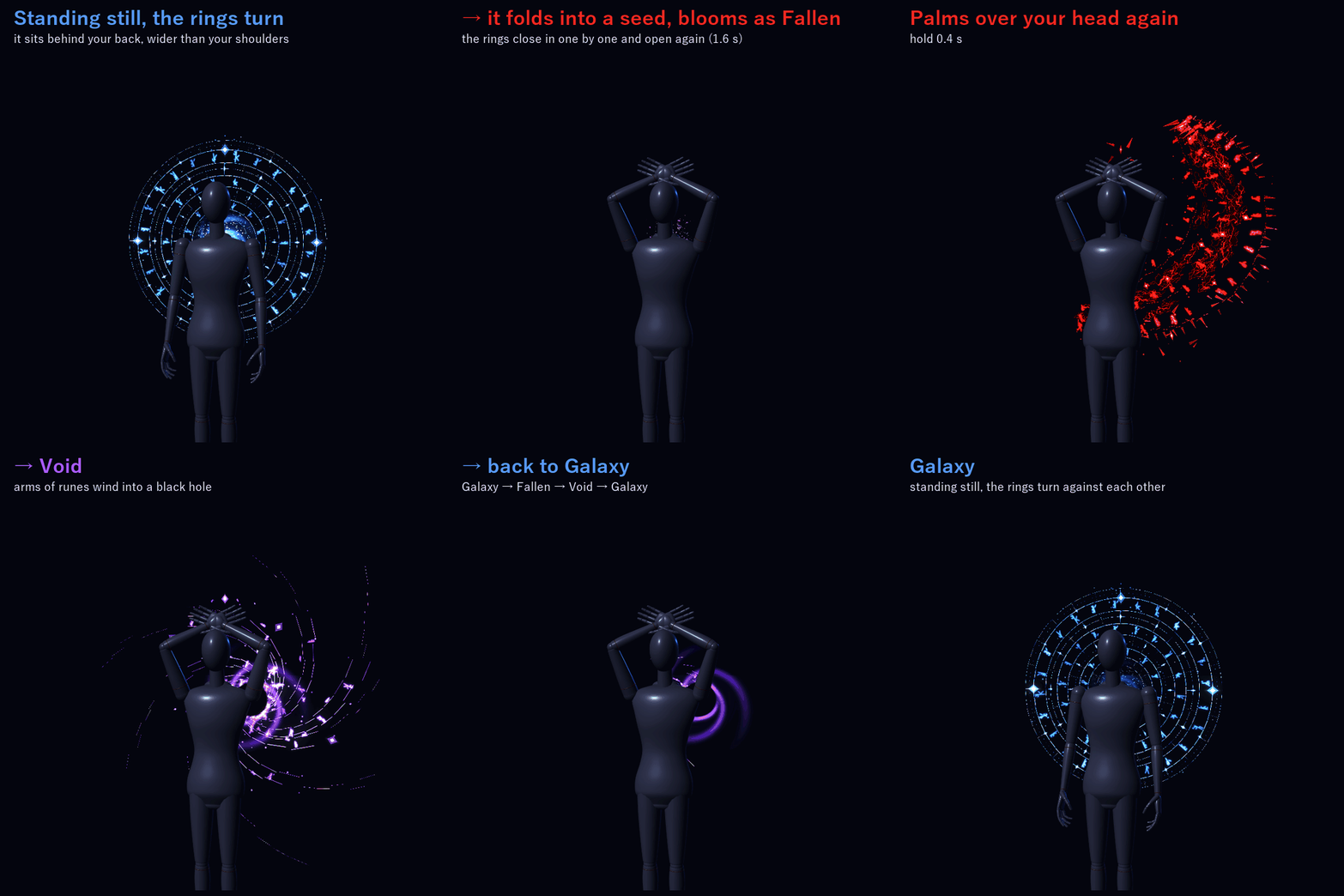
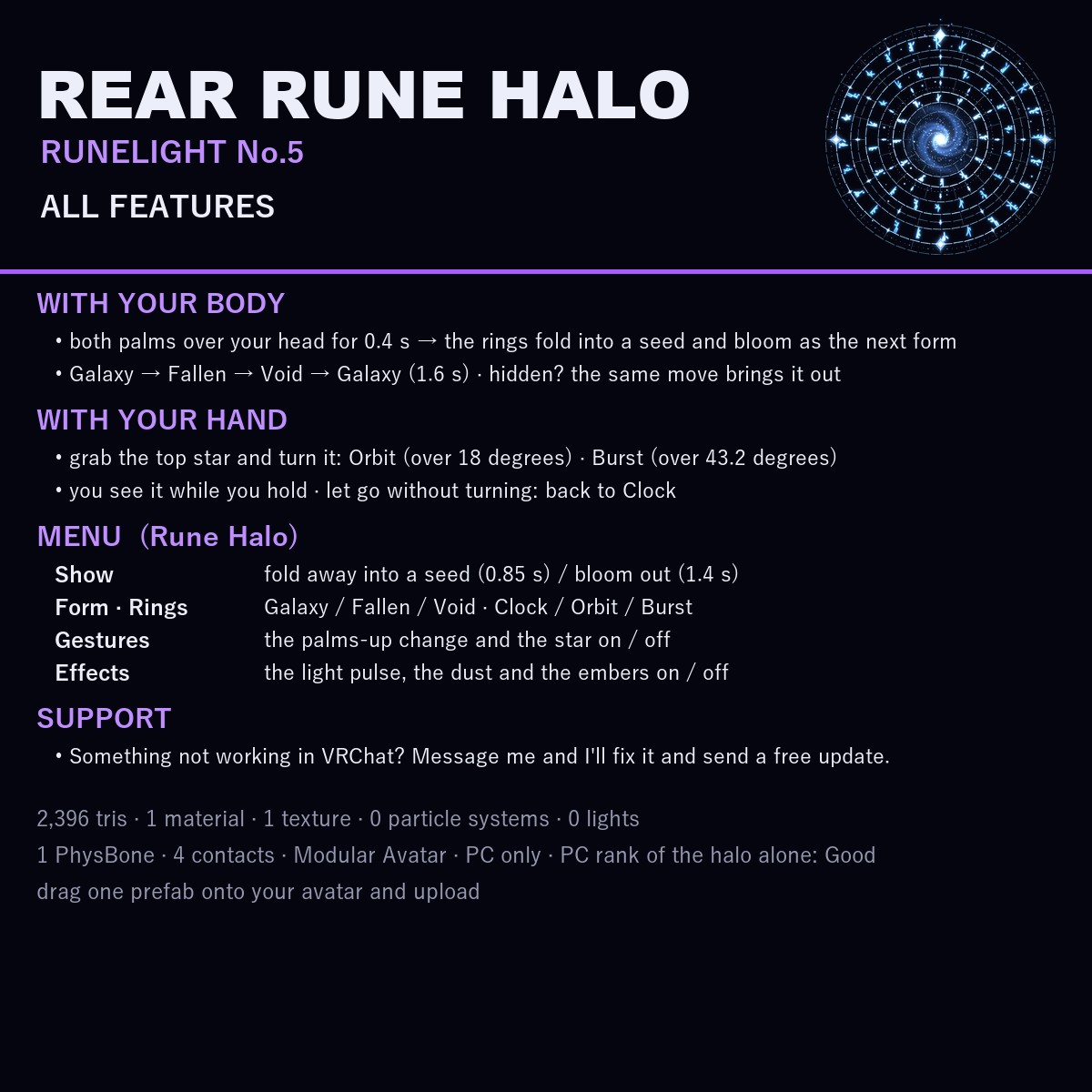
Put both palms together over your head and hold them there for 0.4 s: the rings close in, fold into a seed and bloom as the next form (1.6 s). Galaxy → Fallen → Void → Galaxy. It needs both hands: one hand alone does nothing. If the halo is hidden, the same move brings it back out.
ONE THING YOU DO WITH YOUR HAND
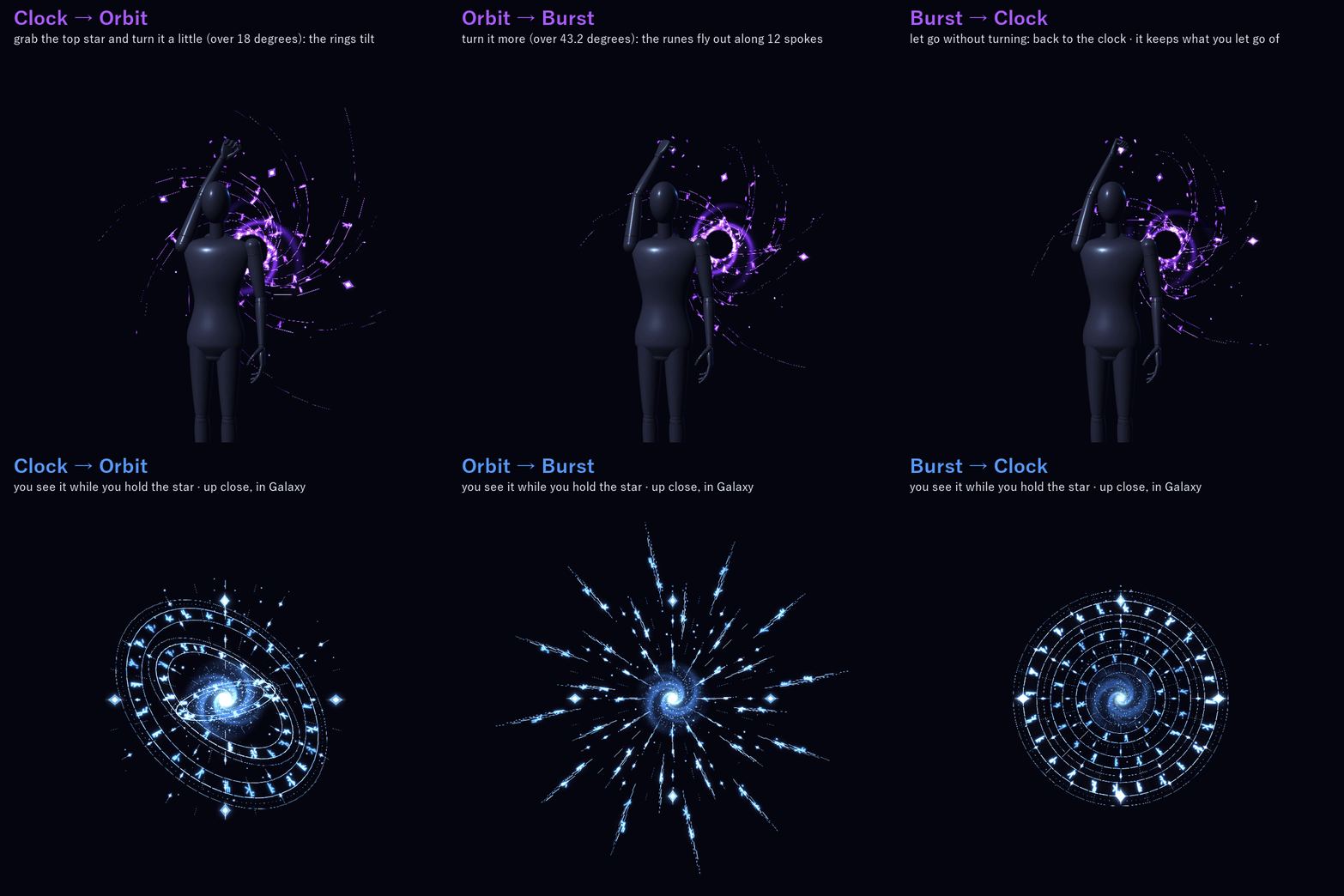
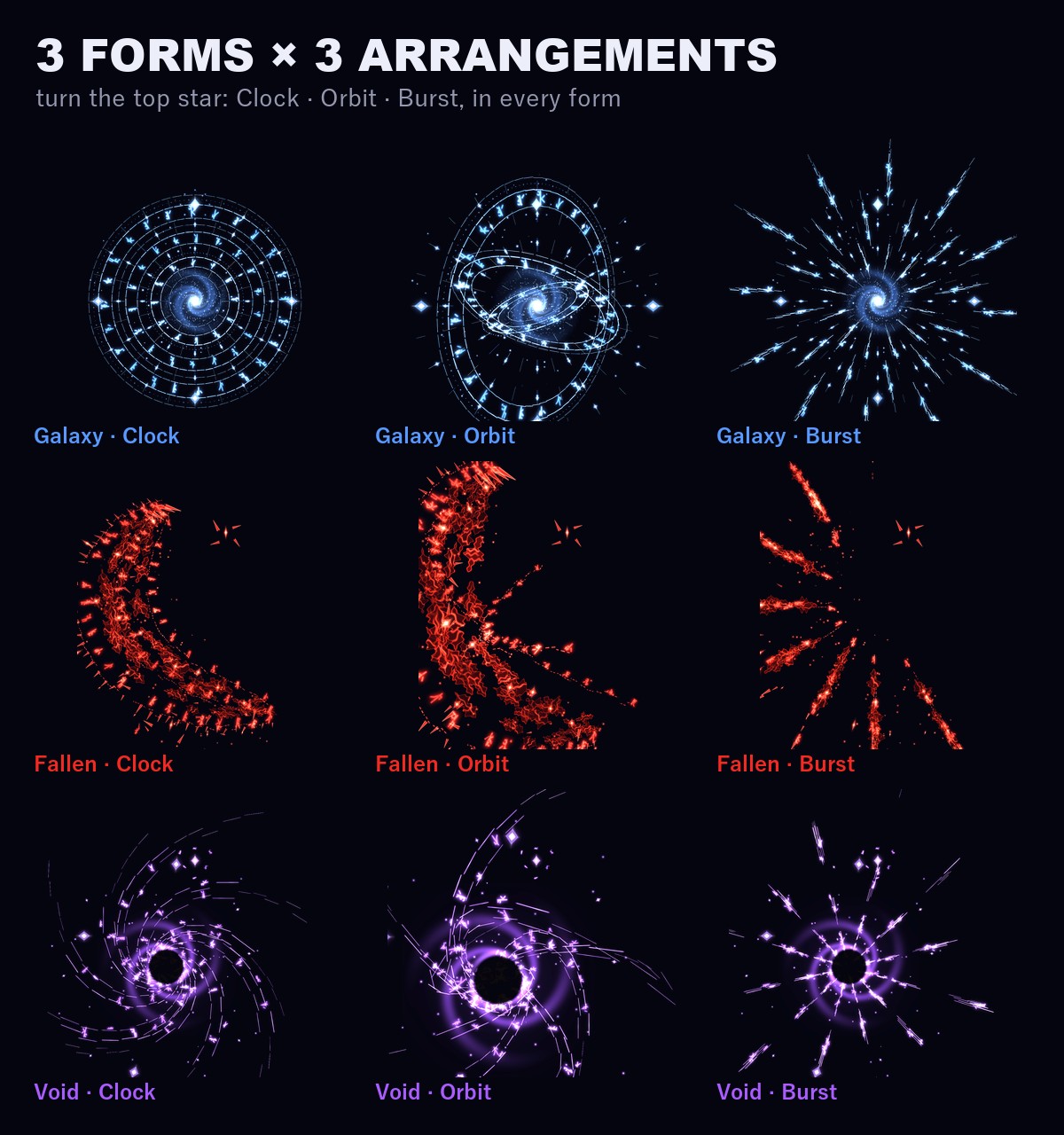
Reach over your shoulder, grab the big star at the top of the halo and turn it: over 18 degrees → Orbit (the three rings tilt and turn like an armillary sphere), over 43.2 degrees → Burst (the runes fly out along 12 spokes). You see the arrangement while you hold the star; let go and it keeps it (0.4 s). Let go without turning and it goes back to Clock.
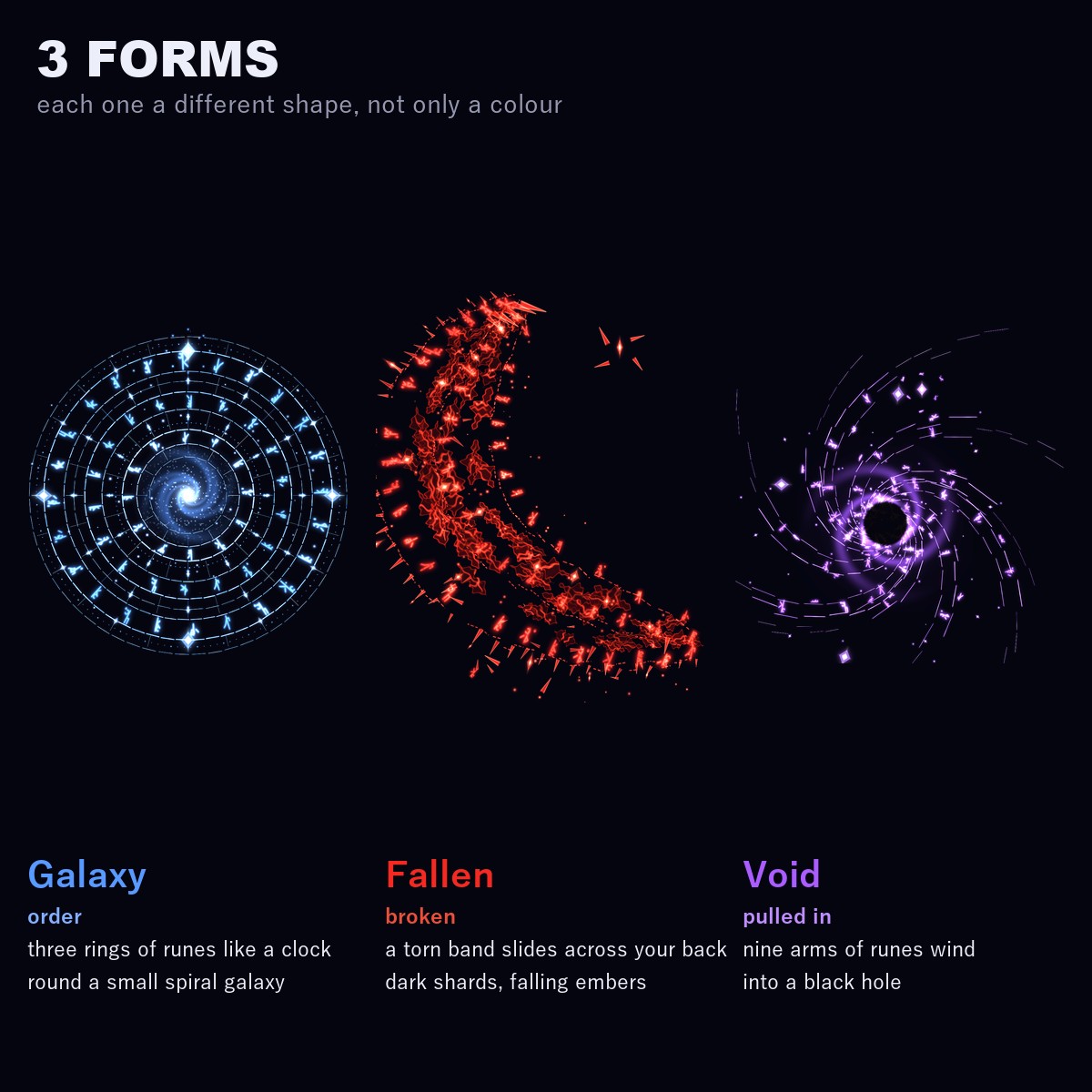
3 FORMS (each one a different shape, not only a colour)
• Galaxy (order): three even rings of runes like a clock, a cobalt spiral galaxy at the heart, four big diamond stars, hairline spokes and rings of tiny beads like a dial
• Fallen (broken): the ring is torn into a band of dark cracked plates that slides down across your back, with shards and embers falling from it
• Void (pulled in): nine arms of rune chains wind into a black hole, and the runes creep in toward it
Every form takes all three arrangements (Clock / Orbit / Burst): 9 looks in all.
MENU ("Rune Halo")
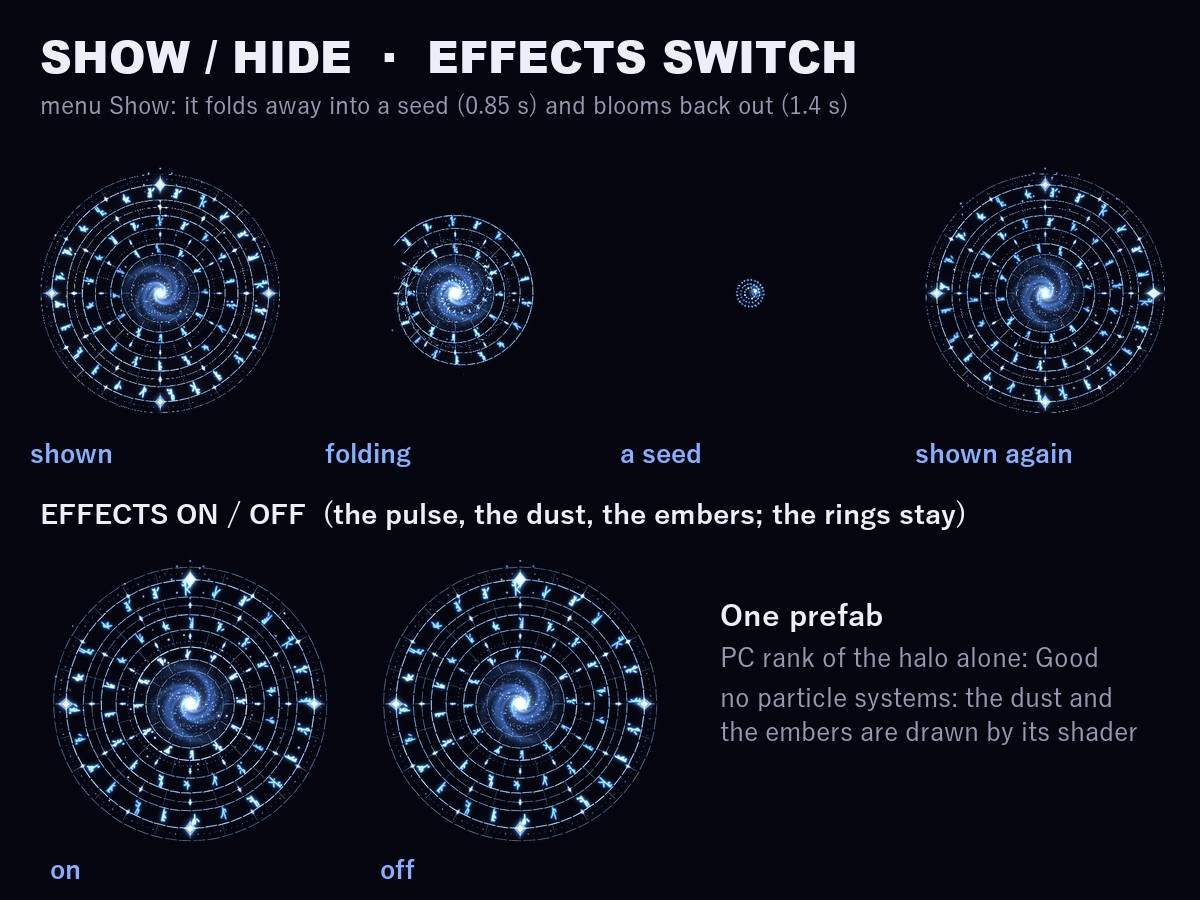
• Show: fold the halo away into a seed (0.85 s) / bloom it back out (1.4 s) (on to start, remembered)
• Form: Galaxy / Fallen / Void (remembered)
• Rings: Clock / Orbit / Burst (remembered)
• Body gestures: the palms-up change and the star on / off (on to start, remembered). Turn it off if you put your hands over your head a lot.
• Effects: the light pulse, the dust and the embers on / off (on to start, remembered). The rings and the gestures keep working.
ONE PREFAB, GOOD RANK
VRChat PC performance rank of the halo by itself (VRChat SDK check): Good. No particle systems and no lights: the dust, the embers and the pulse are drawn by the halo's own shader.
In VRChat you see the rank of your avatar and the halo together (on the SDK sample avatar, which is Medium by itself, it stays Medium).
EASY TO PUT ON
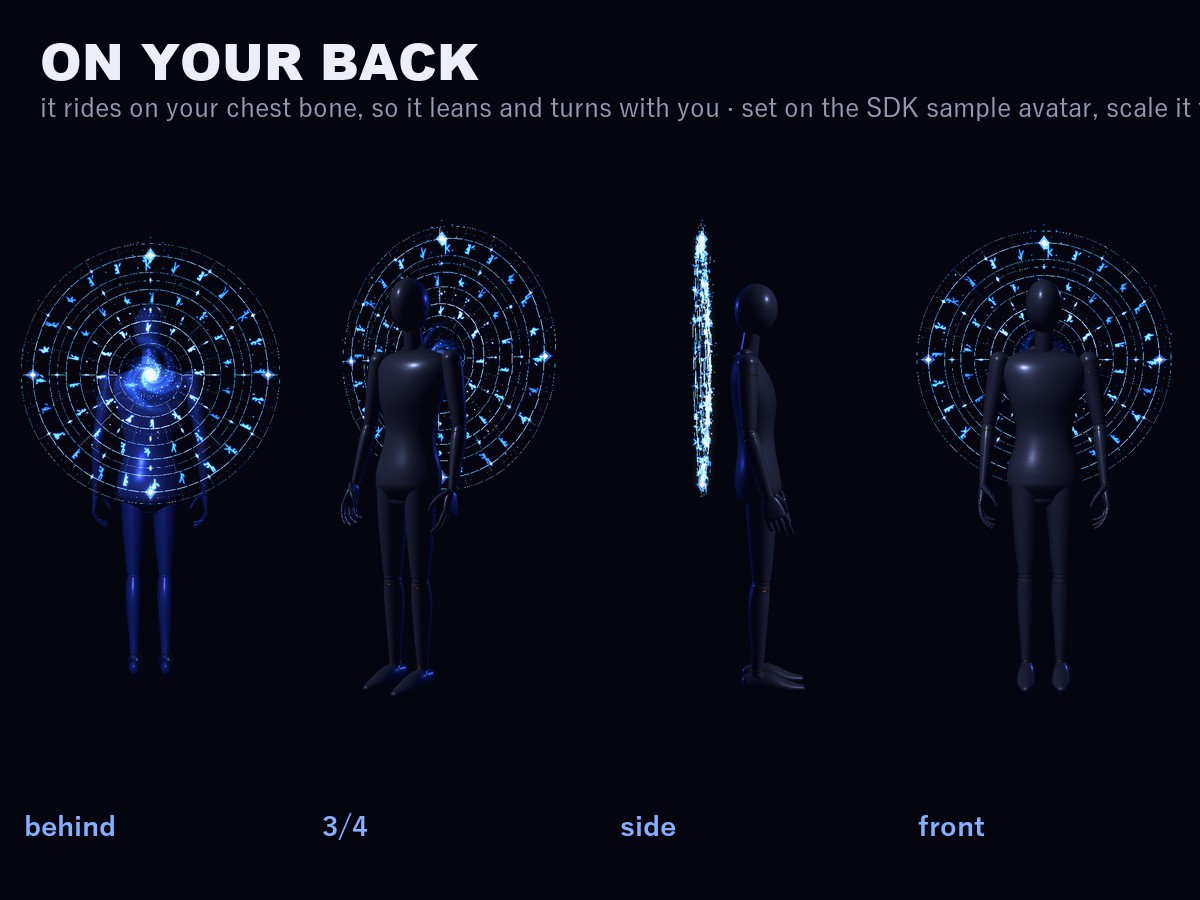
Drag one prefab onto your avatar and upload. Modular Avatar adds the "Rune Halo" menu, the parameters and the animator layers for you, and keeps the halo on your chest bone, so it leans and turns with you.
It is placed for the VRChat SDK sample avatar (there the halo is 1.1 m across, wider than the shoulders). For a much smaller or bigger avatar, move or scale one object (BackAnchor): the README shows how.
WHAT'S INCLUDED
• RH_1.0.0.unitypackage: 1 prefab, 1 shader, 1 rune texture, 1 material, menu and animator
Folders: Assets/Caligo/Runelight/No.5 Rear Rune Halo/ (the halo) and Assets/Caligo/Runelight/_Common/ (the rune texture shared by the Runelight series)
• README (English and Japanese)
SPECS
• Tris: 2,396
• Mesh renderers: 1 / Materials: 1 / Textures: 1 (512, BC7) / Lights: none / Particle systems: none / Trail renderers: none
• PhysBones: 1 (the top star, only you can grab it) / Contacts: 4 / Constraints: none
• Synced parameters: 19 bits
REQUIREMENTS
• Modular Avatar (available through VCC)
TESTED WITH
Unity 2022.3.22f1 / VRChat SDK 3.10.5 / Modular Avatar 1.18.7. The parts, the parameters, the menu and the animator steps are checked in Unity. The prefab imports into a clean project with no problems, also together with Runelight No.1 Rune Bow and No.2 Fallen Scythe in the same project.
PC only (custom shader, no Quest version).
GOOD TO KNOW
• It never touches other players, and only you can grab the star.
• People who block custom shaders in their Safety settings won't see it.
SUPPORT
If the palms-up change, the star or anything else doesn't work as described in VRChat, message me on Jinxxy. I'll fix it and send you the update for free.
AI DISCLOSURE (AI-Assisted)
The shader, the code that builds this halo and the text on this page were written with help from an AI assistant. An AI image generator made rough concept sketches I looked at while designing (the shape follows one of them); nothing it made is in the files or in the preview images, which are rendered in Unity from the actual halo.
RUNELIGHT SERIES
No.5 of five light-rune pieces made to go together.
TERMS
• OK to use on your avatar in VRChat and other platforms
• OK to stream, record, and post on social media
• Editing is fine
• Please don't redistribute or resell the files, edited or not
UPDATES
• v1.0.0 (2026-11-07): first release