Atlas VRFX - Studio Light [VRChat]
Description du produit
Good lighting is the difference between a snapshot and a great photo, and VRChat worlds rarely light your avatar the way you want.
The Atlas VRFX - Studio Light gives you three real studio lights you can stand anywhere in the world, aim wherever you like, and tune until the shot looks right. It's time to take your VRChat film and photos to the next level.
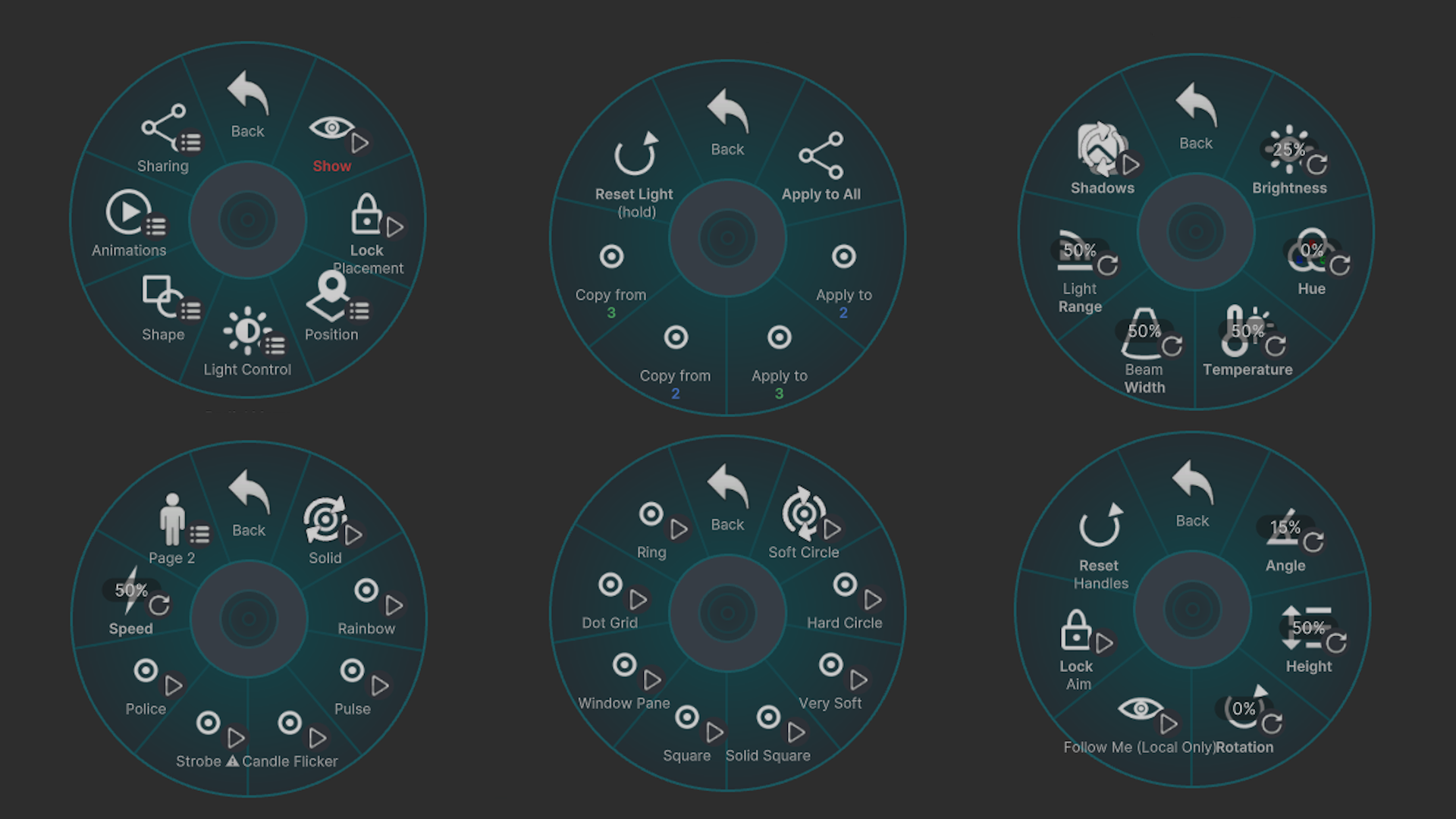
Every control lives in your Action Menu. Nothing to configure, nothing to learn. It's just ready to go out of the box. More time for you to get creating!
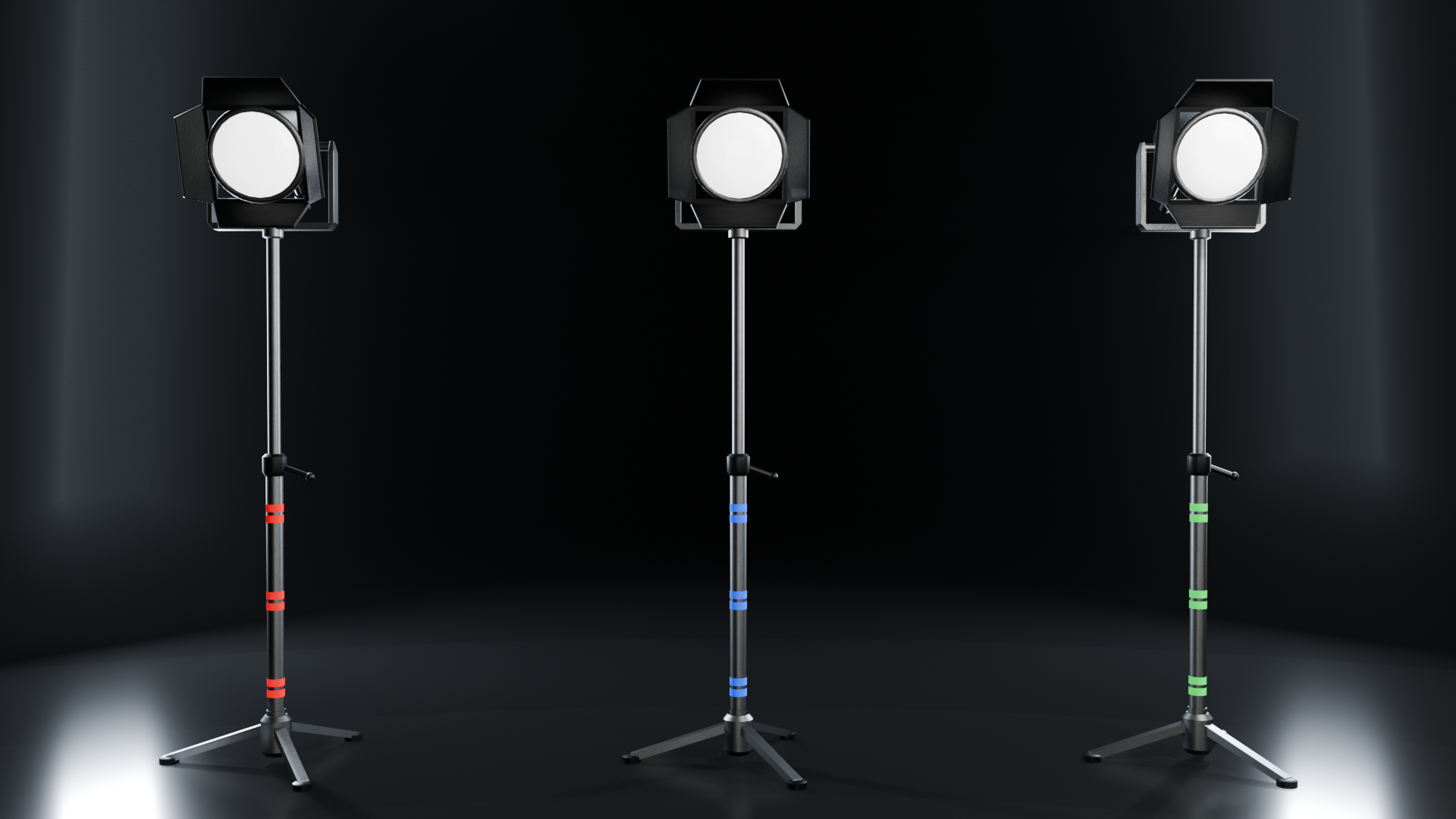
3 Placeable Studio Lights at Once!
Each light is fully independent: its own color, its own settings, its own place in the world. One behind you for a rim, one low and soft for fill, one wherever the shot needs it. You have total control!
An unlocked light floats just in front of you while you position it. Lock it and it stays where you are standing, and everyone in the instance sees it there. Unlock it and it follows you again.
They are named Red, Blue and Green so you can tell them apart in the menu, but don't worry, any light can shine any color you like!
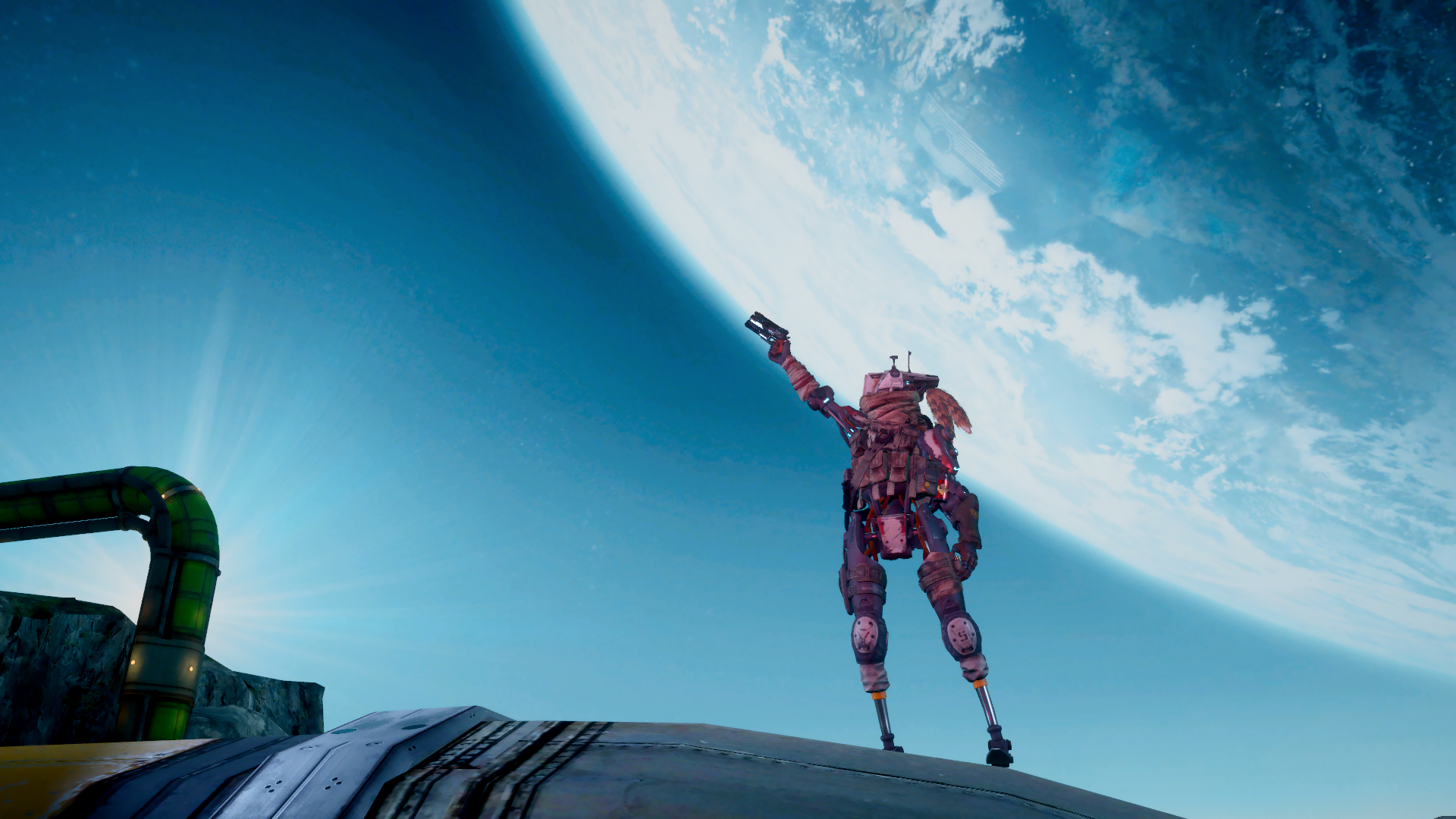
Position It Exactly How You Want
- Height is adjustable, by hand and in menu.
- Tilt from 35 degrees below horizontal to straight overhead
- Rotation a full 360 degrees
- Follow Me keeps the beam on you as you move. This one is local to you: your view and photos show it tracking smoothly, other players see the light at its Angle setting
- Lock Aim pins the Follow Me aim position to a spot so you can keep it in a position you like
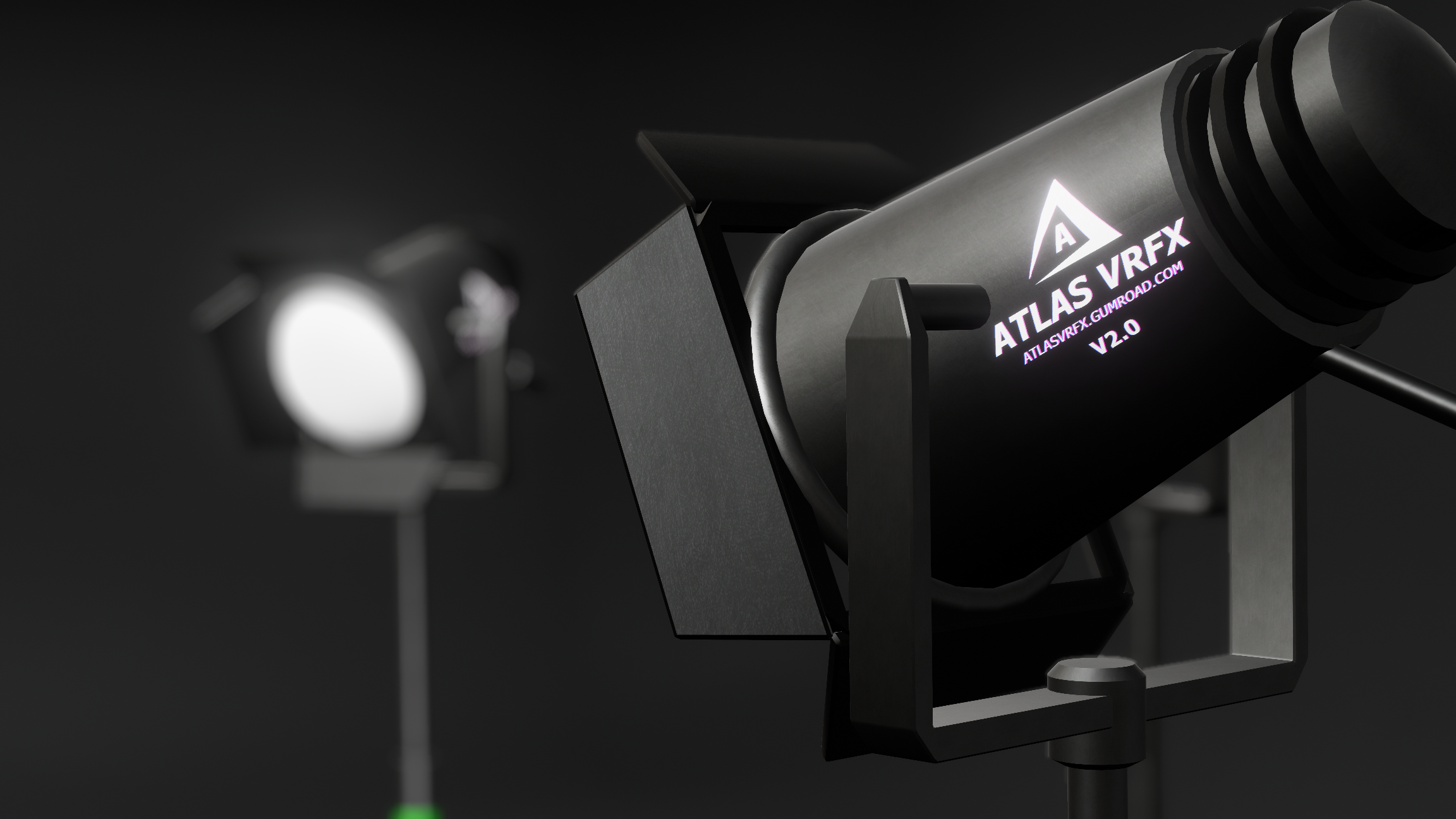
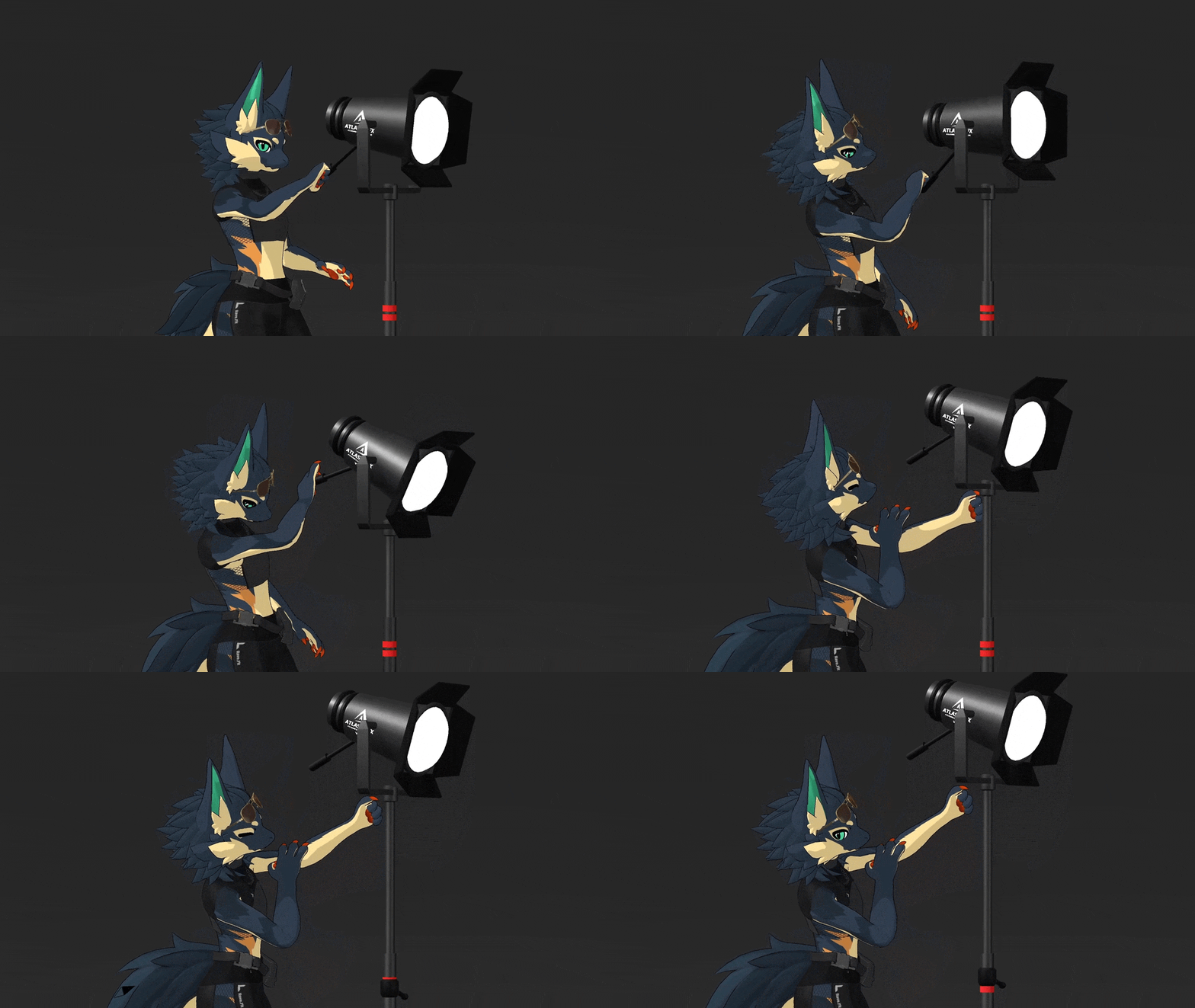
Grab It & Move It By Hand
Take the collar on the pole to slide the height, or the handle on the head to change the aim. It stays where you let go, and friends can reach over and adjust your lights too. This works in desktop mode as well as VR. Reset Handles puts everything back to your menu settings in case you don't like the manual by-hand adjustments. Great for letting your friends slightly tweak the height instead of you having to leave the spotlight.
Full Brightness, Color & Temperature Control!
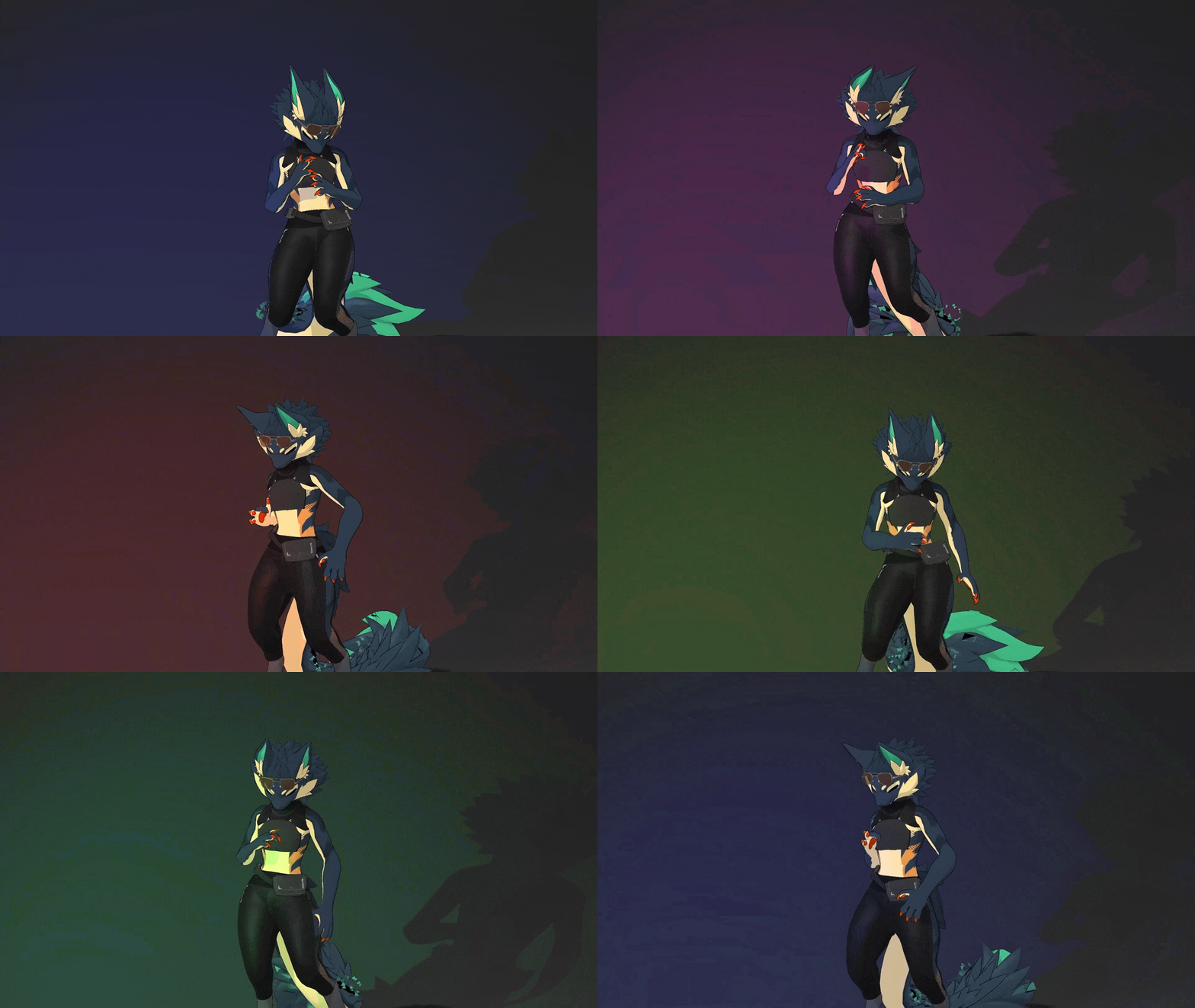
- Brightness from a soft glow up to the full power of the sun.
- Color on an 8 stop hue radial: white, red, orange, yellow, green, blue, purple and pink, blending anywhere in between. The lens on the head glows in the color you pick.
- Temperature across the full 2,000 K to 20,000 K span, with neutral white at the center of the dial. Turn one way for cold daylight, the other for warm tungsten.
- Beam width from a 5 degree pinspot to a 150 degree wash.
- Range from very close to 30 meters away.
- Shadows on or off, soft and they're real time.
8 Beam Shapes to Project!
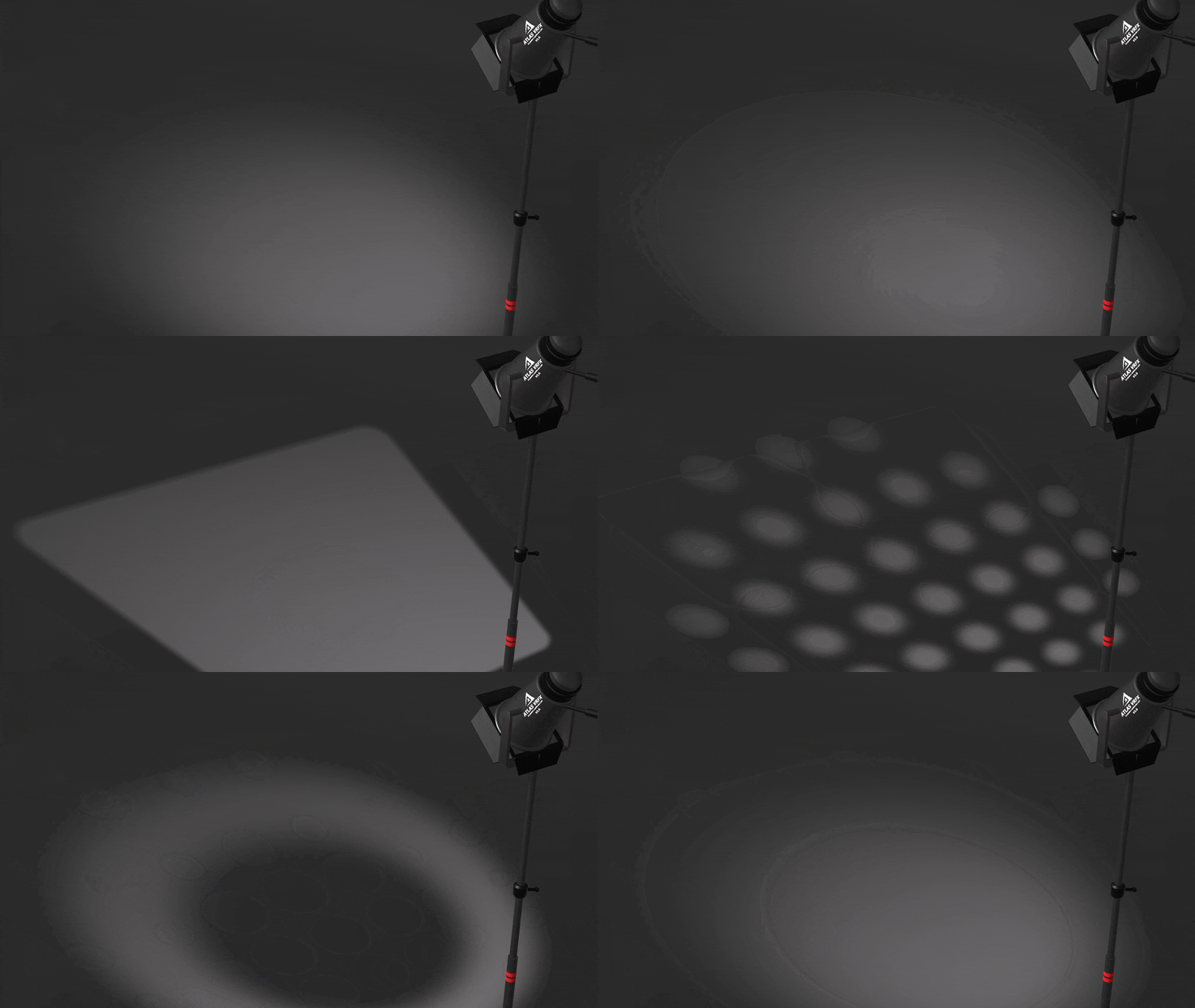
Put a shape on the floor and the walls instead of a plain circle: Soft Circle, Hard Circle, Very Soft, Solid Square, Square, Window Pane, Dot Grid and Ring.
11 Animated Lighting Patterns!
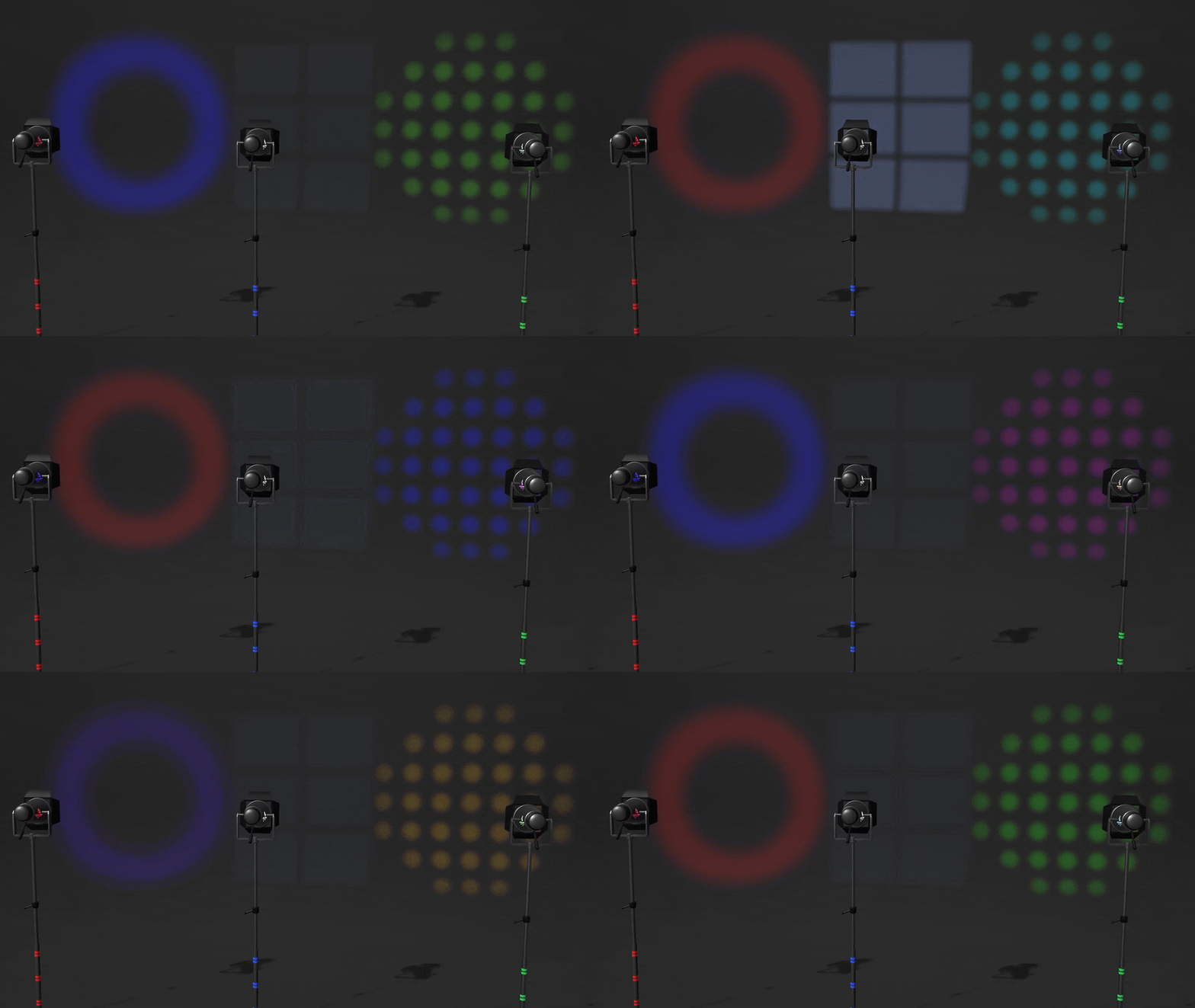
Rainbow, Pulse, Candle Flicker, Strobe, Police, Disco, Lightning, Fireplace, TV Glow and Aurora, plus Solid to hold still. A speed dial runs from paused up to 4x, and the lens glow follows the pattern.
Strobe and Police flash rapidly, please be cautious if you are worried about photosensitivity.
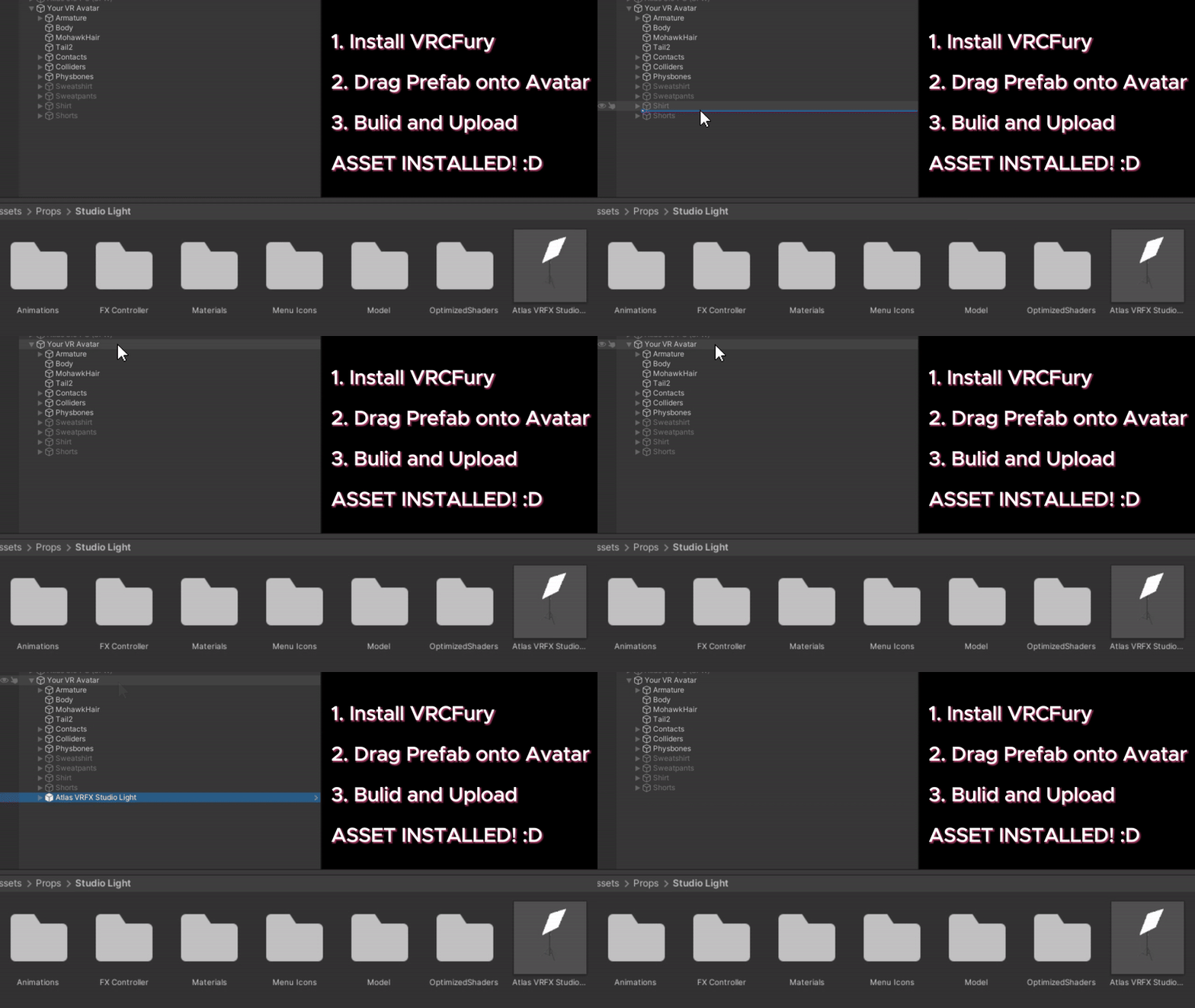
Easy Drag & Drop Installation!
Import the package, drag one prefab onto your avatar's root, upload. VRCFury wires up the menu, the parameters and the animator. Drag and drop, build and upload. It's that easy!
Additional Features:
All Lights Off
One tap kills the illumination from every light while the stands stay where they are, so you can compare a shot lit and unlit without disturbing your setup.
Copy Your Look to Every Light
Once one light looks right, you can apply its settings to the others, copy from a specific light, or reset one to defaults. Light settings copy across, but placement does not get reset.
Hide the Stands, Keep the Light
The invisible toggle hides the stands, poles and heads while the lights keep working. So you can keep them out of your shots easily.
Everyone Can See Your Lights!
Anyone who can see your avatar sees your lights, the illumination, the shadows, the shapes and the animations. Nothing to install on their side, nothing to switch on, no shader to own.
Settings reach everyone within a few seconds, late joiners included. Placement is the exception: late join sync is not supported at this time. However future VRChat dev update blogs have shown this may be solvable in a future update.
What's Included?
- A ready to install prefab (with lightweight alternate versions if desired)
- 8 beam shape projections
- 11 lighting animations with a speed dial
- 25 custom menu icons
- The light fixture model, 8 materials and 4 texture maps
- A READ ME covering install, controls and troubleshooting
What You Need
- VRCFury 1.1279.0 or newer, free
- Unity 2022.3 and a current VRChat SDK
- 23 bits of your synced parameter budget, (or 19 on the LITE - 1 Light version).
Already Own Version 1?
2.0 is a clean install rather than an in-place upgrade, so 1.x comes out first.
- Delete the old Studio Light folder from your Unity project.
- Remove the old prefab from your avatar.
- Import 2.0, drag on the prefab you want, and re-upload.
Step one matters because both versions share menu and parameter names, so leaving 1.x in place gives you duplicates. The READ ME covers it, and if anything still looks odd afterwards, message me and I will assist.
License at a Glance
One license, one person. Everyone who uses the light needs their own, including each member of a studio or team.
Yours to earn from. Videos, streams, sponsored posts, paid VRChat photography and video work, selling the images you capture, and using it at paid events and performances.
Yours alone. For your own VRChat avatars, on PC. Do not share, resell or bundle the files, put them on public or clone-enabled avatars or pedestals, use them in VRChat worlds, or use them outside VRChat.
Read the full Terms of Service before you buy. A copy also ships with the download as Disclaimer and Terms of Service V2.0.txt and those are the terms that apply.
Common Questions
Do other people need to install anything to see my lights?
No. Anyone who can see your avatar sees all of it. However Quest users cannot see the light emitted from the asset.
Do the lights actually light up the world and other players?
Yes. They are real lights, so they light the world and the people in it. Some worlds might not allow for this though if they're using shaders that don't account for realtime lights.
Does this work on Quest?
VRChat does not allow light components on Quest avatars, so this is PC compatible only.
Do my settings sync to other players?
Yes, within a few seconds, including for people who join after you. (Placement cannot be synced for late joiners)
Can I hide the light stands?
Yes. Make Invisible hides the fixtures while the lights keep working.
How much parameter space does it use?
23 bits, or 19 on the 'LITE - 1 Light' alternative prefab, out of VRChat's 256 current maximum. VRCFury's Parameter Compressor can free up room if you are tight on space.
How many lights can I have?
Up to three at once!
Can I put this on an avatar I am making for someone else?
Each person using the light needs their own license (see the Terms of Service), so your client buys their own copy. It is a one drag install, so nothing technical for them to work out.
Can I use it for paid photography or video work?
Yes, under the Terms of Service. The one thing you cannot do is pass the files themselves on.
I already own version 1. What do I do?
It is already in your Gumroad library at no extra cost. Remove 1.x first, then install 2.0 and re-upload, as above.
Need Help?
If you get stuck, message me rather than wrestling with it. I would much rather help you get it working.
Thank you for supporting a small creator. If the light earns a place in your shots, leaving a rating helps more than you would think.