
Yume Kawaii 3-Piece Set | Cloud Halo + Earrings + Hairpin - Kumoiro Drops (Modular Avatar)
Description du produit
Ce produit contient du contenu généré par IA.
AI-Assisted: the 3D shape is generated by a program that was written with AI assistance. The person in the cover images is AI-generated and is not included. Details are at the end.
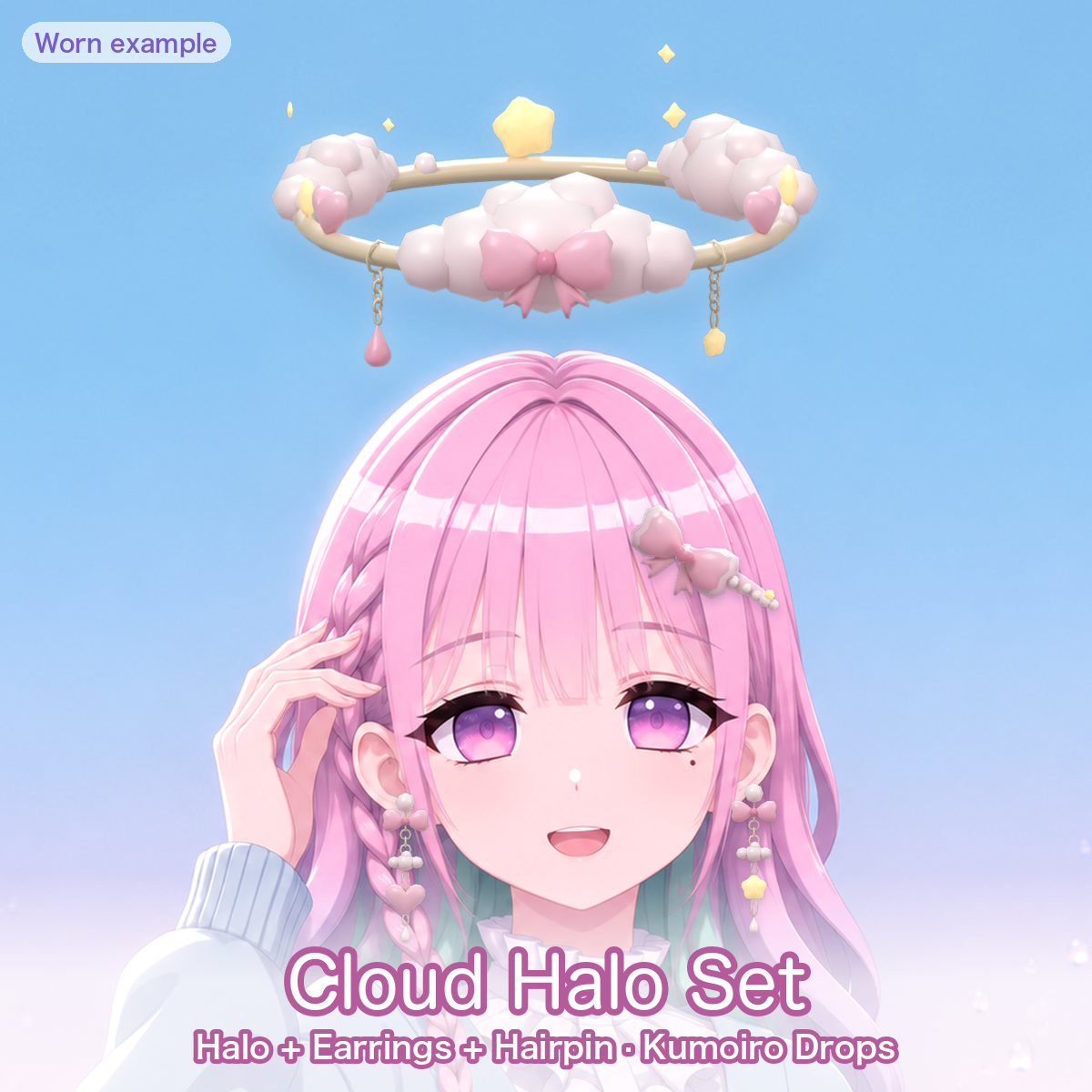
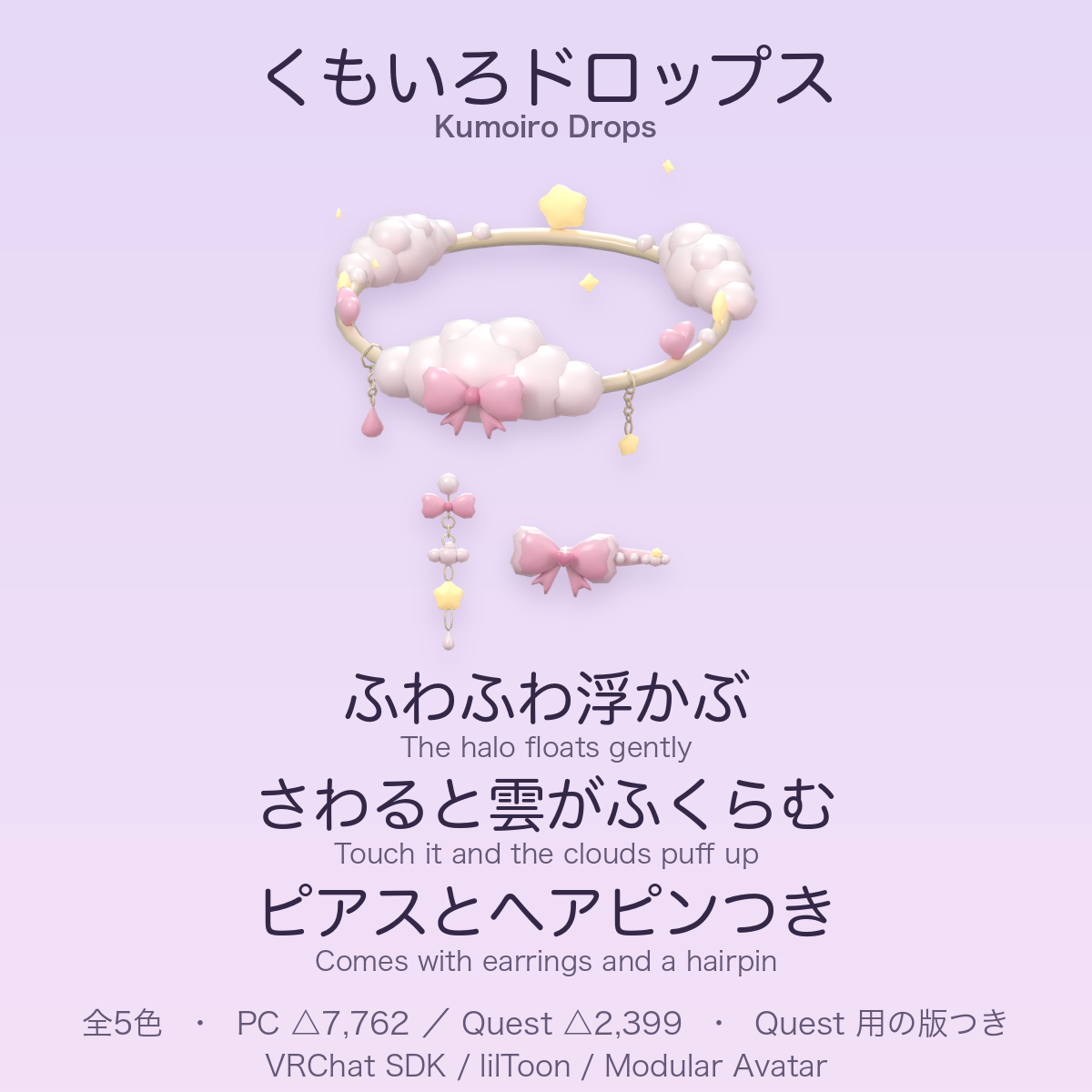
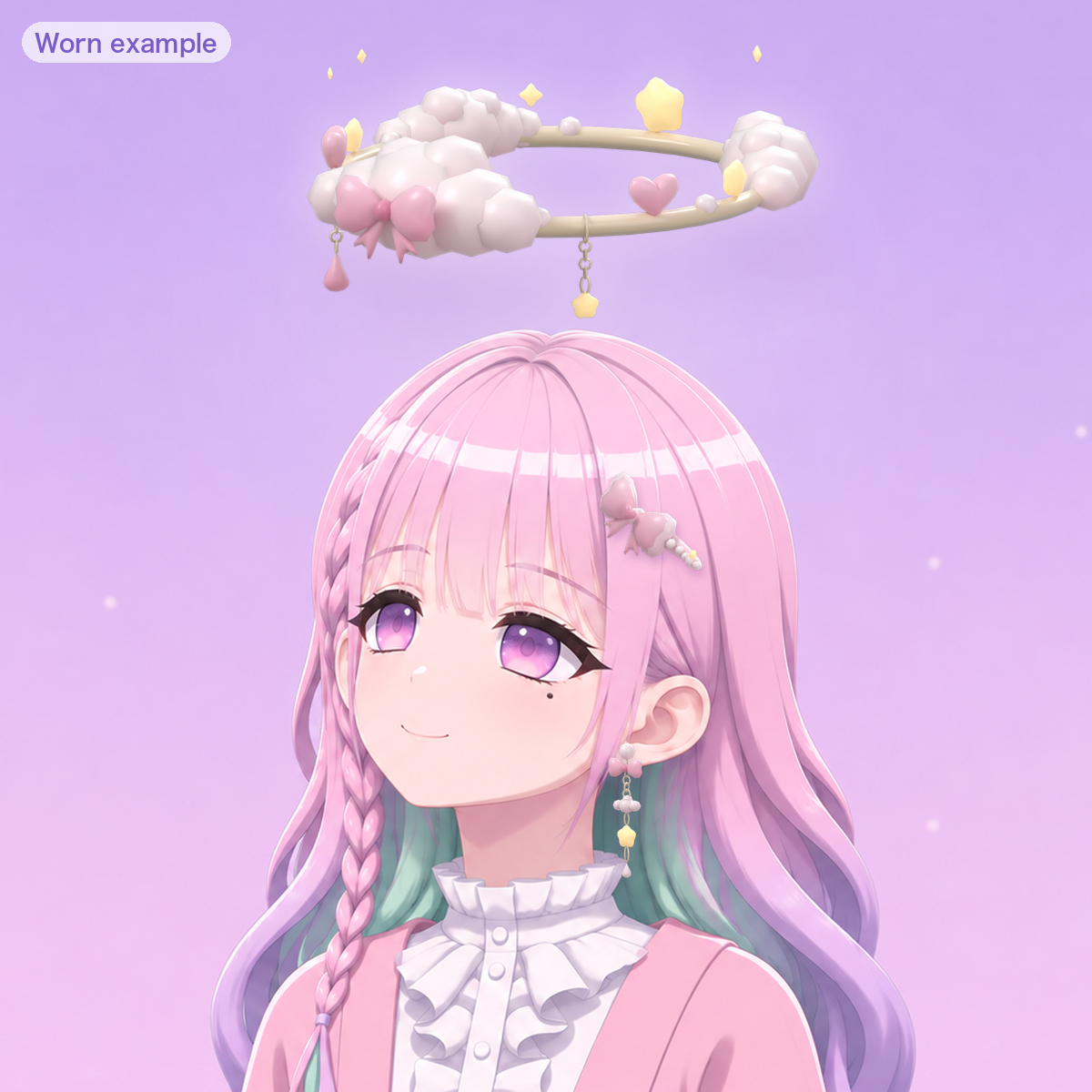
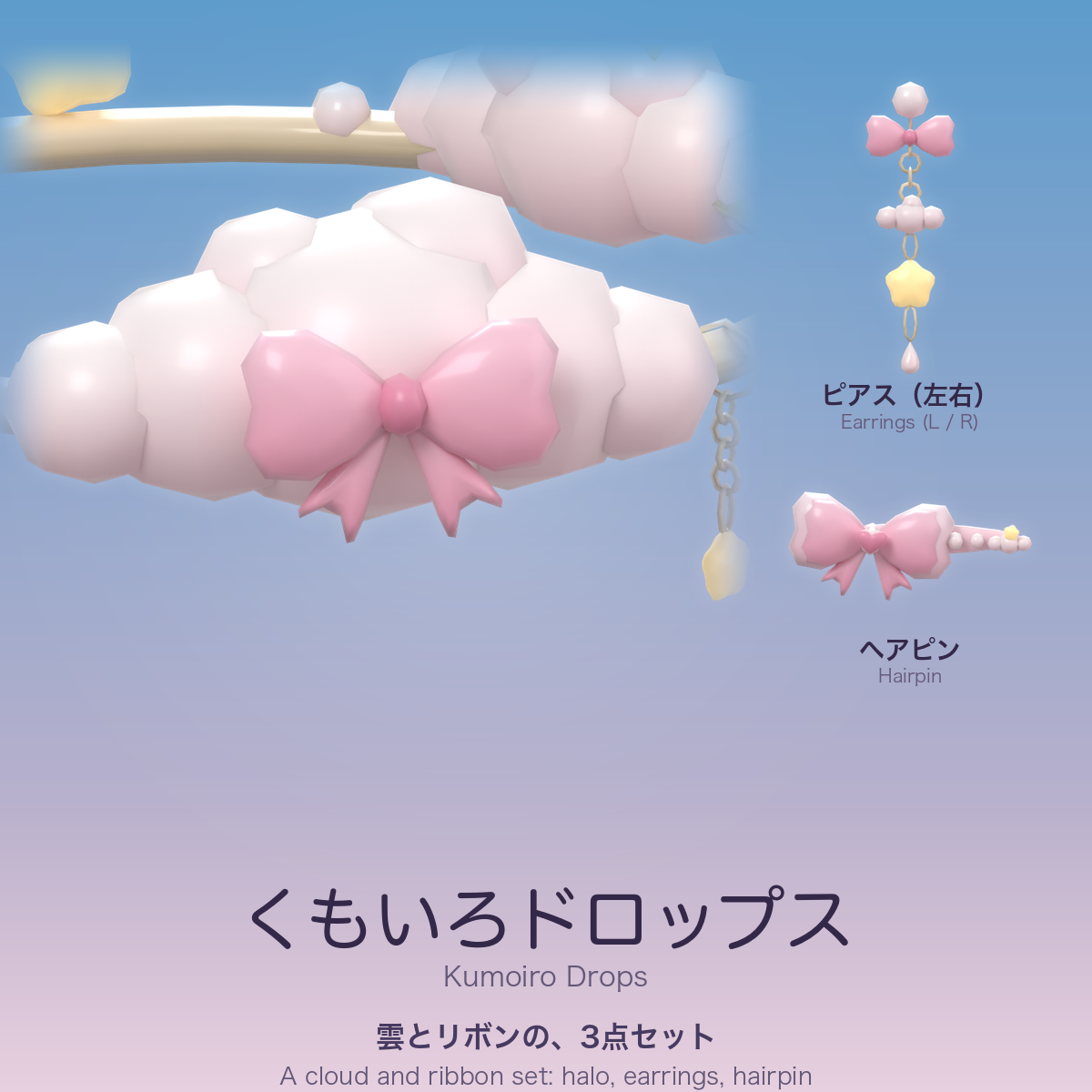
A yume kawaii 3-piece set: a halo, a pair of earrings and a hairpin, all with clouds, ribbons and drops.
The halo floats, and the clouds puff up when touched. 5 colors.
Triangle count (full set): PC 7,762 / Quest 2,399
An original 3D model made for VRChat.
■ What is included
- unitypackage (FBX, textures, setup script and fitting tool inside)
- FBX and GLB (same model, two formats)
- Blender file for editing (made in Blender 4.5)
- Texture PNGs for each color, plus MatCap and other lilToon images and glow masks
- Touch sound effect (WAV). Sound plays on PC only
- Manuals in Japanese, English, Korean and Chinese
- Terms of use (Japanese and English)
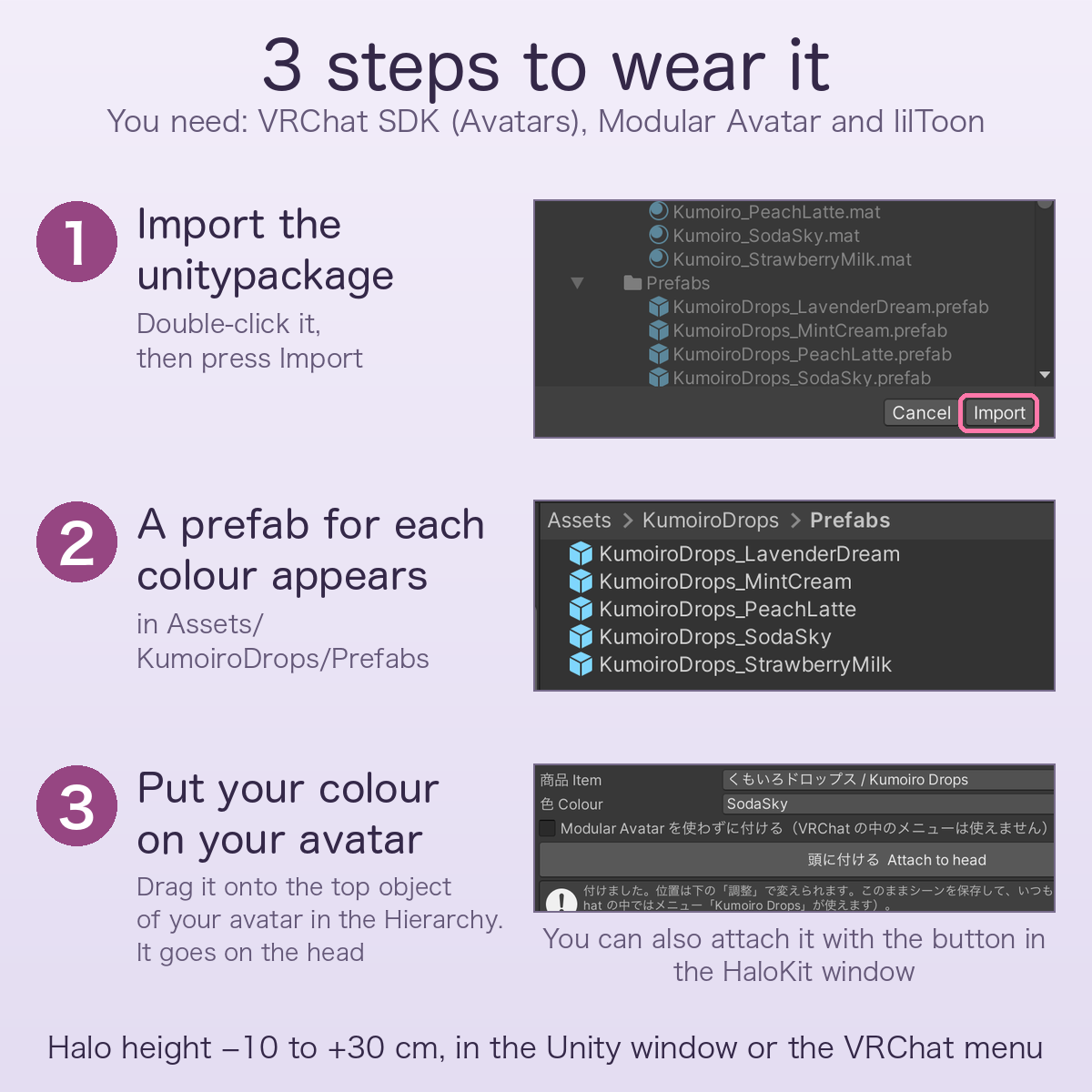
■ Quick start (3 steps)
You need: VRChat SDK (Avatars), Modular Avatar and lilToon (add them from "Manage Project" in VCC / ALCOM).
1. Double-click KumoiroDrops_v1.1.unitypackage and press "Import".
2. After a moment, one prefab per colour appears in Assets/KumoiroDrops/Prefabs (the HaloKit window also opens).
3. Drag the prefab of the colour you like onto the top object of your avatar in the Hierarchy. It goes on the head.
That's it. Save the scene and upload as usual.
If no prefab appears, run Tools > Kumoiro > Rebuild Prefabs.
This product is built for Modular Avatar. VRCFury has not been tested. Without Modular Avatar, the Tools > HaloKit button can attach it directly under the bone, but then the VRChat menu (toggles, motions, height) is not available.
■ Features
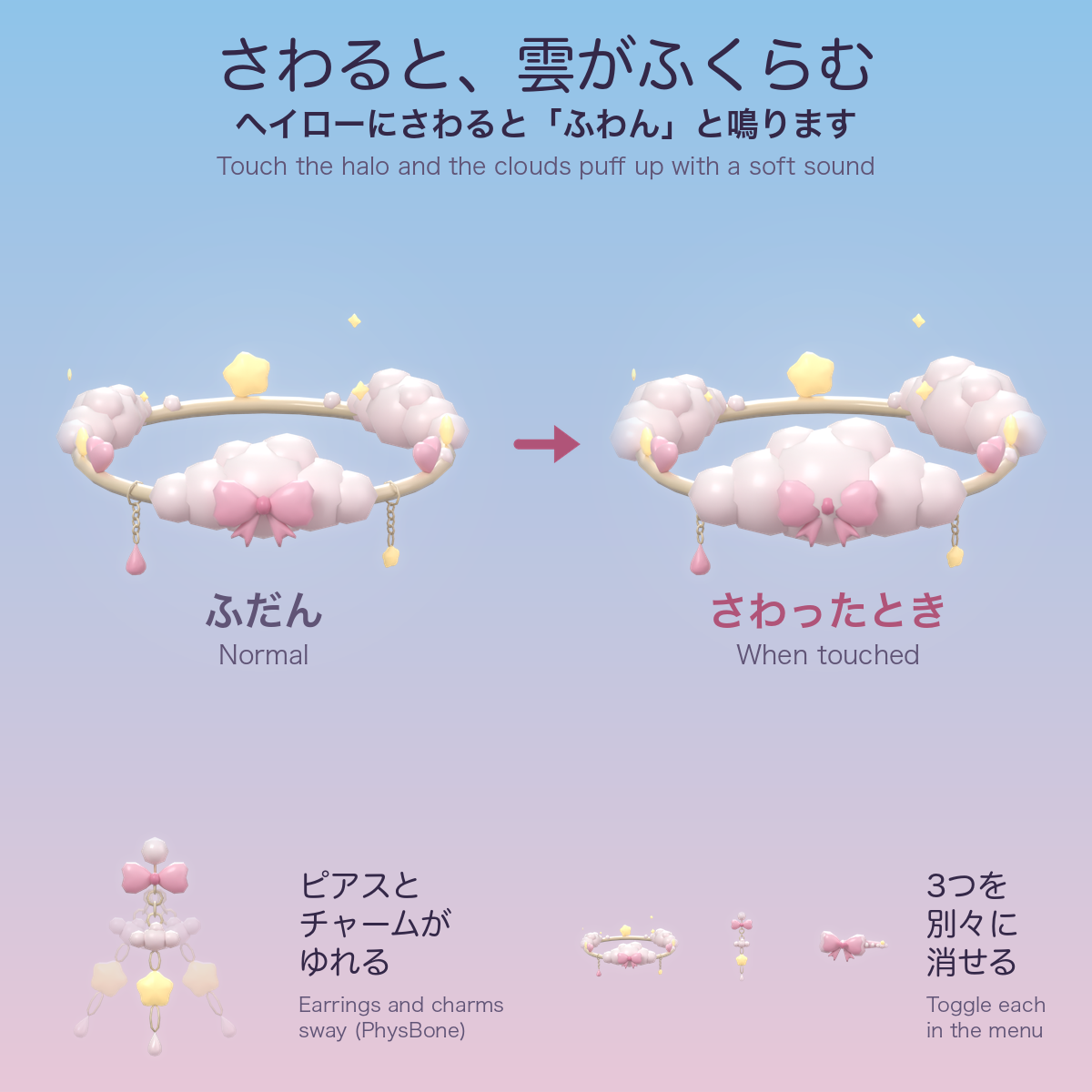
- The halo floats and its stars twinkle. Each motion can be switched on or off from the menu.
- Touch the halo with a hand or finger and the clouds puff up with a soft chime. Reaction to your own hand is checked in Unity. It is set up to react to other people's hands too (not when their safety settings block it). This has not been checked inside VRChat.
- The halo charms and the earrings sway with PhysBone.
- Show or hide the halo, earrings and hairpin separately from the menu.
- Halo height: -10 to +30 cm in Unity, and from the VRChat menu. The earrings and hairpin have no height menu (you can fine-tune their position in Unity).
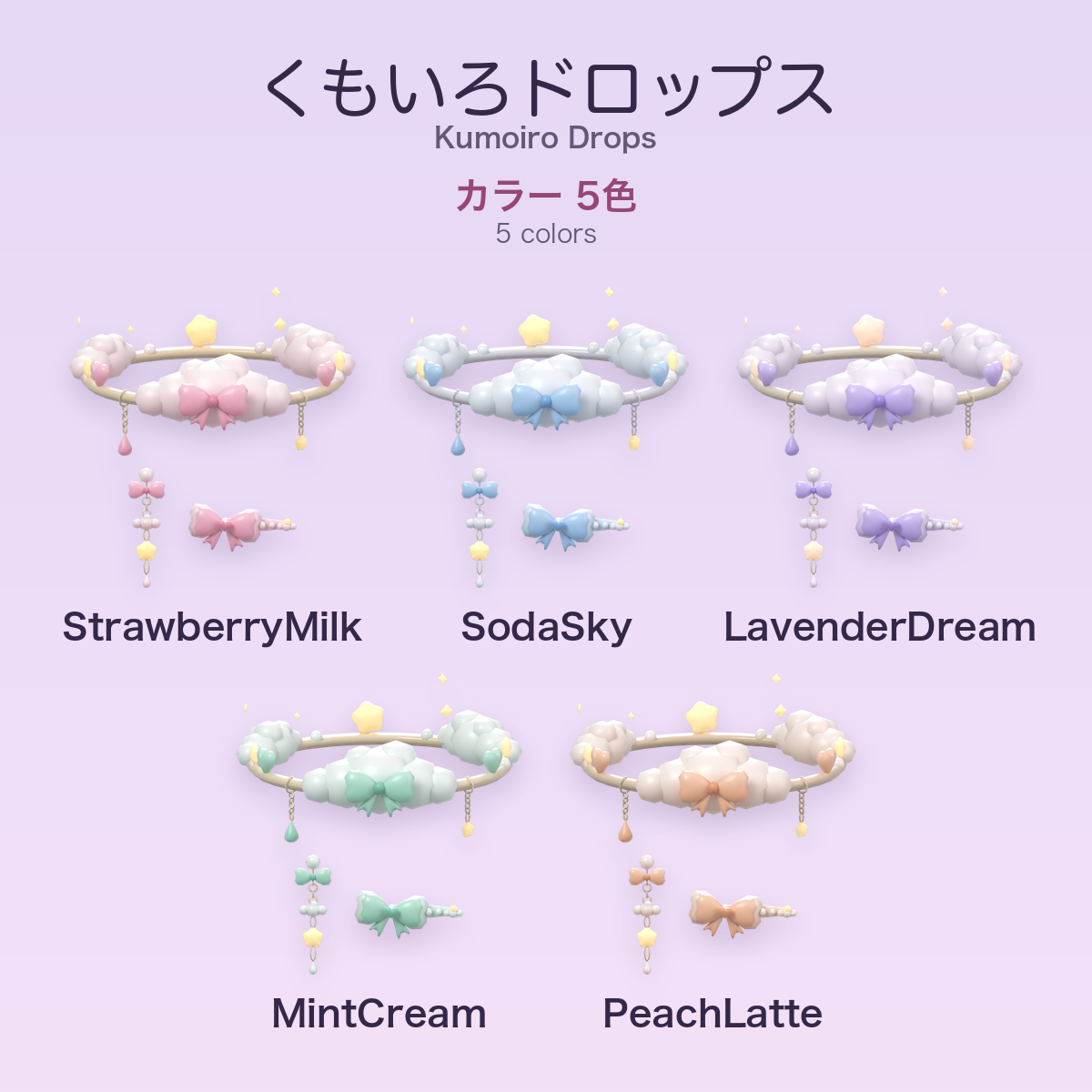
- 5 colors.
- 6 shape keys: (halo) bigger clouds / hide ribbon / hide charms, (earrings) bigger charms, (earrings and hairpin) hide clouds, (hairpin) bigger bow.
- Fine-tune position, rotation and size with the Unity fitting tool. It matches position and size to the avatar's head height automatically.
■ Using it on Quest (Android)
- A Quest (Android) version is included. The Quest prefabs have names ending in _Quest and are made automatically with the PC ones on import.
- Switch the Unity build target to Android, then attach with HaloKit: the Quest version is picked automatically. When dragging a prefab yourself, use the _Quest one.
- The Quest version is a lighter copy using VRChat's Quest shaders (VRChat/Mobile): fewer triangles, one material. No sound.
- What this item adds (Quest version): 2,399 triangles, 1 mesh(es), 1 material(s), 3 PhysBone(s), 1 contact(s), 0 constraint(s), 0.36 MB of textures
- Most people on Quest do not see avatars ranked Poor or lower unless they change their settings. The rank is decided by the whole avatar, and your avatar itself must support Quest. Before attaching, check that your whole avatar has room (Quest Medium limits: 15,000 triangles, 2 meshes, 2 materials, 6 PhysBones, and so on).
- In the Quest version all parts are one mesh with one material; on Quest the per-part switches in the menu hide a part by shrinking it to nothing (not tested on a real Quest).
- Checked in Unity with the Android build target: attaching, colours, height, menu and the Android build.
- Not tested on a real Quest.
■ Compatibility
- Tested combination: Unity 2022.3.22f1, VRChat SDK 3.10.6, Modular Avatar 1.18.7, lilToon 2.4.1.
- With that combination, import, automatic prefab creation, build-time processing (NDMF), color switching, height adjustment and placement were checked on a humanoid test avatar.
- Both a PC version and a Quest (Android) version are included. See "Using it on Quest (Android)" above.
- Position can be adjusted in Unity. It is not tuned for any specific avatar.
- Without lilToon, it is built with the Standard shader.
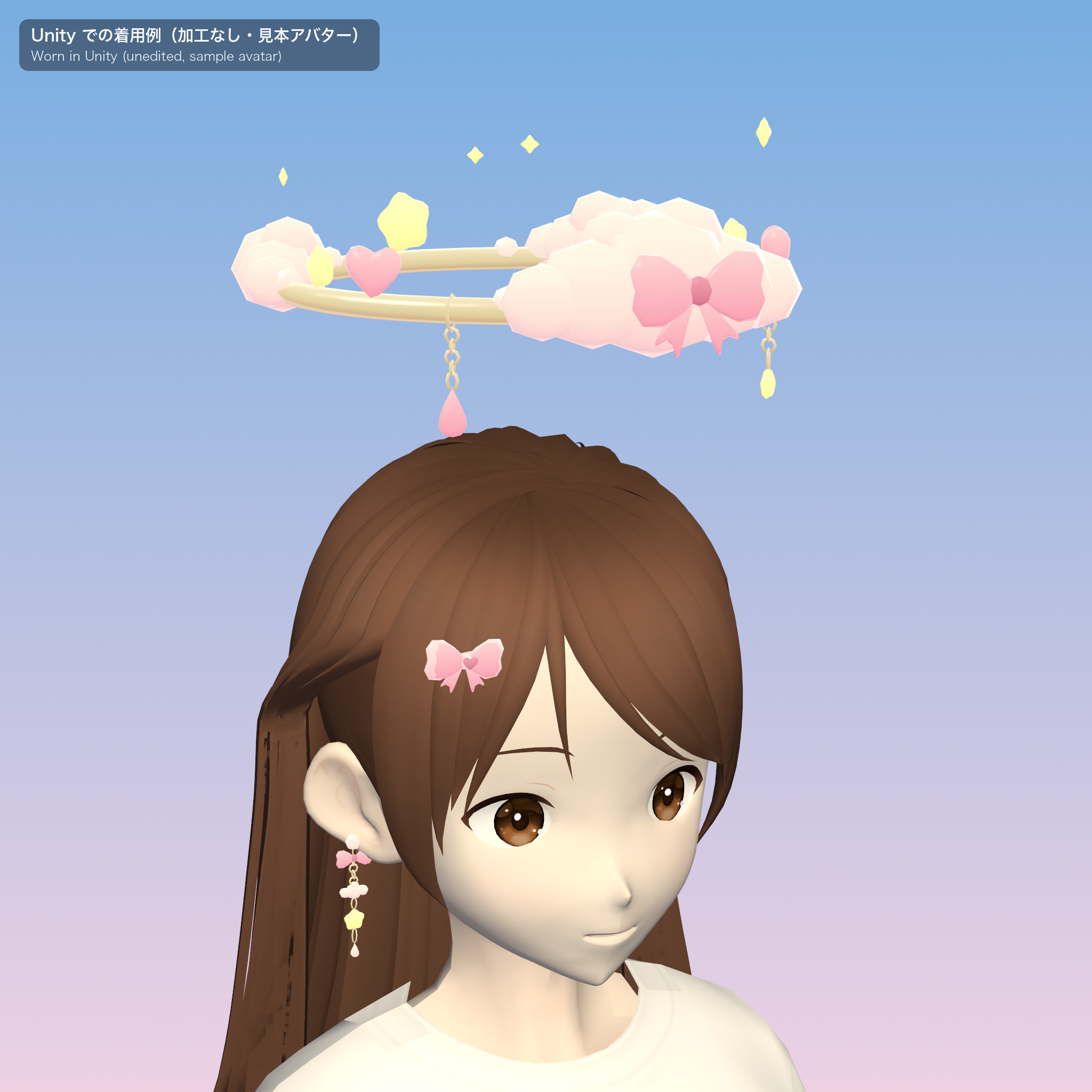
- On the test avatar, the default height keeps the lowest point of the parts hanging over the head at least 2 cm above the top of the hair. Depending on the hairstyle, change the height.
■ Numbers
- Triangles (PC version): 7,762 tris in total (halo 3,920 / earrings 1,020 and 1,208 / hairpin 1,614)
- Size: Halo diameter about 24 cm / earrings about 6.5 cm long / hairpin about 7 cm wide
- Materials: 1 Bones: 5 (halo), 3 each (earrings)
- Colors: 5 (StrawberryMilk, SodaSky, LavenderDream, MintCream, PeachLatte)
- VRChat parameters: uses 14 synced bits (the height control accounts for 8 bits).
- Shader: lilToon
- Default height: 0.306 m from the Head bone (for an avatar with a 1.386 m head height; position and size are matched to the avatar's head height automatically)
■ License (summary)
The bundled terms of use are authoritative. By purchasing you agree to them.
- Allowed: use in VRChat and other social VR, streams, videos, photos and games (monetized use is fine); modification (recoloring, reshaping, combining with other models); use without credit.
- Not allowed: redistributing or reselling the data, modified or not; uploading it in an extractable form (for example on a publicly cloneable avatar); claiming it as your own work; use against public order and morals, defaming others, political or religious activity; NFTs; use as AI training data.
- The seller is not liable for damage arising from use.
■ Notes
- The person in the cover images is for illustration only and is not included. The character illustration was made with an image-generation AI.
- See image 4 for the fit and scale on an avatar. It shows the accessory attached in Unity. The cover uses a Blender render of the 3D model. Materials and glow can look different depending on the environment.
- This is a digital download. No refunds.
- Fine-tune the earrings' and hairpin's position in Unity. Default positions are set for the test avatar.
- Sway, touch reaction and sound have not been checked inside VRChat yet.
- Sound plays on PC only (a VRChat limitation). It does not play on Quest or mobile.
■ About how this was made
The shape and color textures and the sound effect are generated by programs. AI assistance was used to write those programs (Claude by Anthropic, mainly Claude Fable). The character illustration in the cover images was made with an image-generation AI (image generation in OpenAI Codex, GPT-6 Astra).
■ Terms of use (full text)
Kumoiro Drops - Terms of Use
Date: November 16, 2026 Seller: kAwaIi
By purchasing or downloading this data you agree to these terms. If the Japanese and English versions differ, the Japanese version applies.
ALLOWED
- Use by individuals and companies in social VR such as VRChat, streams, videos, photos and games
- Use in monetised streams and videos
- Modification (recolouring, reshaping, combining with other models)
- Commissioning someone to modify it, when both parties have purchased this data
- Use without credit (credit is appreciated)
NOT ALLOWED
- Redistributing or reselling the data, modified or not
- Uploading it in a form others can extract (for example on a publicly cloneable avatar)
- Claiming the data as your own work
- Use that is against public order and morals, that defames others, or for political or religious activity
- Use in NFTs or any form that claims ownership of the data
- Use as training data for AI
DISCLAIMER
The seller is not liable for any damage arising from use of this data.
The terms in effect at the time of purchase apply to that purchase.
Contact: https://00ookawaiioo00.booth.pm/